OM-1670-001_w.pdf - 第13页
OM-1670 10 6. "Unit Change" Window 6.1 Nozzle Stocker When the nozzle stocker button is pressed, the following window appears. Note The display in the window varies depending on the selected option. [1] [2] Fig…
OM-1670
9
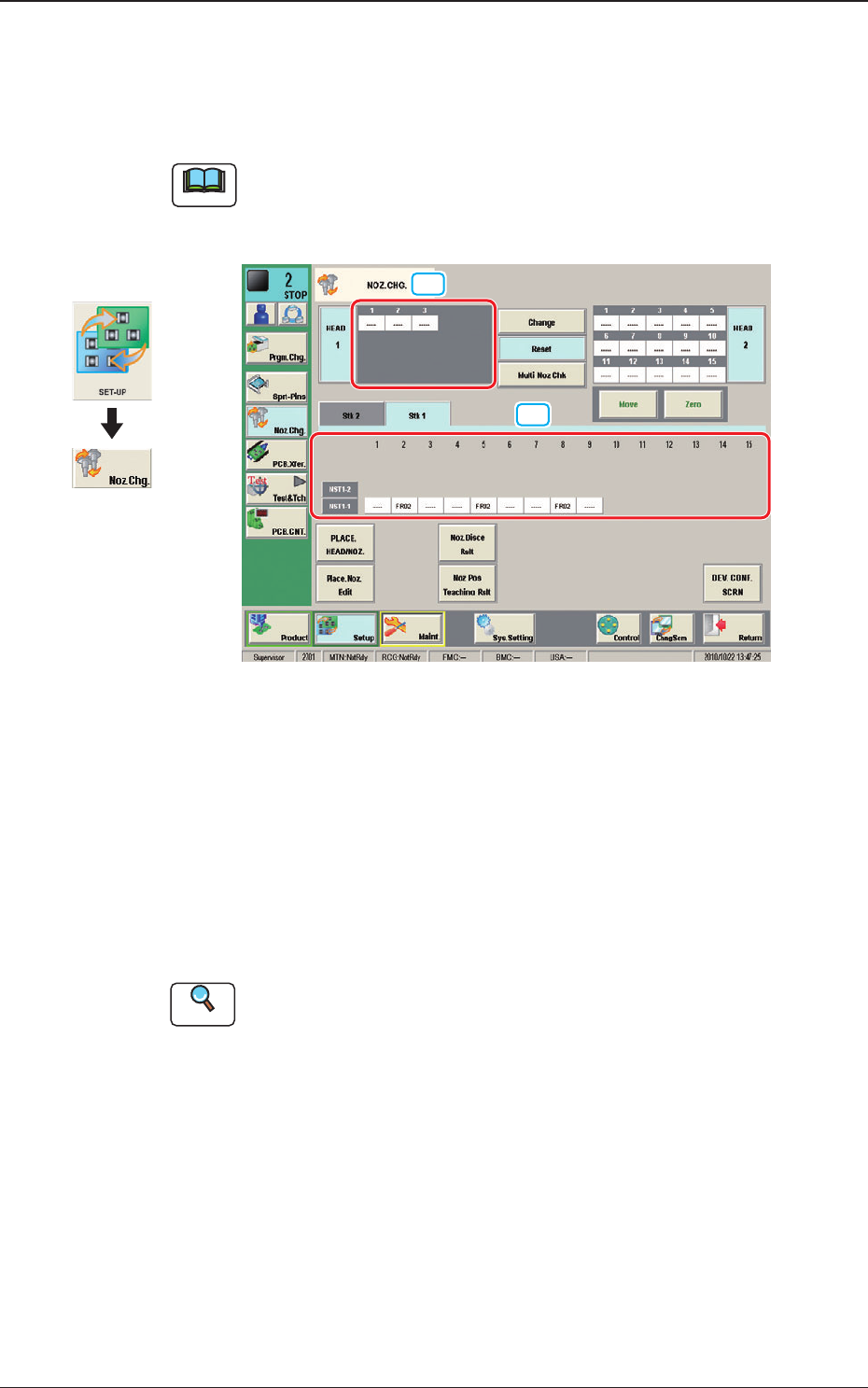
5. "NOZ.CHG." Window
For the nozzle change, the "Overall Setup" or "Manual Setup" operation is
performed.
Note
(a) The window shows the condition where a multi-functional head is mounted
onto the head No. 1 position.
(b) The display in the window varies depending on the selected option.
[1]
[2]
Fig. 5 Condition where the Nozzle Stocker "L3" for
Multi-Functional Nozzles has been attached.
[1] "Nozzle Stocker Status Indicator" Panel
Indicated is the status of the nozzle stockers.
The background color of the "Bypassed"-specied address turns yellow.
[2] "Vacuum Nozzle Status Indicator" Field
Indicated is the status of the nozzles attached to each head.
Reference
Refer to "5. "NOZ.CHG." Window" in Chapter 6 (Volume 2) in the SIGMA-G4/
G5 Main Machine Instruction Manual for the details of the "NOZ.CHG."
window.
Graphic
Development
1011-001
5. "NOZ.CHG." Window
OM-1670
10
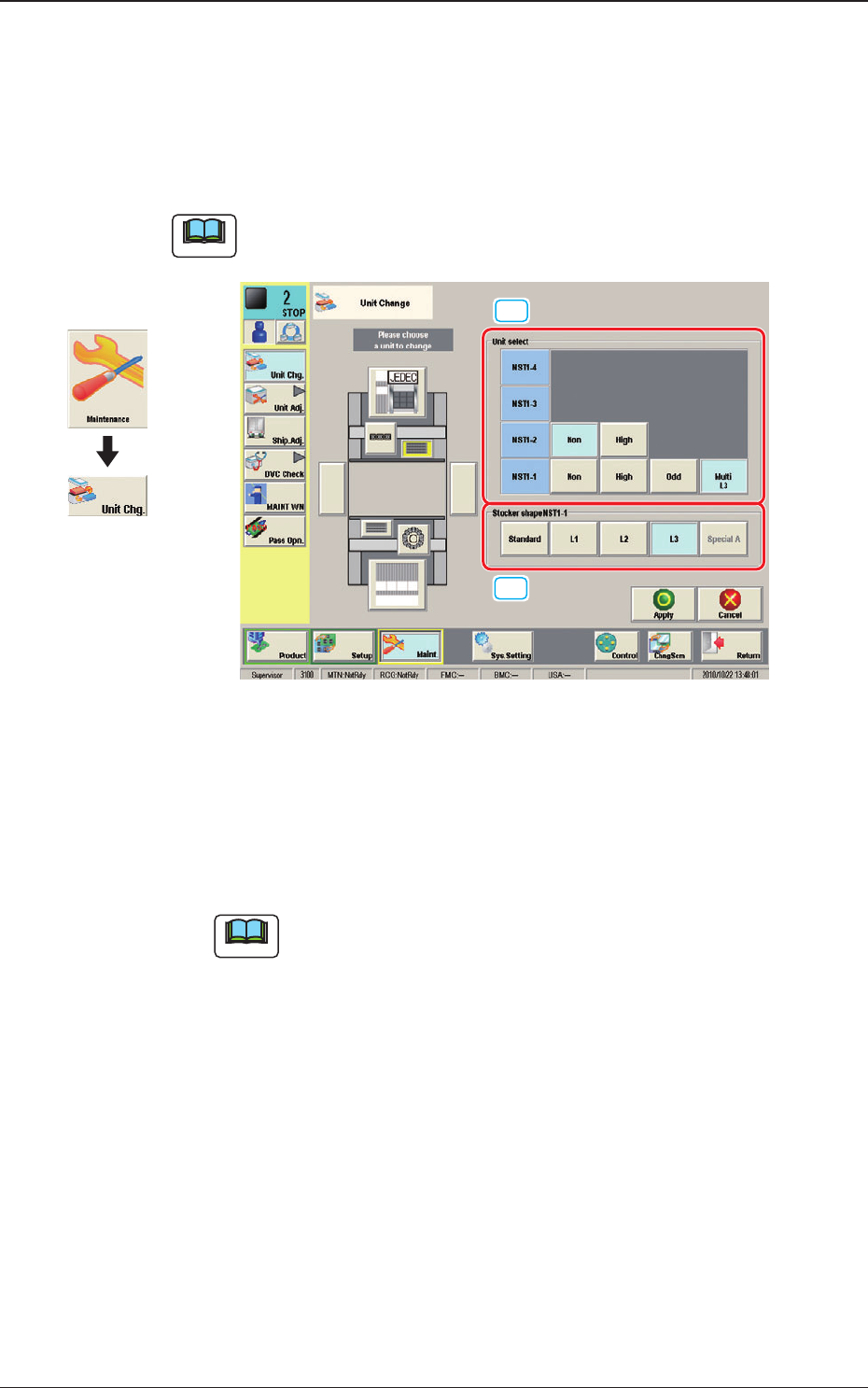
6. "Unit Change" Window
6.1 Nozzle Stocker
When the nozzle stocker button is pressed, the following window appears.
Note
The display in the window varies depending on the selected option.
[1]
[2]
Fig. 6 Condition where the Nozzle Stocker "L3" for
Multi-Functional Nozzles has been attached.
[1] Unit select
When the nozzle stocker for multi-functional nozzle is to be used, press the
[Multi] button.
Note
The selected button name in the "Stocker Shape" selection box will be
displayed.
[2] Stocker Shape
When the [Multi] button is selected in the "Unit select" box, it is displayed.
Select the stocker shape to be used.
1011-001
6. "Unit Change" Window
Graphic
Development
OM-1670
11
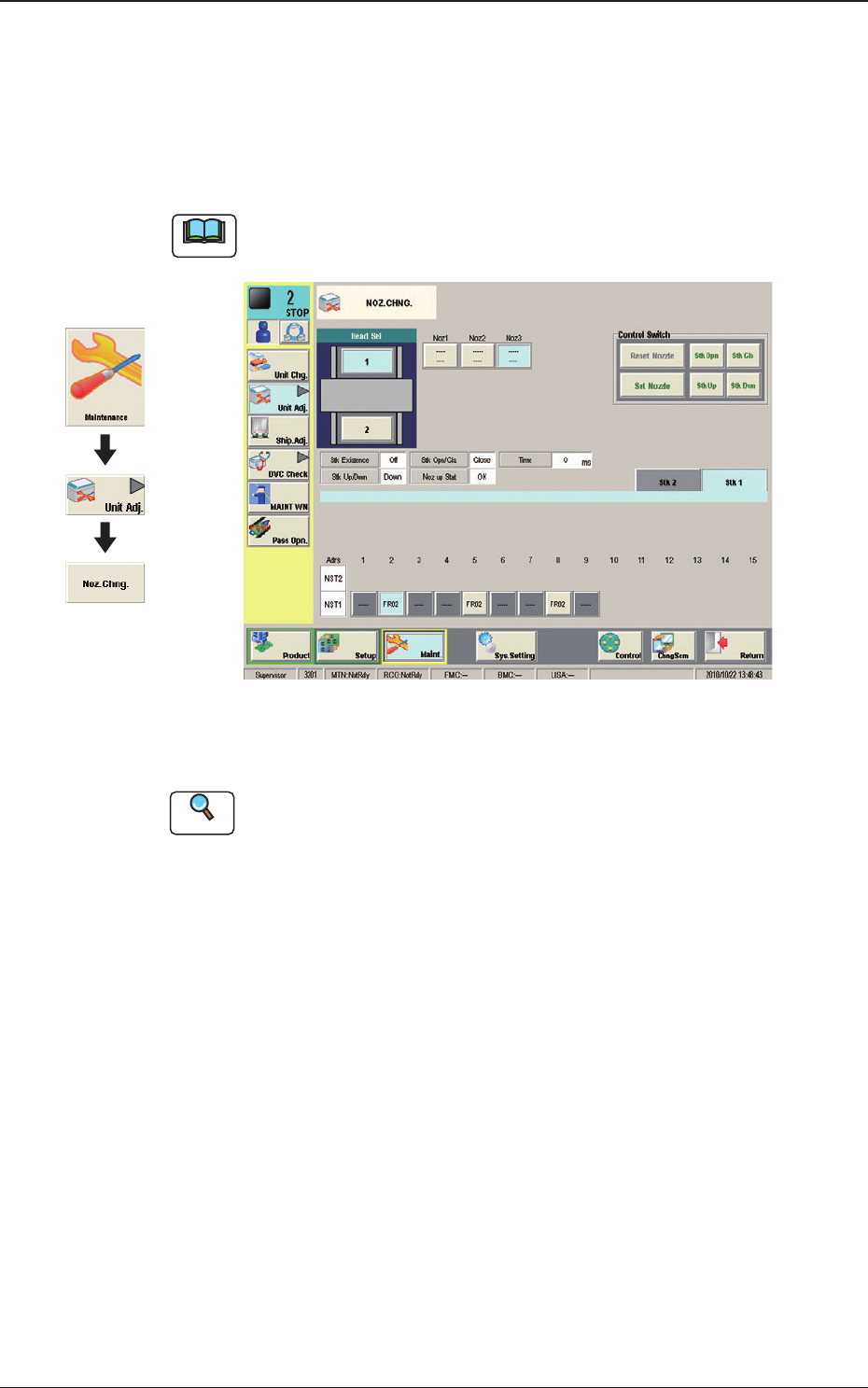
7. "Unit Adj." Submenu
7.1 "NOZ.CHNG." Window
The nozzle attachment and housing can be performed manually.
Note
The display in the window varies depending on the selected option.
Fig. 7 Condition where the Nozzle Stocker "L3" for
Multi-Functional Nozzles has been attached.
Reference
Refer to "4.1. "NOZ.CHG." Window" in Chapter 1 (Volume 3) in the
SIGMA-G4/G5 Main Machine Instruction Manual for the details of the "NOZ.
CHG." window.
Graphic
Development
1011-001
7. "Unit Adj." Submenu