Printer 600 Adjustable Screen Mount.pdf - 第11页
$'-867$ %/(6&5((1 02817 $60 '5,9( 6$ 1'6( 1625 6 Chapter Issue 3 May 03 Technical Reference Manual 12.11 DRIVES AND SENSORS Motors There are no motors associ ated with this module. Sensors Figur…
$'-867$%/(6&5((102817$60
0(&+$1,&$/'(7$,/
12.10 Technical Reference Manual Chapter Issue 3 May 03
Web Assemblies Fitted to either end of the left and right hand rail assemblies, the web assemblies
allow for adjustment of the rails to accommodate for different size screens. The
webs clamp onto the linear ball bush shafts by means of a spring loaded locking
piston. Pneumatic pressure is applied to the locking piston compressing the
locking spring and releasing the web assembly from the linear ball bush shaft.
Hence, the rail assembly width can now be adjusted.
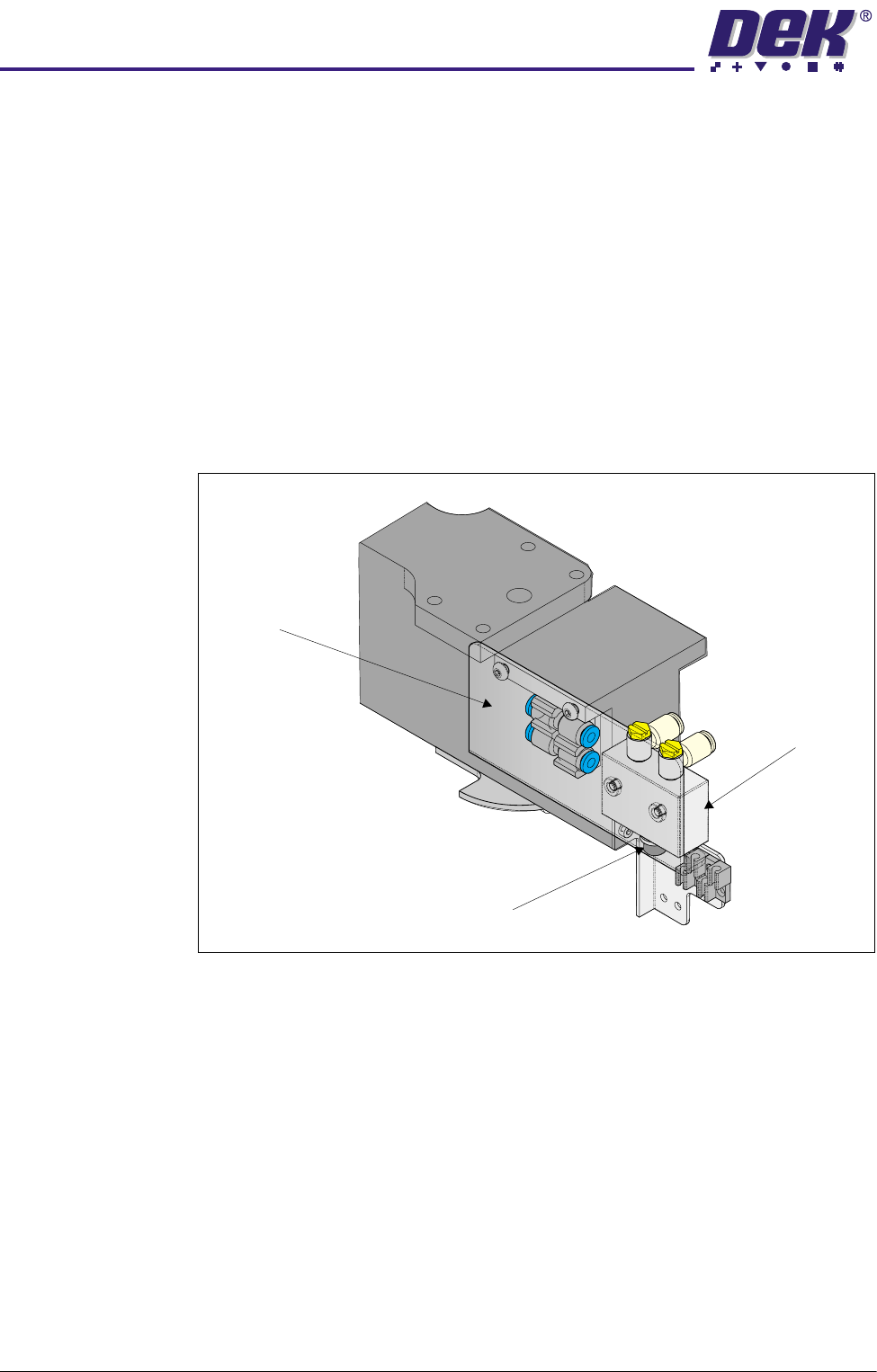
Pneumatic pressure is applied to the web assemblies via the valve fitted to the
front web assemblies’ rail width brackets. The user operates the appropriate
valve applying pneumatic pressure to the front and rear web assemblies
simultaneously, resulting in the web assembly being released from the linear
ball bush shaft allowing the rail to be adjusted as required.
On completion of the adjustment, the user releases the valve releasing the
pneumatic pressure applied to the webs allowing the locking shaft piston to
clamp onto the linear ball bush shaft under spring action.
Figure 12-7 Front Web Assembly
Rail Width
Bracket
Push Button
Pneumatic Valve
$'-867$%/(6&5((102817$60
'5,9(6$1'6(16256
Chapter Issue 3 May 03 Technical Reference Manual 12.11
DRIVES AND SENSORS
Motors There are no motors associated with this module.
Sensors
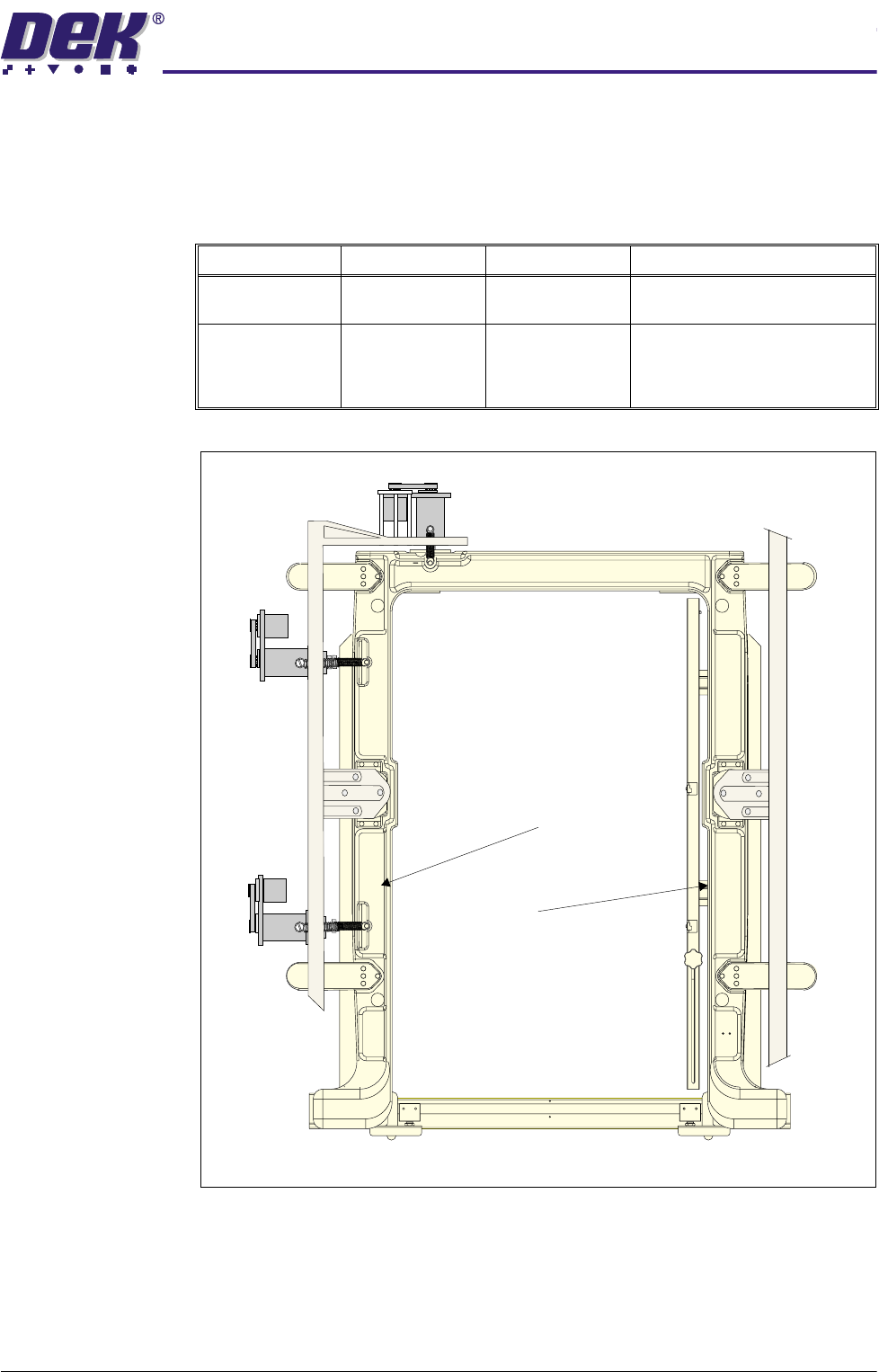
Figure 12-8 Location of Screen at Centre Sensor
Name Type Test Point Functional Description
Screen at Centre
(Tx)
Through Beam
Opto (13SE07)
MultiMove X12 Sends a beam of light to be
detected by the receiver.
Screen at Centre
(Rx)
Through Beam
Opto - (Long
Throw (13SE07)
MultiMove X12
DIG IN1
Senses a screen (stencil) has
been loaded into the chase as
the light beam has been broken
by the screen (stencil).
Screen at Centre
Sensor Receiver
Screen at Centre
Sensor Transmitter
Machine Front
Plan View of Chase

$'-867$%/(6&5((102817$60
6(48(1&(6
12.12 Technical Reference Manual Chapter Issue 3 May 03
SEQUENCES
CAUTION
SCREEN CHANGE.
It is not recommended to attempt to remove the screen
until the chase clamps have energized (clamped). Any attempt to pull the
screen out of the machine results in excessive force being exerted onto
the actuator return springs as both the screen and chase are pulled
together.
Screen Unload If Change Screen is selected from the MMI the screen is manually unloaded
as follows:
1. The chase clamps are energized.
2. The screen clamps are de-energized.
3. The operator is prompted to remove the screen.
Screen Load The screen is loaded into the chase as follows:
1. If required, adjust the left and right chase rail assemblies to accommodate
the new screen width.
2. If required, adjust the screen depth adjuster to accommodate the new
screen depth.
3. The screen is manually loaded into the chase.
4. Change Screen is selected on the MMI.
5. The screen clamps are energized.
6. The chase clamps remain energized.