Printer 600 Adjustable Screen Mount.pdf - 第26页
$'-867$ %/(6&5(( 102817 $60 &$/,%5$7,21 6 12.26 Technical Reference Manual Chapter Issue 3 May 03 CALIBRA TIO NS Chase to T able Level NOTE This procedur e requires the use of a special DEK T est Plate,…
$'-867$%/(6&5((102817$60
5(3/$&(0(17352&('85(6
Chapter Issue 3 May 03 Technical Reference Manual 12.25
6. Release the cylinder pulley retaining pin from the pulley block and remove
the pulley from the block releasing the cable assembly.
7. Rotate the chase rail assembly through 180°
8. Remove the cable end from the retaining slot in the chase rail assembly.
9. Un-thread the cable assembly from the cable pulleys and cylinder pulley.
Fitment 1. Fit the end of the new cable assembly to the retaining slot in the chase rail
assembly.
2. Thread the cable assembly around the four sets of three cable pulleys and
route the cable around the cylinder pulley.
3. Thread the cable assembly loosely around the pulley and refit the pulley to
the pulley block and secure with the retaining pin.
4. Clamp the cable end to the chase rail assembly with the cable retainer
bracket and secure with two M4 pan head screws. Refit the cylinder cover.
5. Clip the cable retainers over the topmost pulleys. Fit the flap cover brackets
over the flap assemblies and secure with M3 screws.
6. Using M3 pan head retaining screws refit the stencil guide strips to the chase
rail assembly.
7. Position the stencil support plate on the base of the chase rail assembly and
secure with nine M3 countersunk screws.
8. To refit the chase rail assembly to the machine (see Chase Rail Fitment
procedure earlier in this section.
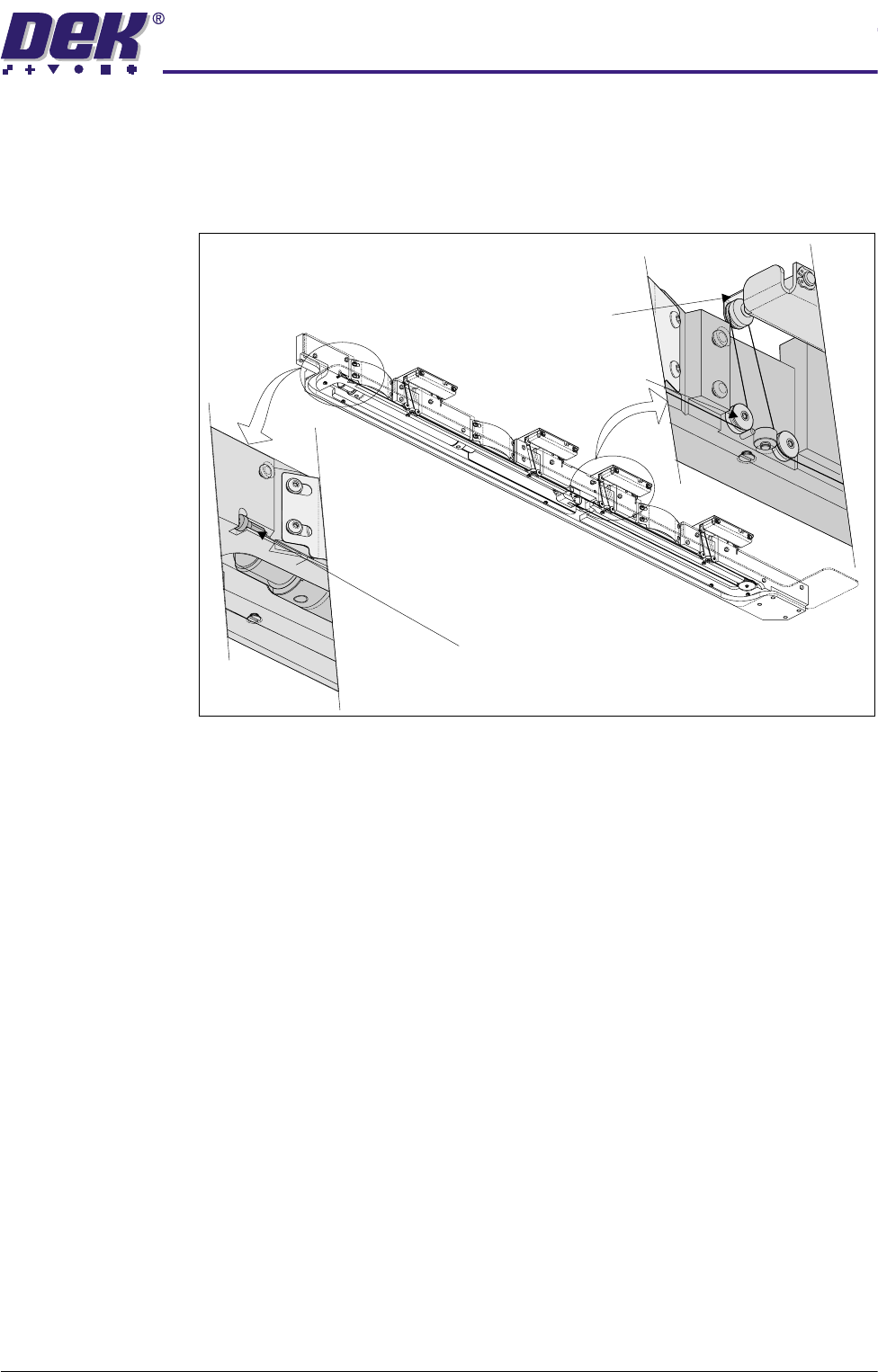
Cable End
View on Underside of Chase Rail Assembly
Cable Retainer
Pulley
(in three positions)
$'-867$%/(6&5((102817$60
&$/,%5$7,216
12.26 Technical Reference Manual Chapter Issue 3 May 03
CALIBRATIONS
Chase to Table
Level
NOTE
This procedure requires the use of a special DEK Test Plate, therefore contact
DEK Customer Support before commencing.
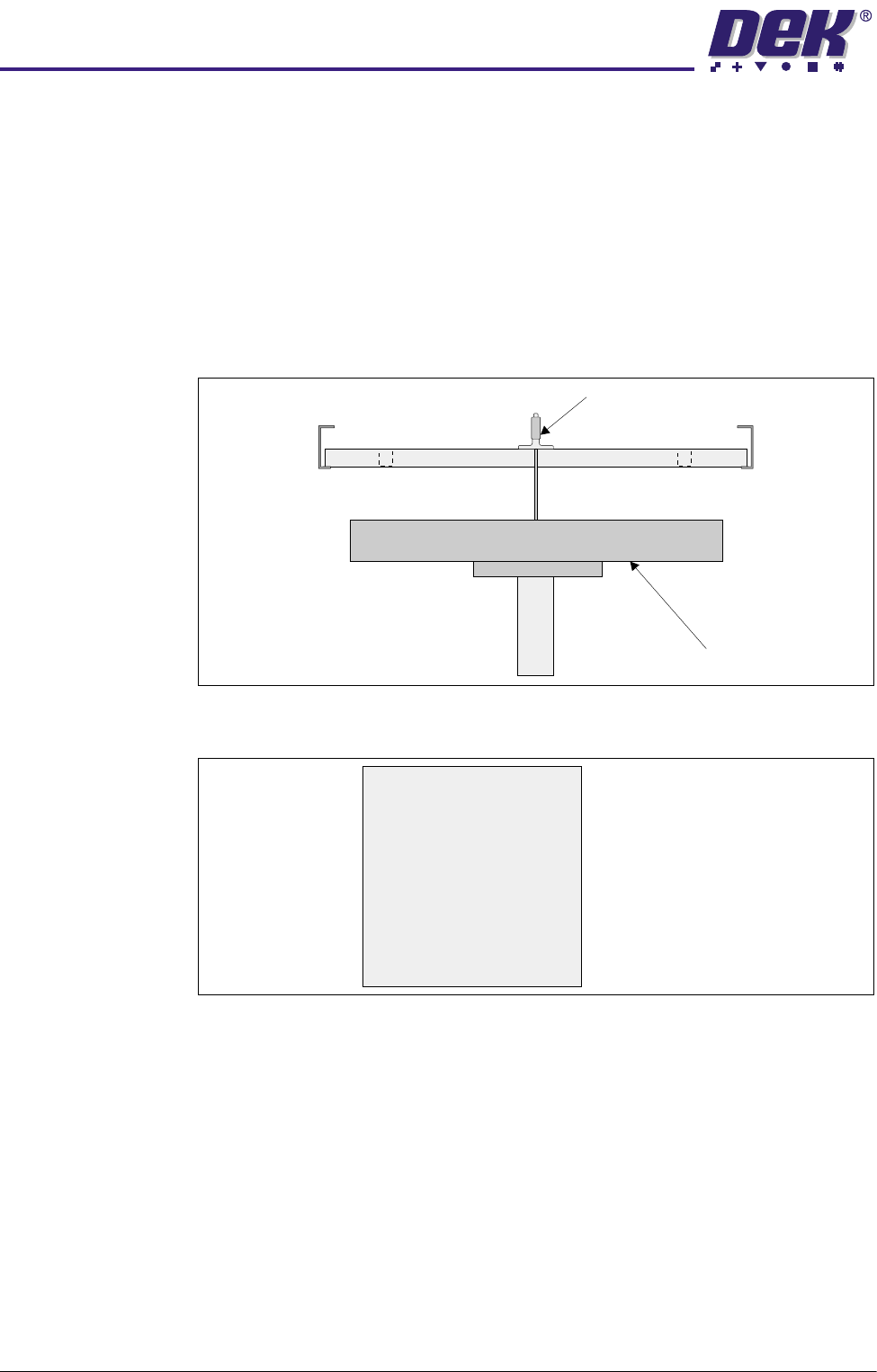
The chase to table level is checked by measuring down to 5 points on the rising
table surface from a special DEK Test Plate which simulates a screen fitted in
the chase.
A datum reading is taken from the centre hole E, the range of readings must not
exceed 0.15mm of the datum.
Figure 12-10 Chase to Table Level Setting
Figure 12-11 Test Plate Recordings
Chase to Table
Level Adjustment
If adjustment is required, the bearing roller(s) at the appropriate corner may be
adjusted to obtain the correct depth range.
NOTE
Be careful that this does not result in one corner of the chase ‘floating’, ie load
not being spread evenly over the four support rollers.
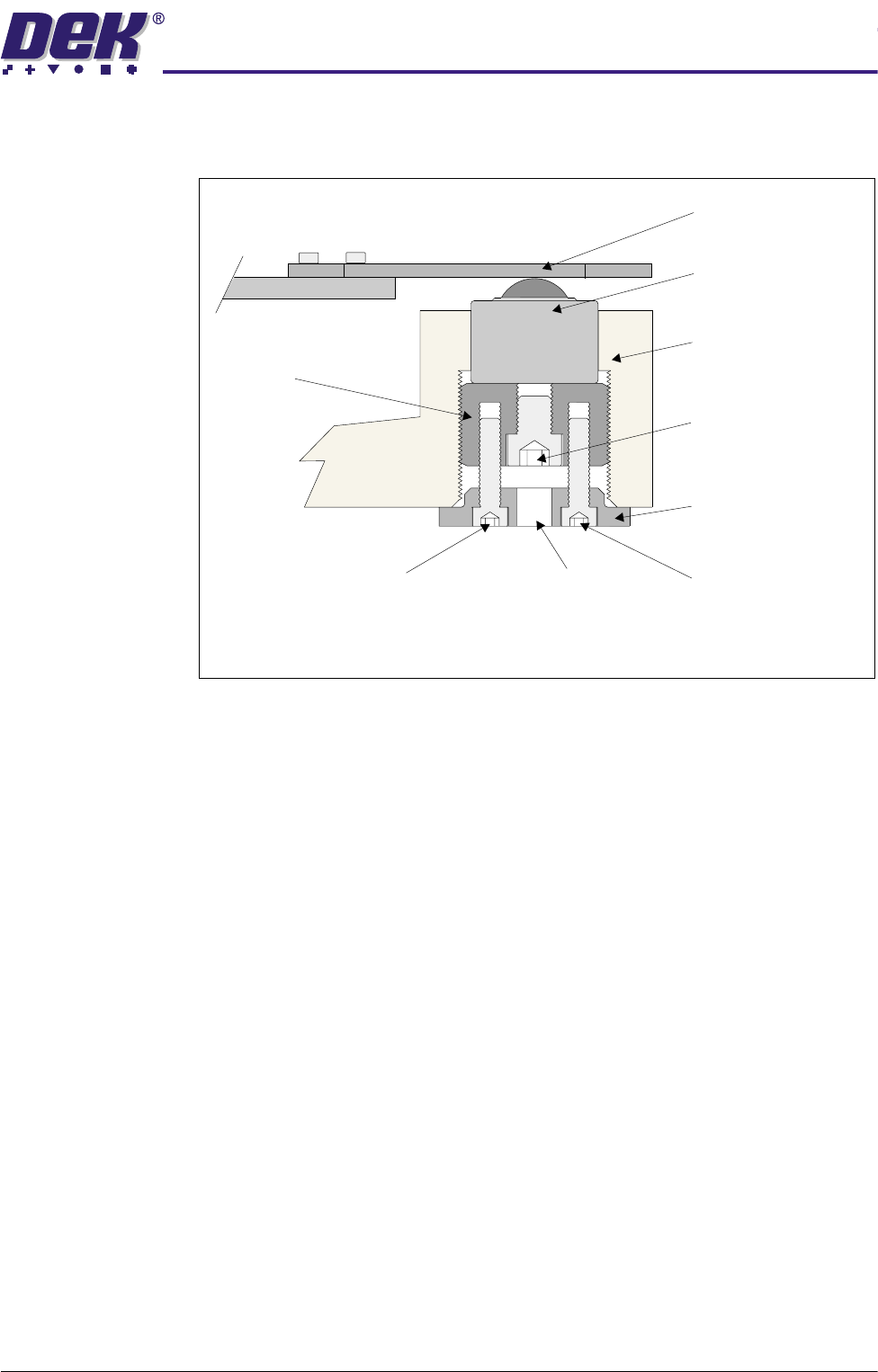
1. Slacken the two locking screws using a 2.5mm Allen key.
2. Using a 4mm Allen key through the access hole in the locking collar, turn the
adjuster screw, which also turns the adjuster and the locking collar. This
action raises and lowers the roller bearing assembly by the amount indi-
cated by the chase to table level check.
3. Verify that the correct setting has been achieved.
Depth Micrometer
Rising Table
A
B
CD
E
A .....................mm
B .....................mm
C .....................mm
D .....................mm
E .....................mm
$'-867$%/(6&5((102817$60
&$/,%5$7,216
Chapter Issue 3 May 03 Technical Reference Manual 12.27
4. Tighten the two locking nuts.
Associated
Calibrations and
Adjustments
The settings shown below should be checked subsequent to the following
calibrations and adjustments.
1. Chase to Table level:
• Vision Height (Camera System Module)
• Vision System Calibration (Camera System Module):
Stage 1 - Calibrate Vision
Stage 2 - Calibrate Offset
• Chase Clamp Air Gap (Screen Alignment Module)
Access Hole
Locking Screw
Locking Screw
Adjuster Screw
Cutaway Side View of Chase Support
Locking Collar
Adjuster
Roller Counter Plate
Roller Bearing Assembly
Machine Chassis