Printer 600 Adjustable Screen Mount.pdf - 第21页
$'-867$ %/(6&5((1 02817 $60 5(3/$&(0(1 7352&('85 (6 Chapter Issue 3 May 03 Technical Reference Manual 12.21 secure the elec trical l oom with a cable tie. 7. At the front web assembly , fully …
$'-867$%/(6&5((102817$60
5(3/$&(0(17352&('85(6
12.20 Technical Reference Manual Chapter Issue 3 May 03
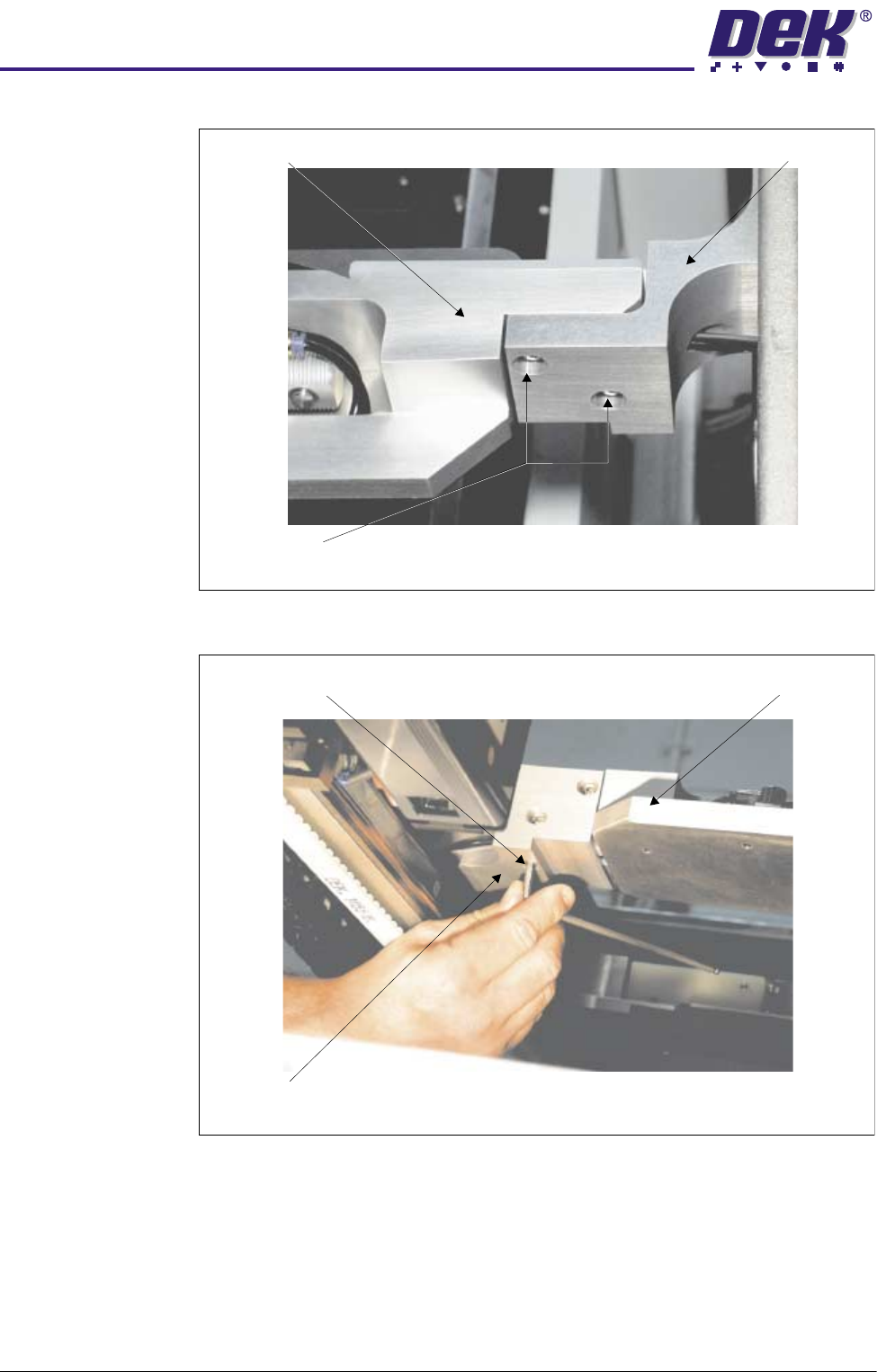
5. Fully tighten the vertical chase rail securing bolt and subsequently complete
the tightening of the two horizontal rear chase rail securing bolts.
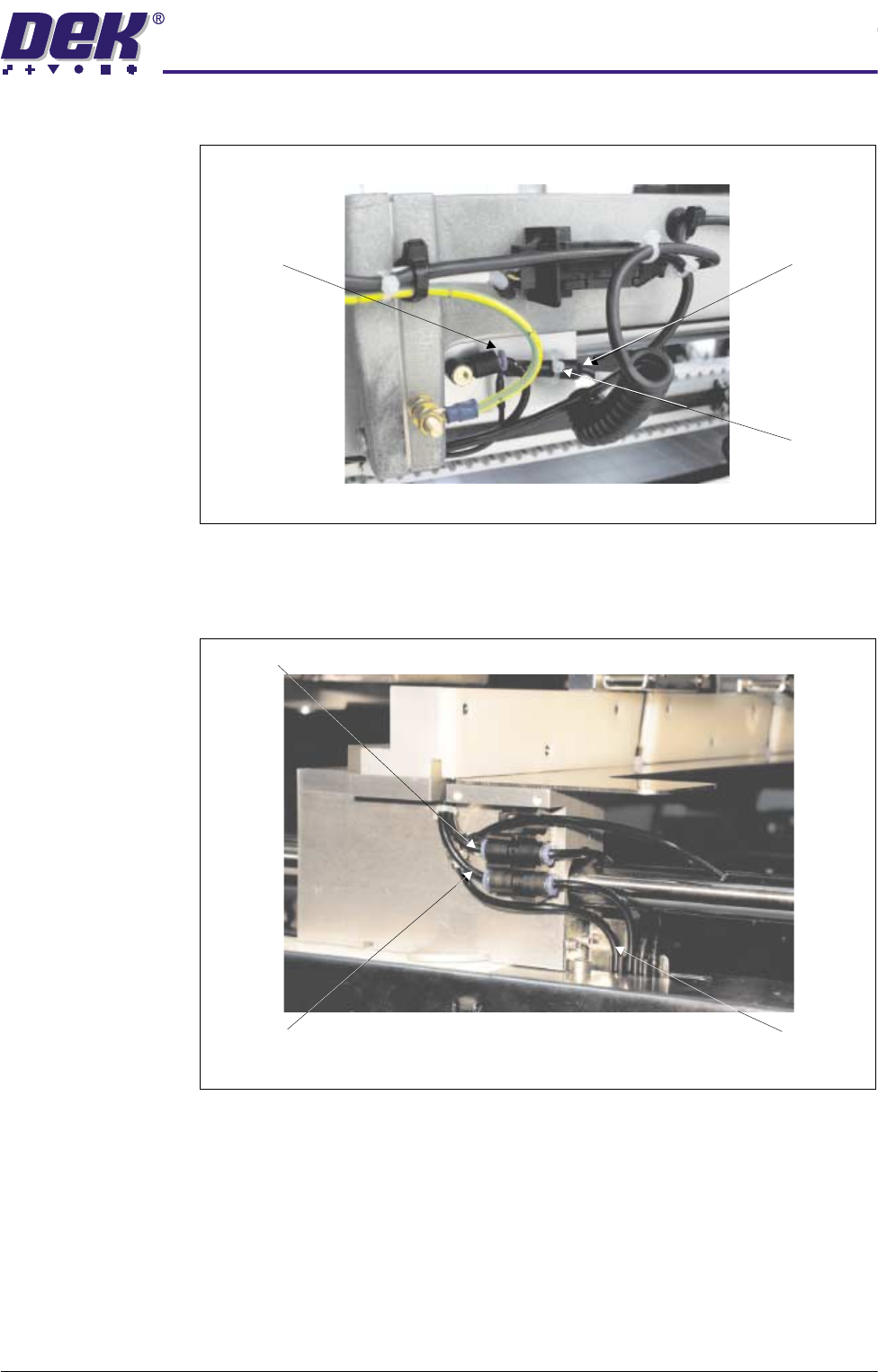
6. Route the pneumatic supply pipe and electrical cable to the rear web
connections. Fit the loom and pipe to the appropriate connectors and
Rear Web AssemblyChase Rail Assembly
Chase Rail Securing Bolts
View on Rear Web Assembly
Chase Rail Securing Bolt - Tighten Chase Rail Assembly
Rear Web Assembly
View on Chase Rail Assembly
$'-867$%/(6&5((102817$60
5(3/$&(0(17352&('85(6
Chapter Issue 3 May 03 Technical Reference Manual 12.21
secure the electrical loom with a cable tie.
7. At the front web assembly, fully tighten the four chase rail securing bolts.
8. Connect the Screen Clamps - Off and Screen Clamps - On pneumatic
pipes to the quick release pneumatic connections shown below.
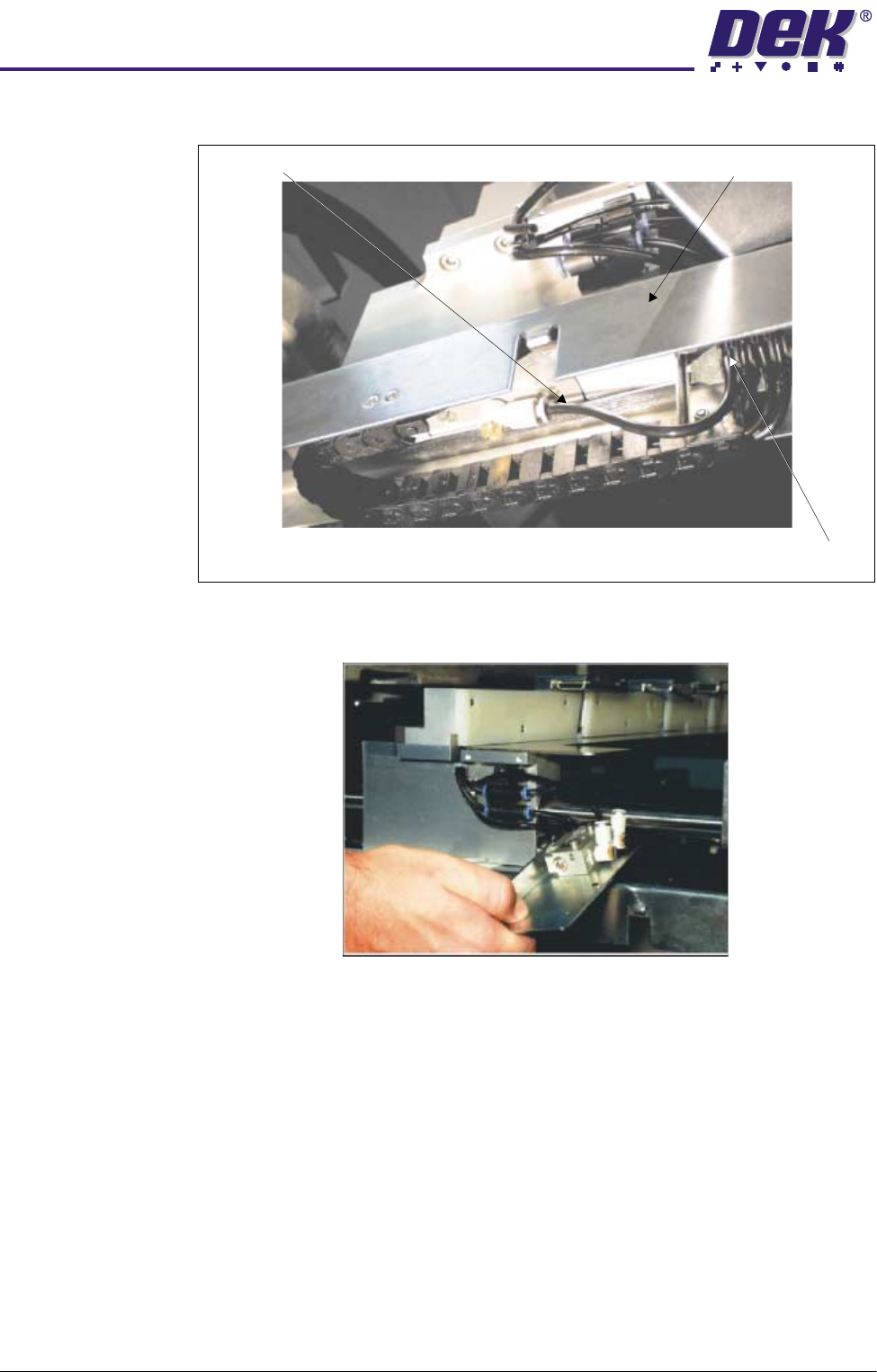
9. Thread the Rail Lock - Front pneumatic pipe through the slot in the rail
width scale assembly and connect the pipe to the front web assembly
Pneumatic
Connection
Electrical
Connection
Cable Tie
View on Rear of ASM
Screen Clamps - Off
Screen Clamps - On
Rail Lock - Front
View on Front Web Assembly
$'-867$%/(6&5((102817$60
5(3/$&(0(17352&('85(6
12.22 Technical Reference Manual Chapter Issue 3 May 03
pneumatic connection. Ensure the pipe is secured into the cable clip.
10.Connect the rail lock pneumatic pipe to the push button valve on the bracket
assembly.
11. Reconnect the electrical and pneumatic power to the machine and check for
air leaks.
12.Press and hold the relevant push button valve and ensure the front and rear
web assemblies release allowing the rail position to be adjusted. Release
the button valves and ensure the rail is now clamped in position.
13.Power up the machine, in Diagnostics select Screen Change Module.
14.Select Toggle Screen Clamps and ensure the flap assemblies extend and
retract correctly.
Rail Lock - Front Rail Width Scale Assembly
Pipe Clip
View on Underside of Rail Width Scale Assembly