Printer 600 Adjustable Screen Mount.pdf - 第14页
$'-867$ %/(6&5(( 102817 $60 326,7,21,1* 12.14 Technical Reference Manual Chapter Issue 3 May 03 The depth adjust er has two scales one i s in metric and the other in imperial unit s. NOTE The scree n and pr…
$'-867$%/(6&5((102817$60
326,7,21,1*
Chapter Issue 3 May 03 Technical Reference Manual 12.13
POSITIONING
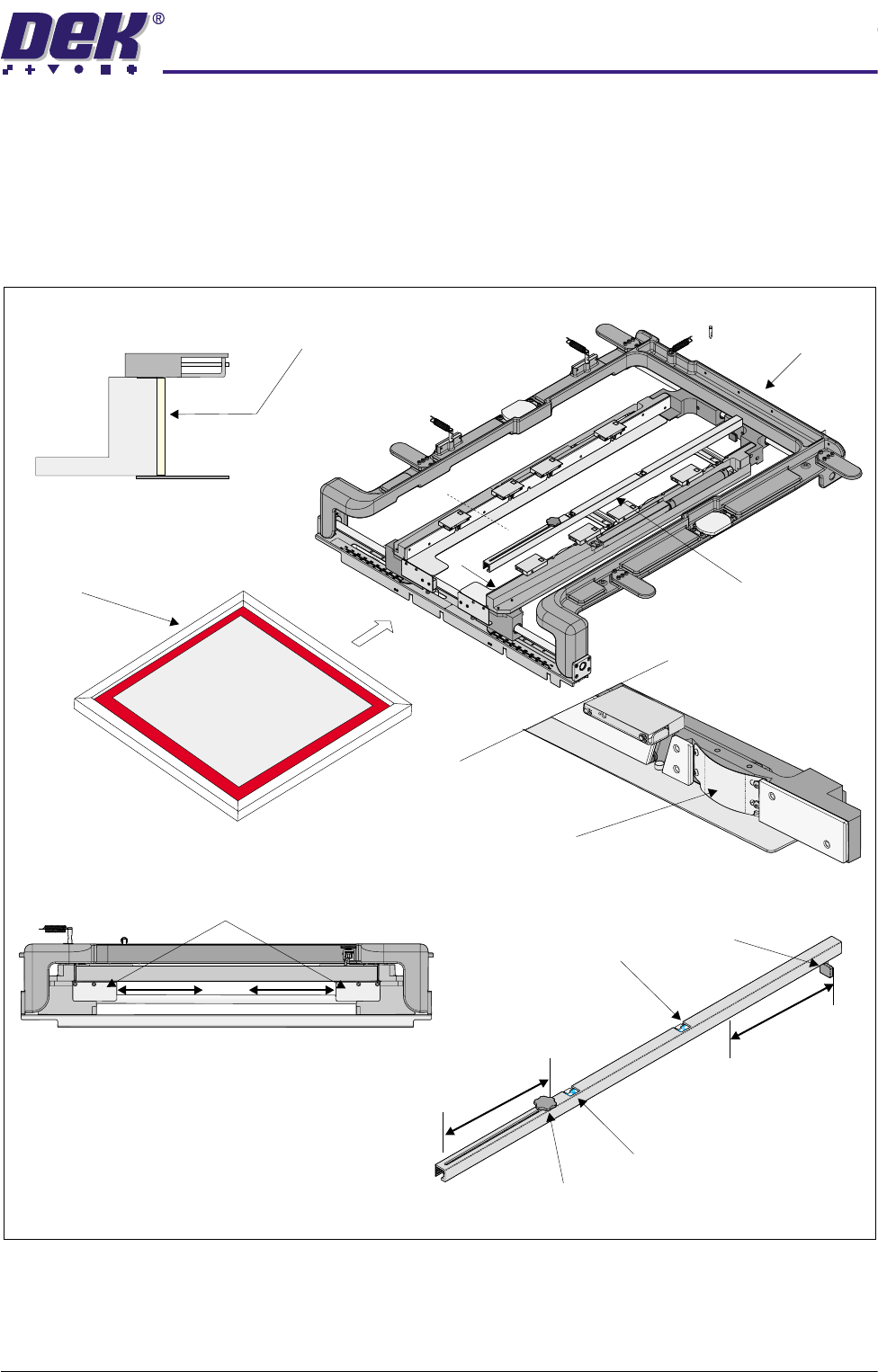
The left and right hand chase rail assemblies are adjusted to accommodate the
width of the screen to be loaded.
The screen is loaded from the front of the chase and aligned with the datum
face of the stencil guide strips by stencil location leaf springs.
Figure 12-9 Screen Load
The screen is loaded into the chase until it reaches the stop at the end of the
depth adjuster. The adjuster is set so that the screen locates to the correct
position for printing.
Chase Assembly
B
Screen Depth Adjuster
Screen
A
A
Sectional View A-A
Stencil Guide Strip
View on Arrow B
Stencil Location Leaf Spring
Stencil Stop
Imperial Scale
Metric Scale
Knob
Screen Depth Adjuster
View on Front of Chase Assembly
Web Assemblies
$'-867$%/(6&5((102817$60
326,7,21,1*
12.14 Technical Reference Manual Chapter Issue 3 May 03
The depth adjuster has two scales one is in metric and the other in imperial
units.
NOTE
The screen and product are built to a particular tolerance, this tolerance must
be taken into account when measuring.
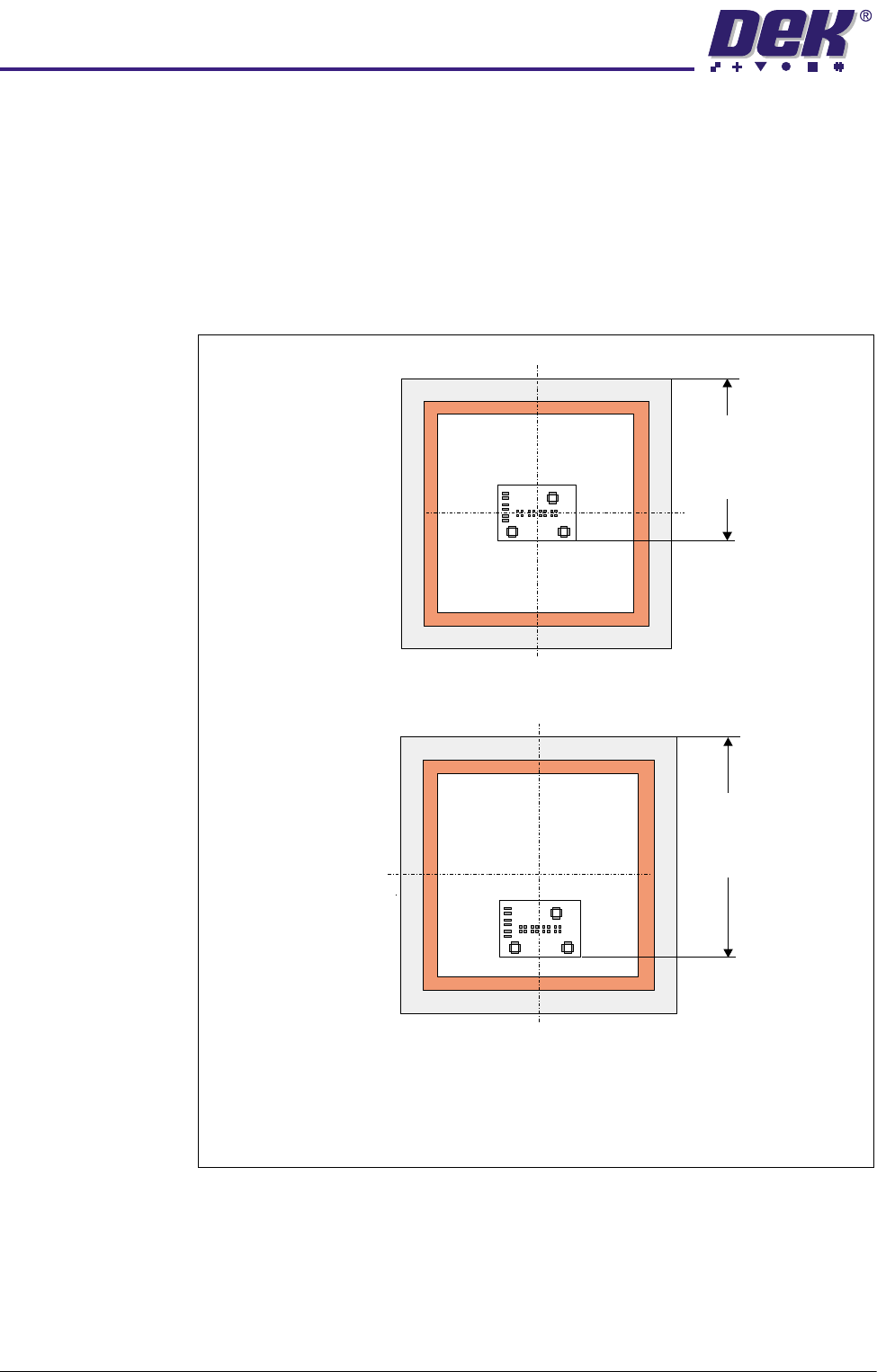
To correctly position the screen in the machine whether it is centre or front
justified, the user sets the measurement Distance to Image on the screen
depth adjuster as defined in the graphic below.
Front Justified
Distance
to
Image
Distance
to
Image
Centre Justified
Screen Depth Adjuster Scale = Distance to Image
NOTE
Distance to Image is measured from the rear face of the stencil to the front
edge of the image.
$'-867$%/(6&5((102817$60
5(3/$&(0(17352&('85(6
Chapter Issue 3 May 03 Technical Reference Manual 12.15
REPLACEMENT PROCEDURES
Chase Rail Assembly
WARNING
BOARD CLAMPS. EXTREME CARE MUST BE EXERCISED WHEN WORKING IN
THE TOOLING AREA OF THE MACHINE TO AVOID INJURY. THE FOILS ON THE
FRONT AND REAR BOARD CLAMPS ARE VERY SHARP.
WARNING
COMPRESSED AIR. COMPRESSED AIR SHOULD NEVER IMPINGE UPON THE
BODY. PORTS, PIPES, ETC MUST NEVER BE BLOCKED BY HAND. BEFORE
CONNECTING ANY PNEUMATIC EQUIPMENT TO A COMPRESSED AIR SUPPLY,
ALL MOUNTINGS, FITTINGS, PIPEWORK AND ELECTRICAL CONNECTIONS
SHOULD BE REMOVED FOR SAFETY. NO PIPEWORK ALTERATIONS OR
REMOVAL OF FITTINGS SHOULD BE ATTEMPTED WITH AIR SUPPLIES
CONNECTED.
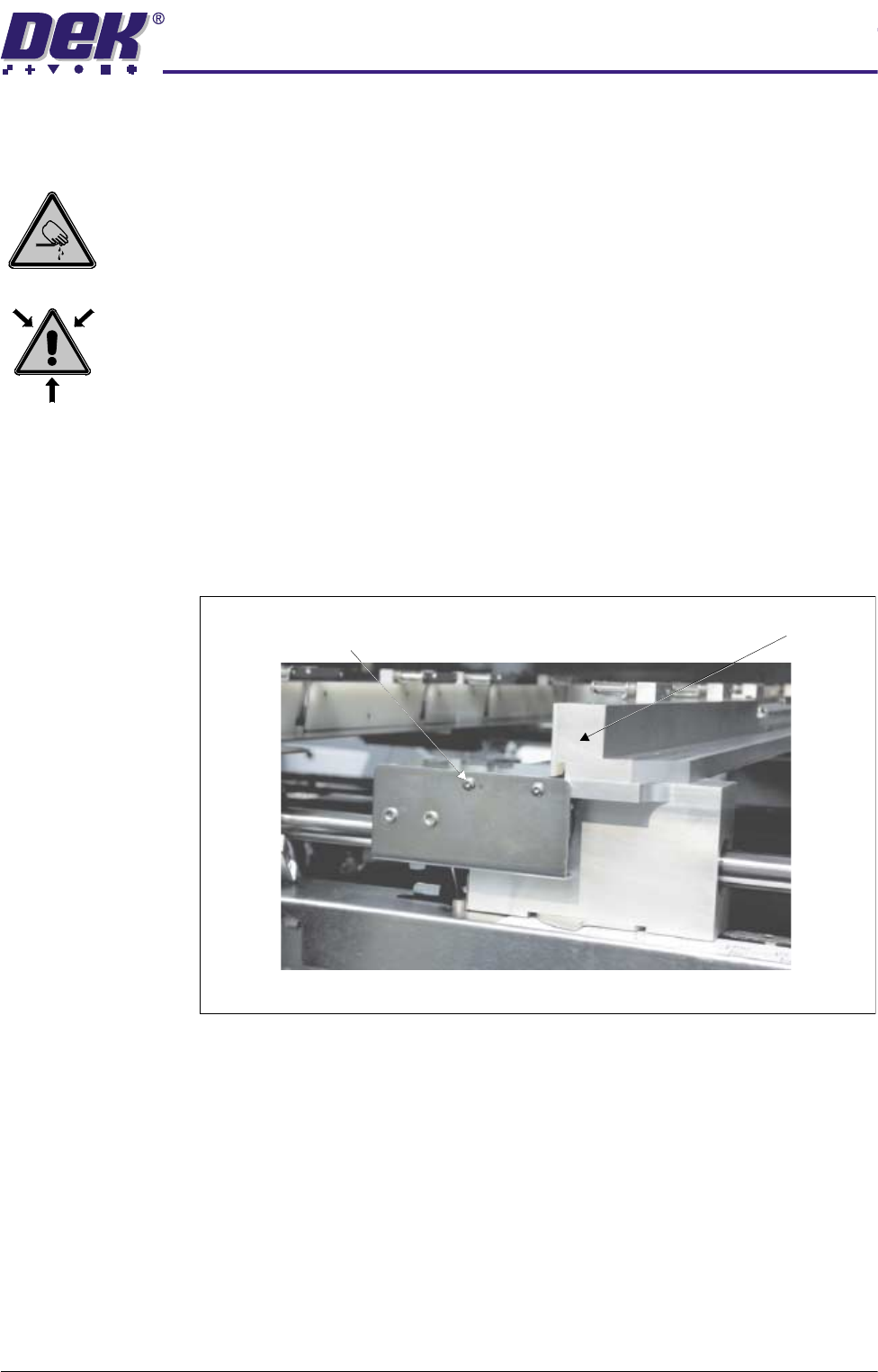
Removal 1. Open the front printhead cover and centralise the chase rail assemblies.
2. Power down the machine and disconnect the pneumatic supply to the
machine.
3. Remove the two web bracket securing screws.
4. Tilt the web bracket forward to expose the pneumatic pipes.
Chase Rail AssemblyWeb Assembly Bracket Securing Screws
(in 2 Positions)
View on Front of Machine