ASM_Manual_TQSeries_VerificationAndTraceability_03233976_online.pdf - 第26页
1 VERIFICATION AND TRACEABILITY 1.7 VERIFYING ITEMS 26 STANDALONE MANUAL VERIFICATION AND TRACEABILITY TQ SERIES 07/2020 1.7 VERIFYING ITEMS 1.7.1 Program Changeover When the program is changed on the printer, any items …
1 VERIFICATION AND TRACEABILITY
1.6 ENABLE NETWORK TRACEABILITY
STANDALONE MANUAL VERIFICATION AND TRACEABILITY TQ SERIES 07/2020 25
1.6 ENABLE NETWORK TRACEABILITY
Information is written to the traceability file stored on the E Drive of the printer. The information can
also be replicated on the factory network (remote). To enable remote traceability, use the following
procedure:
1. Select the Menu icon.
2. Select Service.
3. Select Machine Setup.
4. Select the Traceability Network tab.
5. Select the Traceability Network parameter.
6. Select Enabled.
7. Select Accept.
8. Select the Network Path parameter.
9. Select the path where the traceability file is located.
10. Select Accept.
11. Select Exit.
1 VERIFICATION AND TRACEABILITY
1.7 VERIFYING ITEMS
26 STANDALONE MANUAL VERIFICATION AND TRACEABILITY TQ SERIES 07/2020
1.7 VERIFYING ITEMS
1.7.1 Program Changeover
When the program is changed on the printer, any items marked as unverify on program
changeover must be verified. The Print button is disabled until all items have been verified.
NOTE
The item information can be entered using the handheld barcode reader or the keyboard. In the fol-
lowing procedure, the barcode reader is used.
To verify the items during program changeover, use the following procedure:
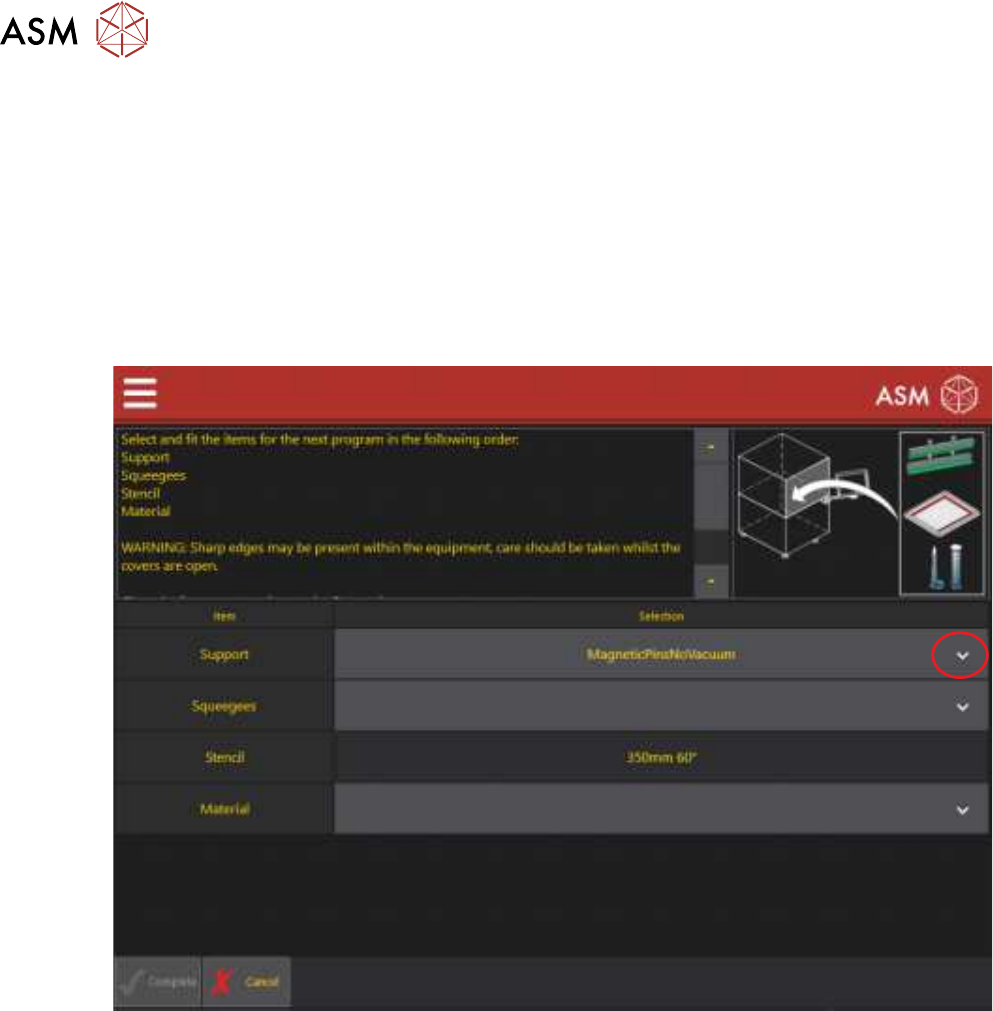
1. At the point of selecting the items for the next program, the following page is displayed:
2. Select the drop down arrow to display the list of items that can be used.
1 VERIFICATION AND TRACEABILITY
1.7 VERIFYING ITEMS
STANDALONE MANUAL VERIFICATION AND TRACEABILITY TQ SERIES 07/2020 27
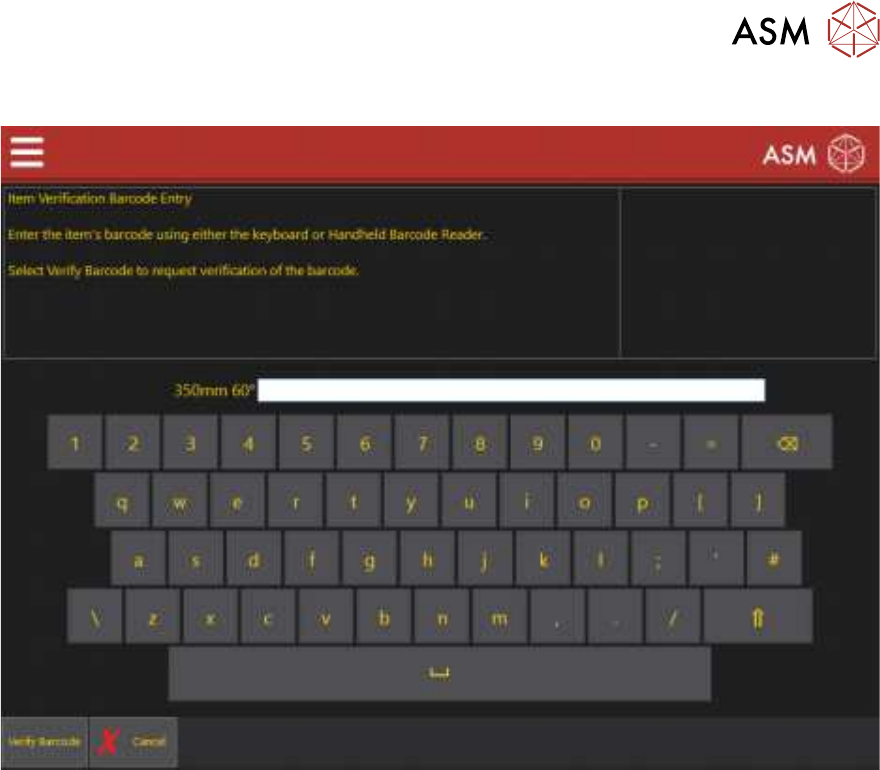
3. Select the item to be used, the following verification page is displayed:
4. Scan the barcode.
5. Select Verify Barcode.
6. Repeat Steps 2 to 5 for all the other items.
7. Continue with the program changeover.