YC8_Mainte_E.pdf - 第45页
2-2 2 Daily maintenance items 1. Checking the nozzle Solder sticking to the nozzle tip or a clogged nozzle hole can cause component pickup errors and recognition errors. Poor nozzle spring action can also cause pickup an…

2-1
2
Daily maintenance items
Before beginning work
In most cases, maintenance should be performed with the main power turned off.
However, some maintenance tasks are performed under emergency stop conditions with the power turned on.
In such cases, ensure adequate safety and press the emergency stop before beginning the maintenance.
The power is turned on during maintenance where any servo-axis must be operated or machine operation
checked. In this case, also ensure adequate safety before beginning the maintenance.
When operating the machine, make sure the following conditions are met.
n
Operating conditions
1. Supply air pressure is kept at correct pressure.
2. All safety covers are closed.
3. Nozzles and other units are attached in place.
2-2
2
Daily maintenance items
1. Checking the nozzle
Solder sticking to the nozzle tip or a clogged nozzle hole can cause component pickup errors and
recognition errors. Poor nozzle spring action can also cause pickup and mounting errors. To prevent such
problems periodically inspect and clean each nozzle.
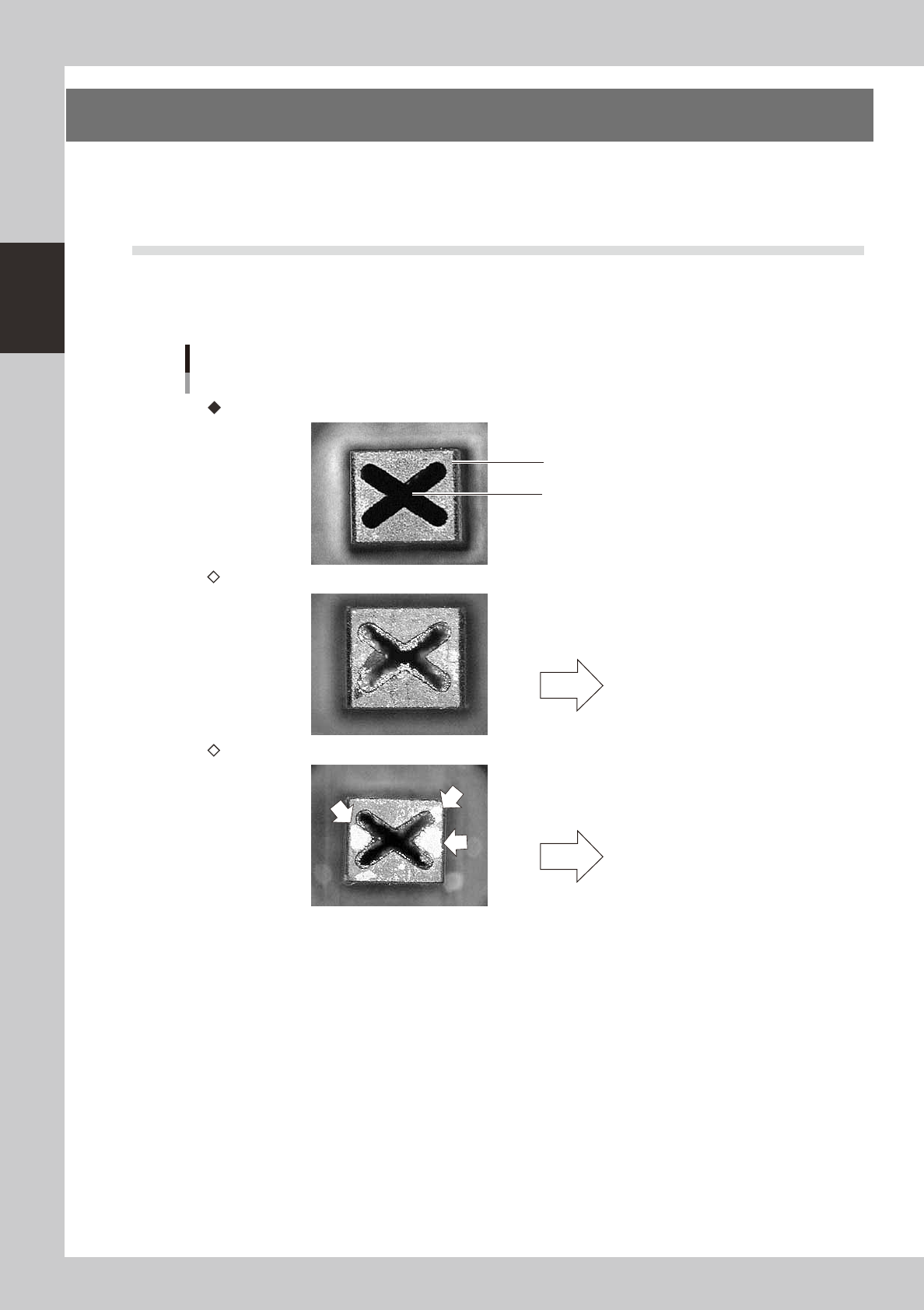
1.1 Checking the nozzles visually
Use either of the following two methods to check the nozzle tip visually.
n
Remove the nozzle and check with a magnifying glass or similar tool.
Nozzle tip
Solder is sticking to nozzle hole.
Solder is sticking to nozzle tip
Nozzle hole
Nozzle state
This causes pickup or
mounting errors.
This causes recognition
errors.
Normal condition
Clogged nozzle (NG)
Shiny material on tip (NG)
53200-N8-00
2-3
2
Daily maintenance items
n
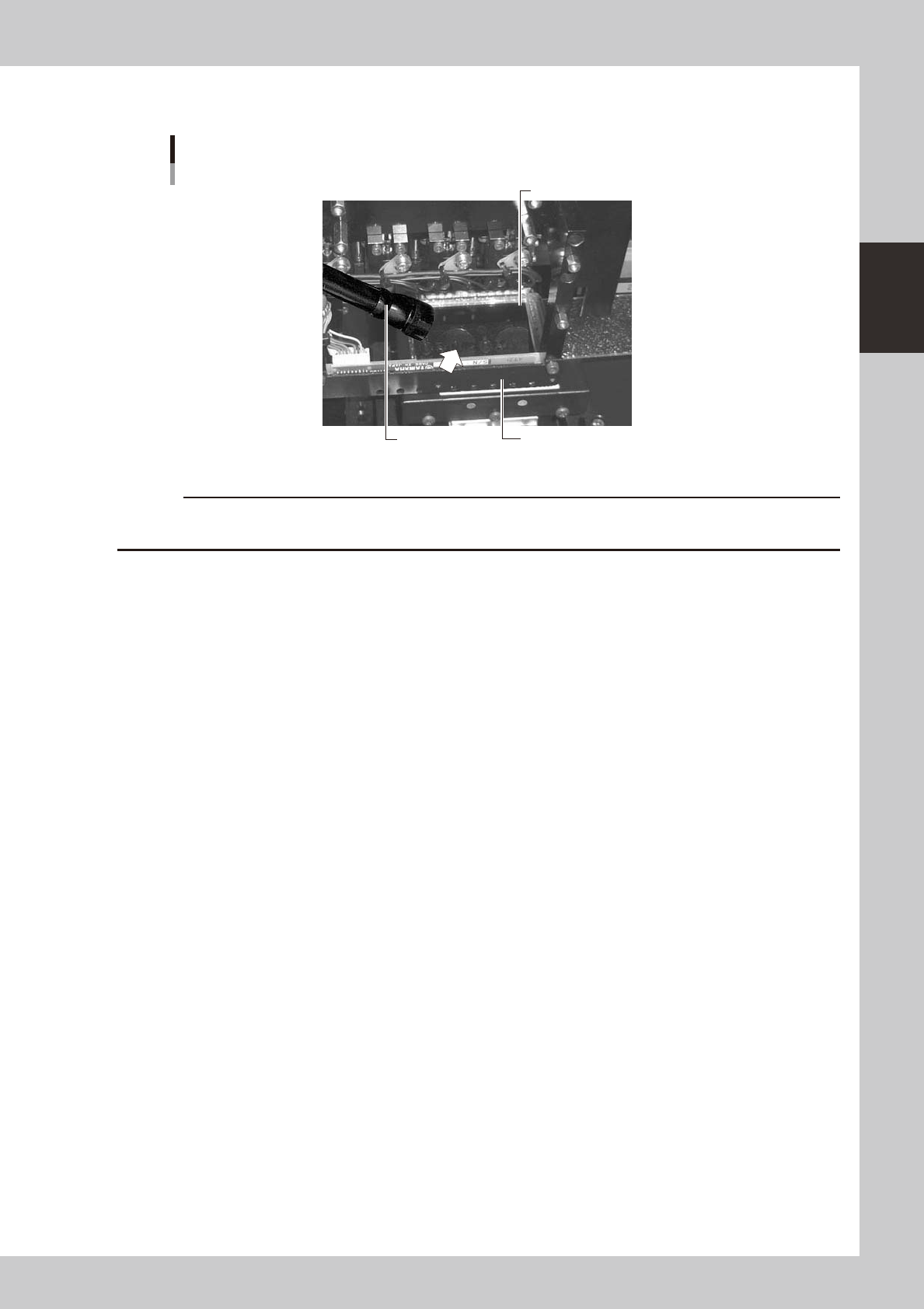
Leave the nozzle installed and check with a hand mirror and flashlight.
Hand mirror
Multi-vision camera
Flashlight
Check with a hand mirror.
53201-N8-00
c