YC8_Mainte_E.pdf - 第75页
3-26 3 Periodic maintenance items 4. Six-month or one-year inspection 4.1 Vision system (6-month) 4.1.1 Cleaning the camera lighting units Clean the camera lighting units for the fiducial camera, multi-/single-view camer…
3-25
3
Periodic maintenance items
5
Reconnect the air hose to the air
coupler.
After connecting the air hose, check that no
air is leaking.
n
NOTE
Leave the filter cup removed to clean the air coupler
as explained in the next procedure.
n
Cleaning the air filter
1
Remove the filter cup.
See the previous procedure in "Cleaning the
filter cup".
2
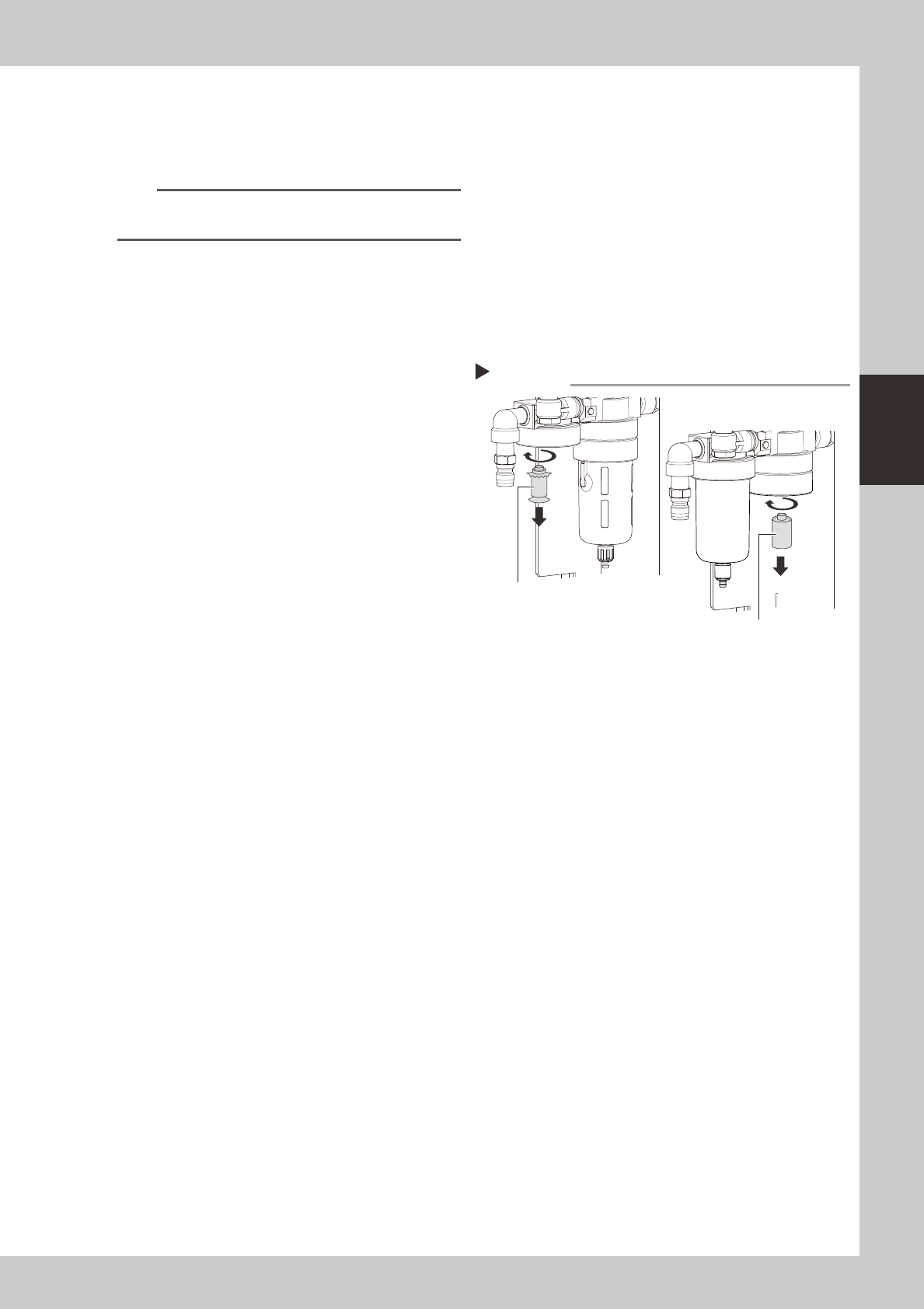
Remove the filter.
Remove the filter by turning it.
53327-N8-00
3
Clean the filter element.
Use an air blow gun to blow away dust and
impurities trapped by the filter element. If
the filter is excessively dirty and cannot be
cleaned, replace it with a new filter.
4
Reattach the filter.
5
Reattach the filter cup.
6
Reconnect the air hose to the air
coupler.
After connecting the air hose, check that no
air is leaking.
Removing thefilter
Step 2
MIST FILTER ELEMENT
FILTER ELEMEN
3-26
3
Periodic maintenance items
4. Six-month or one-year inspection
4.1 Vision system (6-month)
4.1.1 Cleaning the camera lighting units
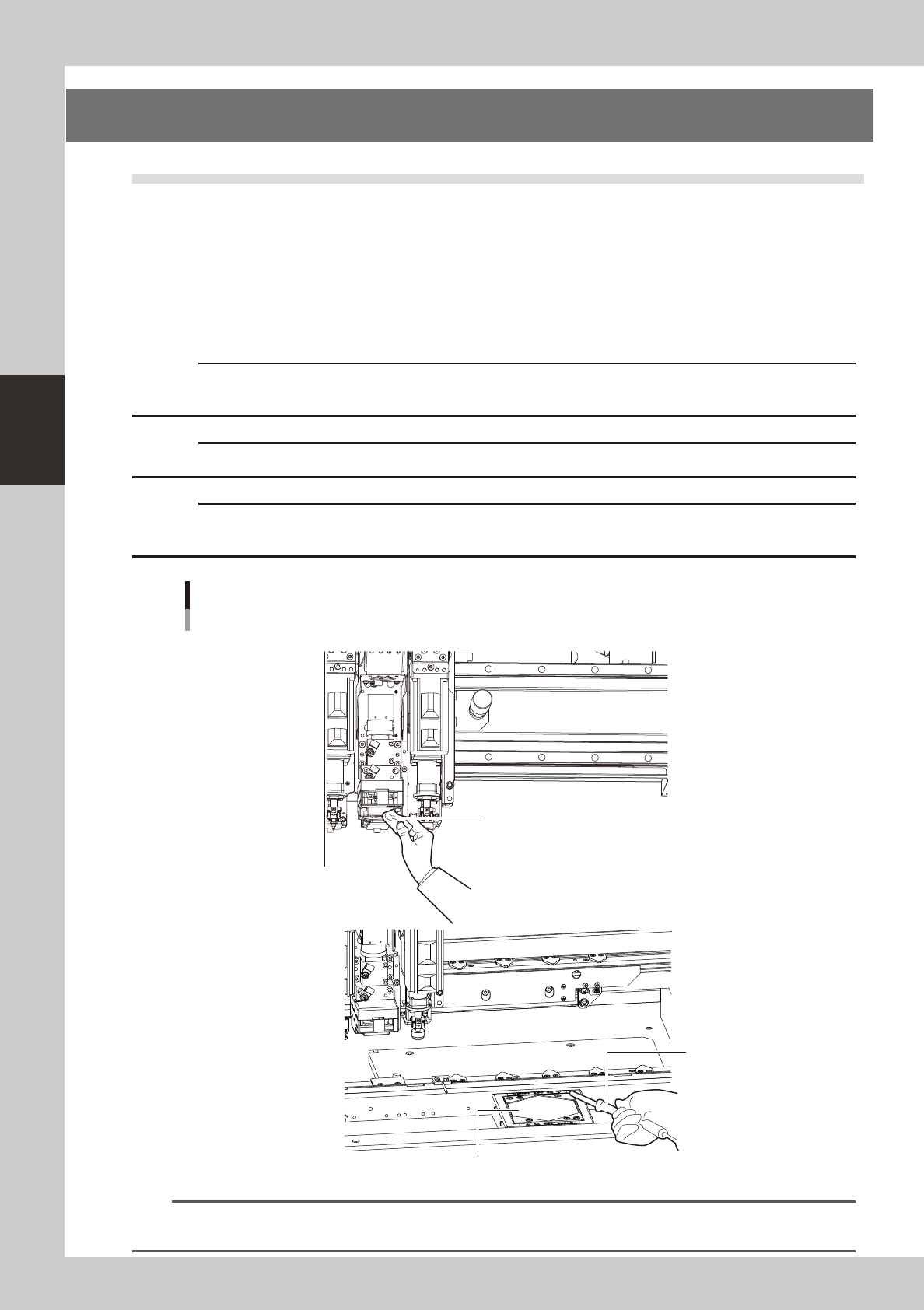
Clean the camera lighting units for the fiducial camera, multi-/single-view camera, and wafer camera
periodically.
• Remove the dirt or dust sticking to the LED lighting units.
• Use the lint-free cleaning cloth or paper towel or vacuum ASSY to clean the lighting units.
• To remove the contamination, use the lens cleaner. Do not use any solvent.
c
work.
c
c
of the lighting unit by the user will void the warranty.
Cleaning the camera lighting units (Example of V2 head)
Fiducial, multi
Lint-free cleaning cloth or paper towel
Vacuum ASSY
Protective glass
NFiducial camera
N Multi camera
53328-N8-00
n
NOTE
For details about how to clean the protective glass of the multi-view camera, see section 2, "Cleaning the camera
protective glass", in Chapter 2.
3-27
3
Periodic maintenance items
4.2 Head (1 year)
4.2.1 Checking the R-axis spline belt
One R-axis spline head is used for each head. Check the condition of each belt.
n
To check the R-axis spline belt
1
Move the head to a position where
the work can be made easily.
2
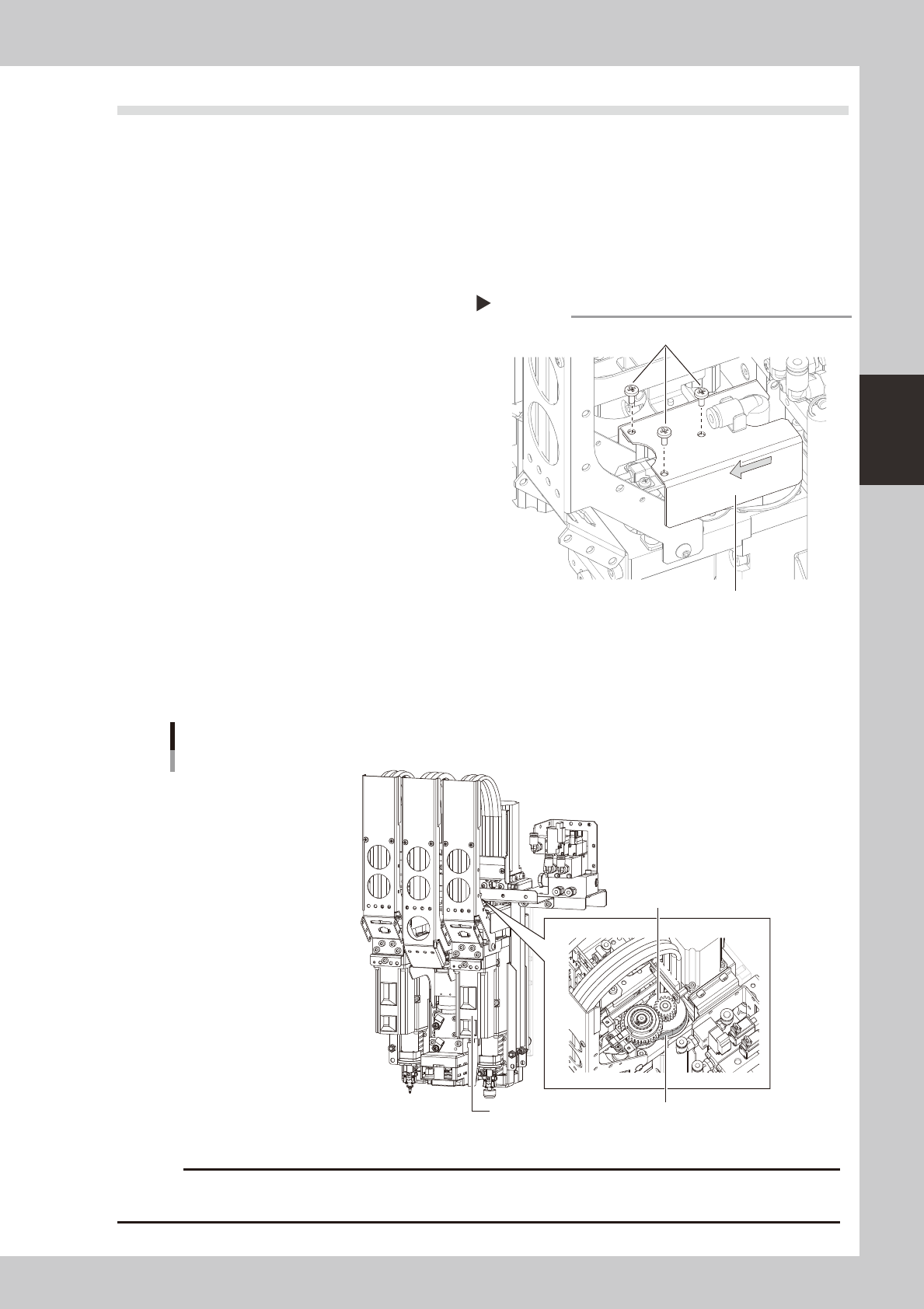
Remove the R-axis cover.
1. Remove the three mounting bolts with
the Phillips screwdriver.
2. Pull out the cover.
53329-N8-00
n
R-axis spline belt checkpoints
• Is the belt becoming frayed due to cracks and belt wear?
• Is the belt splitting due to cracks or deterioration?
• Is the belt tension too loose? Is the belt itself loose?
Spline for Head
Spline belt
Example of V2 head
R-axis spline beltR-axis motor
53330-N8-00
c
cleaning of the spline belt by the user will void the warranty.
Remove the R-axis cover.
Step 2,3
R-axis cover
mounting screws (3 places)