00197496-01_UM_SiClusterMultiline_DE_EN.pdf - 第113页
Getting Started and Overview of SiCluster Multiline 3.3.1 Tab - Multi Line Recipes Tab - Configuration SIPLACE SiCluster Multiline SIPLACE SiCluster Multiline 113 3.3.1 3 . 3 . 1 T a b - M u lti L in e R e c ip e s Tab -…
Getting Started and Overview of SiCluster Multiline
Tab - Configuration
112 SIPLACE SiCluster Multiline SIPLACE SiCluster Multiline
3.3
3.3 Tab - Configuration
Tab - Configuration
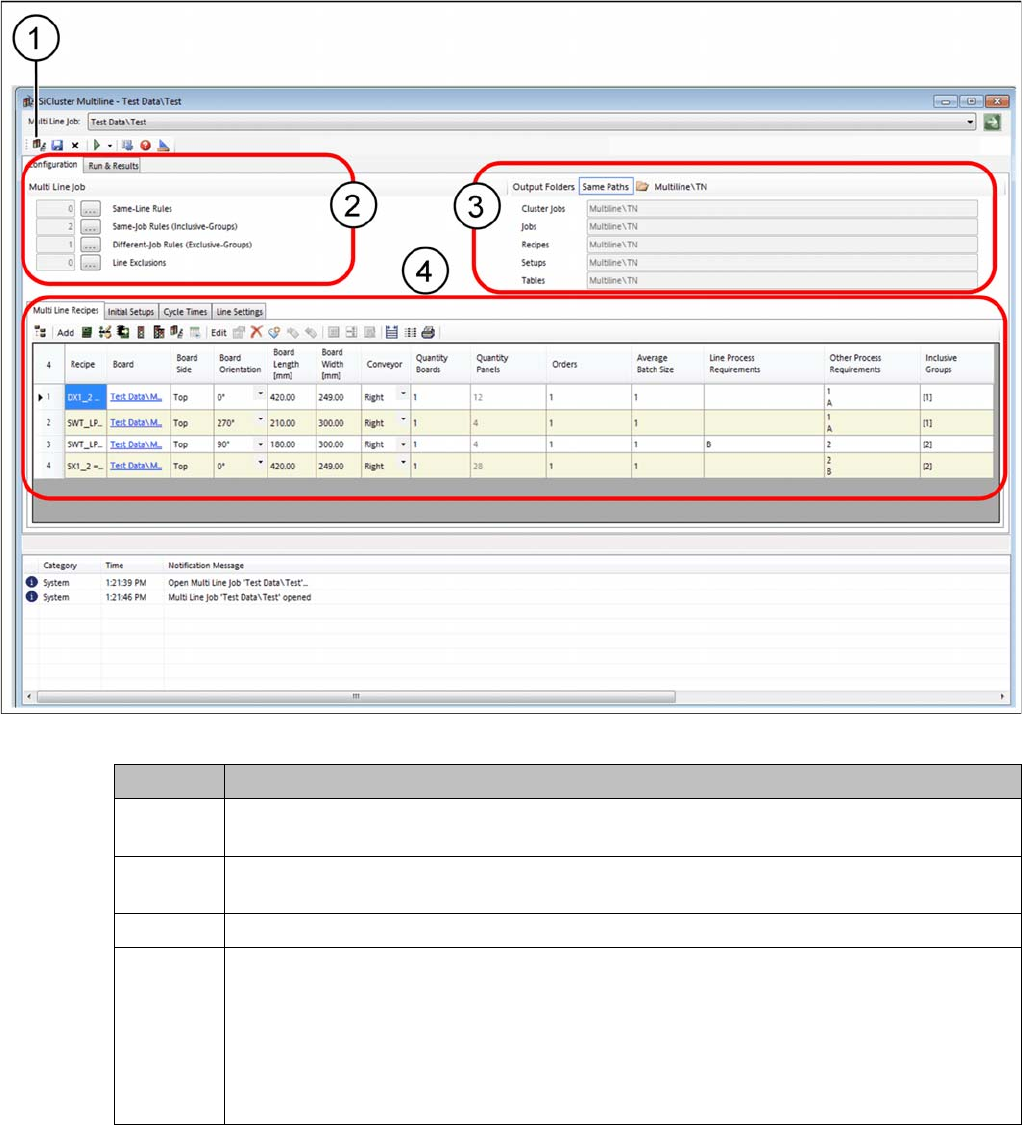
You can create a new multiline job in the Configuration tab.
SiCluster Multiline - tab - configuration
Icon Description
1 This allows you to organize multi line jobs: create new multi line jobs and copy, move, de-
lete or rename existing ones.
2 It also enables you to define certain rules with the Rule Editor for the recipe process re-
quirements.
3 Define the folder in which you want to save your results.
4 The Configuration tab contains the following four tabs in which you can collect the input
data for the multi line job and define the required settings.
▪ Multi Line Recipes tab
▪ Initial Setups tab
▪ Cycle Times tab
▪ Line Settings tab
Getting Started and Overview of SiCluster Multiline
3.3.1 Tab - Multi Line Recipes Tab - Configuration
SIPLACE SiCluster Multiline SIPLACE SiCluster Multiline 113
3.3.1
3.3.1 Tab - Multi Line Recipes
Tab - Multi Line Recipes
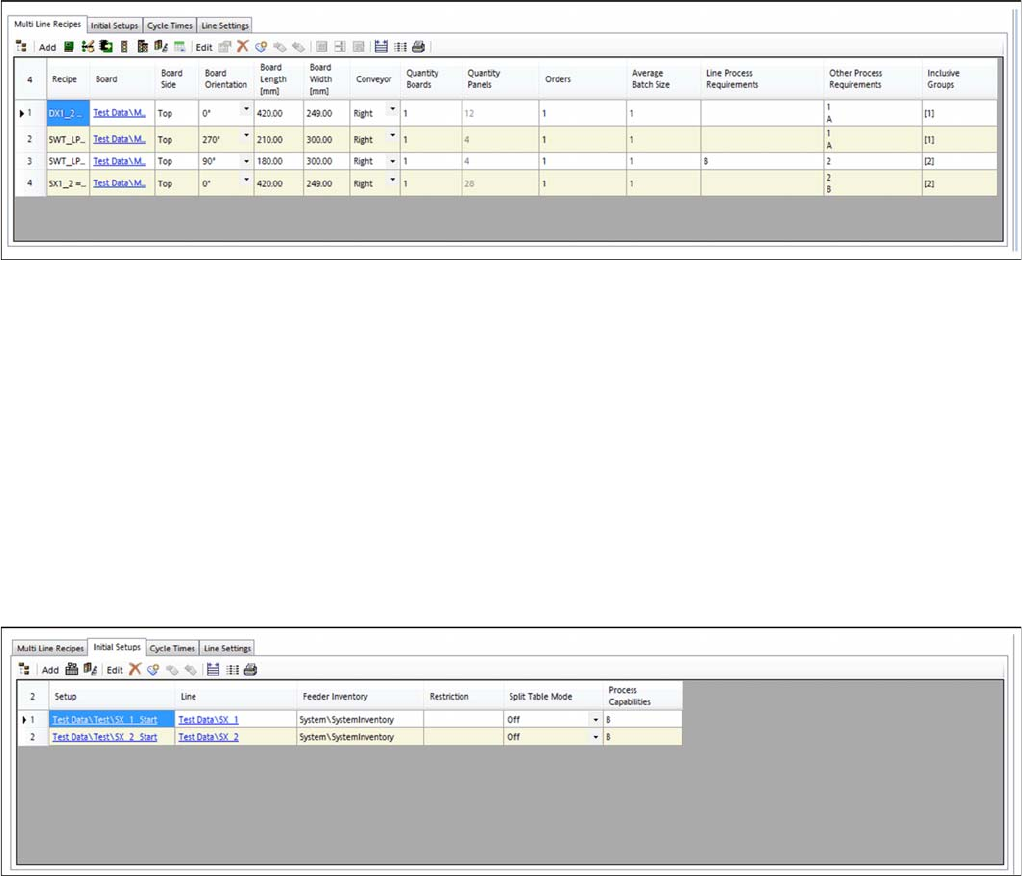
The Multi Line Recipes tab allows you to define the recipes/jobs to be produced. These recipes/jobs are
distributed across the defined lines as efficiently as possible by SiCluster Multiline.
► Go to Configuration and select the Multi Line Recipes tab.
Configuration – tab: multi line recipes
▪ This enables you to insert boards/recipes.
▪ You can import recipes with job-recipe sizes using the CSV Import Wizard.
▪ You can edit the process requirements for recipes within the context of the multi line job.
▪ You can group certain recipes together to form an inclusive group.
▪ You can also edit individual recipe parameters such as the board quantity.
3.3.2
3.3.2 Tab - Initial Setups
Tab - Initial Setups
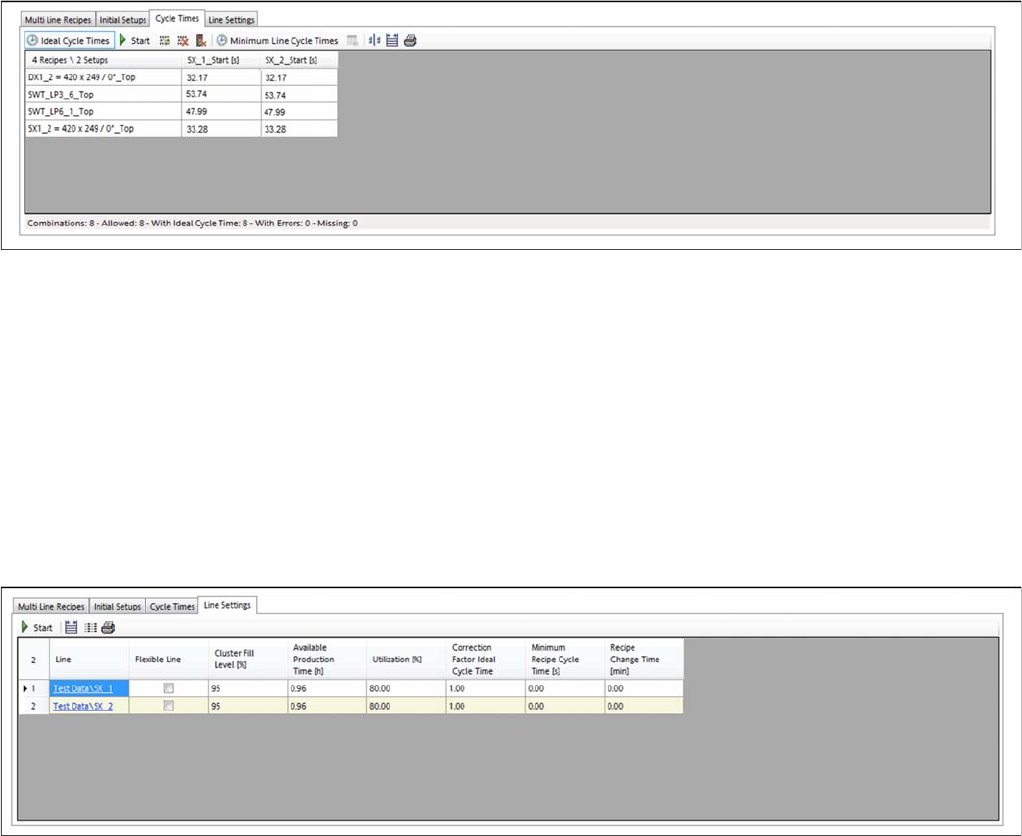
The initial setups for all lines can be defined in the Initial Setups tab. This defines which lines are to be
taken into account in the multi line job. SiCluster Multiline then distributes the boards/recipes across
these lines.
► Go to Configuration and select the Initial Setups tab.
Configuration – tab: initial setups
▪ This enables you to insert setups.
▪ This enables you to edit the restrictions, the feeder inventory or the split table mode.
▪ You can also edit the process capabilities for the lines in these setups.
Getting Started and Overview of SiCluster Multiline
Tab - Configuration 3.3.3 Tab - Cycle Times
114 SIPLACE SiCluster Multiline SIPLACE SiCluster Multiline
3.3.3
3.3.3 Tab - Cycle Times
Tab - Cycle Times
The ideal cycle time is a prerequisite for optimization of the multi line jobs. The ideal cycle time for a rec-
ipe on the line is the recipe cycle time calculated in the optimization runtime you defined, for the produc-
tion with a setup which has been specially optimized for this recipe and, if applicable, for its inclusive
group. See also "4.8 Ideal Line Cycle Times" [ ➙ 139].
► Go to Configuration and select the Cycle Times tab.
Configuration – tab: cycle times
▪ Enable the Ideal Cycle Times button.
– Generate the ideal cycle times for the recipes on the lines.
▪ Minimum Line Cycle Times button when enabled.
– Enter the recipe-specific cycle times on the lines manually or import them with the help of the
CSV Import Wizard.
3.3.4
3.3.4 Tab - Line Settings
Tab - Line Settings
The minimum required production time and individual settings for your lines can be set in the Line Set-
tings tab. You can also enter the minimum required production time manually.
► Go to Configuration and select the Line Settings tab.
Configuration – tab: line settings
▪ This allows you to calculate the available production time for the line or to enter this manually. The
production times for the lines must either be available or calculated.
▪ You can also define individual settings for your line. These settings then influence the results calcu-
lated by the optimization.