7OM-1625-004_w.pdf - 第71页
7OM-1603 2-2 Chapter 2 : 1. "Operation" Windows 1 102-001 1.2 "Control Menu" Window When the [Control] button is pressed on the common menu bar, the "Control menu" window appears. Reference …
7OM-1603
Chapter 2 : 1. "Operation" Windows
2-11102-003
1. "Operation" Windows
The composition of this instruction manual is based on the assumption that the
multi-layer tray feeder is connected with Block 1.
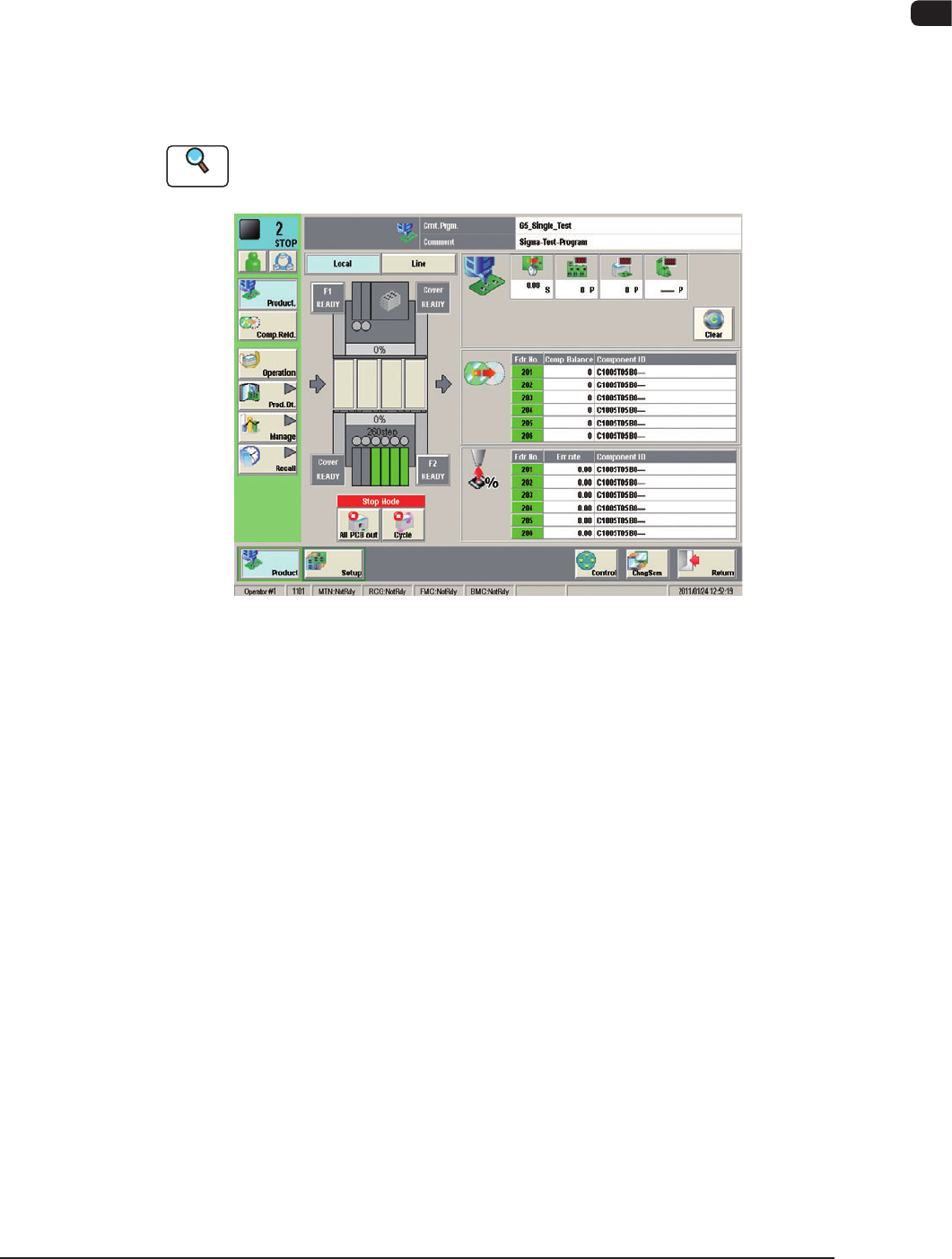
1.1 "Operation" Windows
Do a basic operation of this machine by the main machine (SIGMA-G4/G5).
Reference
Refer to "Volume 2: Product & Set-up Menu" for the basic operations and the
detailed knowledge.
F7B1
7OM-1603
2-2
Chapter 2 : 1. "Operation" Windows
1102-001
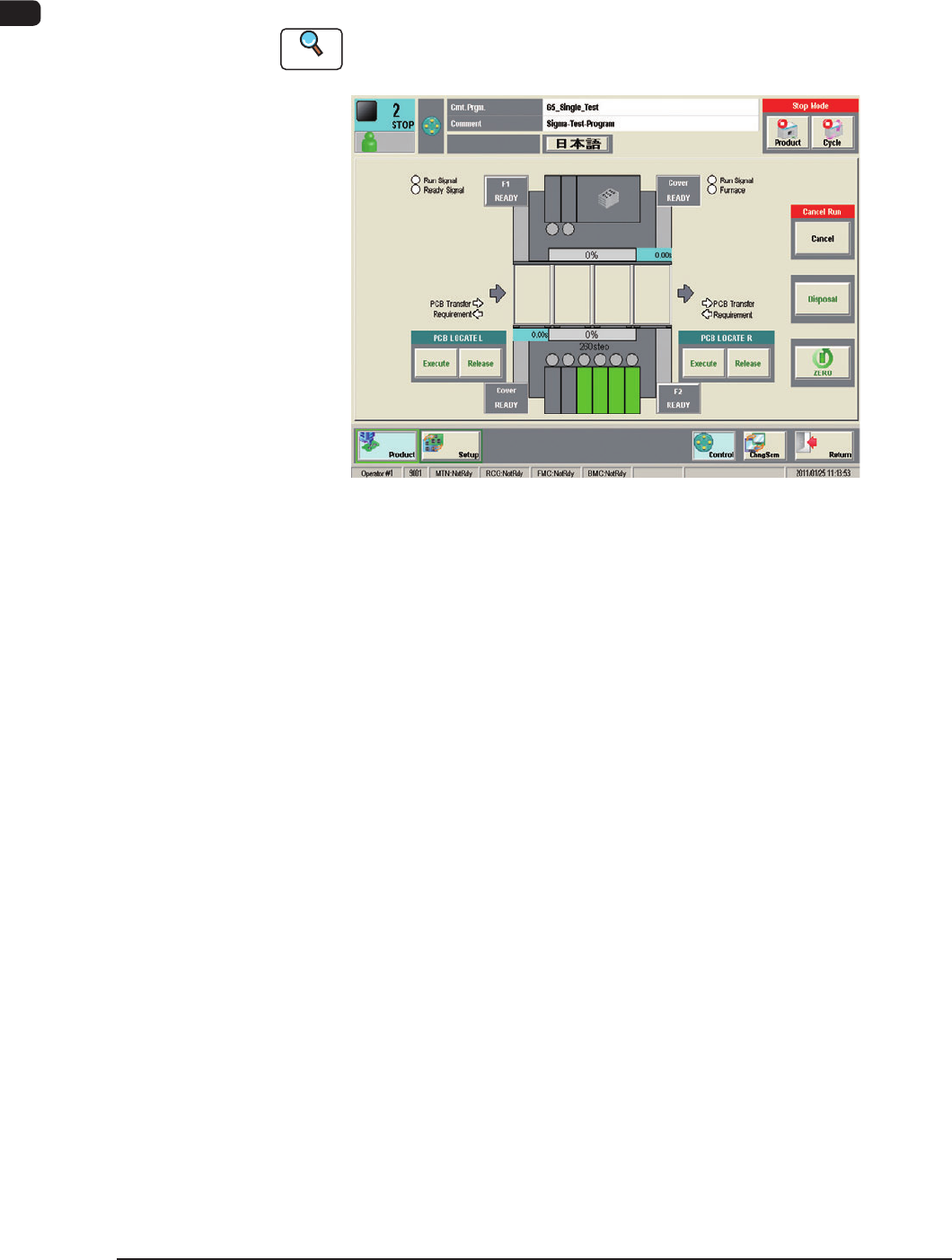
1.2 "Control Menu" Window
When the [Control] button is pressed on the common menu bar, the "Control
menu" window appears.
Reference
Refer to "2.1 "Control Menu" in Chapter 2, Volume 1, for the details of the
"Control Menu" window.
F7B2
7OM-1603
Chapter 2 : 2. Menus for Automatic Operation
2-3
2. Menus for Automatic Operation
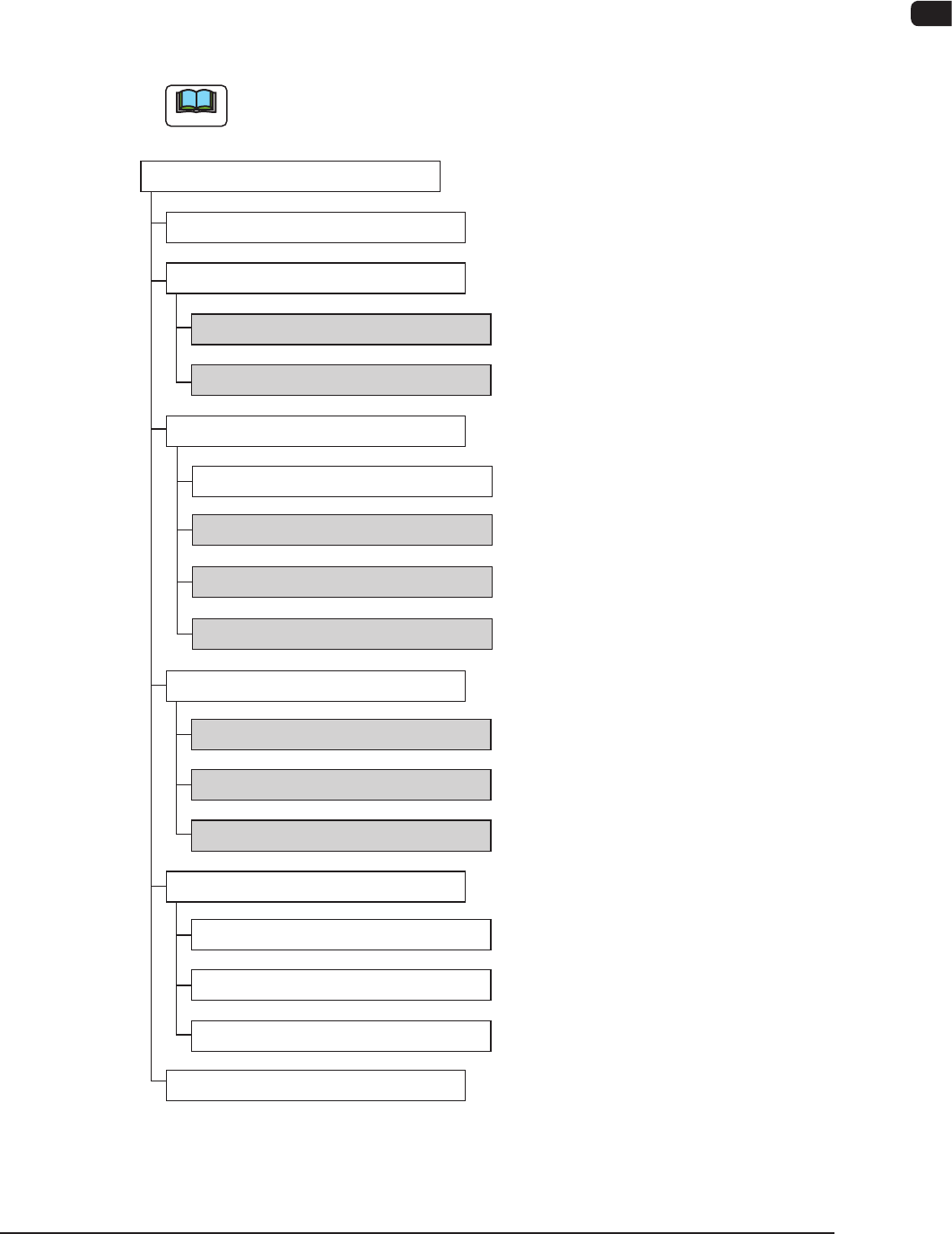
2.1 Outline of Menus for Automatic Operation
The following shows the hierarchical structure of the menus (including the
submenus and windows) for the automatic operation.
Note
The shadowed (gray) items are related to the multi-layer tray feeder.
Reference Item Nos
Menus for Automatic Operation
"Product" Window
"Comp.Reload" Window
"OPERATION" Window
"Pickup Tray Matrix" Tab Sheet
"Manage" Submenu
"Recall" Window
"Temp Chng Comp Lib" Window
"Prod.Dt" Submenu
"Tray Comp. Dt" Tab Sheet
"Component Library" Window
"Pattern Program" Window
"MESSAGE.RATE.DT" Window
"CRNT.PP.MNG.DT" Window
"MNG.DT" Window
"Altn Mode" Tab Sheet
"Test Mode" Tab Sheet
"Opr. Mode" Tab Sheet
"Run Mode" Tab Sheet
2.2.1
2.2.2
2.3.1
2.3.2
2.3.3
2.4.1
2.4.2
2.4.3
Outline of Menus for Automatic Operation F7B3
1007-003