7OM-1625-004_w.pdf - 第81页
7OM-1603 2-12 Chapter 2 : 2. Menus for Automatic Operation 2.4 "Prod.Dt" Submenu Production Data window F7B12 The "Prod.Dt" window is provided with the "PP.Data" window, "Comp Lbry"…
7OM-1603
Chapter 2 : 2. Menus for Automatic Operation
2-11
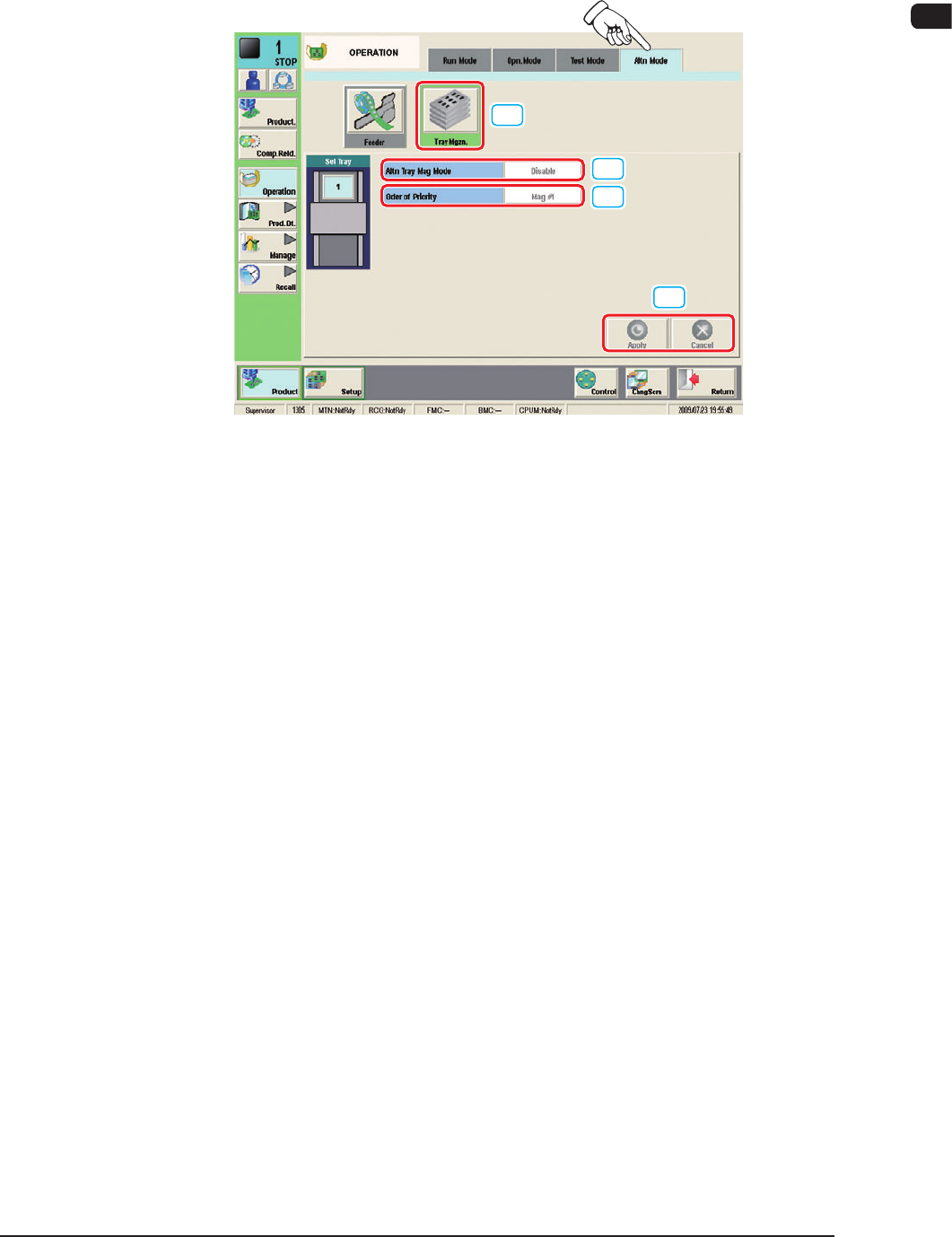
2.3.3 "Altn Mode" Tab Sheet
The corresponding window makes it possible to set parameters for the magazine
alternate mode.
[1]
[2]
[3]
[4]
"Altn Mode" Tab sheet (Multi-Layer Tray Feeder #1 Used) F7B11
[1] [Tray Mgzn.] Button
When pressed, this button opens the "Altn Tray Mag" window.
[2] Altn Tray Mag Mode
[Enable] Button
: Whe
n s
elected, this button validates the magazine
alternate mode.
[Disable] Button
: When selected, this button invalidates the
magazine alternate mode.
[3] Order of Priority
[Mag #1] Button
: When this button is pressed, the components in
Magazine #1 are used prior to the others.
[Mag #2] Button
: When this button is pressed, the components in
Magazine #2 are used prior to the others.
[4] [Apply], [Cancel] Button
Using these buttons, the parameter set in the [2] or [3] is reected on the
machine operation or cancelled.
1
102-003
7OM-1603
2-12
Chapter 2 : 2. Menus for Automatic Operation
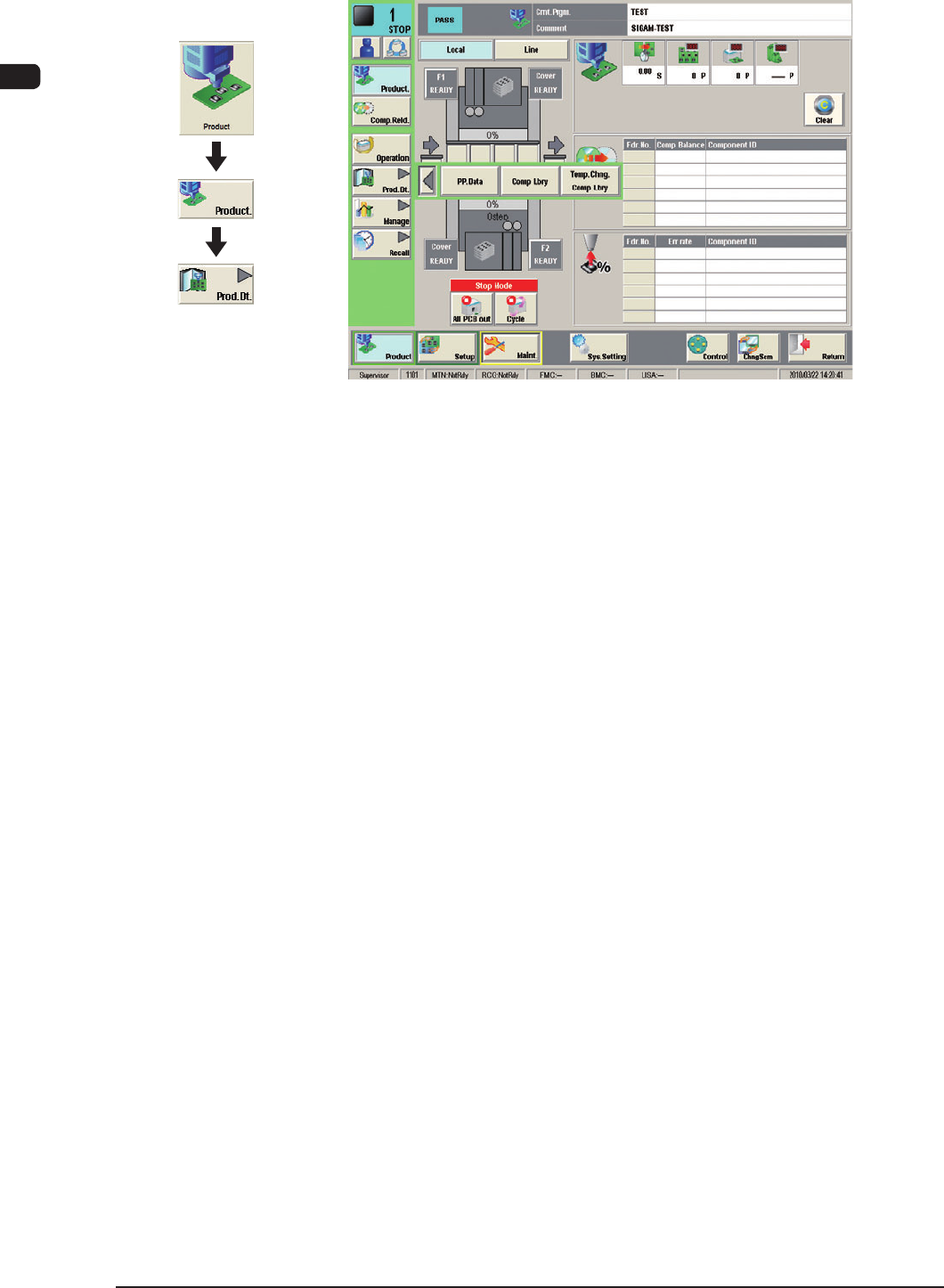
2.4 "Prod.Dt" Submenu
Production Data window F7B12
The "Prod.Dt" window is provided with the "PP.Data" window, "Comp Lbry"
window and "Temp.Chng.Comp Lbry" window.
Graphic
Development
1007-003
7OM-1603
Chapter 2 : 2. Menus for Automatic Operation
2-13
2.4.1 "Pattern Program" Window
2.4.1.1 Description of Pattern Program
·
Placement Feeder Location Data
The "Tray Fdr" and "Tray Step" tabs in each "Block #" tab can be used to set
the placement feeder location data for the multi-layer tray feeder.
Note
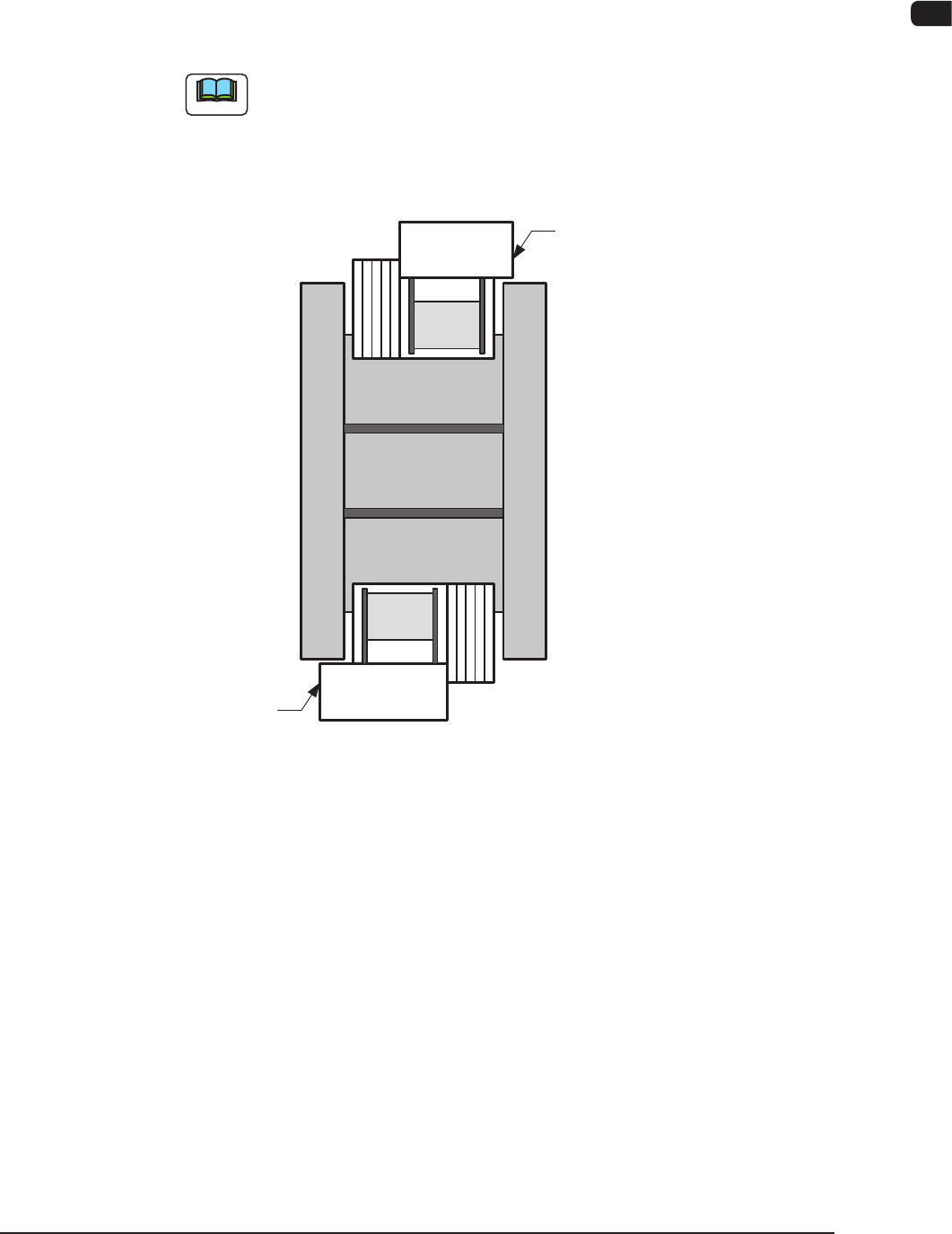
The following shows the positional relation between the block.
Multi-Layer Tray Feeder #1
Rear Side of Machine (Block #1)
Front Side of Machine (Block #2)
Multi-Layer Tray Feeder #2
F7B13
1007-002