7OM-1625-004_w.pdf - 第86页
7OM-1603 Chapter 2 : 2. Menus for Automatic Operation 2-17 2.4.1.2 "List indication" Window [1] [2] F7B17 [1] Step Shown are the step Nos. of the magazine. The step Nos. have a button function. When one of thes…
7OM-1603
2-16
Chapter 2 : 2. Menus for Automatic Operation
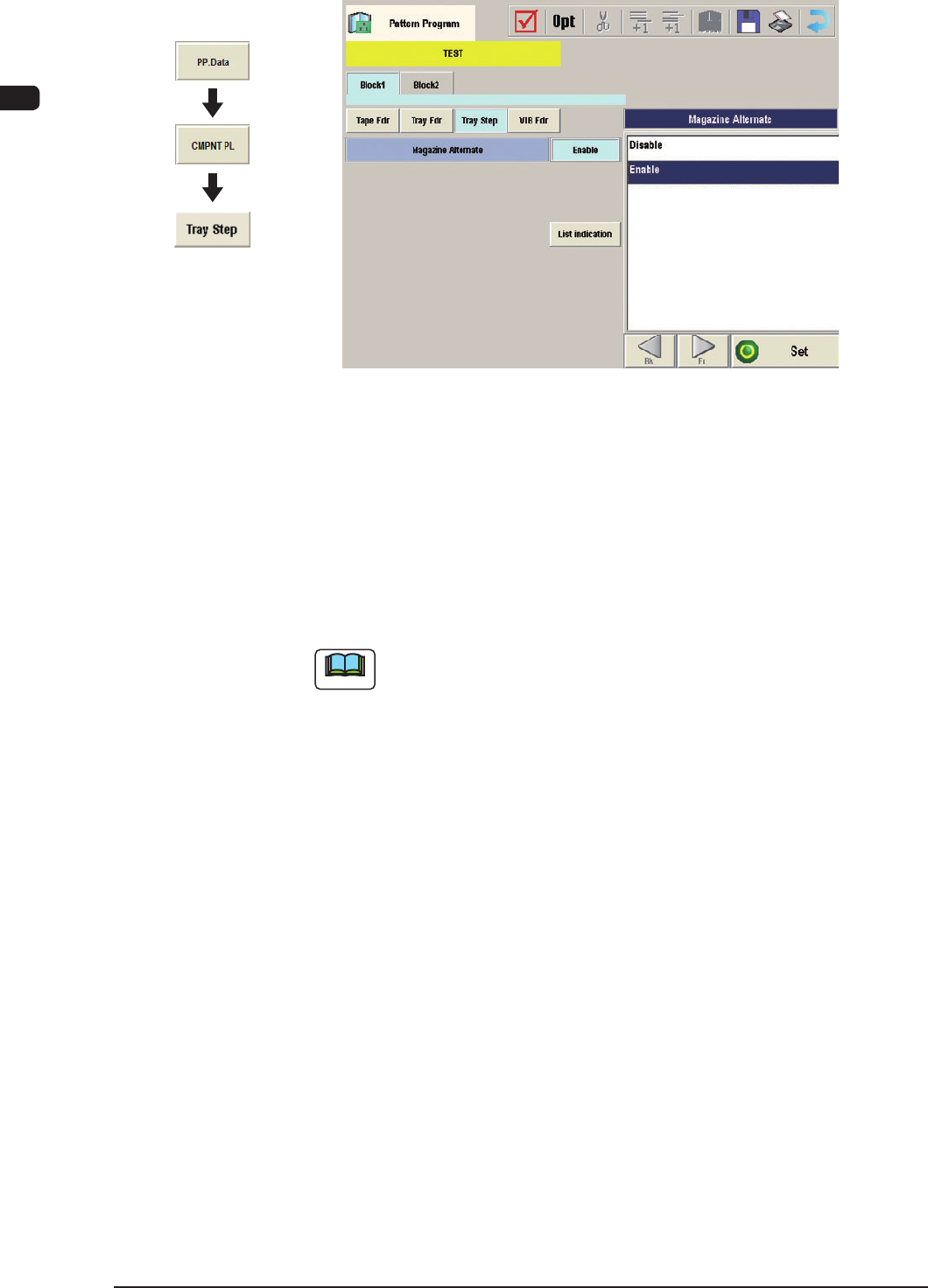
(C03) Tray Step Data
"Tray Step" Edit window F7B16
(C03_01) Magazine Alternate
This alternate function can be activated between Magazine #1 and #2 in the
same tray unit.
When "Enable" is set in the "Magazine Alternate" text box, the machine
continues running with the magazine (spare one) automatically changed and
set ready for use right after the previously connected magazine gets empty of
the components required by the main machine.
Note
(a) It is not necessary to equally allocate the component allocation spots
(step and block Nos.). The need for the spare steps and blocks, etc.,
can be determined freely for each individual magazines.
(b) The magazine alternate function is activated when a magazine gets
empty of the required types of components.
When components of the same type are set in several steps, the pallet
alternate function is activated prior to this function.
Graphic
Development
1003-002
7OM-1603
Chapter 2 : 2. Menus for Automatic Operation
2-17
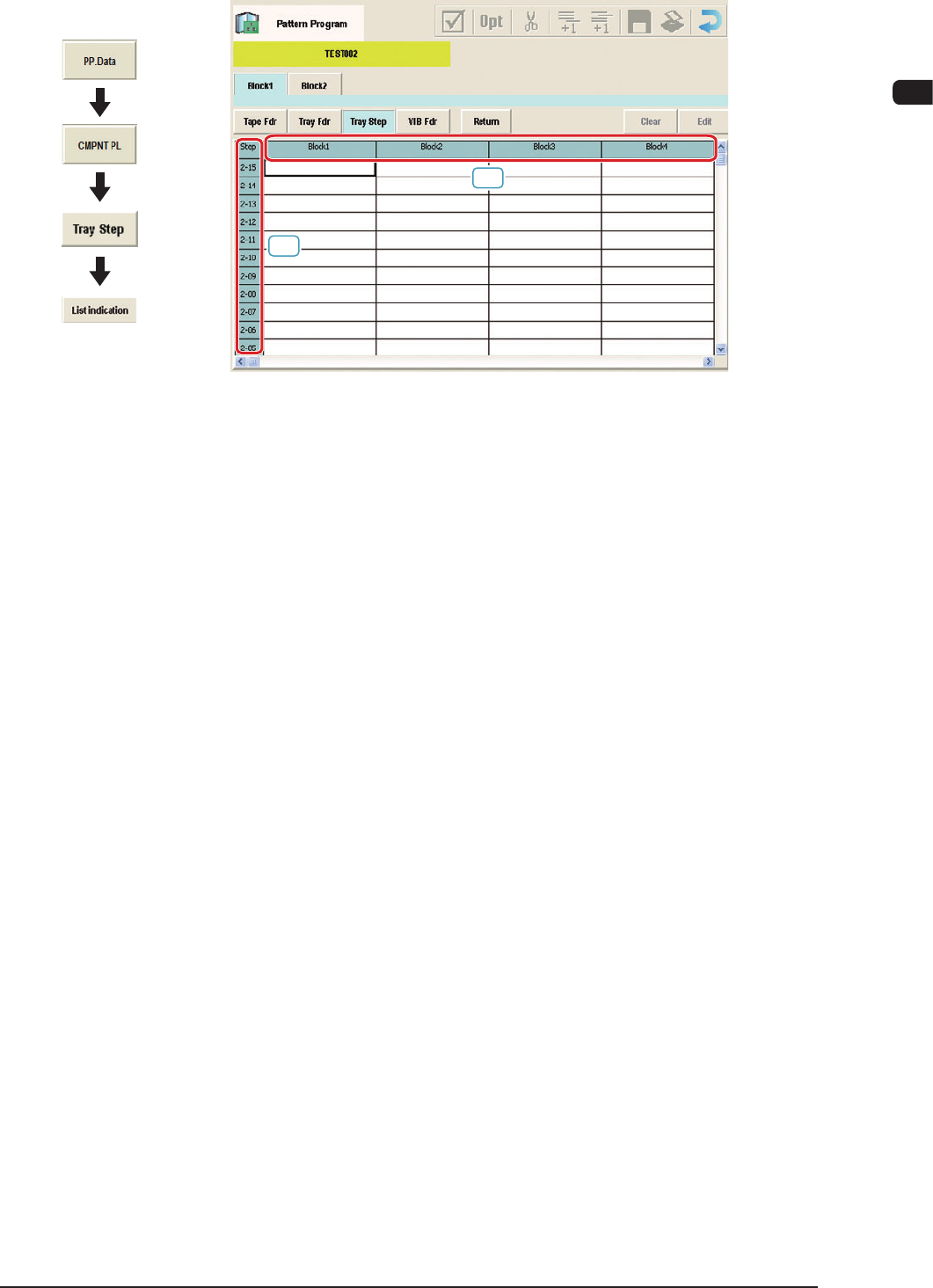
2.4.1.2 "List indication" Window
[1]
[2]
F7B17
[1] Step
Shown are the step Nos. of the magazine.
The step Nos. have a button function. When one of these buttons is pressed,
the corresponding "Tray Step Information" window opens.
[2] Block 1 to 9
Specify where in each step and block various components specied in the
tray data should be arranged.
Graphic
Development
1003-002
7OM-1603
2-18
Chapter 2 : 2. Menus for Automatic Operation
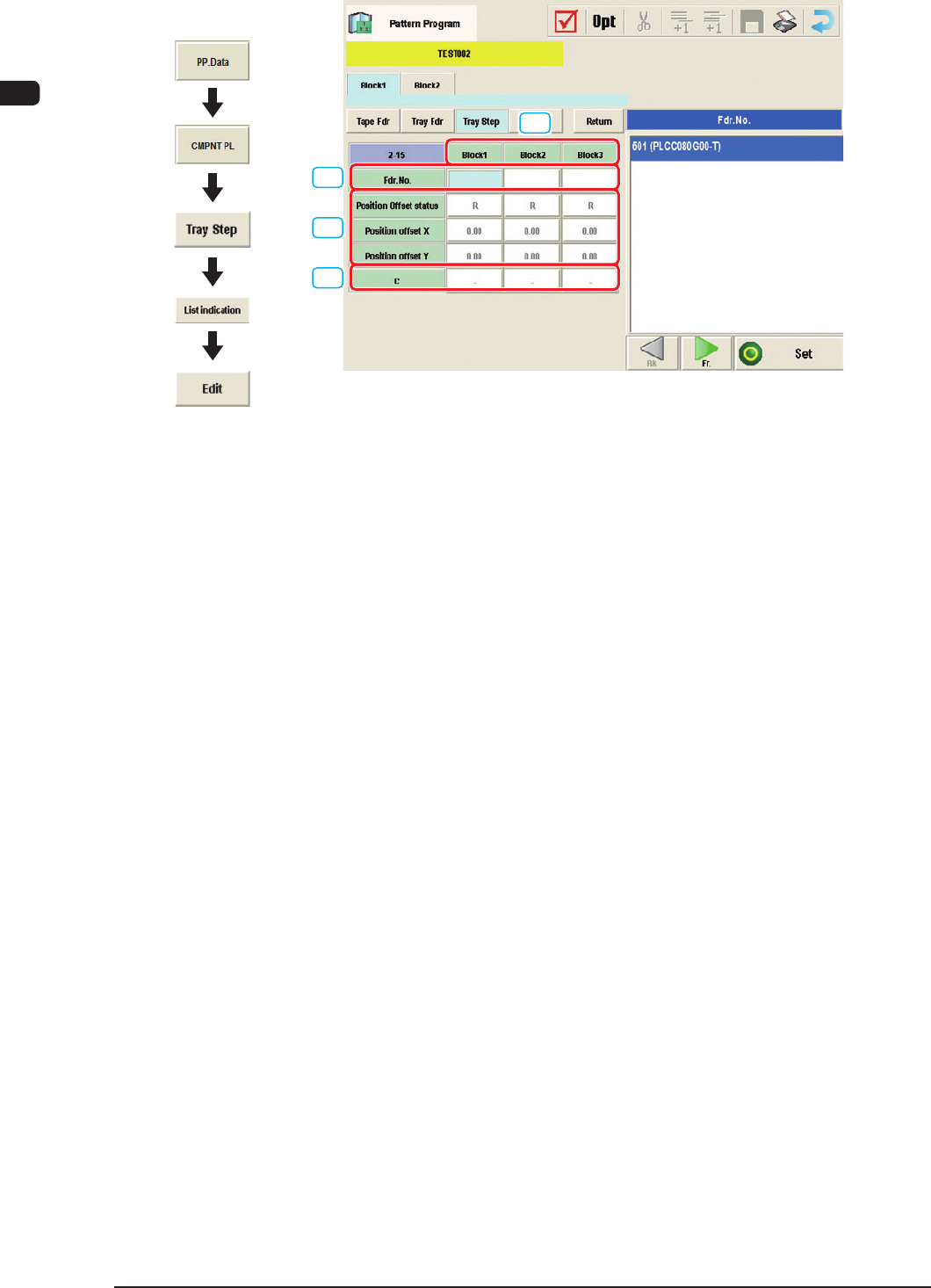
2.4.1.3 Editing of Tray Step Information
[1]
[2]
[3]
[4]
"Tray Step Information [1-15 Step]" window F7B18
[1] Block
Shown are the block Nos.
[2] Fdr.No.
Displayed are the Nos. of the feeders arranged in each block.
[3] Position Offset status
Select "R", "L", or "Free Position" as Reference Point X for the block.
Position offset X [mm], Y [mm]
Enter the reference coordinates of the tray viewed from the pallet reference
position of each block.
[4] C
The control commands can be selected.
Graphic
Development
0908-001