00196376-0102_UM S-Feeder_EN.pdf - 第99页
Accessories Connecting the Tapes Tape Splice Tool for SMD Tape Connections User Manual SIPLACE S-Feeder 99 ► Place the pre pared end of the "old" tape into the tape splice t ool, so that one half of the splicin…
Accessories
Tape Splice Tool for SMD Tape Connections Connecting the Tapes
98 User Manual SIPLACE S-Feeder
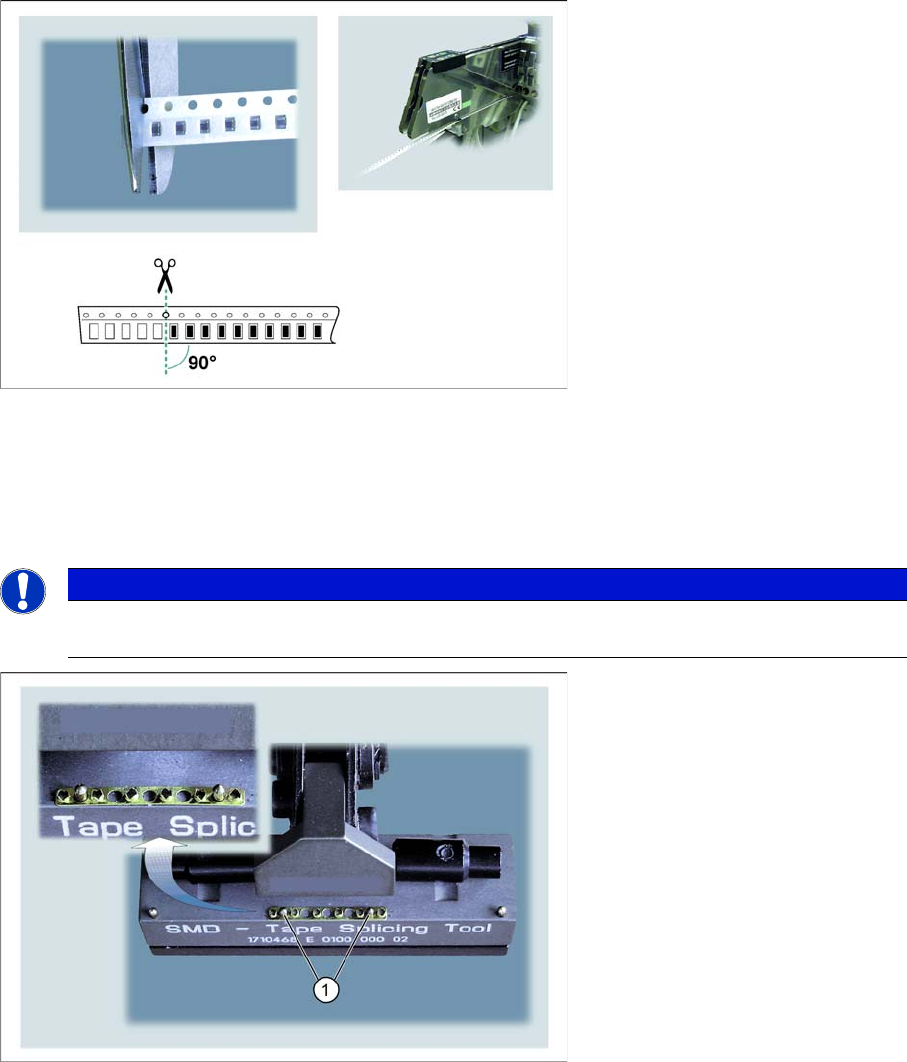
Preparing the end of the tape
►Cut the end of the tape exactly in the middle and at right angles, between two component pockets.
Splicing the tape
During splicing, the two prepared tape ends are connected to one another with the help of a splicing plate
and an adhesive tape. You need to use the tape splice tool for this.
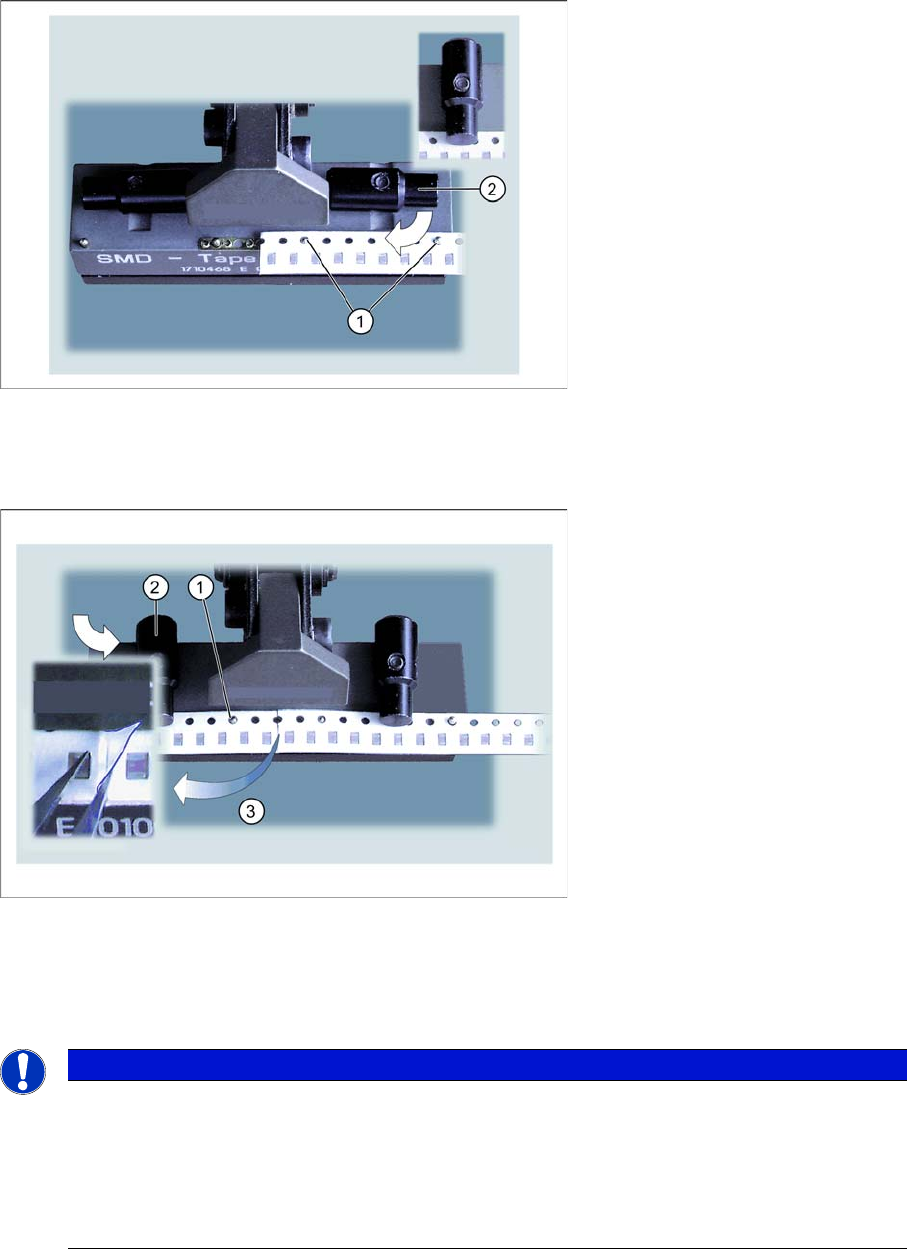
►Insert a splicing plate onto the two middle pins (1) of the open tape splice tool, with the raised "spikes"
showing upwards.
NOTICE
When using tapes with perforations on both sides, proceed as described below. Afterwards, join
the tape at the second perforation with another splicing plate.
Accessories
Connecting the Tapes Tape Splice Tool for SMD Tape Connections
User Manual SIPLACE S-Feeder 99
►Place the prepared end of the "old" tape into the tape splice tool, so that one half of the splicing plate
is covered and the tape end is held by the two pins (1).
►Turn the swivelling latch towards the front, to fix the tape end into place.
►Place the prepared beginning of the "new" tape onto the pins (1), so that the tapes touch one another
in the center, over the splicing plate.
Make sure that the overlapping foil is lying on the "old" tape end.
►Turn the swivelling latch to the front, to fix the beginning of the tape into place.
NOTICE
The distance between the components at the splice point must be the same size as the normal
distance between components on the tape.
The ends of the new and old tape need to be cut at right angles for splicing, otherwise the tape
ends could shift, leading to tape conveyor malfunctions and finally to a machine standstill.
However, if there is a minor gap between the tape ends at the splice position, this will not have
a negative effect on the connection process.
Accessories
Tape Splice Tool for SMD Tape Connections Connecting the Tapes
100 User Manual SIPLACE S-Feeder
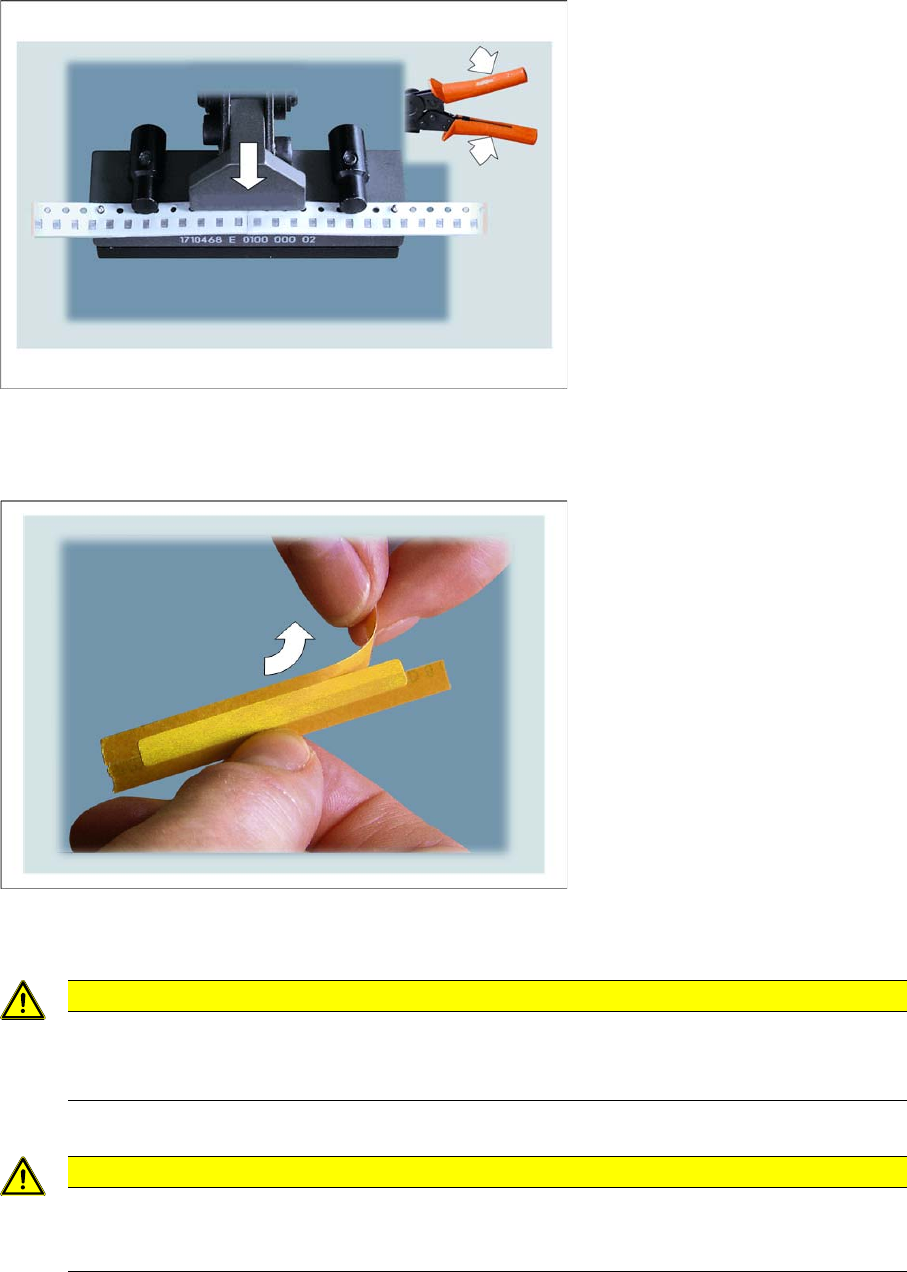
►Close the tape splice tool.
Press until the tape splice tool clicks for the third time. The tape ends and the splicing plate will be
riveted together.
►Take the special adhesive strip with the correct width for your component tape
(see "6.1.6.4 Examples of Correct Splice Connections" [ ➙ 104]).
►Remove half of the protective foil from the special adhesive strips.
CAUTION
Make sure that you ONLY use the special adhesive tapes specified in
"6.1.4 Consumable Materials Required" [ ➙ 95] for splicing.
NEVER use other adhesive tapes, such as normal sellotape!
CAUTION
Make sure that you do not touch the adhesive surface!
The adhesive tape could lose its adhesive strength and the cover tape of the new tape may not
be removed properly. This would then lead to a machine standstill.