DECAN_Service Manual Installation_CHI.pdf - 第27页
试运转 2-23 2.1.2. 检查 System I/O 执行 MMI 后,不按下 Front OP Panel 的 <Ready> 开 关的状态下,检查 System I/O 。 参考 <I/O Status> 窗口的 <Output Status> 领域显示设备输出。 <I/O Status> 窗口的 <InputStatus> 领域显示输入。 点击各项目后,打开…
SAMSUNG DECAN Series Service Manual
2-22
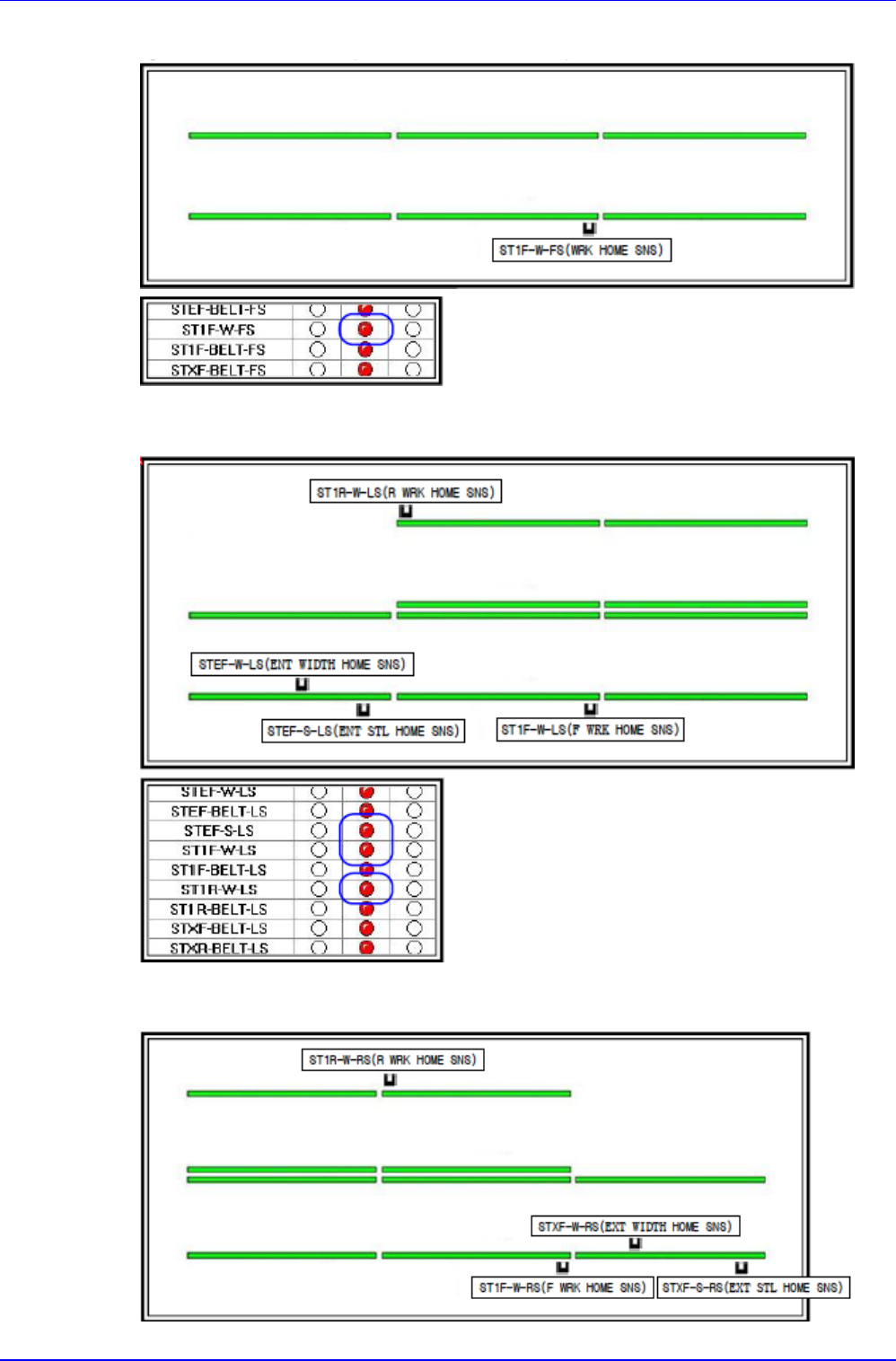
确认是否感应 Full Dual Conveyor (Dual - Dual - Dual) Sensor
确认是否感应 Left Only Shuttle Conveyor (Shuttle - Dual – Dual )Sensor
确认是否感应 Right Only Shuttle (Dual - Dual - Shuttle) Sensor
试运转
2-23
2.1.2. 检查 System I/O
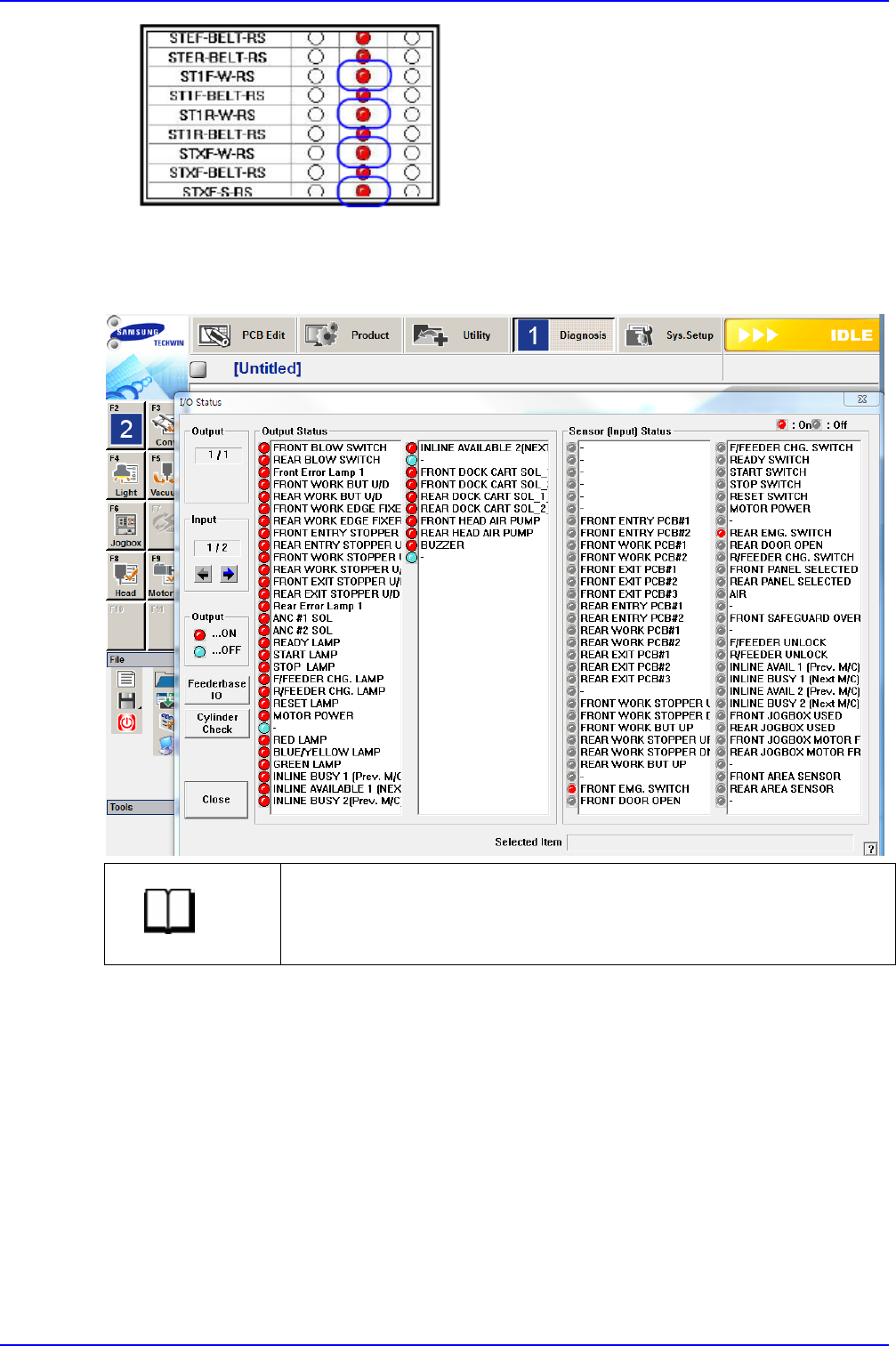
执行 MMI 后,不按下 Front OP Panel 的<Ready>开关的状态下,检查 System I/O。
参考
<I/O Status>窗口的<Output Status>领域显示设备输出。
<I/O Status>窗口的<InputStatus>领域显示输入。
点击各项目后,打开/关闭输入,并可以测试输入、输出。
SAMSUNG DECAN Series Service Manual
2-24
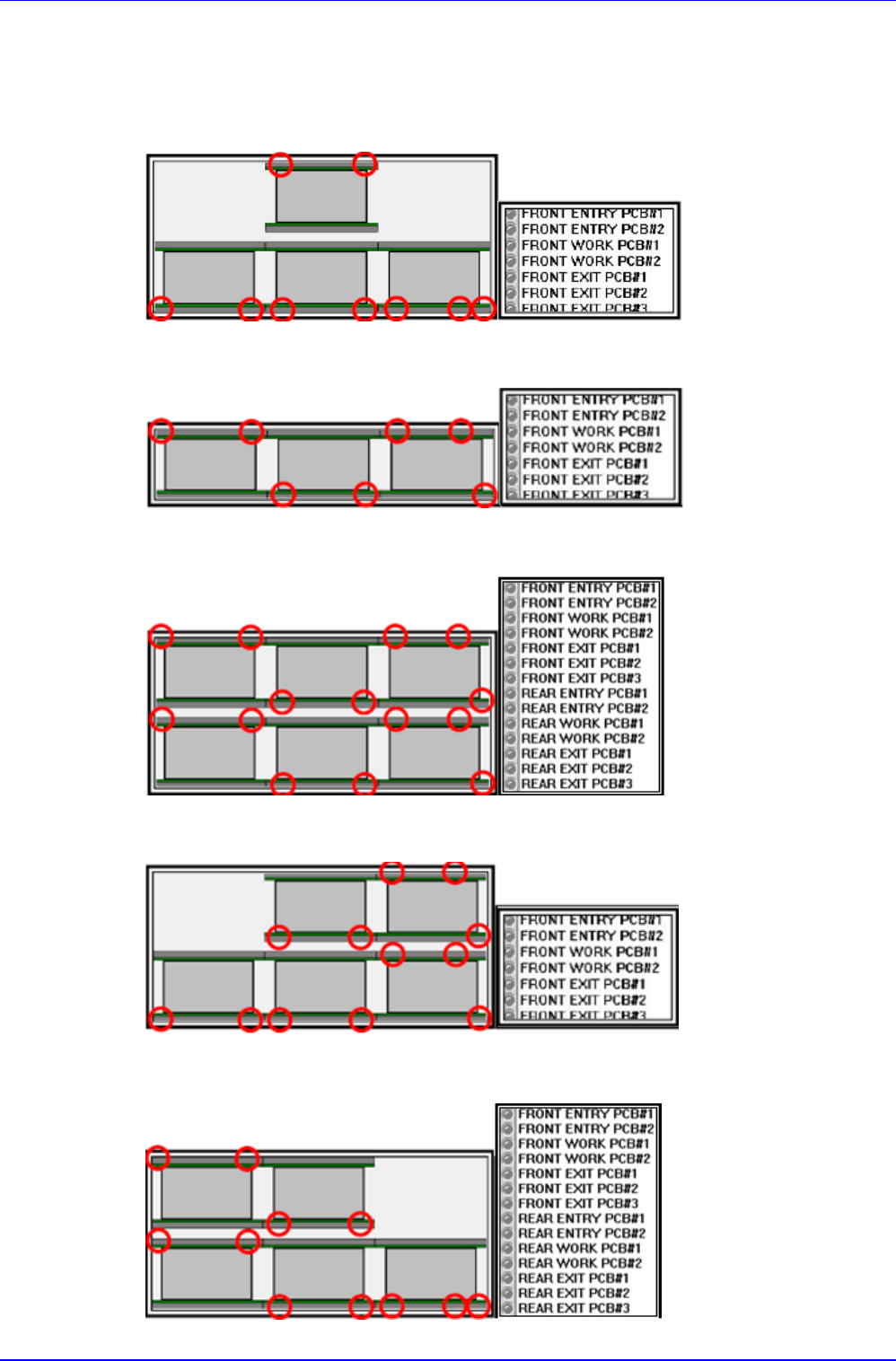
确认输入位置、等待位置、安装位置、工作结束位置、输出位置
感应入口、安装、出口 Sensor 后,确认是否在 I/O 画面上显示
Shuttle Conveyor (Shuttle - Dual - Shuttle)
Full Single Conveyor (Single - Single - Single)
Full Dual Conveyor (Dual - Dual - Dual)
Left Only Shuttle Conveyor (Shuttle - Dual - Dual)
Right Only Shuttle Conveyor (Dual – Dual – Shuttle)