DECAN_Service Manual Installation_CHI.pdf - 第59页
附件 3-55 8. 用 JogBox ,示教托盘左下方的基 准符号后,设定原点坐标 9. 选择 <PCB Edit> → <Feeder> → <T ray Unit> 后,确认 <Pocket Position> 位置
SAMSUNG DECAN Series Service Manual
3-54
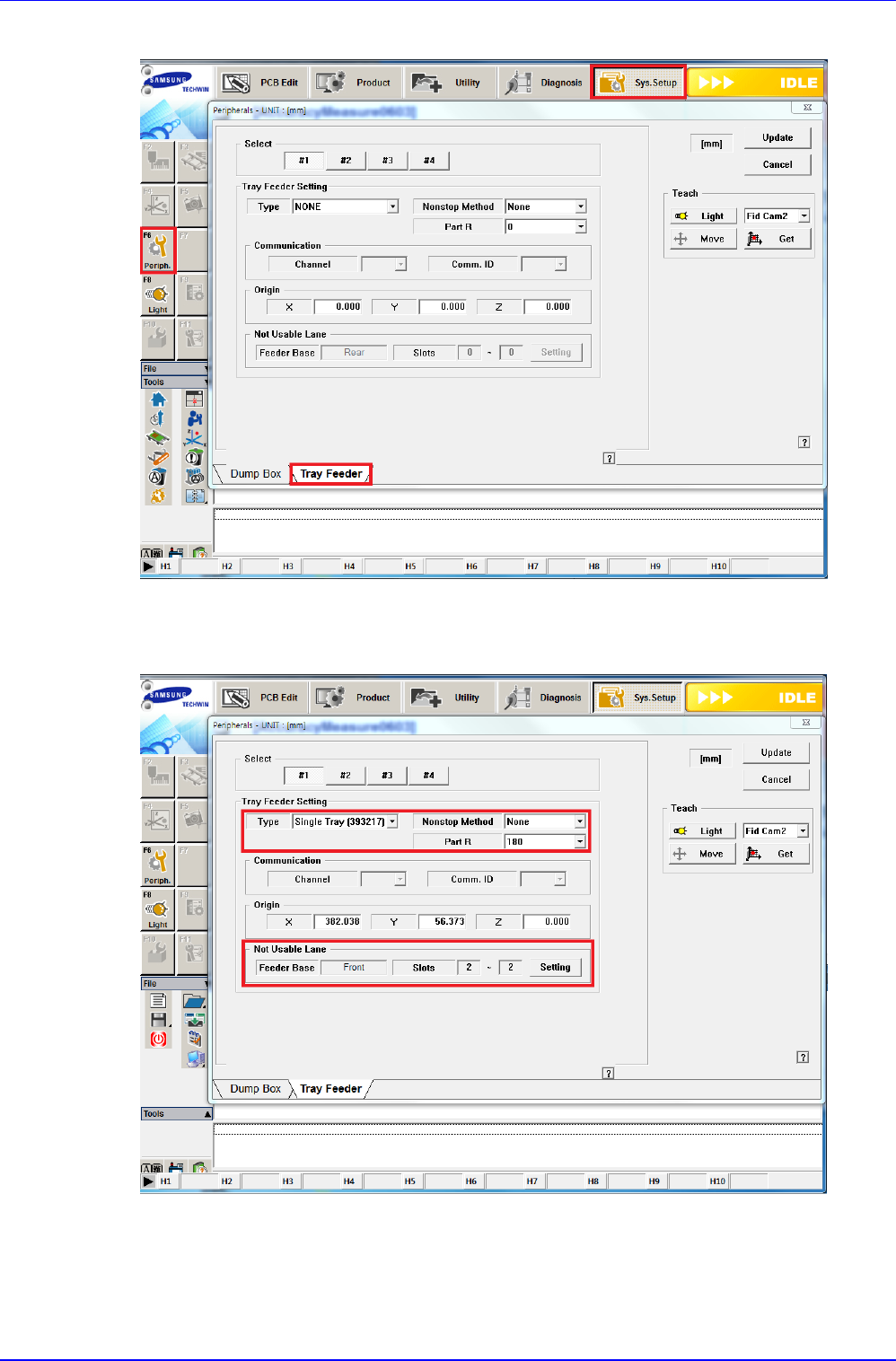
6. 选择<Sys.Setup> → <F6.Preiph> → <Tray Feeder>
7. 将<Tray Feeder Setting>的<Type>项目选择为Single Tray,将<Not Usable
Lane>项目的<Feeder Base>以Front或Rear选择<Slot>为1~2
附件
3-55
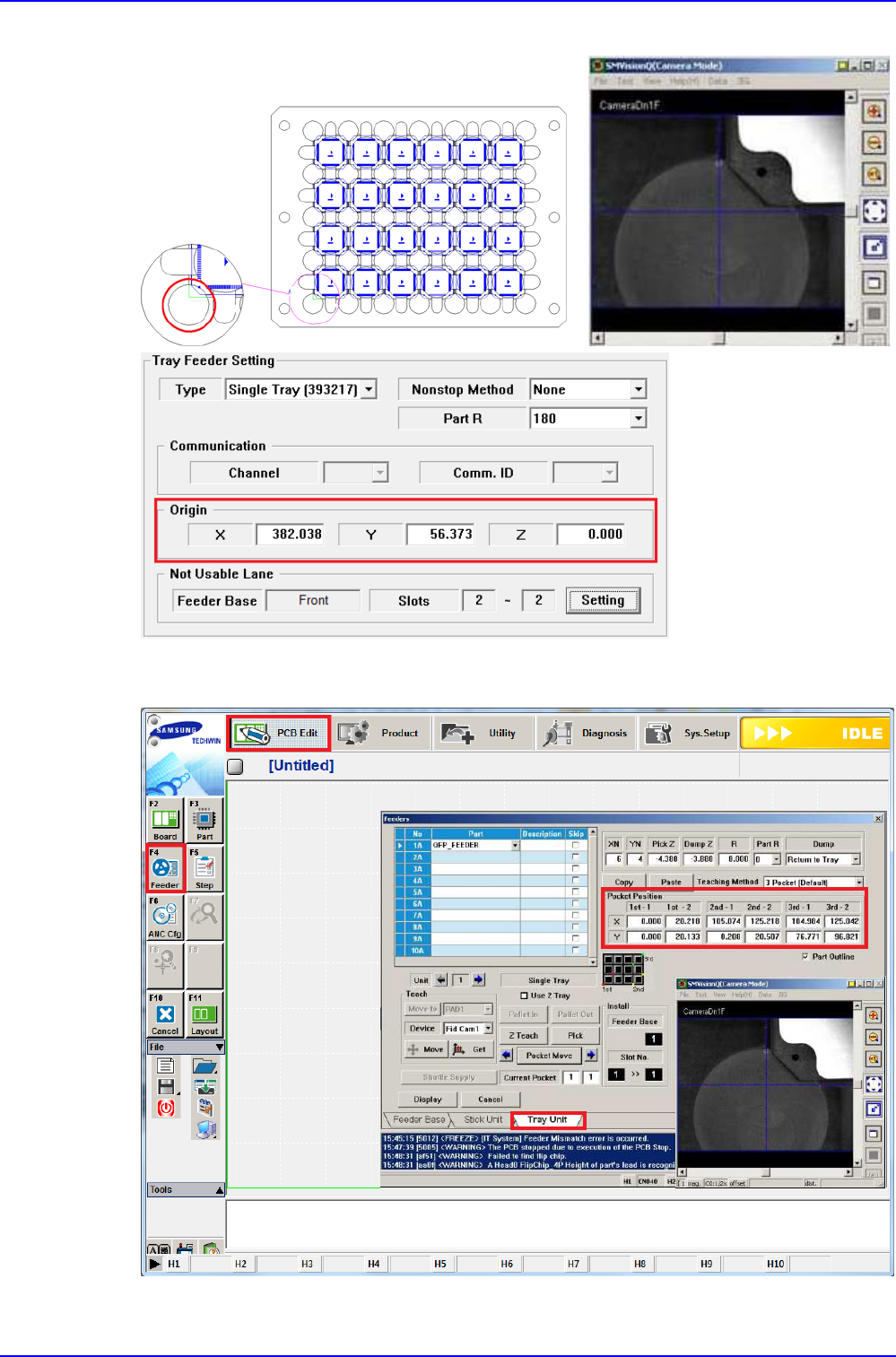
8. 用JogBox,示教托盘左下方的基准符号后,设定原点坐标
9. 选择<PCB Edit> → <Feeder> → <Tray Unit>后,确认<Pocket Position>位置
SAMSUNG DECAN Series Service Manual
3-56
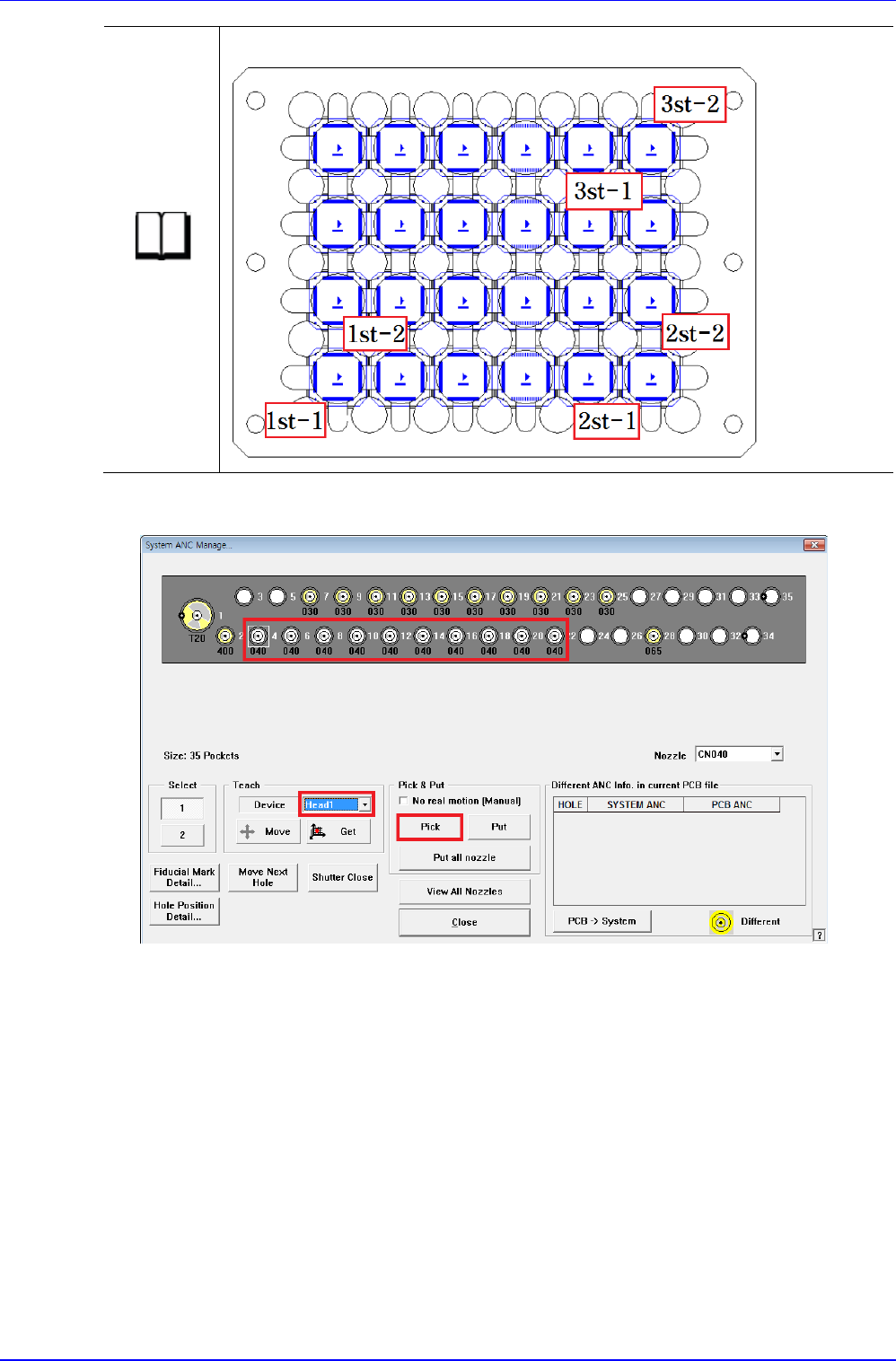
参考
Pocket Position的1st-1 ~ 3st-2的位置
10. 选择<Tool > → <ANC>后,将CN040喷嘴安装于Head1号