00197283-02_IM_LED_Pairing_V2_1_EN.pdf - 第10页
LED Pair ing / Ins tallatio n Manua l 05/2014 Edit ion 10 The f ollowing dia log is d ispl ayed. Figure 5-2 : Selecting installat ion folder ► If nece ssary , click the Brow se … but ton to s elect a nother ins tallati o…
LED Pairing / Installation Manual 05/2014 Edition
9
5 Installation of SIPLACE LED Pairing Controller
The SIPLACE LED Pairing Controller is a line service that uses OIB proxies to retrieve production
related information. As OIB client it uses the configuration provided by OIB.
The SIPLACE LED Pairing Controller can be installed on any line computer that has access to OIB
Core and to the required OIB adapters (OIB service endpoints).
Prerequisites
– OIB Core is installed and runs on the line computer.
– The following OIB service endpoints are installed and configured correctly in the Operation
Manager of OIB:
– OIB Line Control Adapter
– OIB SPI Adapter
– OIB Setup Center Adapter
► Log in as administrator on the line computer.
► Insert the installation CD into the CD drive.
► Double-click the SIPLACE_LedPairingController.msi file in the installation directory to start
installing the SIPLACE LED Pairing Controller.
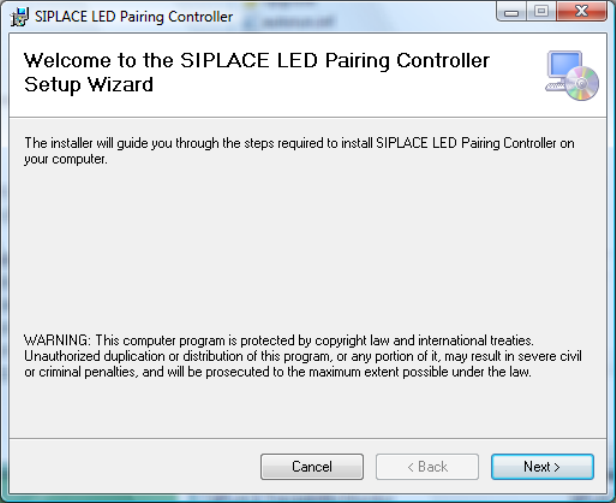
The Setup Wizard dialog of the SIPLACE LED Pairing Controller is displayed.
Figure 5-1: Setup Wizard
► Click the Next > button.
LED Pairing / Installation Manual 05/2014 Edition
10
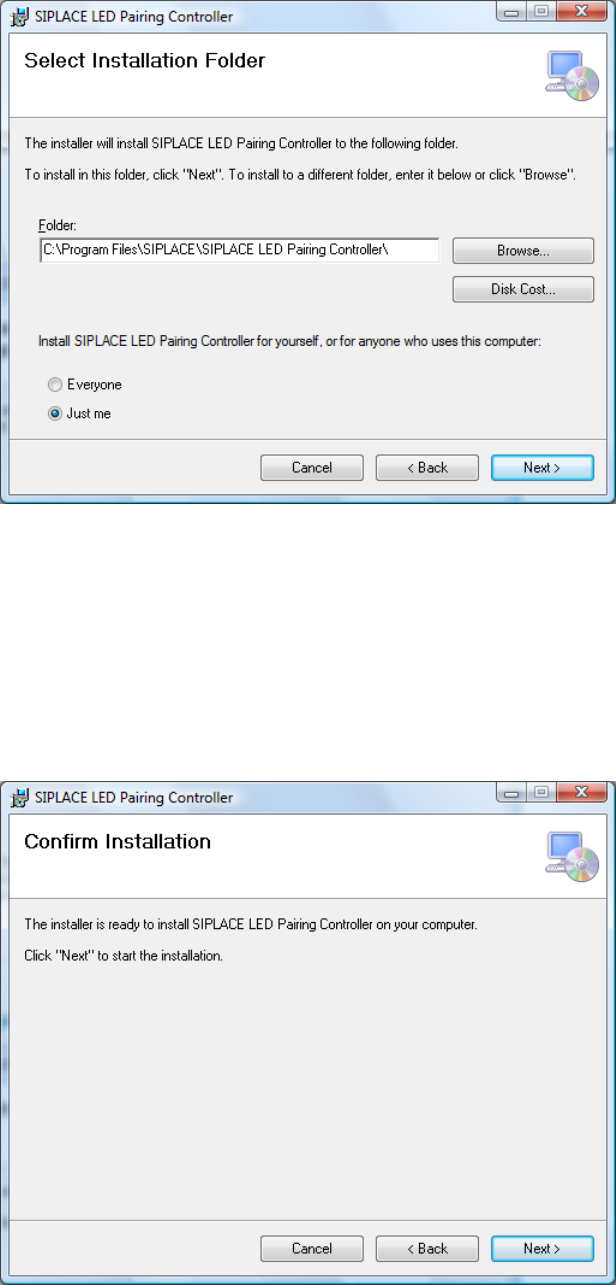
The following dialog is displayed.
Figure 5-2: Selecting installation folder
► If necessary, click the Browse… button to select another installation folder for the SIPLACE
LED Pairing Controller service.
► Activate the Everyone button if the SIPLACE LED Pairing Controller service shall be accessed
for anyone who uses the computer or the Just me button if the SIPLACE LED Pairing Controller
service shall only be accessed by yourself.
► Click the Next > button.
The following dialog is displayed.
Figure 5-3: Confirming installation
► Click the Next > button to start the installation.
LED Pairing / Installation Manual 05/2014 Edition
11
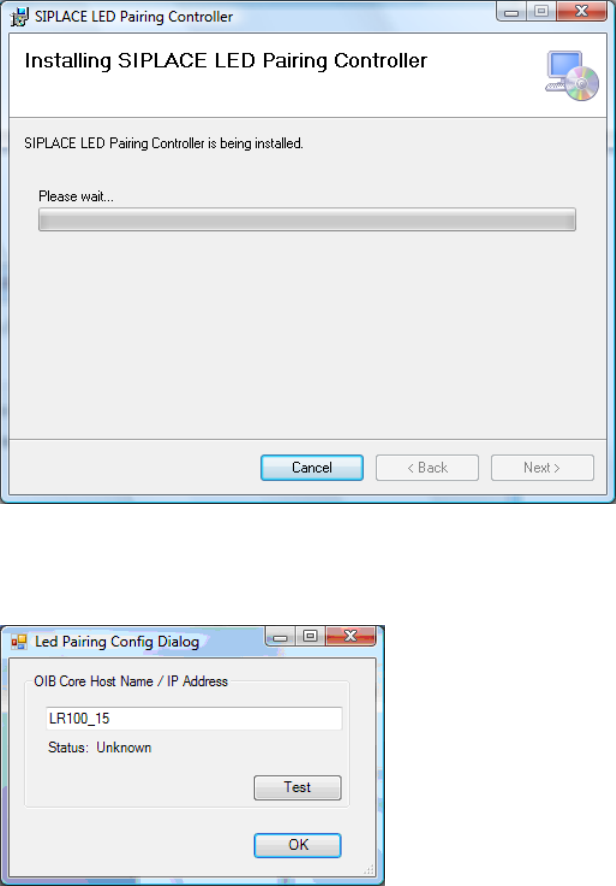
The following dialog is displayed.
Figure 5-4: Installing SIPLACE LED Pairing Controller Service
During installation, the following dialog is displayed, in which the install program prompts you to
enter the IP address or host name.
Figure 5-5: LED Pairing Config Dialog
► Enter the host name or the IP address of the computer on which OIB Core is installed.