00197283-02_IM_LED_Pairing_V2_1_EN.pdf - 第21页
LED Pair ing / Ins tallatio n Manua l 05/2014 Edit ion 21 6.2 Checki ng Conn ection Once the co nfigur ation is done, it m a y happen t hat a ser vice en dpoint gets shut d own or t he underl ying func tionalit y stops w…
LED Pairing / Installation Manual 05/2014 Edition
20
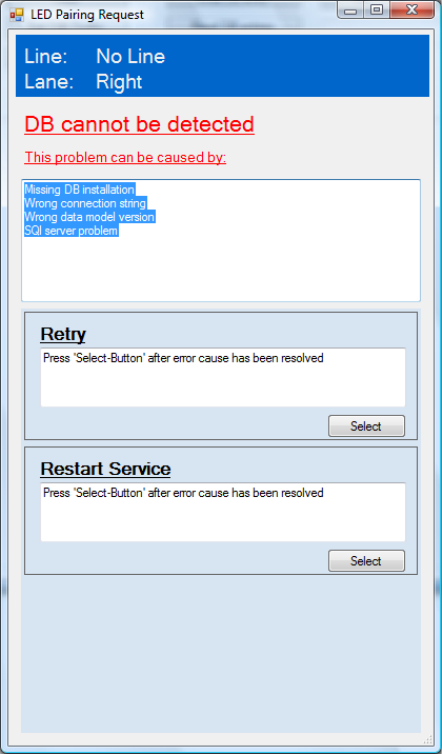
6.1.2 SIPLACE LED Pairing Controller database cannot be accessed
The connection to the SIPLACE LED Pairing Controller database is required for the Board
Grouping function. If the SIPLACE LED Pairing Controller database cannot be accessed, the
following dialog is displayed.
Figure 6-2: SIPLACE LED Pairing Controller database cannot be accessed
► Check the problems that are listed in the upper field of the window and perform the suitable
action(s).
► Select Retry to check the configuration again.
or
► Select Restart Service to start SIPLACE LED Pairing Controller again.
LED Pairing / Installation Manual 05/2014 Edition
21
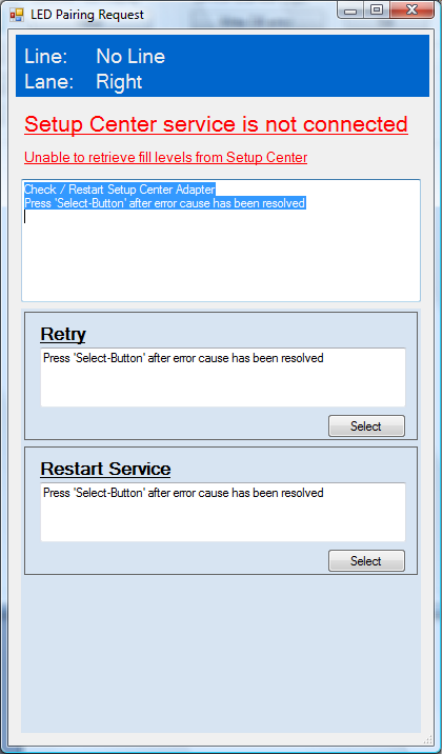
6.2 Checking Connection
Once the configuration is done, it may happen that a service endpoint gets shut down or the
underlying functionality stops working due to error conditions. In this case the SIPLACE LED
Pairing Controller is not able to continue, because the depending data is wrong or outdated. The
SIPLACE LED Pairing Controller stops working, denies boards to enter the line and displays a
dialog to inform the operator about the problem.
Figure 6-3: Checking connection
► Check and restart the required functionality.
► Select Retry to check the connection again.
or
► Select Restart Service to start the SIPLACE LED Pairing Controller again.
LED Pairing / Installation Manual 05/2014 Edition
22
7 Uninstalling SIPLACE LED Pairing Controller
NOTICE
You must be logged in as Administrator to uninstall the software.
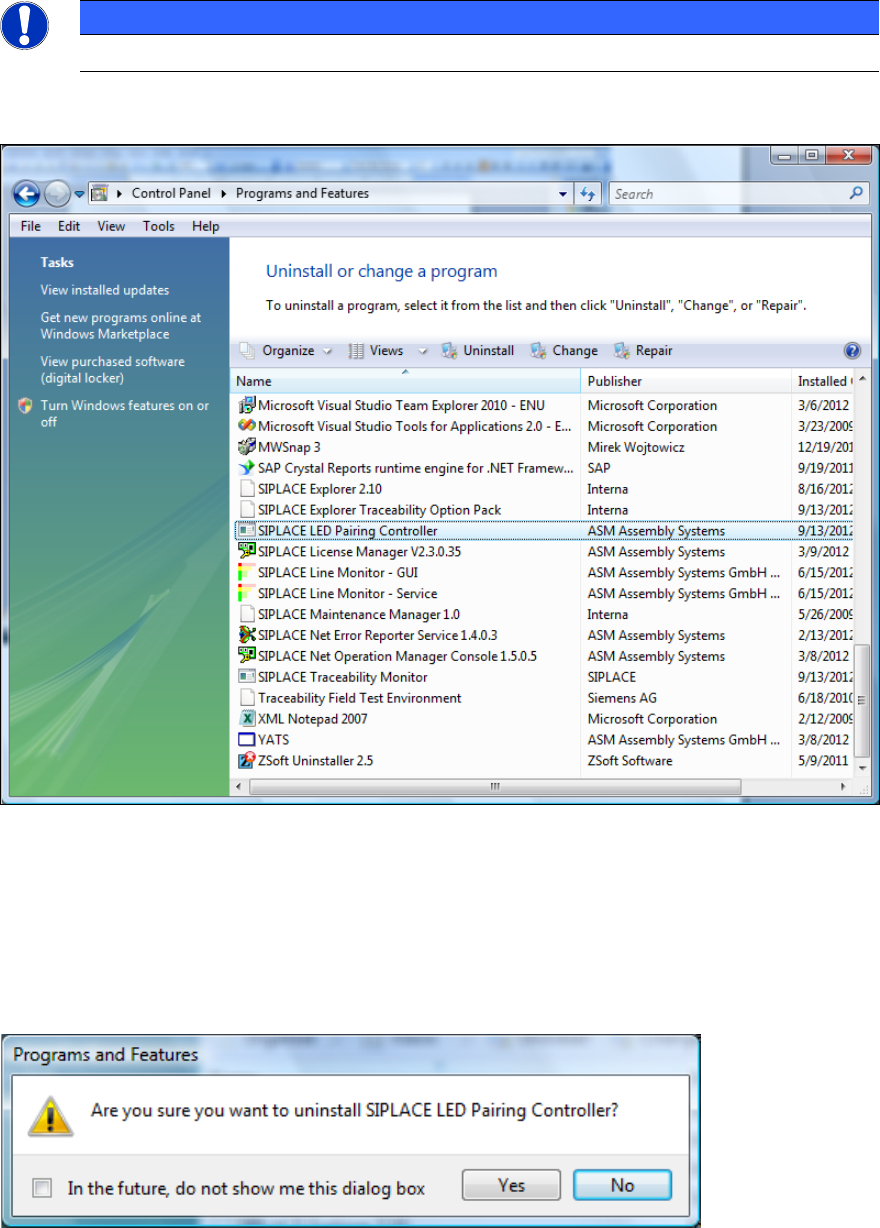
► Open the Start menu and select Control Panel – Programs – Programs and Features –
Uninstall a program.
Figure 7-1: Uninstalling SIPLACE LED Pairing Controller
► Click with the right mouse key on the SIPLACE LED Pairing Controller entry in the list of
installed programs.
► Select Uninstall from the context menu.
The following confirmation dialog is displayed.
Figure 7-2: Confirmation - Uninstalling
► Click on Yes to confirm uninstalling the SIPLACE LED Pairing Controller.