00197283-02_IM_LED_Pairing_V2_1_EN.pdf - 第16页
LED Pair ing / Ins tallatio n Manua l 05/2014 Edit ion 16 The rec ipe data of the lin e lanes wil l now be l oaded t o the SIPLAC E LED Pairi ng Contro ller . Figure 5- 14 : Recipe data for the left line lane Board Gr ou…
LED Pairing / Installation Manual 05/2014 Edition
15
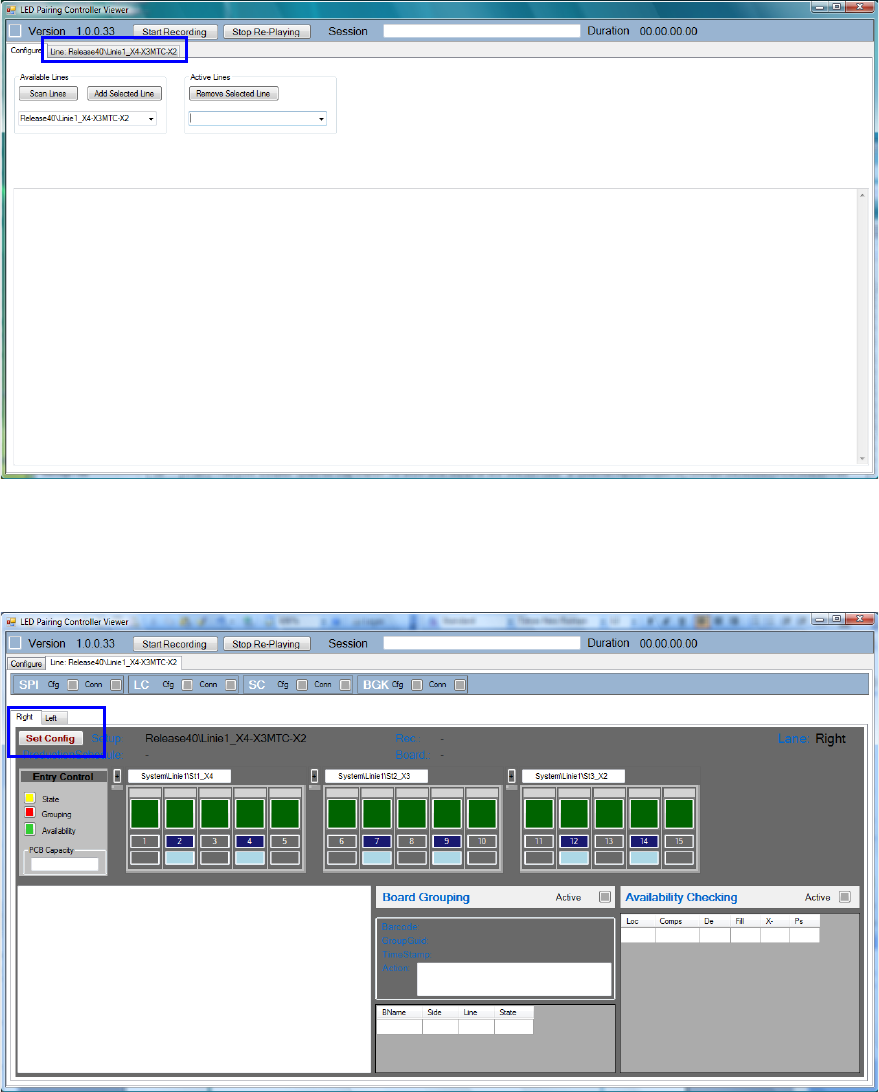
After a while, the selected line appears as a tab.
Figure 5-12: Selected line
► Click the line tab.
The selected line and conveyor are displayed in the following window.
Figure 5-13:Line information
The SIPLACE LED Pairing Controller has not yet received any data from SIPLACE Pro and
SIPLACE Setup Center. For this, the configuration has to be saved.
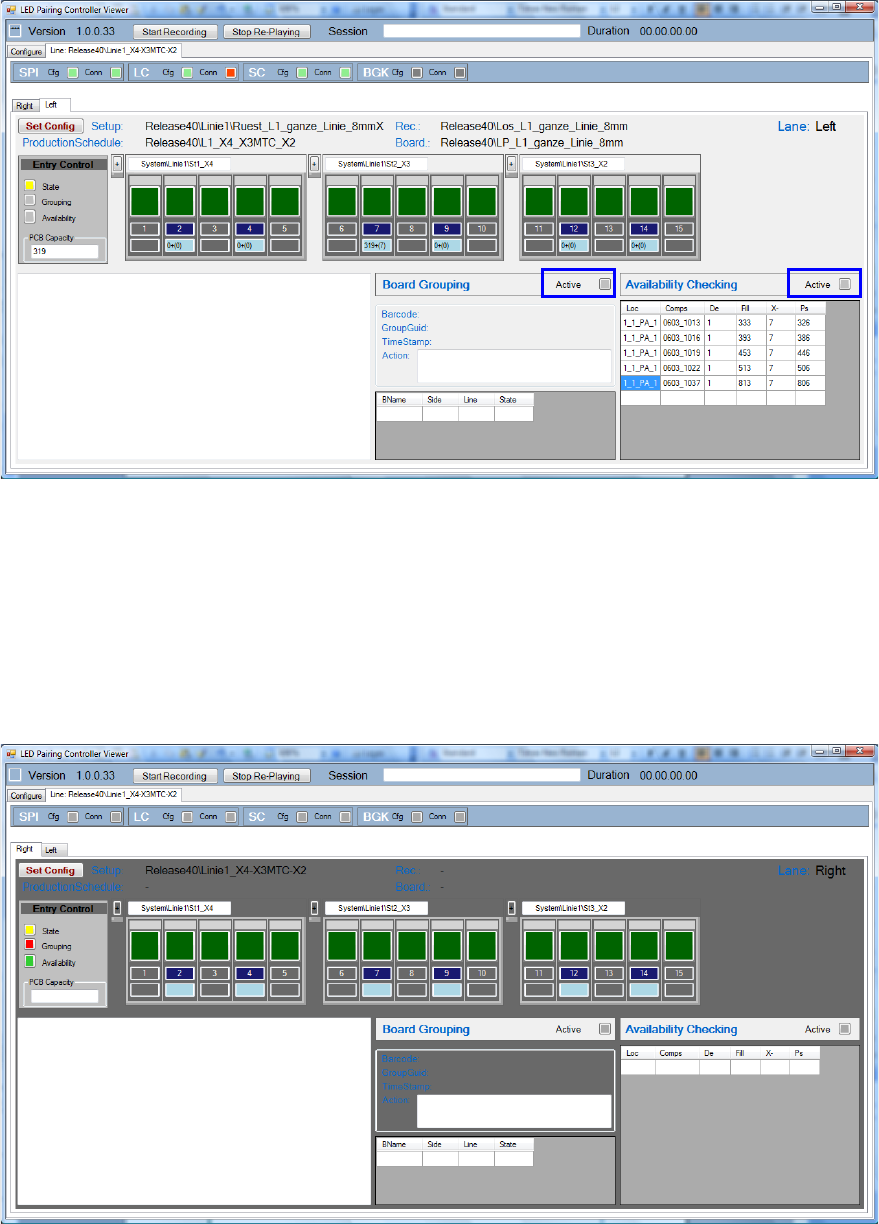
► In the Right tab, click the Set Config button to save the configuration for the right line lane.
► Switch to the Left tab.
► Click the Set Config button to save the configuration for the left line lane.
LED Pairing / Installation Manual 05/2014 Edition
16
The recipe data of the line lanes will now be loaded to the SIPLACE LED Pairing Controller.
Figure 5-14: Recipe data for the left line lane
Board Grouping and Availability Checking are active for the left line lane.
If necessary, you can add additional sections to the line (conveyor belts, overlapping buffers etc.).
Sample
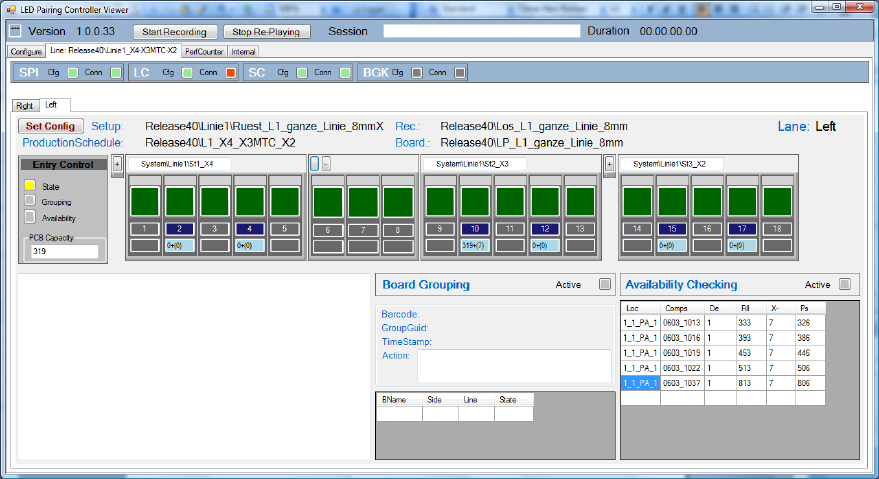
In the following sample, 3 sections shall be added between St1_X4 and St2_X3 on both line lanes.
Availability Checking is only active for the left line lane.
Figure 5-15: Adding sections
► Click the + sign between St1_X4 und St2_X3 and add 3 sections.
► Click on Set Config to save the configuration for the right lane.
► Repeat these steps for the left lane.
LED Pairing / Installation Manual 05/2014 Edition
17
Figure 5-16: Availability Checking calculation for left line lane
The recipe data is loaded to the SIPLACE LED Pairing Controller and the new sections are
considered in the new Availability Checking calculation.
5.1 SIPLACE LED Pairing Controller Database
The SIPLACE LED Pairing Controller requires a factory wide database that can be accessed from
all SIPLACE LED Pairing Controller instances to save and retrieve board related data. The
SIPLACE LED Pairing Controller database gets installed during installation of the SIPLACE LED
Pairing Controller and gets maintained and updated by OIB.
The SIPLACE LED Pairing Controller database consists of the BoardGrouping table that contains
entries used to implement a factory wide board grouping mechanism. A description of the
BoardGrouping table can be found in section 8.2.
5.2 Activating / Deactivating SIPLACE LED Pairing Controller
After installation, the Availability Checking and Board Grouping functions have to be activated in
SIPLACE Pro Desk. As default, this is done automatically. Further information can be found in the
SIPLACE LED Pairing User Guide.
If one of the functions or both of them are activated, the SIPLACE LED Pairing Controller performs
the correspondent check(s) and only allows boards to enter the line respectively.
If neither Board Grouping nor Availability Checking is activated, the SIPLACE LED Pairing
Controller allows any board to enter the line.