00197283-02_IM_LED_Pairing_V2_1_EN.pdf - 第24页
LED Pair ing / Ins tallatio n Manua l 05/2014 Edit ion 24 In the Det ails tab to the r ight you can def ine a n am e for the ne w area. Figure 8-2 : Defining area name ► Enter a n am e for the ne w area (in this sam ple:…
LED Pairing / Installation Manual 05/2014 Edition
23
8 Appendix
This chapter contains the following information:
– A sample that illustrates the interaction of OIB and the SIPLACE LED Pairing Controller
service.
– The structure of the BoardGrouping table in the SIPLACE LED Pairing Controller database.
8.1 Sample: OIB Operation Manager and SIPLACE LED Pairing
Controller
The following sample explains how to create a new area in the Factory Layout and how to assign
the SIPLACE LED Pairing Controller service and the other required services to this area by using
the OIB Operator Manager.
► Start the OIB Operation Manager.
► Select the OIB Configuration Editor.
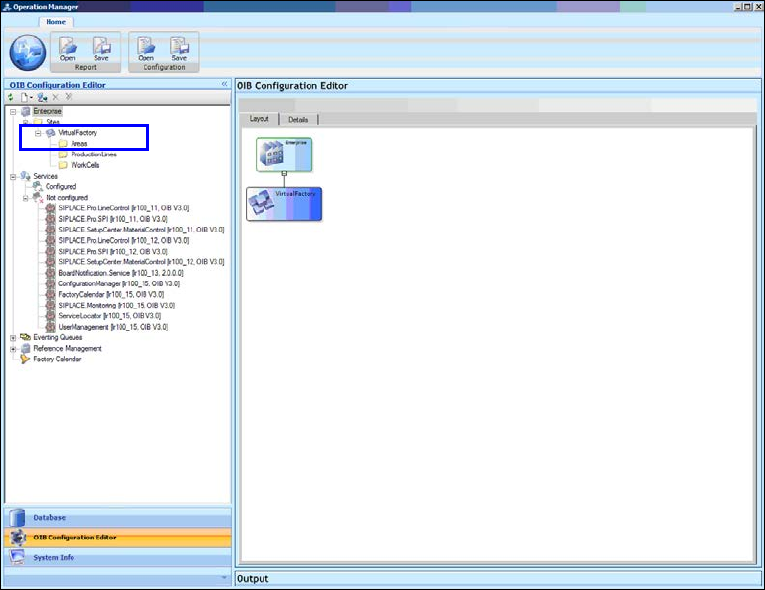
The following window is displayed.
Figure 8-1: Creating new area
► Select Virtual Factory – New – Area in the OIB Configuration Editor to create a new area.
LED Pairing / Installation Manual 05/2014 Edition
24
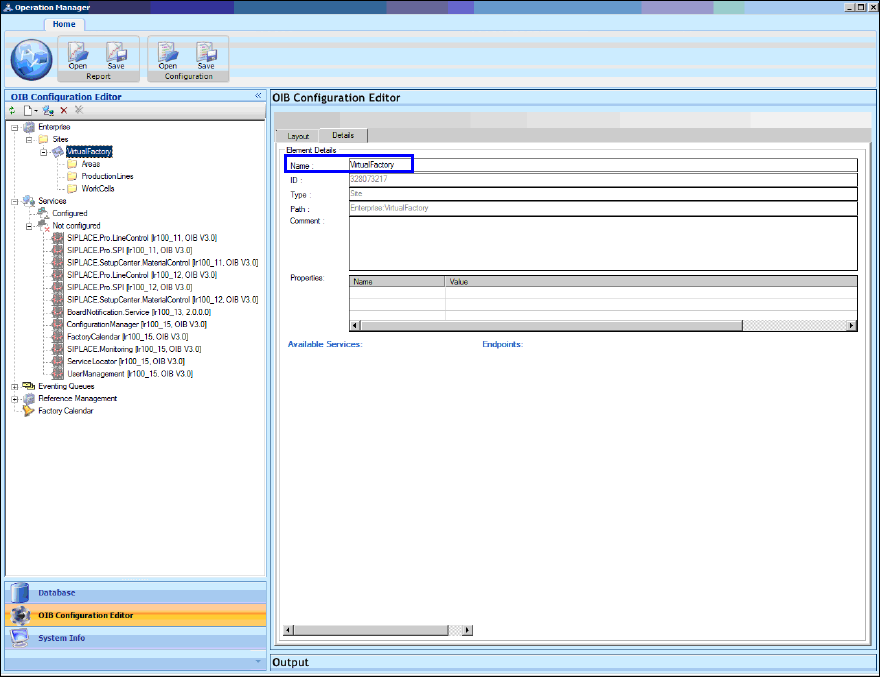
In the Details tab to the right you can define a name for the new area.
Figure 8-2: Defining area name
► Enter a name for the new area (in this sample: Area_LED_Pairing).
LED Pairing / Installation Manual 05/2014 Edition
25
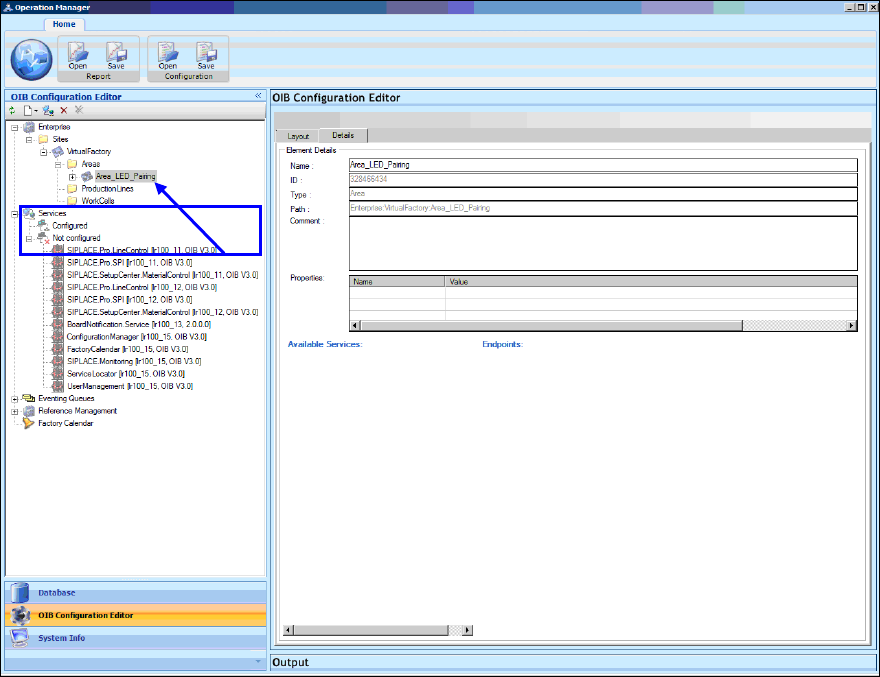
In the following window the Element Details of the new area are displayed.
Figure 8-3: Element Details of Area_LED_Pairing
Now the services that are required to run the SIPLACE LED Pairing Controller service have to be
configured for the Area_LED_Pairing area.
These are:
– SIPLACE Pro Line Control
– SIPLACE Pro SPI
– SIPLACE Setup Center
– SIPLACE Board Notification
► Start with SIPLACE Pro Line Control and drag the entry under Services – Not configured onto
the Area_LED_Pairing entry under Enterprise – Sites –Virtual Factory – Areas.