00197283-02_IM_LED_Pairing_V2_1_EN.pdf - 第26页
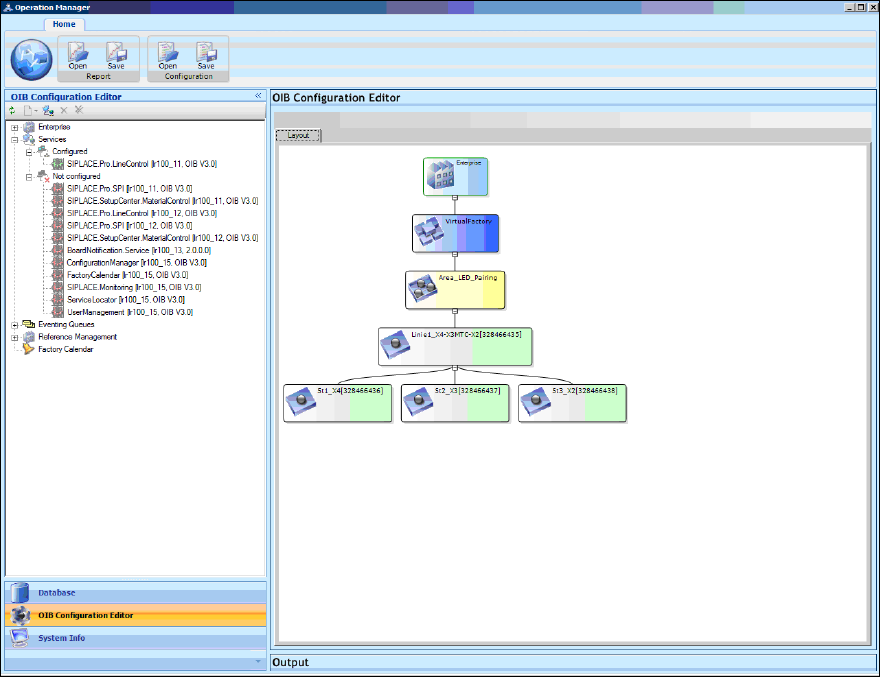
LED Pair ing / Ins tallatio n Manua l 05/2014 Edit ion 26 In the f ollowing windo w the SIP LACE Pr o Line Co ntrol ser vice app ears as a conf igured s ervice. Figure 8-4 : SIPLACE Pro Line Control configured ► Click th…
LED Pairing / Installation Manual 05/2014 Edition
25
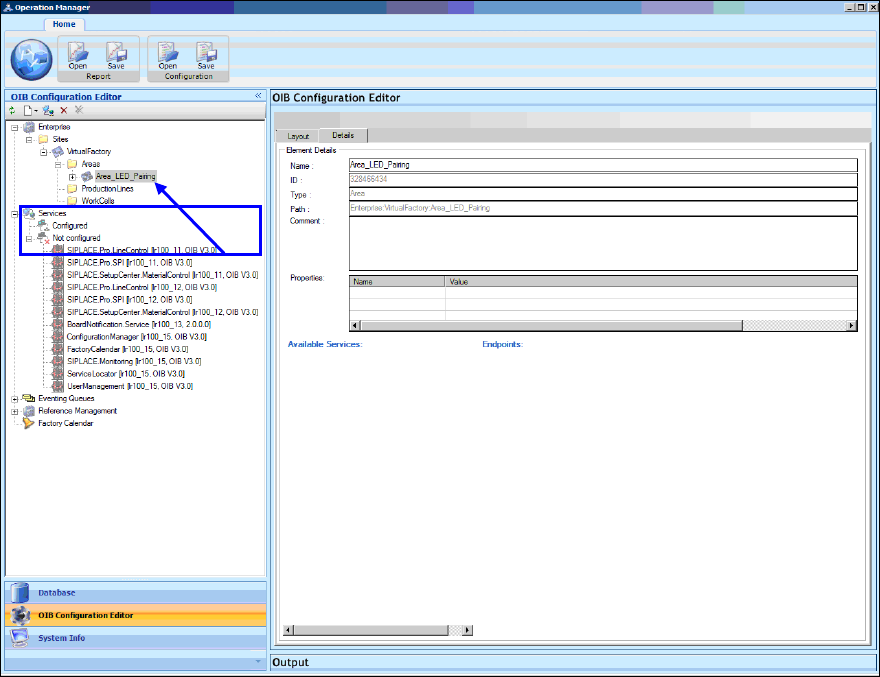
In the following window the Element Details of the new area are displayed.
Figure 8-3: Element Details of Area_LED_Pairing
Now the services that are required to run the SIPLACE LED Pairing Controller service have to be
configured for the Area_LED_Pairing area.
These are:
– SIPLACE Pro Line Control
– SIPLACE Pro SPI
– SIPLACE Setup Center
– SIPLACE Board Notification
► Start with SIPLACE Pro Line Control and drag the entry under Services – Not configured onto
the Area_LED_Pairing entry under Enterprise – Sites –Virtual Factory – Areas.
LED Pairing / Installation Manual 05/2014 Edition
26
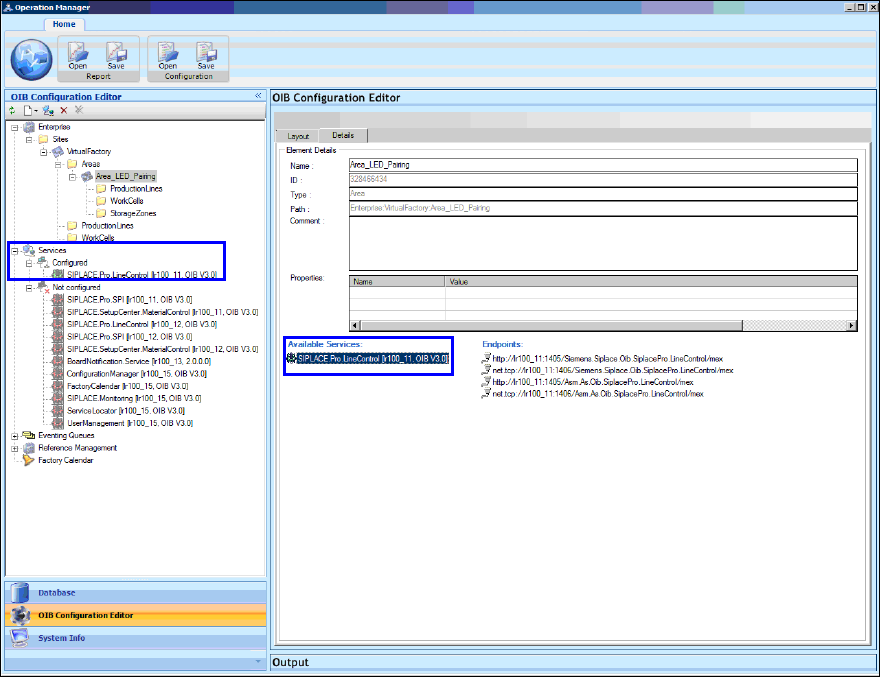
In the following window the SIPLACE Pro Line Control service appears as a configured service.
Figure 8-4: SIPLACE Pro Line Control configured
► Click the Refresh button.
All available lines are then automatically assigned to the Area_LED_Pairing area.