00197283-02_IM_LED_Pairing_V2_1_EN.pdf - 第28页
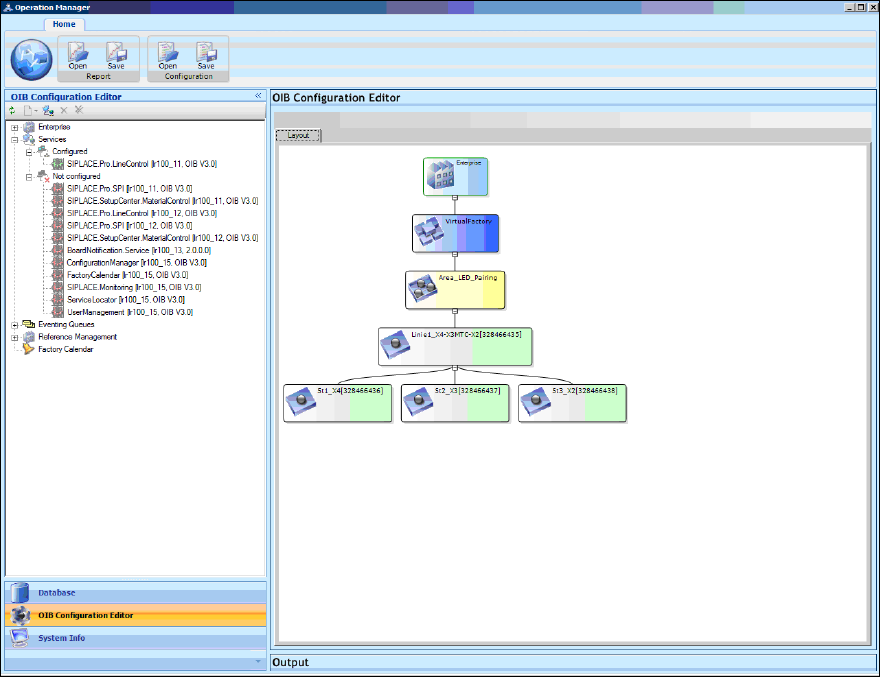
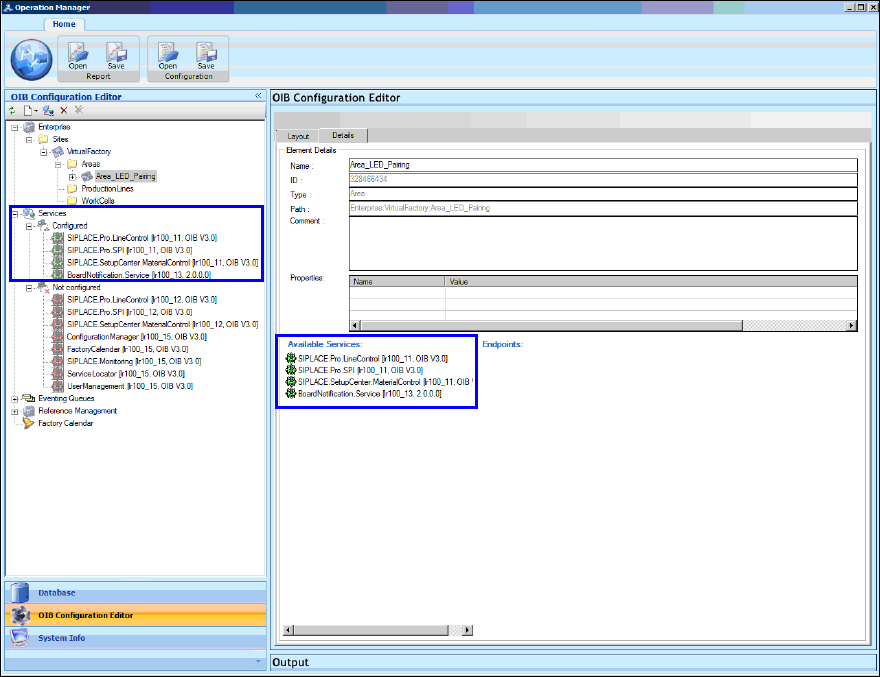
LED Pair ing / Ins tallatio n Manua l 05/2014 Edit ion 28 In the f ollowing windo w they a ppear as c onfigure d ser vices. Figure 8-6 : Conf igured servic es ► Install th e SIPLAC E LED Pairin g Contro ller as descr ibe…
LED Pairing / Installation Manual 05/2014 Edition
28
In the following window they appear as configured services.
Figure 8-6: Configured services
► Install the SIPLACE LED Pairing Controller as described in chapter 5.
After installation, the SIPLACE LED Pairing Controller appears as an un-configured service in the
OIB Operation Manager.
► Configure the SIPLACE LED Pairing Controller service in the same way as displayed in Figure
8-3.
LED Pairing / Installation Manual 05/2014 Edition
29
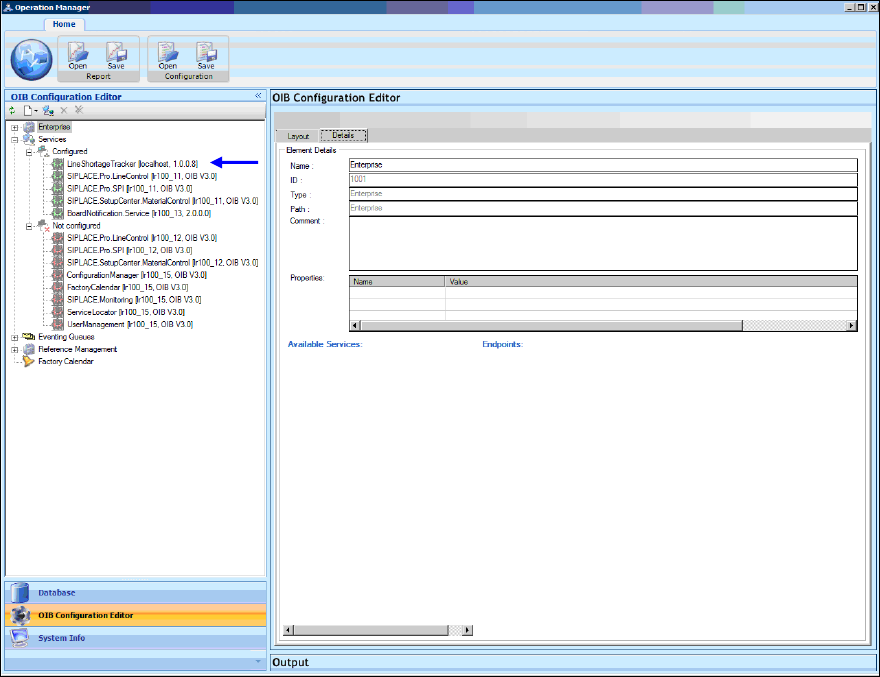
In the following window the SIPLACE LED Pairing Controller service appears as a configured
service.
Figure 8-7: SIPLACE LED Pairing Controller configured