00197283-02_IM_LED_Pairing_V2_1_EN.pdf - 第12页
LED Pair ing / Ins tallatio n Manua l 05/2014 Edit ion 12 The f ollowing dia log is d ispl ayed. Figure 5-6 : Selecting SQL S erver ► Select th e SQL server on w hich the SIP LACE LED Pai ring Contr oller d atabase sh al…
LED Pairing / Installation Manual 05/2014 Edition
11
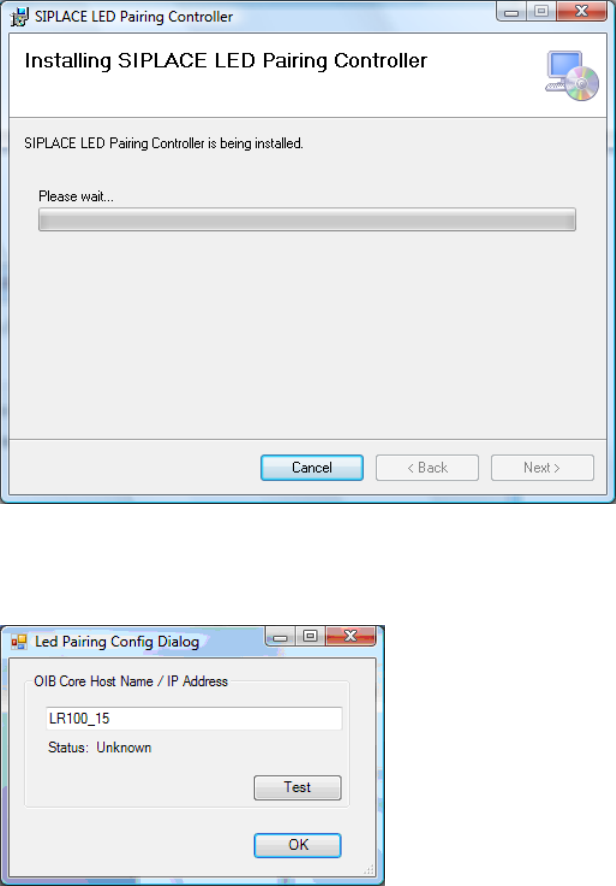
The following dialog is displayed.
Figure 5-4: Installing SIPLACE LED Pairing Controller Service
During installation, the following dialog is displayed, in which the install program prompts you to
enter the IP address or host name.
Figure 5-5: LED Pairing Config Dialog
► Enter the host name or the IP address of the computer on which OIB Core is installed.
LED Pairing / Installation Manual 05/2014 Edition
12
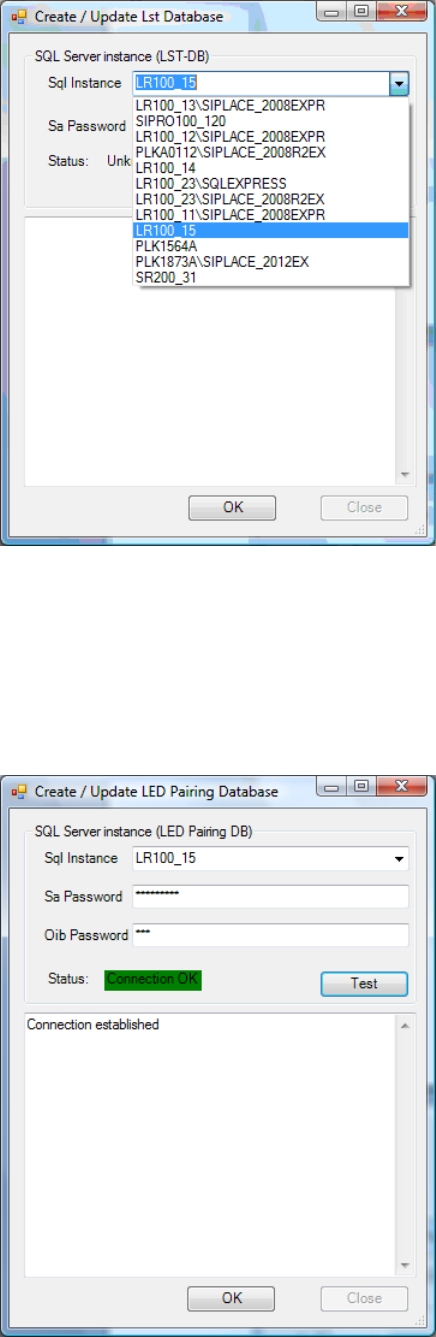
The following dialog is displayed.
Figure 5-6: Selecting SQL Server
► Select the SQL server on which the SIPLACE LED Pairing Controller database shall be created
from the Sql Instance list.
► Enter the administration password for the SQL server under Sa Password.
► Click the Test button to test the connection.
The following dialog is displayed.
Figure 5-7: Testing connection
LED Pairing / Installation Manual 05/2014 Edition
13
The SIPLACE LED Pairing Controller service starts and tries to connect to OIB Core. If successful,
the SIPLACE LED Pairing Controller sends registration information to OIB Core.
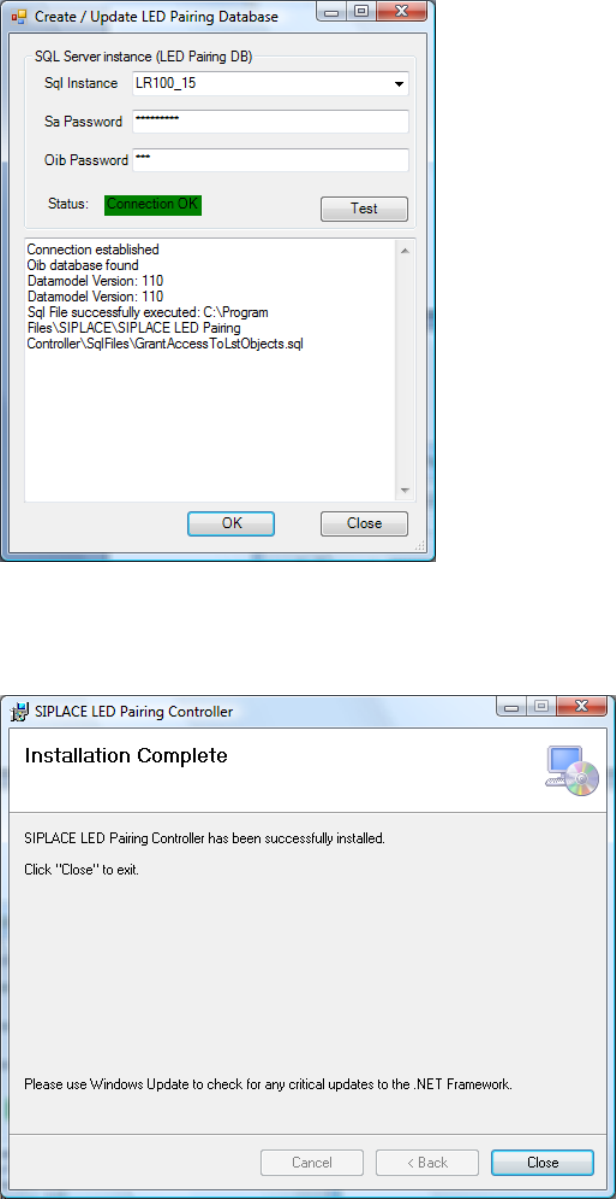
The following dialog is displayed.
Figure 5-8: Connecting to OIB Core
► Click the OK button.
The following dialog is displayed.
Figure 5-9: Completing installation
► Click the Close button to finish the installation.