DeltaTherm_IR_REV_B-1.pdf - 第22页
Delt aTherm IR Cure Modul e Revision B / February 2020 Page 22 of 41 The C onvey or Widt h can b e set in M anual m ode. 1. Press t o manually e nter t he t arget co nveyor width setpoi nt. • T ouc h the s creen an d a k…
DeltaTherm IR Cure Module
Revision B / February 2020
Page 21 of 41
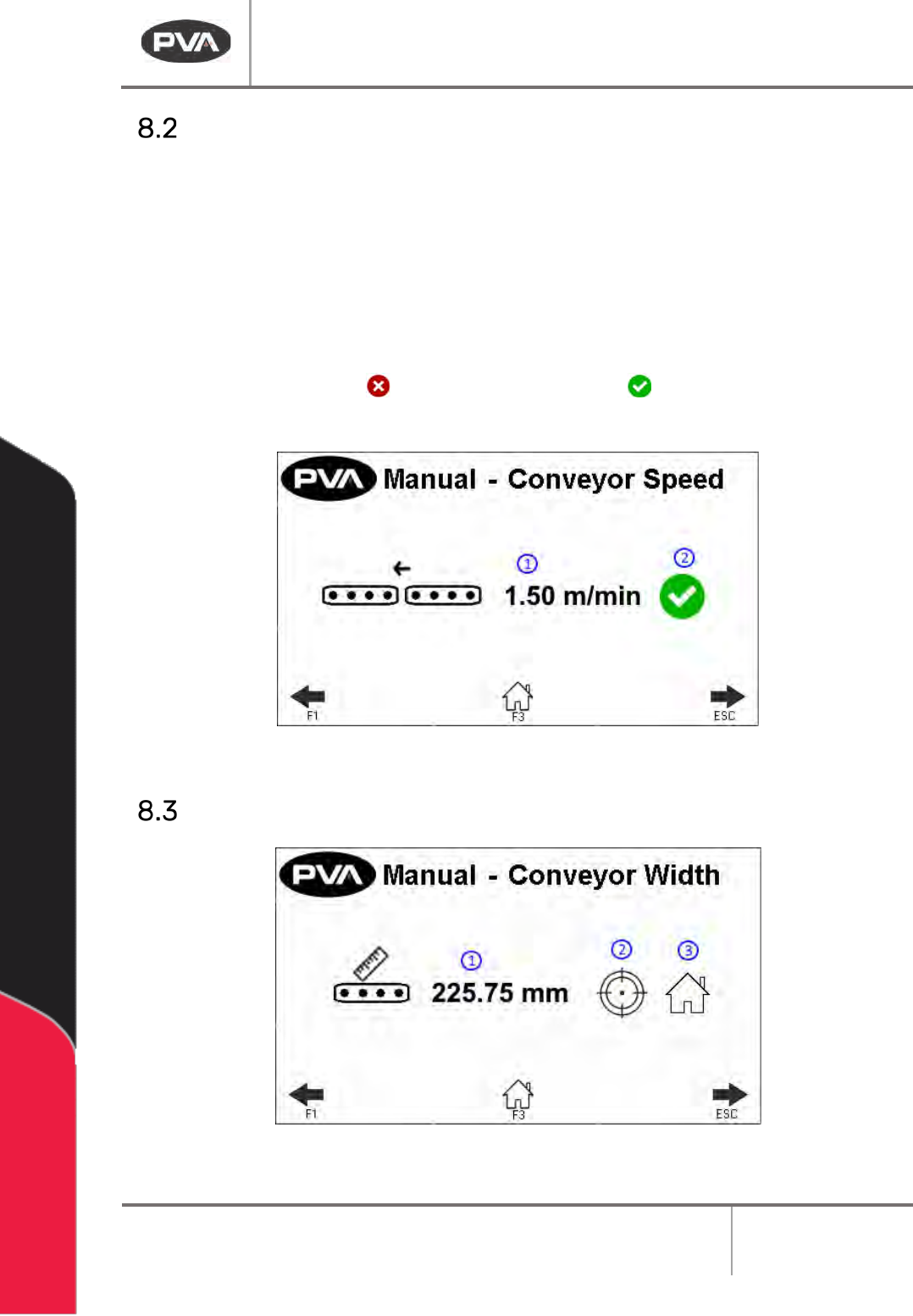
Conveyor Speed
The Conveyor Speed can be set in Manual mode.
1. Select the Speed box to manually enter conveyor speed. The metric/standard u nit
range is .03 – 15.3m/min (.1 - 50.2ft/min).
• The keypad will be shown, enter the necessary value.
• Select ‘ENT’ to save.
2. Press the red X icon or green checkmark icon to toggle the conveyor
between on and off.
Figure 13: Conveyor Control in Manual Mode
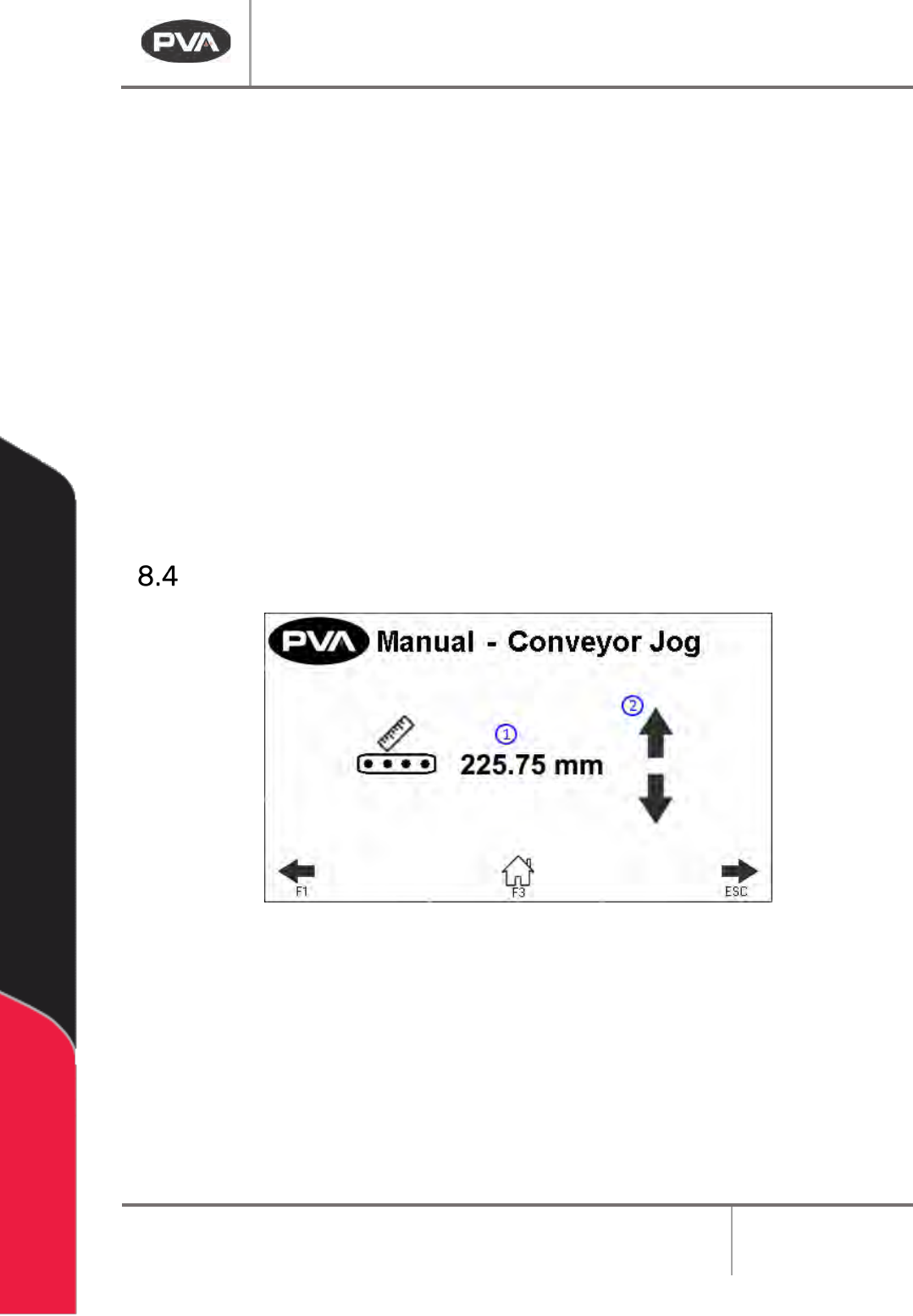
Conveyor Width
Figure 14: Conveyor Width in Manual Mode
DeltaTherm IR Cure Module
Revision B / February 2020
Page 22 of 41
The Conveyor Width can be set in Manual mode.
1. Press to manually enter the target conveyor width setpoint.
• Touch the screen and a keypad will be shown.
• Enter the necessary value.
• Push ‘ENT’, and the zone screen will be shown again.
2. Press to move the current target conveyor width setpoint.
Note: Prior to the move, the machine will check for any boards.
3. Press to rehome the conveyor width.
Note: Prior to the move, the machine will check for any boards.
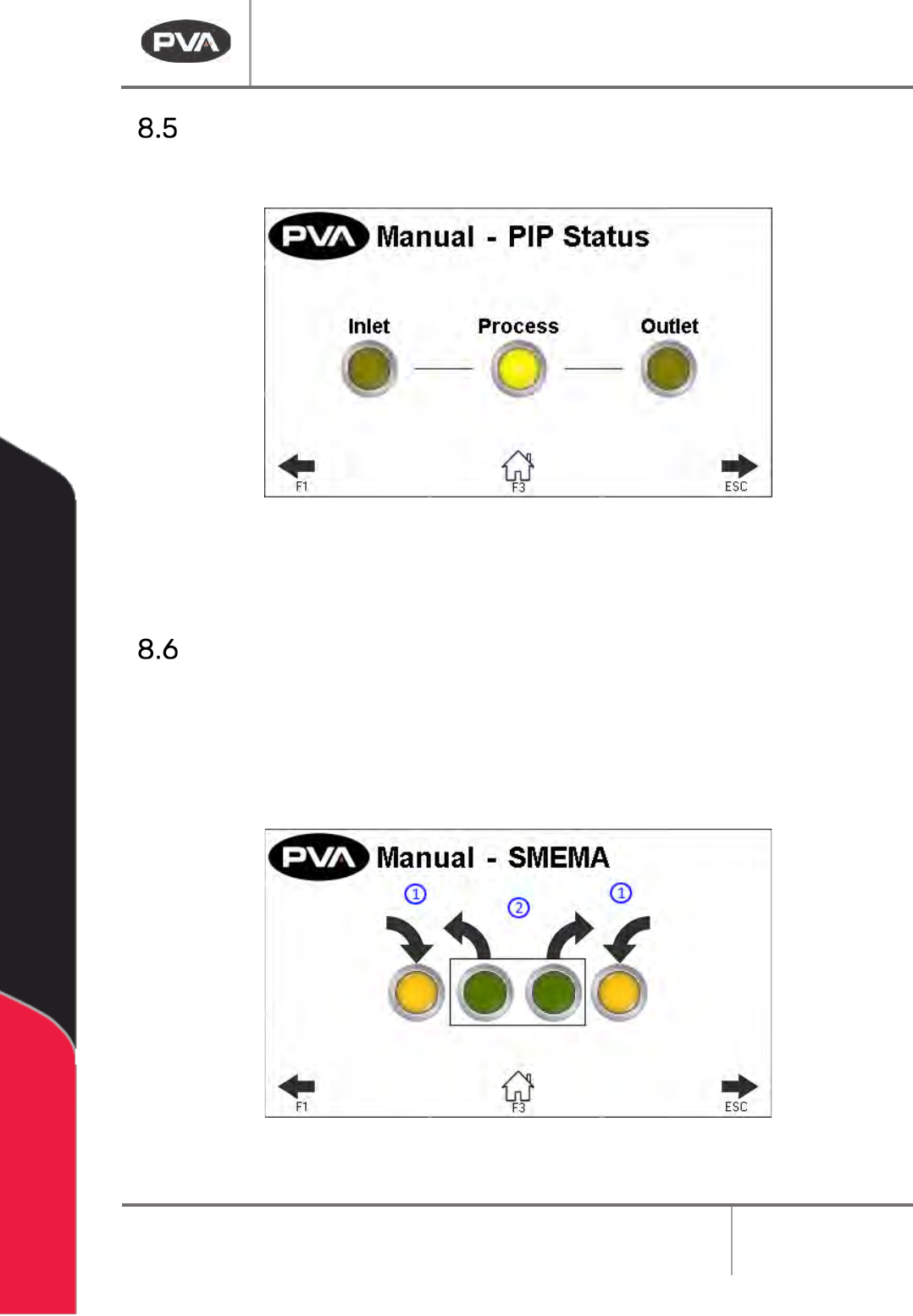
Conveyor Jog
Figure 15: Conveyor Jog in Manual Mode
1. This screen displays the current conveyor width.
2. Press to adjust the conveyor width. This will jog the conveyor width in a positive or
negative direction.
Note: The clearboard sequence will not run prior to the jog.
DeltaTherm IR Cure Module
Revision B / February 2020
Page 23 of 41
Sensors
The PIP Sensors can be monitored in Manual mode for correct operation.
Figure 16: Sensors in Manual Mode
Note: Process PIP will only show on 12 ft and 16 ft oven length systems.
SMEMA Control
1. The SMEMA inputs (Upstream Board Available and Downstream Ready) can be
monitored for correct operation through the SMEMA screen in Manual mode.
2. Select the necessary output (Machine Ready and Board Available) to toggle it on or
off.
Figure 17: SMEMA in Manual Mode