KE2040 Instruction Manual_ver1.30.pdf - 第636页
8 − 45 8.3 Mechanical Setup If you have to drive a mechanical device w hile setting the menu it ems on the Machine Setup menu, display the pop- up menu f or mechanical devices. Press t he right but ton of t he track ball…
8 − 44
(3) Actions taken after you click the <DONE> button
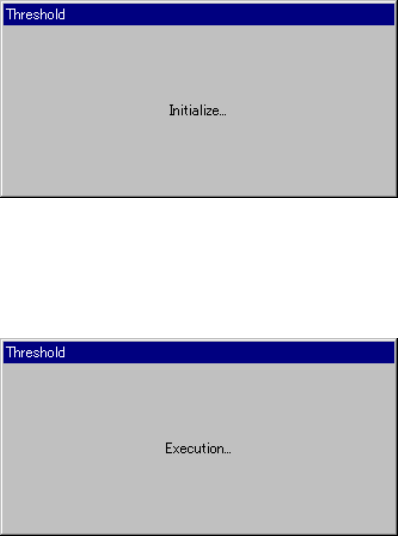
− When you click the <DONE> button, the "Threshold - Initialize" dialog box
appears on the screen, then the system initializes the bad mark sensor.
Next, the "Threshold - Execution" dialog box appears on the screen which
indicates the system automatically performs the teaching operation.
Figure 8.2.2.15.2 "Threshold - Initialize" dialog box
Figure 8.2.2.15.3 "Threshold - Execution" dialog box
8.2.3 Disp (Display)
This command allows you to select whether to display the tool bar/status bar on the
screen or not.
8 − 45
8.3 Mechanical Setup
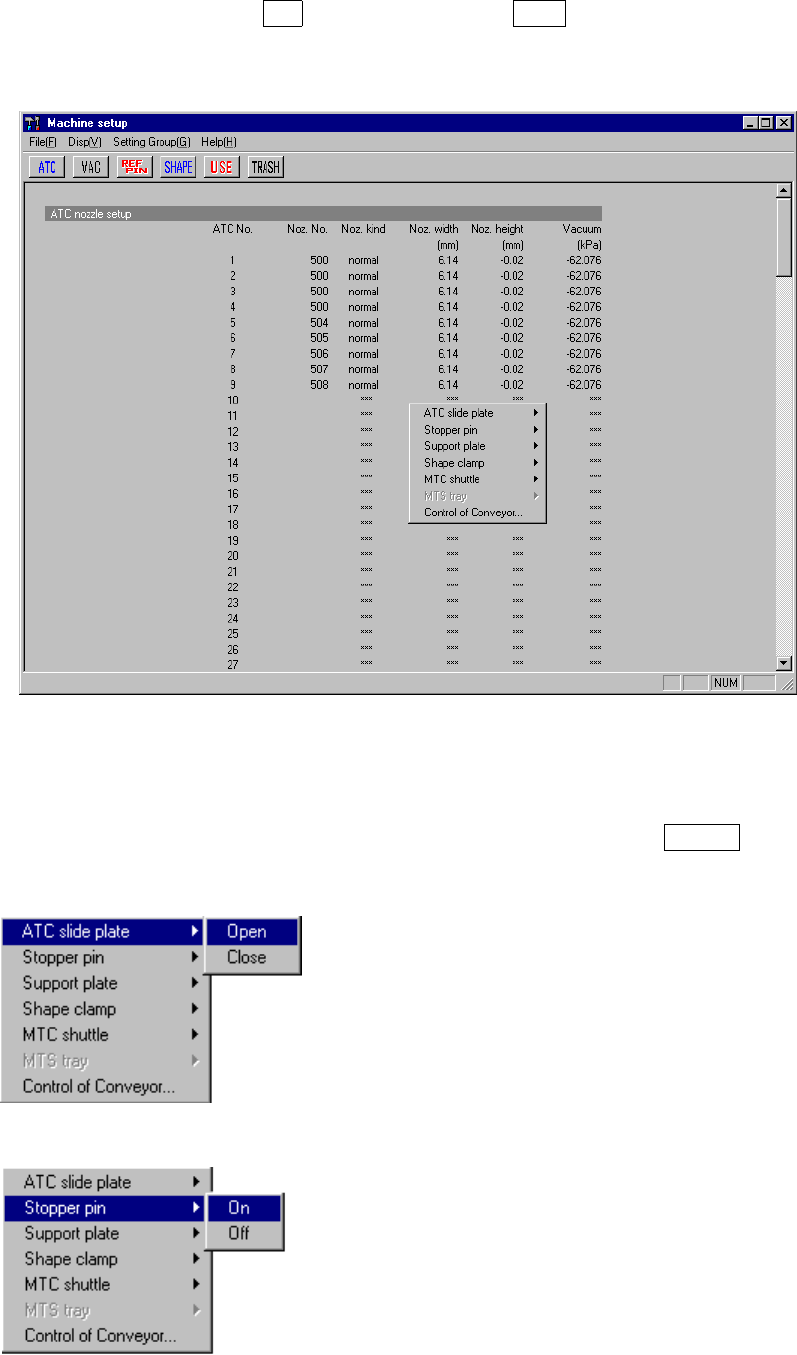
If you have to drive a mechanical device while setting the menu items on the Machine
Setup menu, display the pop-up menu for mechanical devices. Press the right button
of the trackball, or press the F10 key while holding the Shift key. A pop-up menu
shown in Figure 8.3.1 starts up.
Figure 8.3.1 Machine setup pop-up menu
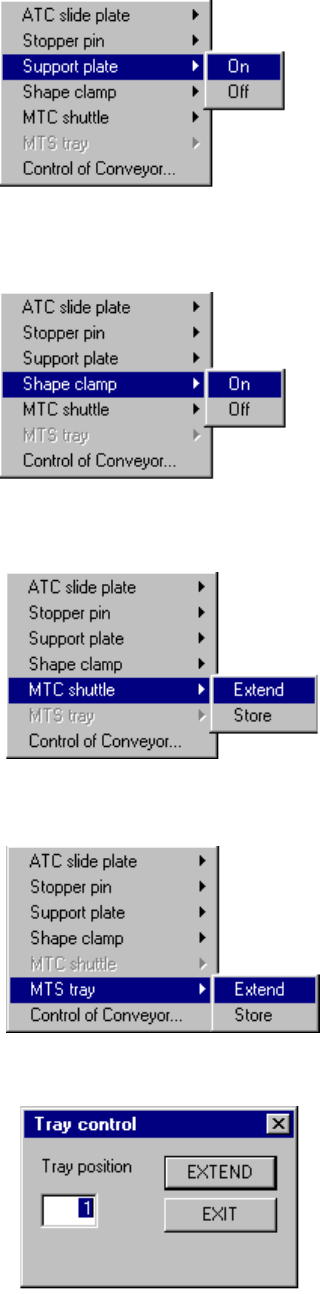
When you select each menu item on the pop-up menu above, the corresponding
extended menu appears as shown below. Select a desired item on this extended
menu with a trackball, or select it with the cursor keys, then press the ENTER key to
drive the corresponding mechanical device.
* ATC slide plate
* Stopper pin
8 − 46
* Support plate
* Shape clamp
* MTC shuttle
When you do not set the MTC on the "MTC/MTS
Device enable setting" dialog box, this menu item
is dimmed and you can not select it.
* MTS tray
When you do not set the MTS on the "MTC/MTS
Device enable setting" dialog box, this menu item
is dimmed and you can not select it.
* Tray control dialog box
When you select the [Extend] command on the
“MTS tray” menu above, this “Tray control” dialog
box appears on the screen.
Enter the position of a tray you want to pull out,
and click the <EXTEND> button. The system
pulls out the tray whose position you specified
from the MTS.