00197714-01_IM_REQUIRED_STEPS_BEFORE_USING_SUPPORT_MEDIA_2.0_EN.pdf - 第13页
Required Steps be fore using Suppor t Media 2.0 12/2014 Edition 13 If you chan ged the W orkgroup, a welcome message like the follow ing will appear. Figure 3-7 : Workgroup welcome message After changin g the settings, t…
Required Steps before using Support Media 2.0 12/2014 Edition
12
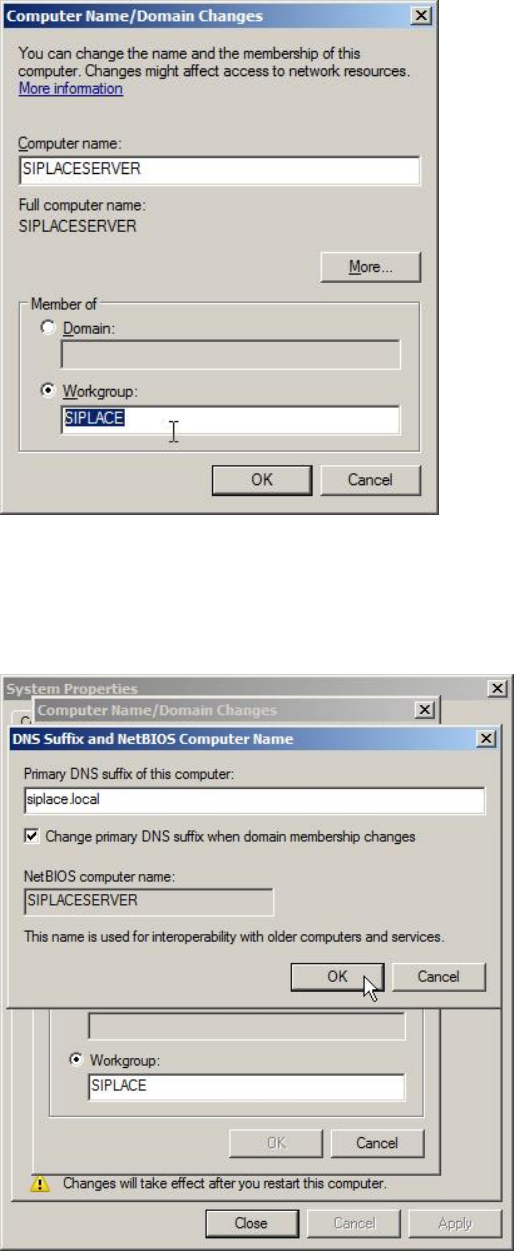
Figure 3-5: Workgroup changed to SIPLACE
► Click the More… button.
Now you have the possibility to verify/change the DNS suffix.
Figure 3-6: Changing the DNS suffix
► Ensure you have the correct DNS suffix. For SIPLACE computers, the suffix is
siplace.local.
► Click the OK button in both open windows to apply the changes.
Required Steps before using Support Media 2.0 12/2014 Edition
13
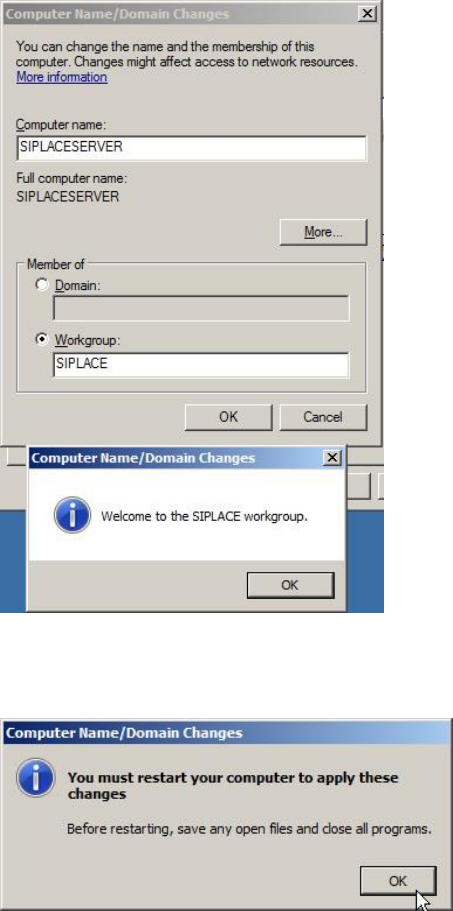
If you changed the Workgroup, a welcome message like the following will appear.
Figure 3-7: Workgroup welcome message
After changing the settings, the Operating System will request a reboot.
Figure 3-8: OS requests restart after changing settings
► Click the OK button.
Required Steps before using Support Media 2.0 12/2014 Edition
14
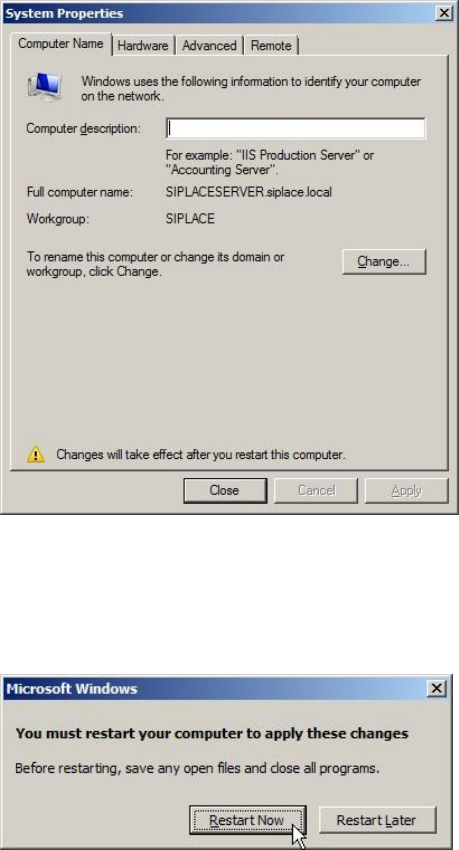
Your changes will be summarized.
Figure 3-9: Summarized changes – before reboot
► Click the Close button.
The operating system now requests a restart.
Figure 3-10: Operating system requests restart
► Click Restart Now to restart the computer.