00197714-01_IM_REQUIRED_STEPS_BEFORE_USING_SUPPORT_MEDIA_2.0_EN.pdf - 第15页
Required Steps be fore using Suppor t Media 2.0 12/2014 Edition 15 4 Verify/Rename L A N Conn ections For better transpa rency, i t is strongly recommend ed to rename the LAN connections o f the system to indi cate their…
Required Steps before using Support Media 2.0 12/2014 Edition
14
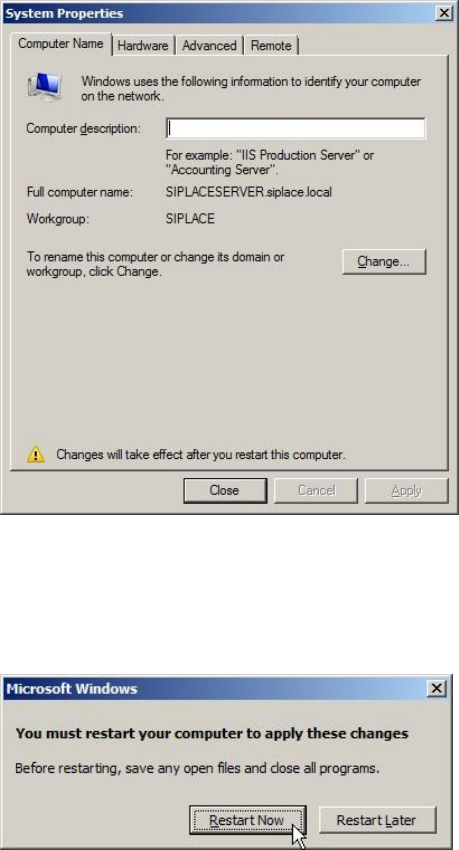
Your changes will be summarized.
Figure 3-9: Summarized changes – before reboot
► Click the Close button.
The operating system now requests a restart.
Figure 3-10: Operating system requests restart
► Click Restart Now to restart the computer.
Required Steps before using Support Media 2.0 12/2014 Edition
15
4 Verify/Rename LAN Connections
For better transparency, it is strongly recommended to rename the LAN connections of
the system to indicate their use.
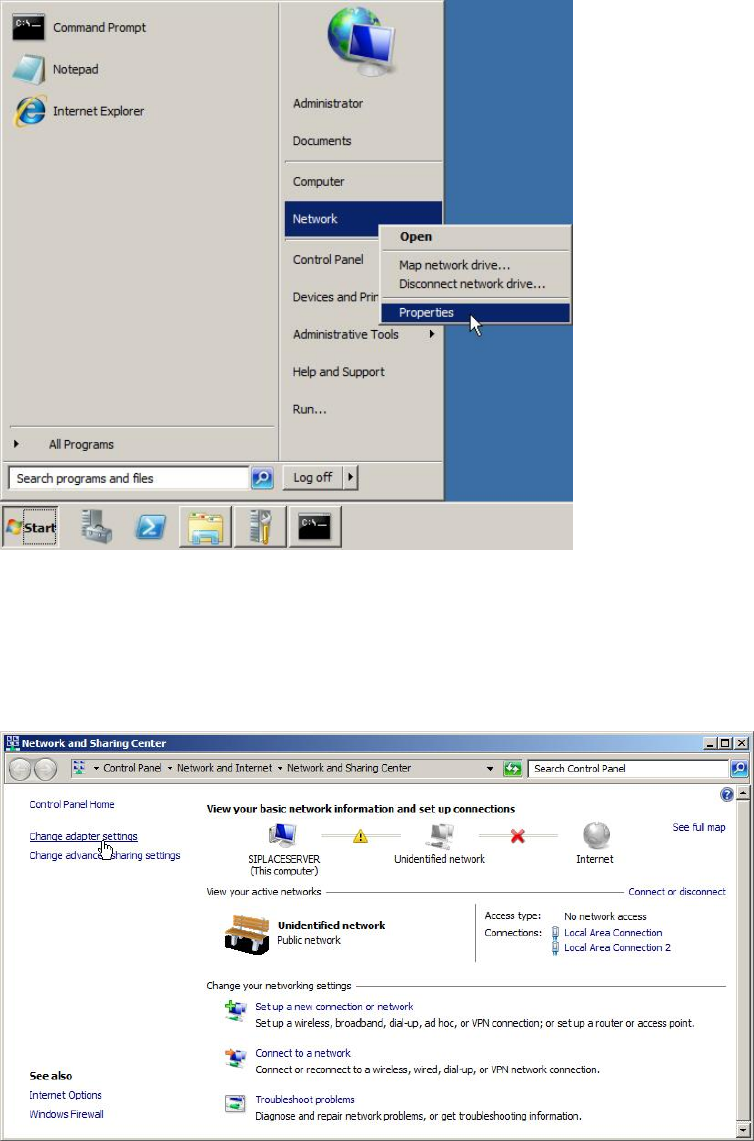
Figure 4-1: Opening Network Settings
► Click on Start.
► Right-click on Network and select Properties.
The following window appears.
Figure 4-2: Network and Sharing Center – clicking Change adapter settings
Required Steps before using Support Media 2.0 12/2014 Edition
16
► Click on Change adapter settings to view the network adapters.
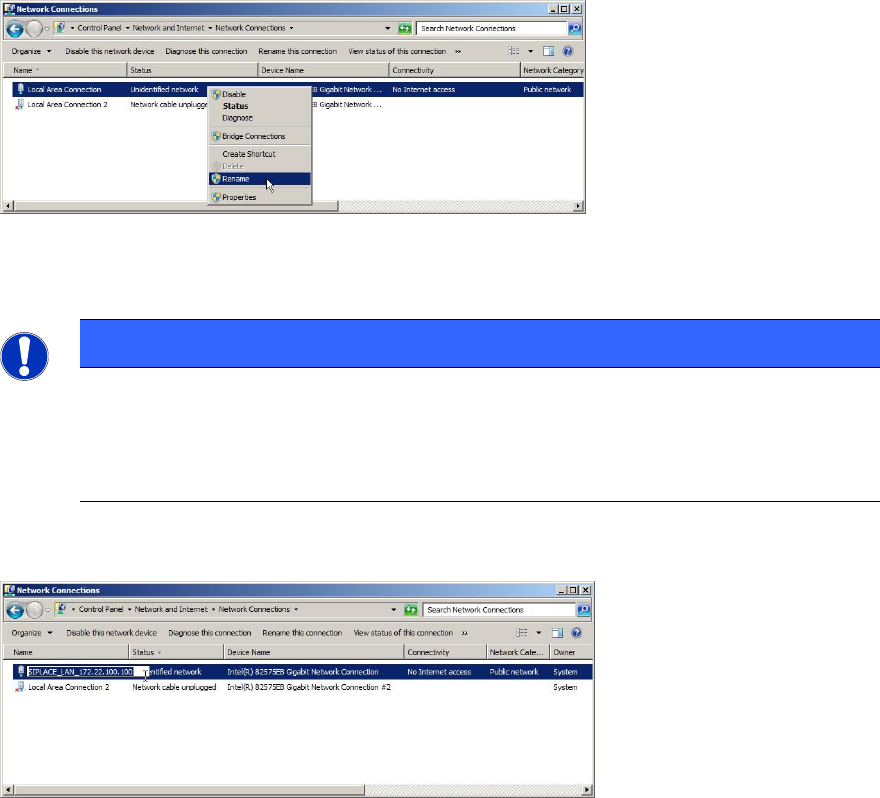
Figure 4-3: Renaming Connection step 1
► Select the appropriate adapter entry.
NOTICE
Identifying each Adapter
If you need help in identifying each adapter, you may try only connecting the
network cable to one adapter at once and verifying the status of each adapter to
identify the connected one.
► Right-click the appropriate entry and select Rename.
Figure 4-4: Renaming Connection step 2
► Use an appropriate name for the connection, e.g. SIPLACE_LAN_<IP-Address>.