00197714-01_IM_REQUIRED_STEPS_BEFORE_USING_SUPPORT_MEDIA_2.0_EN.pdf - 第26页
Required Steps be fore using Suppor t Media 2.0 12/2014 Edition 26 7 Verify Net w ork Settings Before applyi ng Support M ed ia and other s oftwar e, it’s stron gly recommen ded to check whether the netw ork settings o f…
Required Steps before using Support Media 2.0 12/2014 Edition
25
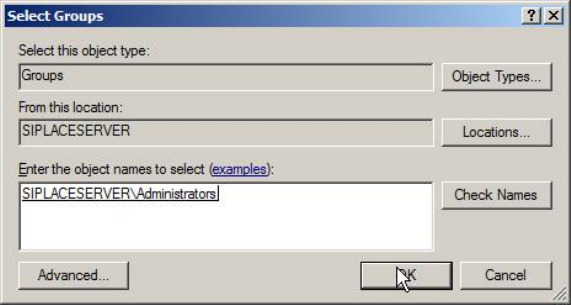
Figure 6-13: Adding Administrators group – after Checking Names
► Click the OK button to apply the setting.
Required Steps before using Support Media 2.0 12/2014 Edition
26
7 Verify Network Settings
Before applying Support Media and other software, it’s strongly recommended to check
whether the network settings of the computer are appropriate.
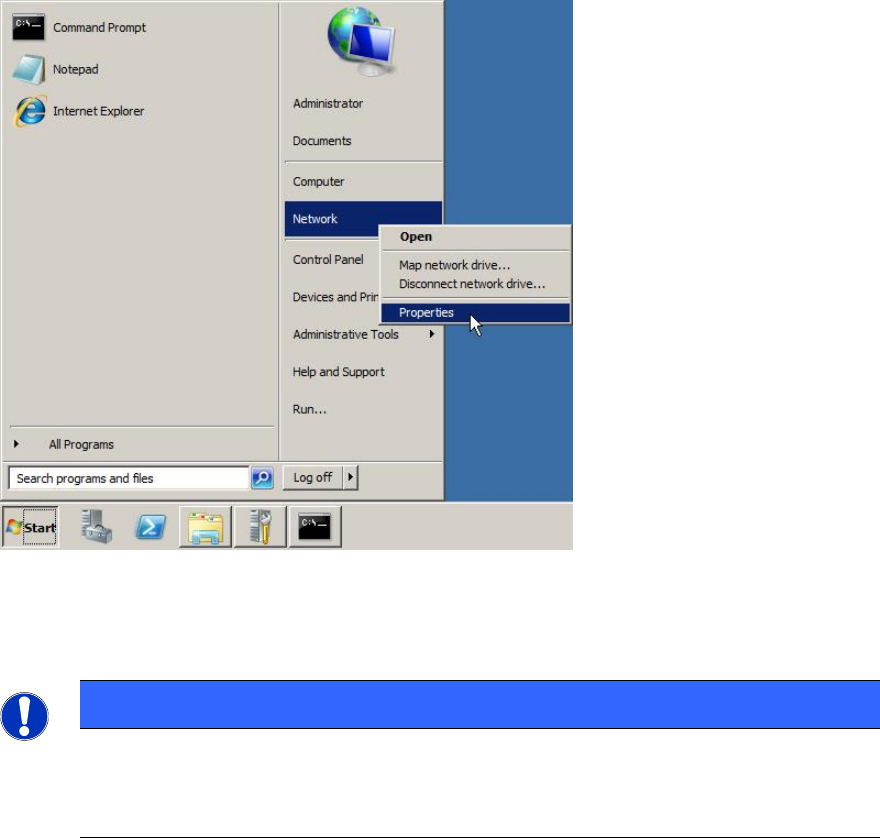
Figure 7-1: Opening Network Settings
► Click on Start.
► Right-click on Network and select Properties.
NOTICE
Alternative ways to Network Settings
If you don’t have such an entry please open Control Panel – Network and
Internet – Network and Sharing Center (Windows 7)
Required Steps before using Support Media 2.0 12/2014 Edition
27
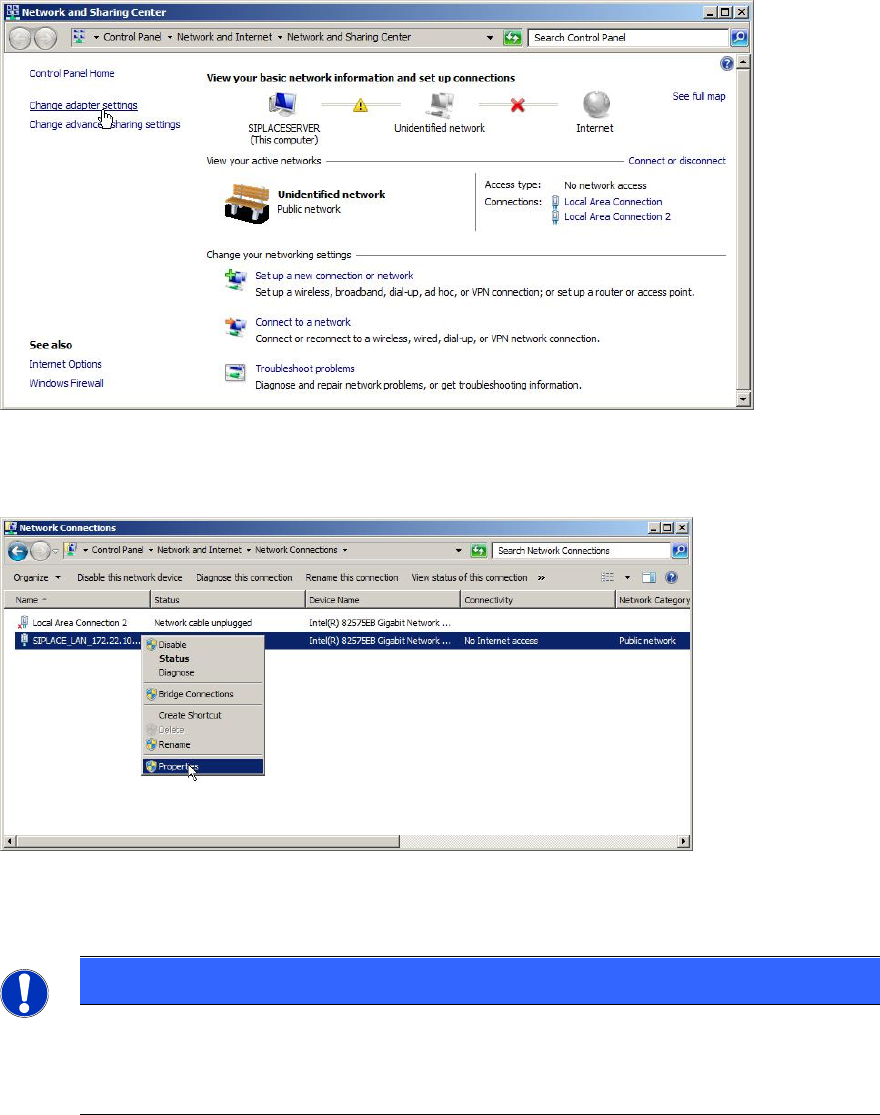
The following window appears.
Figure 7-2: Network and Sharing Center – clicking Change adapter settings
► Click on Change adapter settings to view the network adapters.
Figure 7-3: Selecting Adapter Properties
► Select the appropriate adapter, right- click on it and select Properties.
NOTICE
Network Adapter Identification by Connection Name
If you already performed the previous chapters, your network adapter(s) should
already contain a custom connection name indicating its usage.