00197714-01_IM_REQUIRED_STEPS_BEFORE_USING_SUPPORT_MEDIA_2.0_EN.pdf - 第5页
Required Steps be fore using Suppor t Media 2.0 12/2014 Edition 5 1 Purpose This manual descri bes the steps re quired righ t after operating syste m instal lation of the SIPLACE Line Computer. CAUTION The described step…

Required Steps before using Support Media 2.0 12/2014 Edition
5
1 Purpose
This manual describes the steps required right after operating system installation of the
SIPLACE Line Computer.
CAUTION
The described steps are required
Please ensure you executed all the described steps immediately after operating
system installation before proceeding with Support Media or other installations!
Required Steps before using Support Media 2.0 12/2014 Edition
6
2 General Notes
2.1 Administrative Login
This document assumes you are logged in with administrative permissions and therefore
are allowed to perform the changes described.
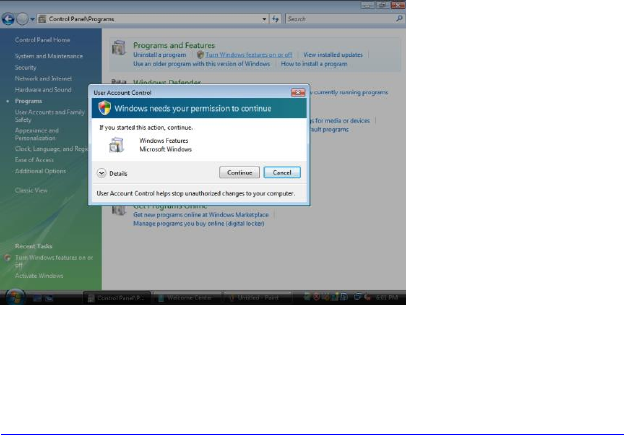
2.2 User Account Control
The User Account Control controls access to functions that require permissions above the
default user. If you see warning messages between the described steps, you have to
acknowledge them before proceeding.
Figure 2-1: User Account Control
For more information on this feature see
http://technet.microsoft.com/en-us/windowsvista/aa905108.aspx
2.3 Differences between Windows Versions
For this documentation, Windows Server 2008 R2 / Windows 7 are used. In most cases,
the basic steps are very similar compared to other Windows versions. If a setting differs
too much, we hint you where to find it in other Windows versions.
2.3.1 Hints for Windows 8 / Windows Server 2012
With Windows 8 and Windows Server 2012, Microsoft removed the Windows Start Menu
button and instead replaced it with a new designed tile view.
This view can be reached by either pressing the Windows key or moving the mouse to the
lower left corner and clicking.
In general, the new looking tiles screen behaves similar to the previously known Windows
Start Menu: