00197714-01_IM_REQUIRED_STEPS_BEFORE_USING_SUPPORT_MEDIA_2.0_EN.pdf - 第16页
Required Steps be fore using Suppor t Media 2.0 12/2014 Edition 16 ► Click on Change adapter setti ngs to view the network adap ters. Figure 4-3 : Ren aming Con nection step 1 ► Select the approp riate a dapter entry . N…
Required Steps before using Support Media 2.0 12/2014 Edition
15
4 Verify/Rename LAN Connections
For better transparency, it is strongly recommended to rename the LAN connections of
the system to indicate their use.
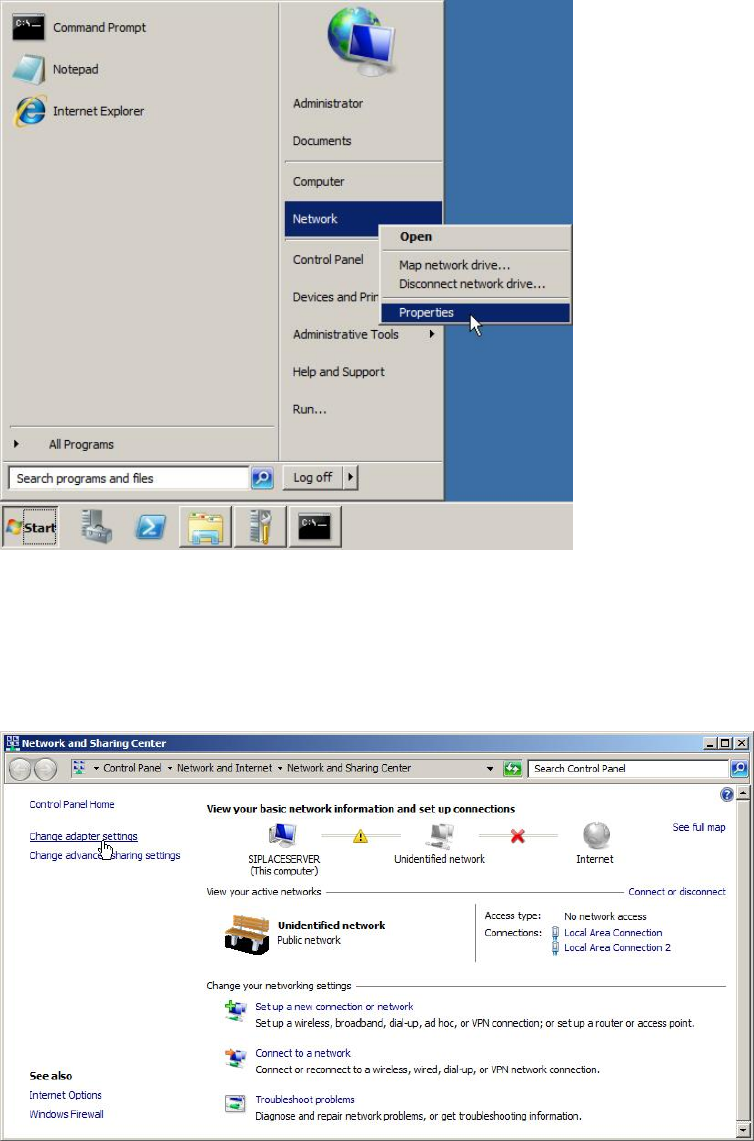
Figure 4-1: Opening Network Settings
► Click on Start.
► Right-click on Network and select Properties.
The following window appears.
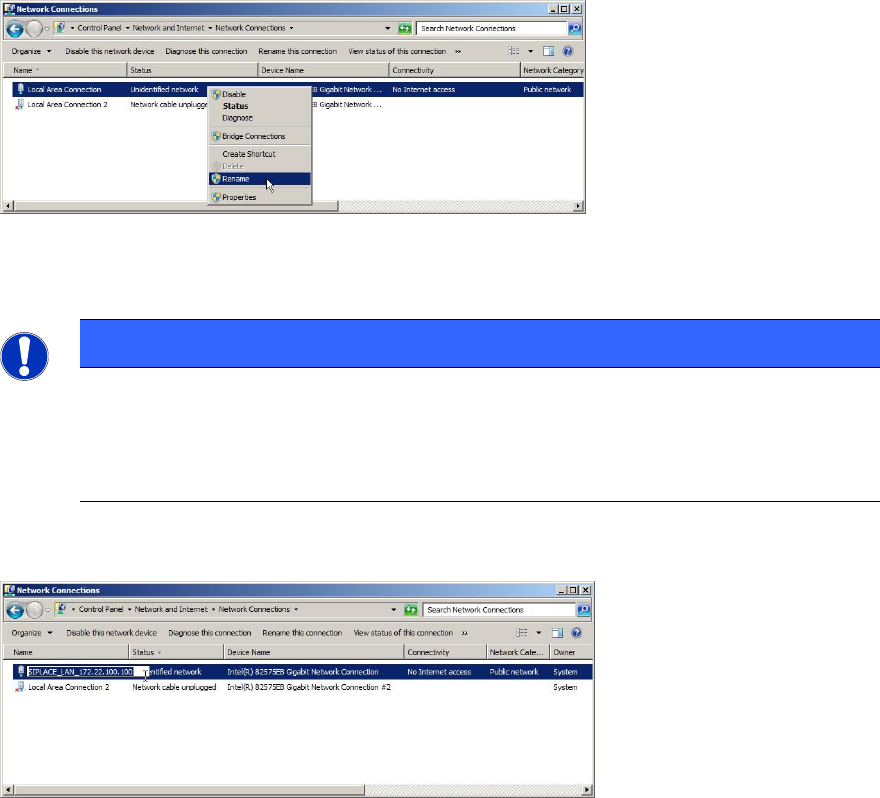
Figure 4-2: Network and Sharing Center – clicking Change adapter settings
Required Steps before using Support Media 2.0 12/2014 Edition
16
► Click on Change adapter settings to view the network adapters.
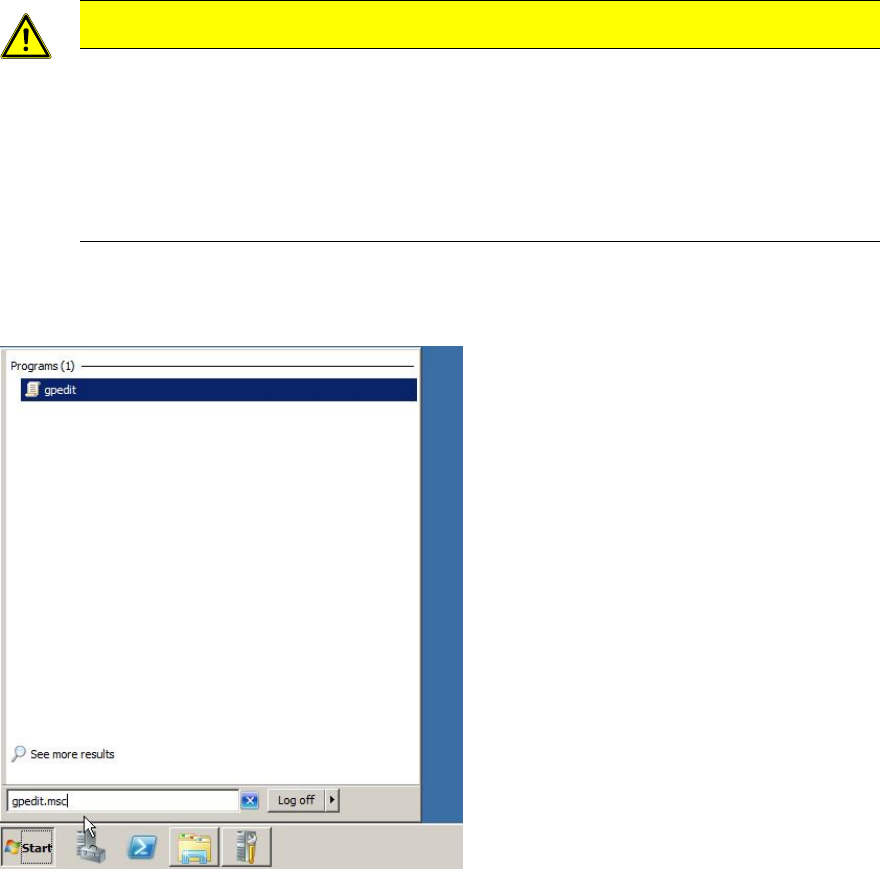
Figure 4-3: Renaming Connection step 1
► Select the appropriate adapter entry.
NOTICE
Identifying each Adapter
If you need help in identifying each adapter, you may try only connecting the
network cable to one adapter at once and verifying the status of each adapter to
identify the connected one.
► Right-click the appropriate entry and select Rename.
Figure 4-4: Renaming Connection step 2
► Use an appropriate name for the connection, e.g. SIPLACE_LAN_<IP-Address>.
Required Steps before using Support Media 2.0 12/2014 Edition
17
5 Verify/Change Password Complexity Policy
The operating system Password Complexity Policy allows forcing the user to choose
complex passwords instead of simple, which only contains characters.
First, you should decide whether to use simple or complex passwords in your SIPLACE
environment. The appropriate setting should be applied on all involved computers
ensuring proper communication.
CAUTION
Workgroup requires Accounts with same Passwords
SIPLACE computers working in a workgroup require the same accounts and
passwords to be set on all involved computers for proper authentication.
Therefore you should also enforce uniform setting of password complexity policy.
It is also strongly recommended to change the complexity policy setting before
using Support Media the first time!
To verify/change the password complexity policy of the operating system, the following
steps have to be performed.
Figure 5-1: Starting gpedit.msc on Windows Server 2008 R2
► Click Start and enter gpedit.msc in the search field.