User Manual - SIPLACE Glue Feedeer.pdf - 第42页
4 Operation 4.1 Settings in SIPLACE Pro 10.1 and Higher 42 User Manual SIPLACE Glue Feeder 05/2020 4.1.4 Setting up the Glue Feeder NOTICE Only one Glue Feeder per placement head. Please note that only one Glue Feeder ca…
4 Operation
4.1 Settings in SIPLACE Pro 10.1 and Higher
User Manual SIPLACE Glue Feeder 05/2020 41
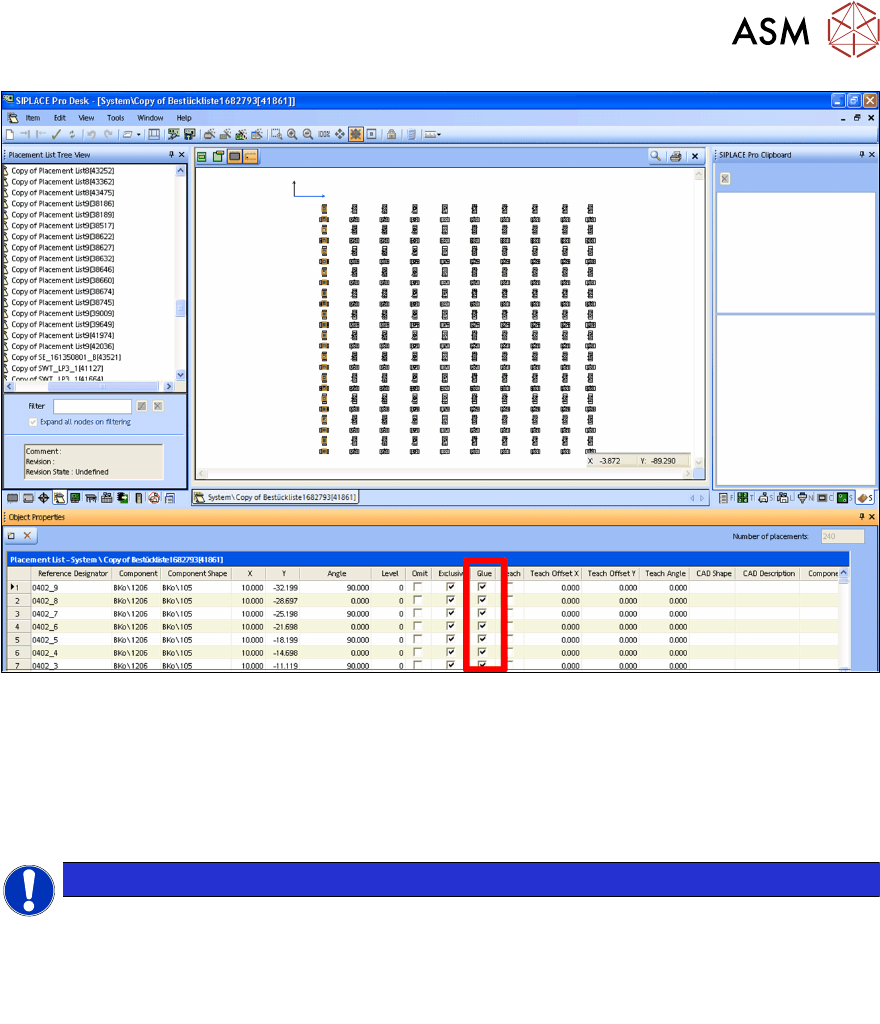
The positions and other information about the components in the placement list are shown at Ob-
ject Properties.
The diagram shows the column Glue marked.
Gluing
By enabling the option in the Glue column, you can define whether the component for each indi-
vidual position is to be glued or not.
NOTICE
Preconditions
You can only glue components if the following information has been recorded in SIPLACE
Pro:
- For the component, you need to specify at least one glue dot model.
-
The component must be released for gluing in its object properties.
4 Operation
4.1 Settings in SIPLACE Pro 10.1 and Higher
42 User Manual SIPLACE Glue Feeder 05/2020
4.1.4 Setting up the Glue Feeder
NOTICE
Only one Glue Feeder per placement head.
Please note that only one Glue Feeder can be configured for each placement head.
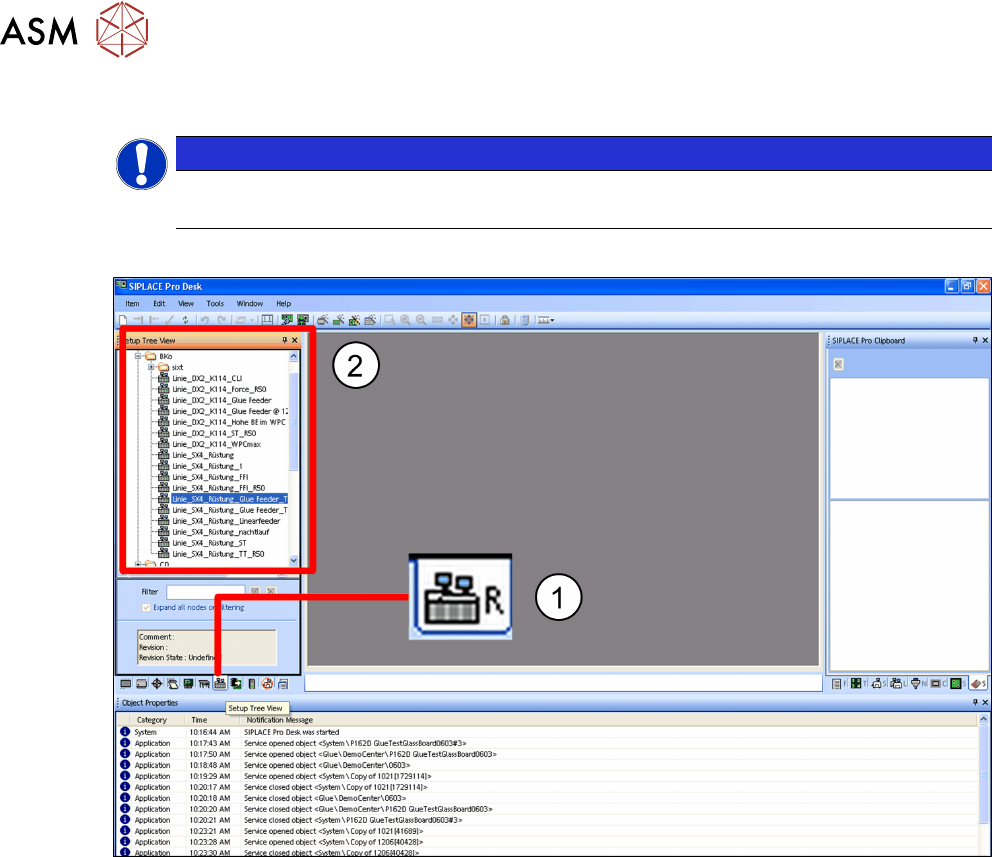
► Switch over to the main window.
► Click on the Setups – tree view icon.(1)
The tree view for the setups will be shown. (2)
► In the tree view, click on the setup which you want to edit.
4 Operation
4.1 Settings in SIPLACE Pro 10.1 and Higher
User Manual SIPLACE Glue Feeder 05/2020 43
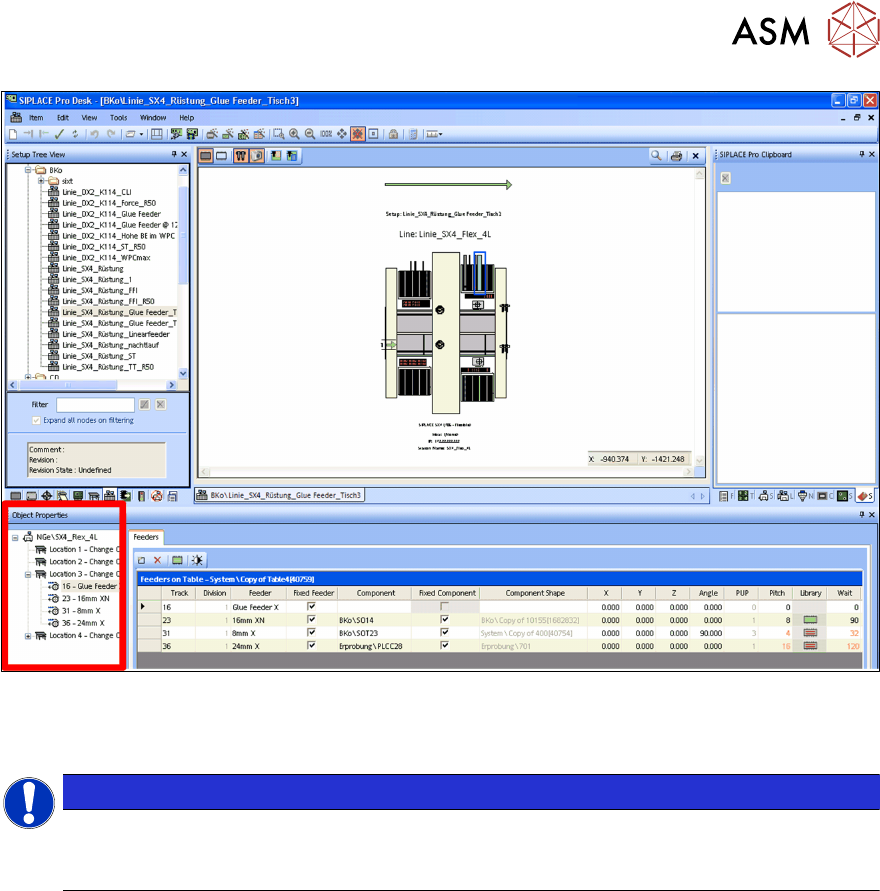
The selected setup will be shown.
► In the Object Properties for the setup, select the location at which you want to install the
Glue Feeder.
NOTICE
Accessibility
When selecting the location, bear in mind that the Glue Feeder and the components to be
glued must both be reachable by the same placement head.