User Manual - SIPLACE Glue Feedeer.pdf - 第48页
4 Operation 4.2 Individual Functions in Stations Software 706.1 and Higher 48 User Manual SIPLACE Glue Feeder 05/2020 4.2.3 Checking and Teaching Component Shapes and Glue Dot Inspections ► Switch over to the main view o…
4 Operation
4.2 Individual Functions in Stations Software 706.1 and Higher
User Manual SIPLACE Glue Feeder 05/2020 47
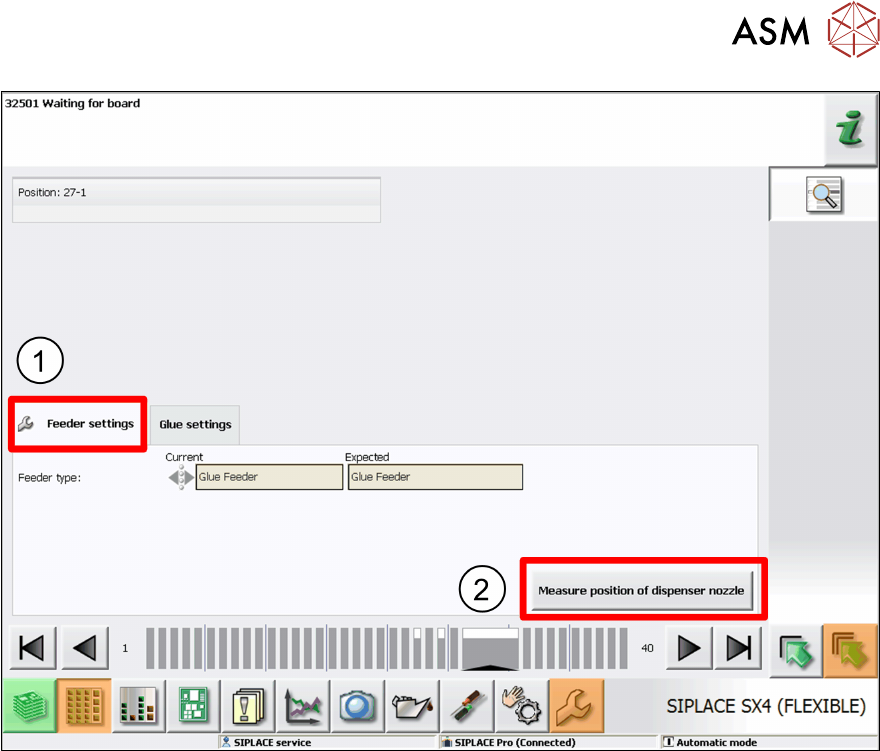
► Select the Feeder Settings tab.(1)
► Click on Measure Position of Dispenser Nozzle.(2)
The position and height of the dispenser nozzle will be determined and saved.
4 Operation
4.2 Individual Functions in Stations Software 706.1 and Higher
48 User Manual SIPLACE Glue Feeder 05/2020
4.2.3 Checking and Teaching Component Shapes and Glue Dot Inspections
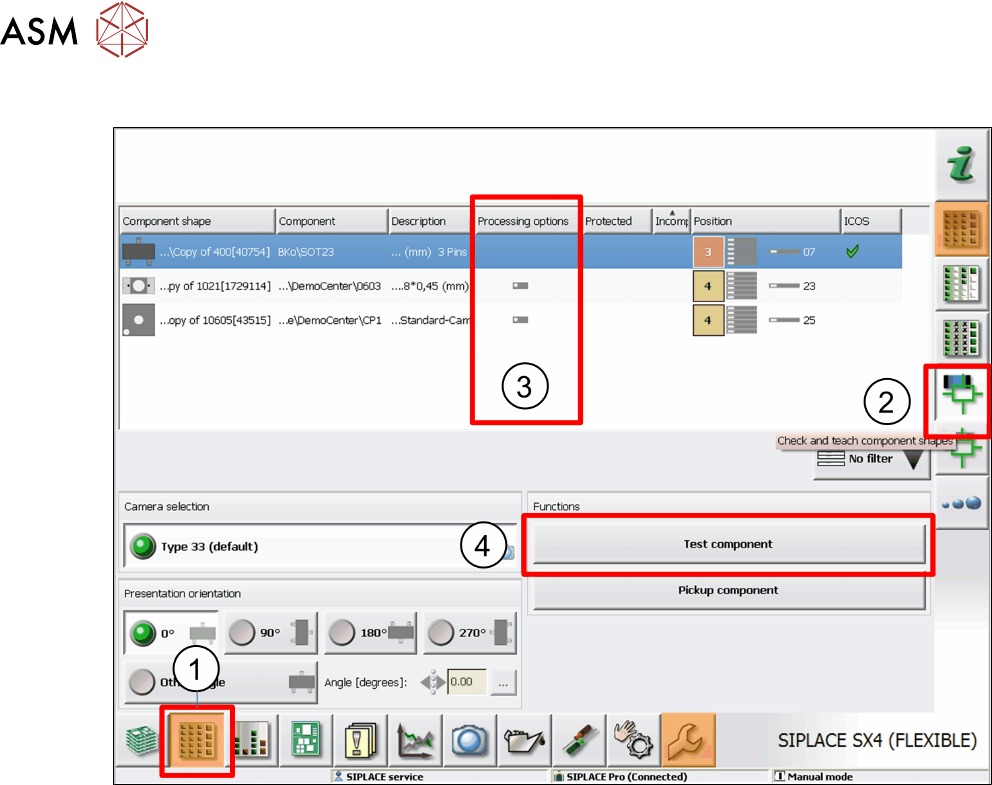
► Switch over to the main view of the station software.
► Click on the Feeders, Components and ... icon. (1)
► On the right-hand side, click on the Check and Teach Component Shapes icon. (2)
The Processing Options (3) column shows an icon if the relevant component shape has been set
for gluing.
► From the overview, select the component shape to be edited and then click on Test Compon-
ent. (4)
4 Operation
4.2 Individual Functions in Stations Software 706.1 and Higher
User Manual SIPLACE Glue Feeder 05/2020 49
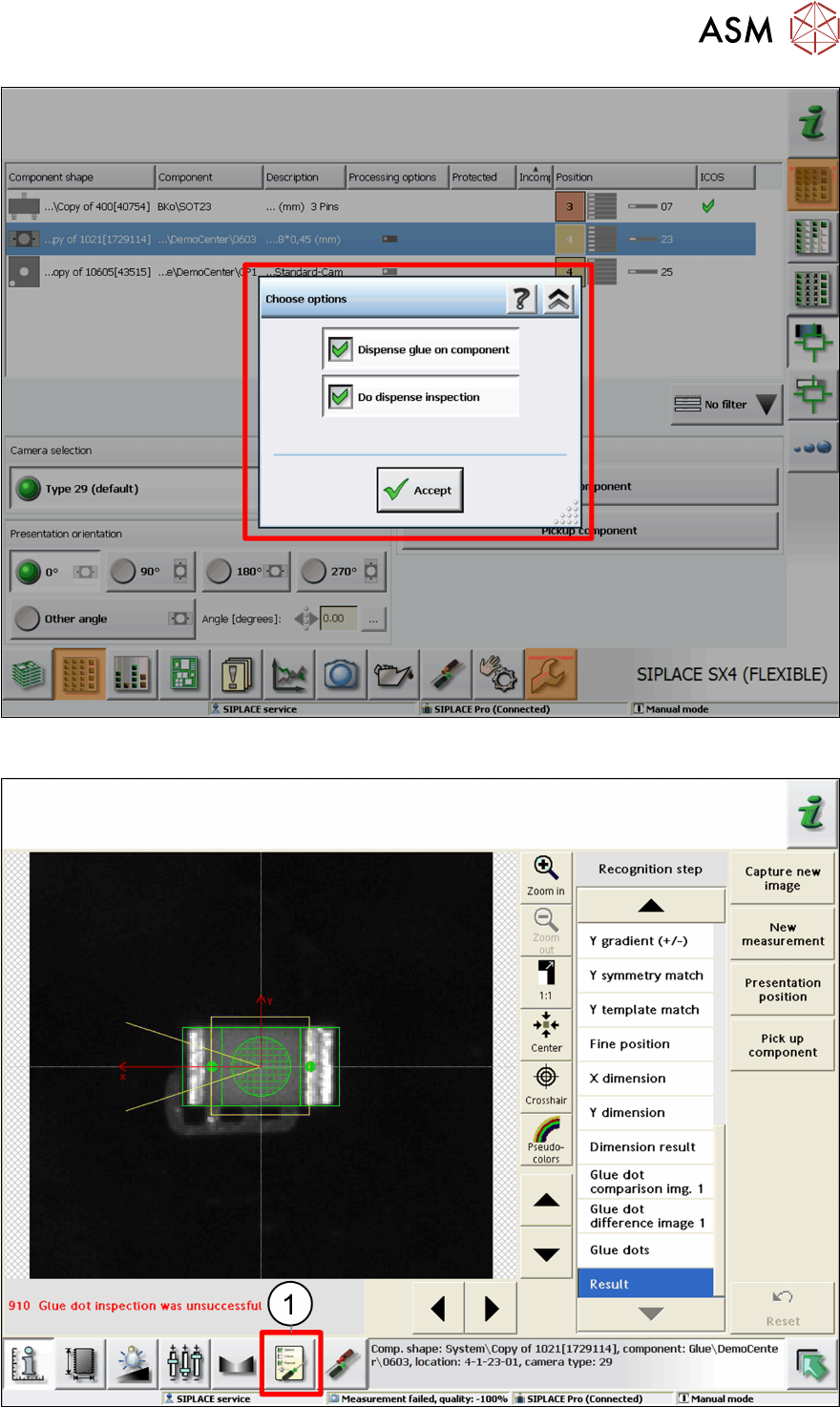
► Enable both of the options shown and click on Accept.
The process will begin. The SIPLACE Vision results view will then be shown.
► Click on the Measurement Options icon. (1)