User Manual - SIPLACE Glue Feedeer.pdf - 第47页
4 Operation 4.2 Individual Functions in Stations Software 706.1 and Higher User Manual SIPLACE Glue Feeder 05/2020 47 ► Select the Feeder Settings tab. (1) ► Click on Measure Position of Dispenser Nozzle . (2) The posi…
4 Operation
4.2 Individual Functions in Stations Software 706.1 and Higher
46 User Manual SIPLACE Glue Feeder 05/2020
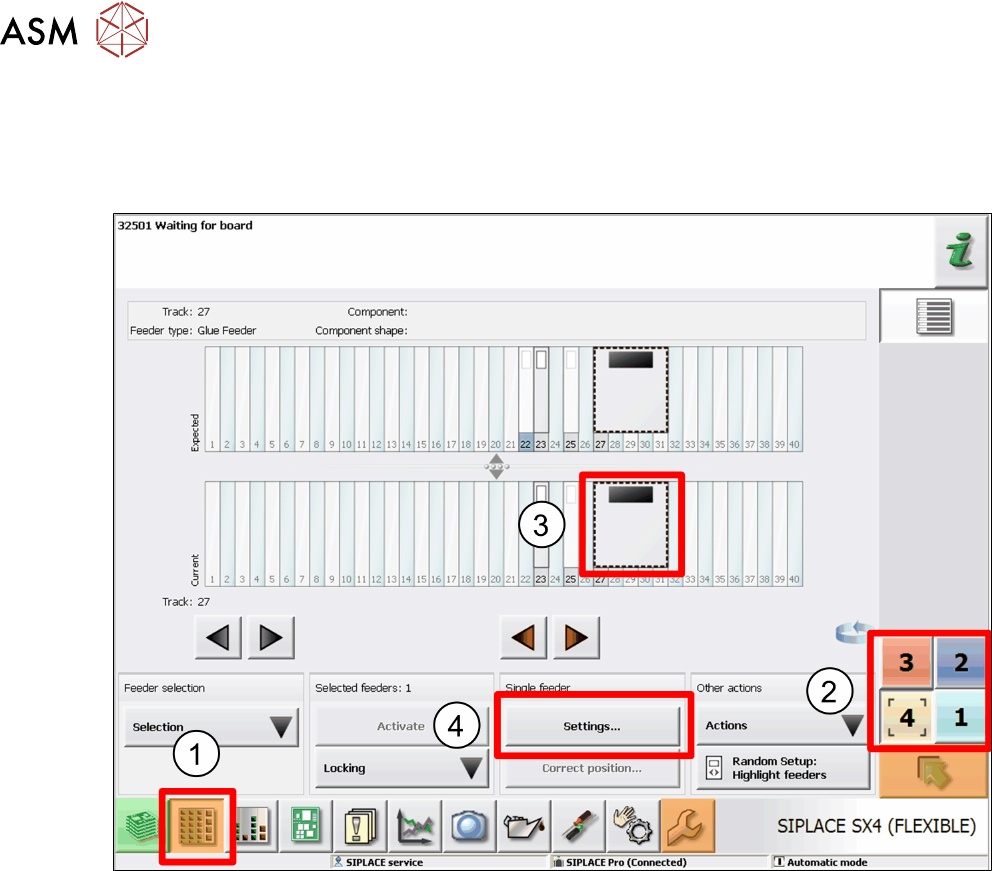
4.2.2 Manually Opening Measurement of Dispenser Nozzle Position
Before manual measurement can be performed, the Glue Feeder must have been referenced in
the machine i.e. be known in the machine.
To manually open measurement of glue dot positions, proceed as follows:
► Click on the Feeders, Components and Nozzles ... icon.(1)
► Select the location at which the Glue Feeder has been set up.(2)
► Mark the Glue Feeder.(3)
► Click on Settings.(4)
4 Operation
4.2 Individual Functions in Stations Software 706.1 and Higher
User Manual SIPLACE Glue Feeder 05/2020 47
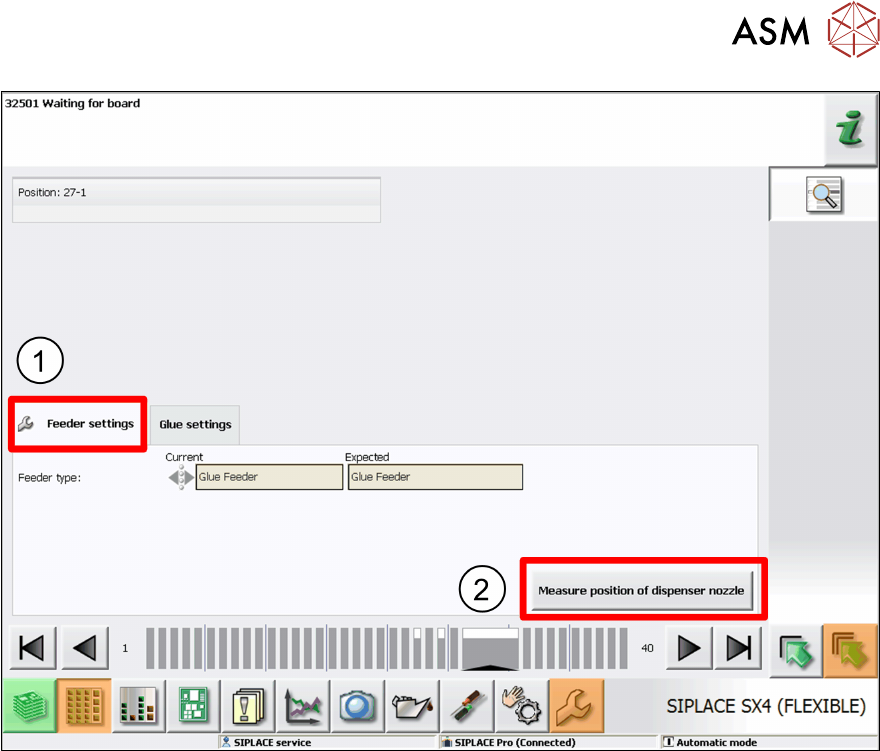
► Select the Feeder Settings tab.(1)
► Click on Measure Position of Dispenser Nozzle.(2)
The position and height of the dispenser nozzle will be determined and saved.
4 Operation
4.2 Individual Functions in Stations Software 706.1 and Higher
48 User Manual SIPLACE Glue Feeder 05/2020
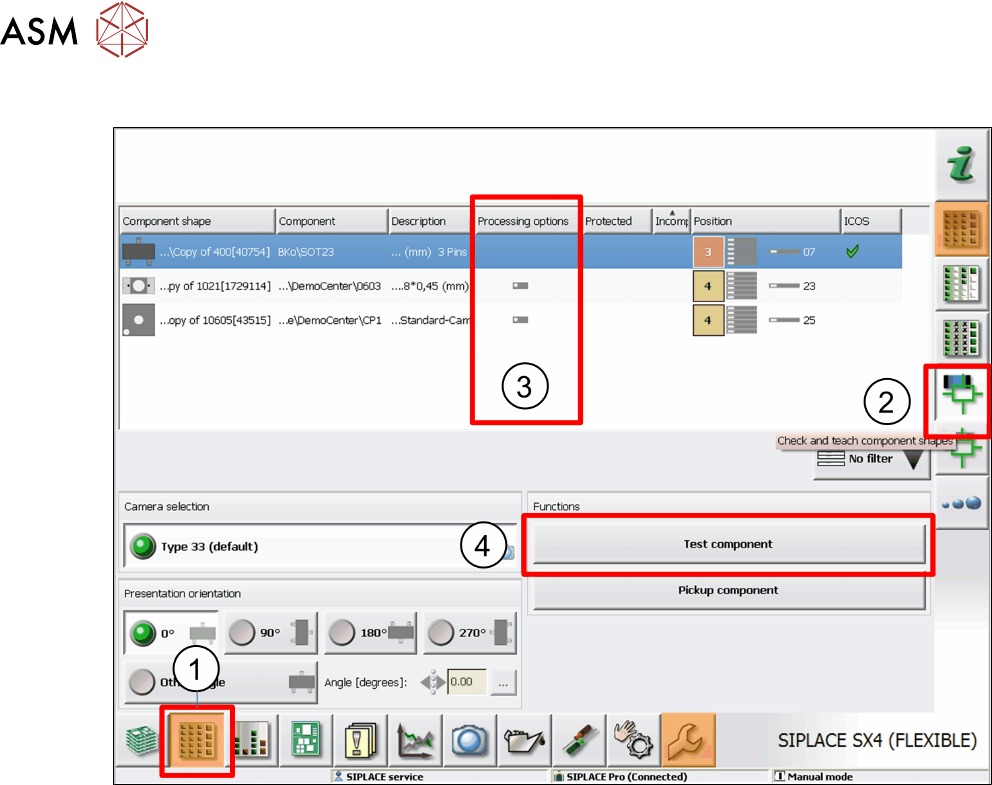
4.2.3 Checking and Teaching Component Shapes and Glue Dot Inspections
► Switch over to the main view of the station software.
► Click on the Feeders, Components and ... icon. (1)
► On the right-hand side, click on the Check and Teach Component Shapes icon. (2)
The Processing Options (3) column shows an icon if the relevant component shape has been set
for gluing.
► From the overview, select the component shape to be edited and then click on Test Compon-
ent. (4)