User Manual - SIPLACE Glue Feedeer.pdf - 第60页
4 Operation 4.2 Individual Functions in Stations Software 706.1 and Higher 60 User Manual SIPLACE Glue Feeder 05/2020 ► Go to the track overview on the left and mark the entry Glue feeder . (1) ► Then click on Details...…
4 Operation
4.2 Individual Functions in Stations Software 706.1 and Higher
User Manual SIPLACE Glue Feeder 05/2020 59
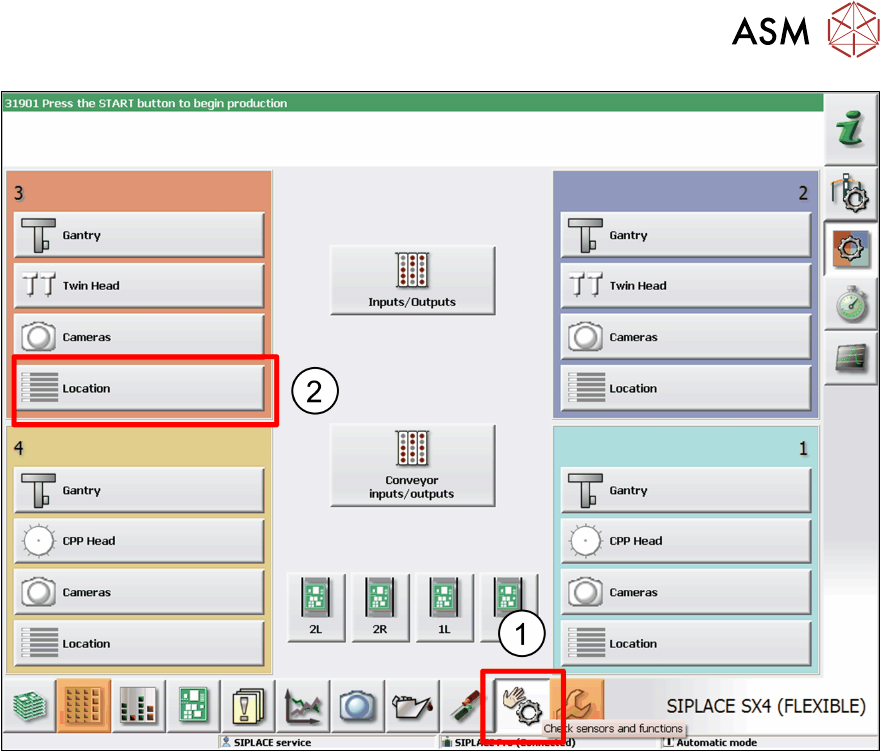
► Click on the icon Check Sensors and Function. (1)
The menus for the various locations will be shown.
► Click on the location at which the Glue Feeder has been set up. (2)
4 Operation
4.2 Individual Functions in Stations Software 706.1 and Higher
60 User Manual SIPLACE Glue Feeder 05/2020
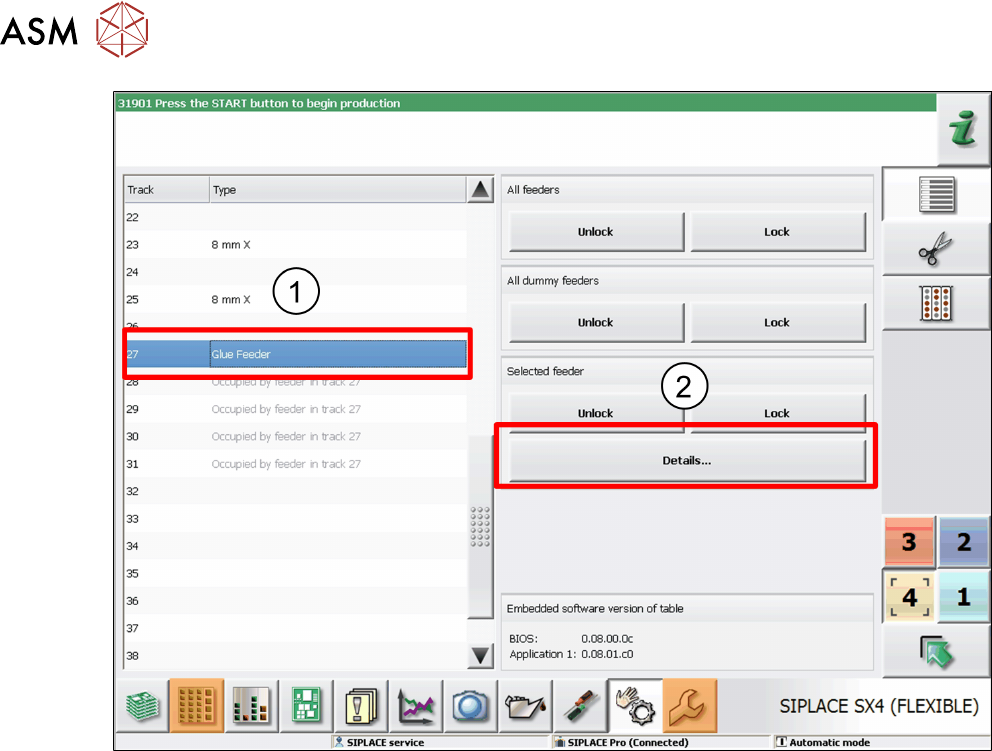
► Go to the track overview on the left and mark the entry Glue feeder. (1)
► Then click on Details... . (2)
4 Operation
4.2 Individual Functions in Stations Software 706.1 and Higher
User Manual SIPLACE Glue Feeder 05/2020 61
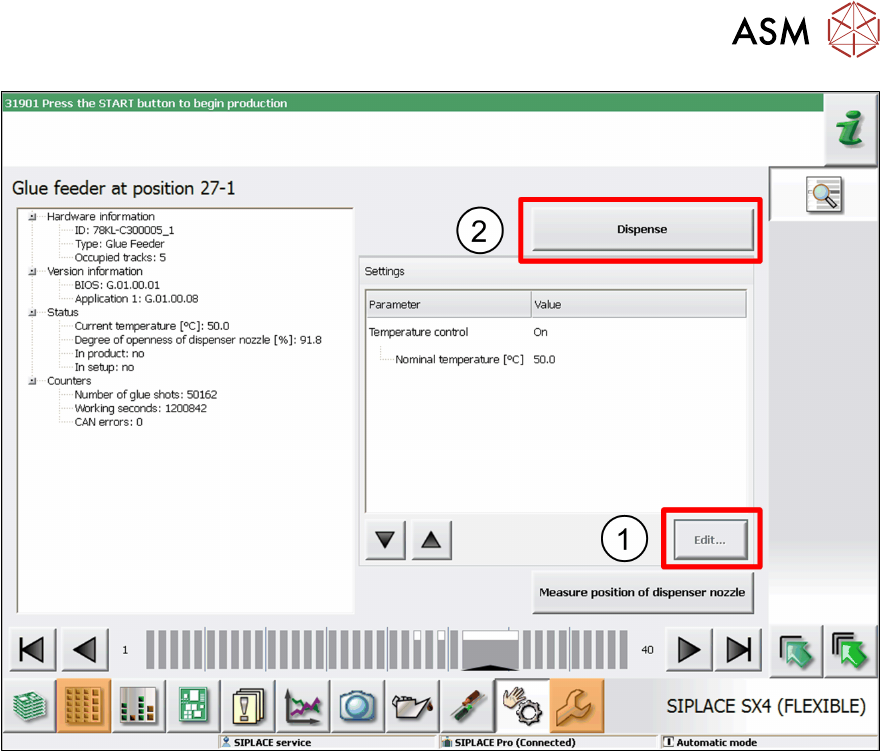
► If necessary, you can also change the nominal temperature of the glue.
To do this, go to Settings
, mark the entry Nominal Temperature and then click on Edit. (1)
Adjust the temperature as required in the dialog box shown and then click on Accept.
► To test the glue, click on Dispense. (2)