00197197-01_IM_SetupCenter5.0_EN.pdf - 第34页
Installation Hardware Installation Optional: Docking Station 34 Installation Manual SIPLACE Setup Center 5.0 Step 5 ► Read the license agreement relat ing to use of thi s software and select I accept the terms in the Li …
Installation
Optional: Docking Station Hardware Installation
Installation Manual SIPLACE Setup Center 5.0 33
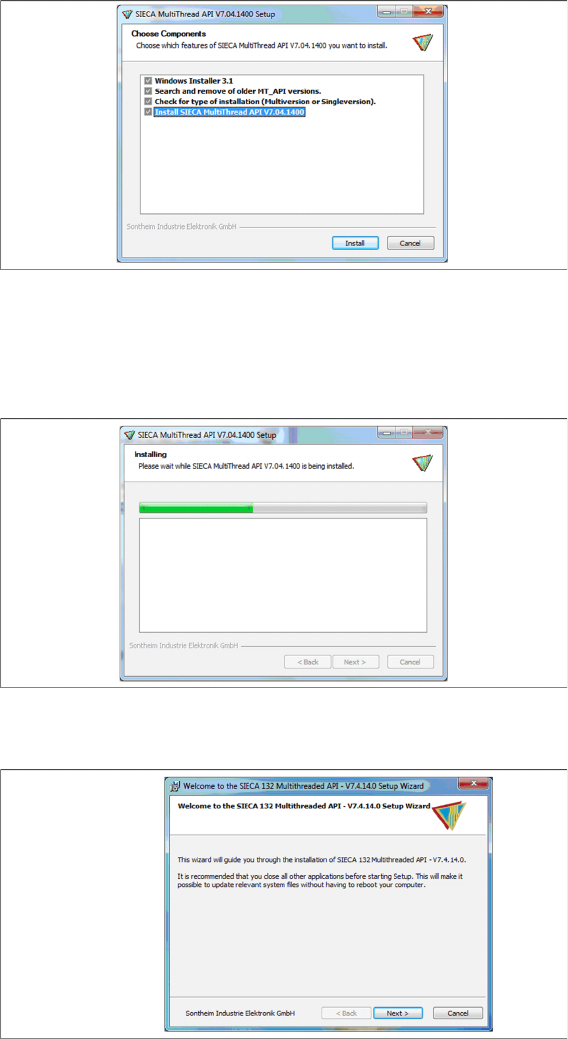
Step 2
► Actually there is nothing to select / de-select, all listed features are mandatory.
► Click Install.
Step 3
The installation package will be extracted.
Step 4
► Click Next.
Installation
Hardware Installation Optional: Docking Station
34 Installation Manual SIPLACE Setup Center 5.0
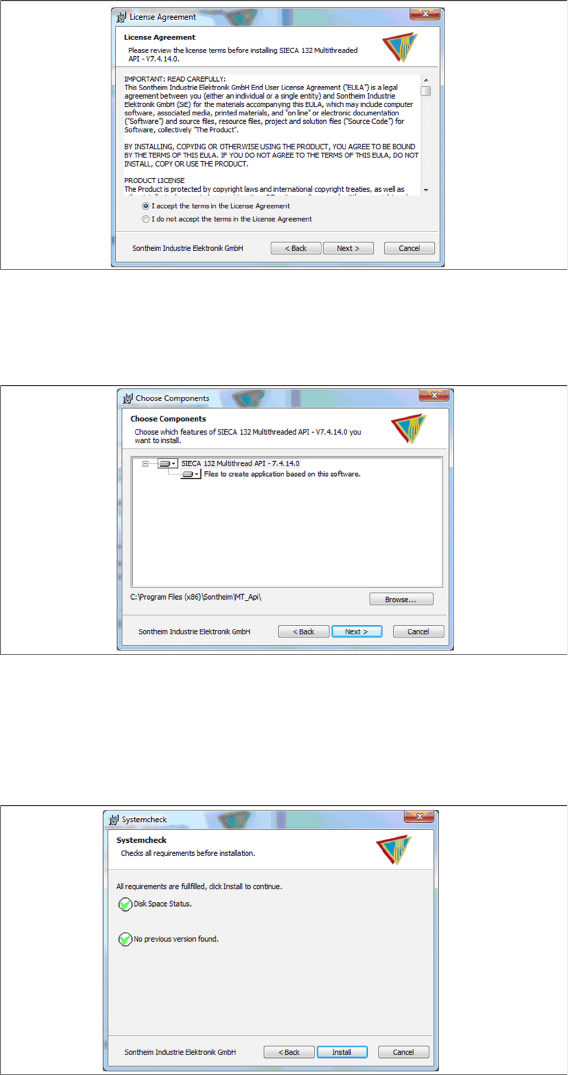
Step 5
► Read the license agreement relating to use of this software and select I accept the terms in the Li-
cense Agreement to accept the license agreement.
► Click Next.
Step 6
► Click Next.
Step 7
► The “Systemcheck” window displays the status of all checks they have carried out.
► Click Install.
Installation
Optional: Docking Station Hardware Installation
Installation Manual SIPLACE Setup Center 5.0 35
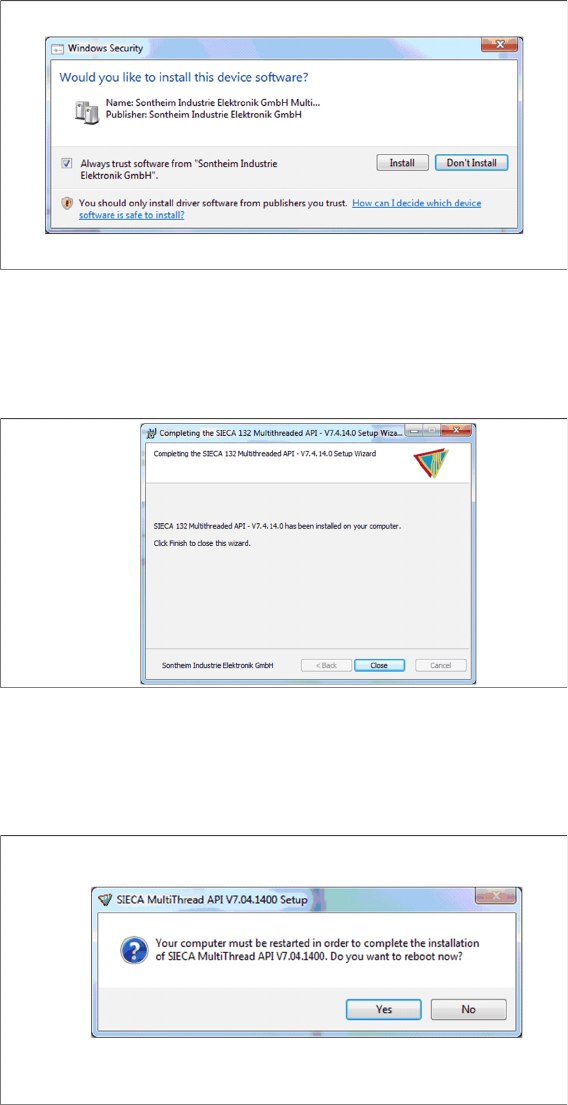
Step 8
► Select Always trust software from “Sontheim Industrie Elektronik GmbH”.
► Click Install.
Step 9
The "Installation Complete" window appears if the installation has been completed successfully.
► Click Close.
Step 10
If a restart of the PC is required, the following window appears.
► Click Yes.