00197197-01_IM_SetupCenter5.0_EN.pdf - 第40页
Installation Hardware Installation Optional: Docking Station 40 Installation Manual SIPLACE Setup Center 5.0 Compressed Air and Power Supplies ► Connect to the comp ressed air supply. ► Set the pressure reducer on the pn…
Installation
Optional: Docking Station Hardware Installation
Installation Manual SIPLACE Setup Center 5.0 39
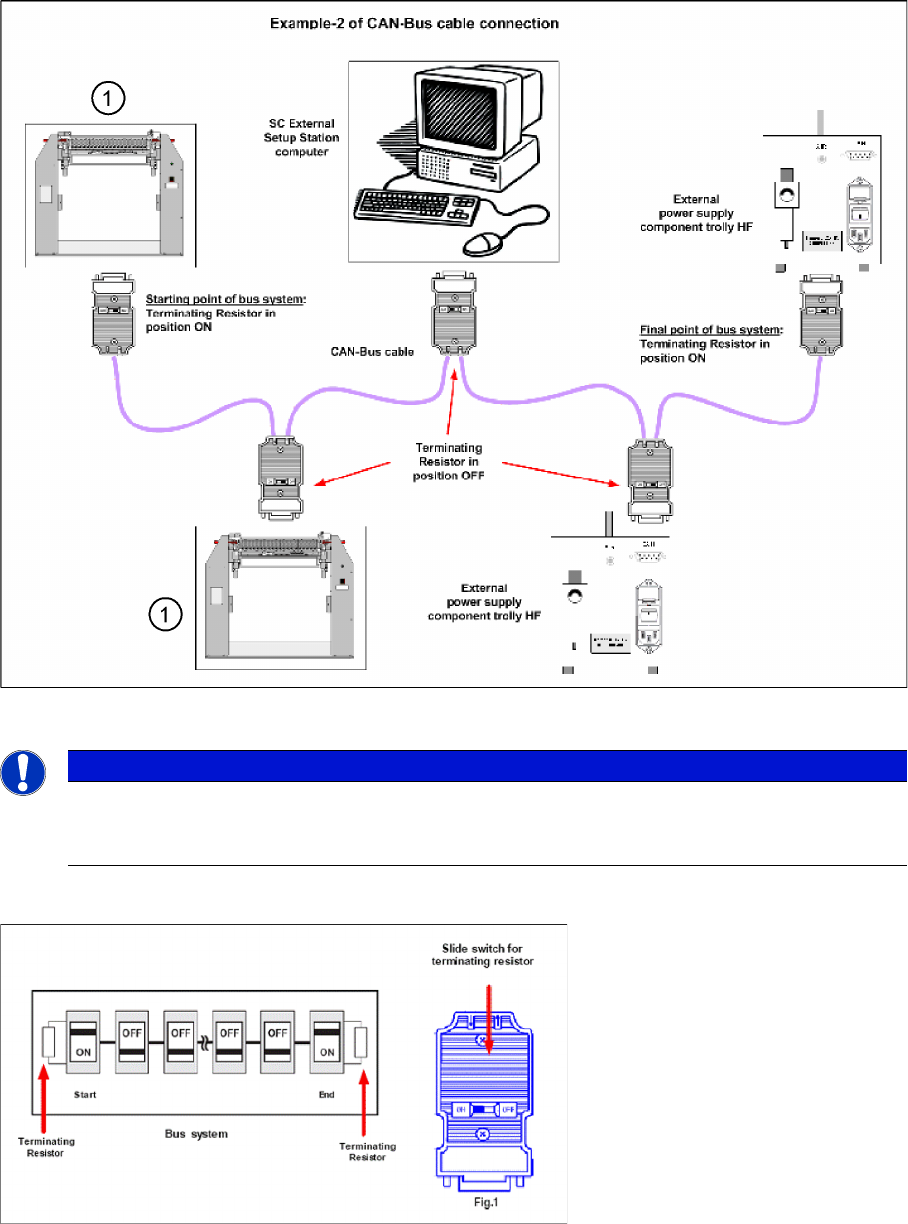
Connection Example 2
1. Docking Station X or SX
Connection Example 1 and 2
NOTICE
The integrated terminal resistor can be connected and simultaneously connects / disconnects
the outgoing bus cable when deactivating / activating. This allows an easy start up of the bus
system one segment at a time.
Installation
Hardware Installation Optional: Docking Station
40 Installation Manual SIPLACE Setup Center 5.0
Compressed Air and Power Supplies
► Connect to the compressed air supply.
► Set the pressure reducer on the pneumatic connection (external) to 5.5 bar.
► Switch off the power supply and connect the CAN Bus cable to the device.
► Switch on the power supply.
► You will find a control lamp on the front of the device. This will shine when power is correctly supplied
to the device.
NOTICE
The compressed air and power connections can be found on the back of the docking station.
DANGER
Never cover the air discharge opening in the integrated fan and the ventilation slits on the side
of the device!
Covering these could lead to overheating and destruction of the power pack.
DANGER
Make sure that nobody is using the connected change over table when you switch the power
on.
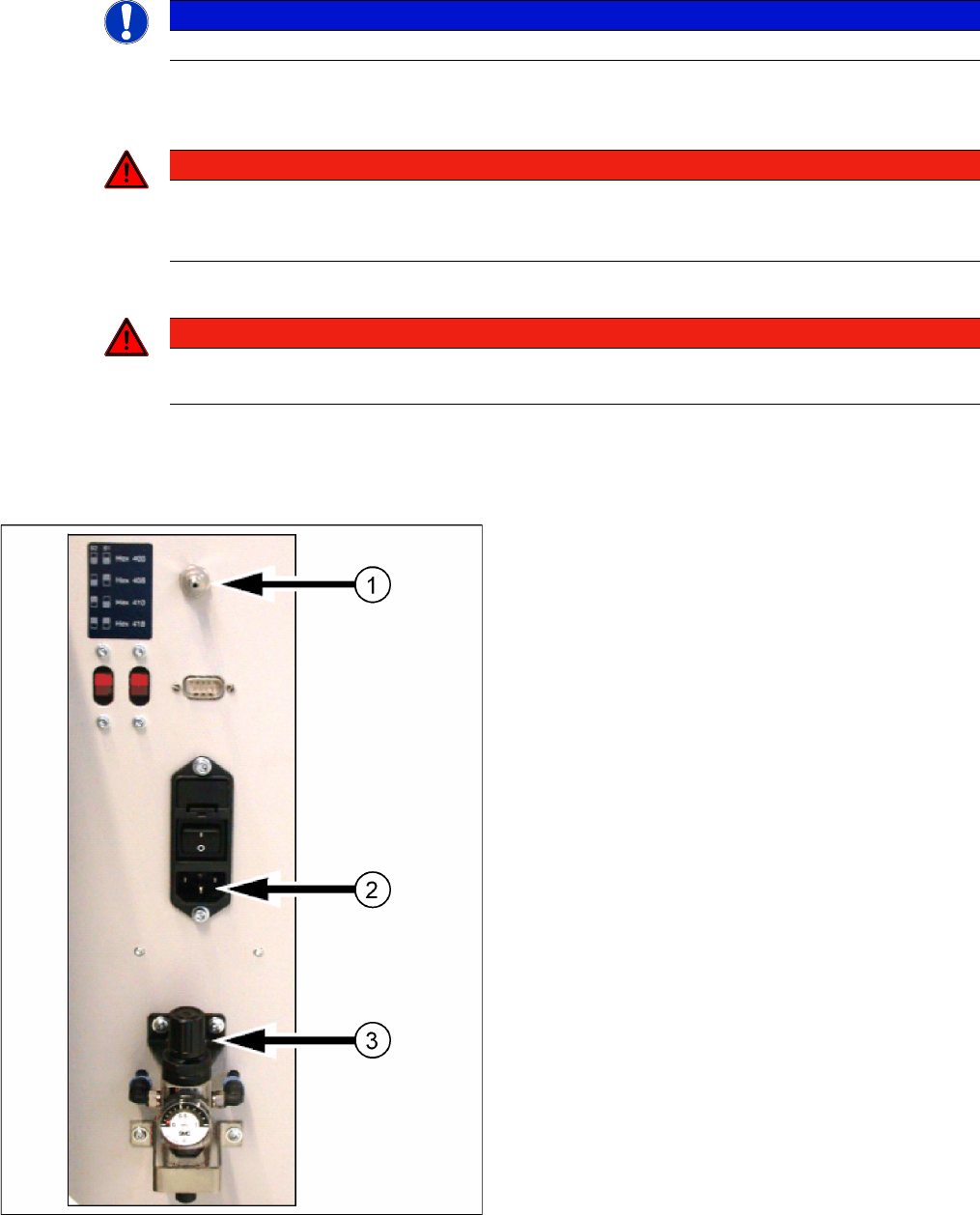
Docking station: compressed air and power supplies
Docking Station X
1. Compressed Air Connection
2. Power Connection
3. Set Compressed Air
Installation
Optional: Docking Station Hardware Installation
Installation Manual SIPLACE Setup Center 5.0 41
4.2.4.4 Firmware download for docking station
► Setup Center can update the firmware of your docking station.
To learn how to update the firmware of your docking station, please refer to the chapter "Docking
Station Firmware Download" in the Online Help Setup Center.
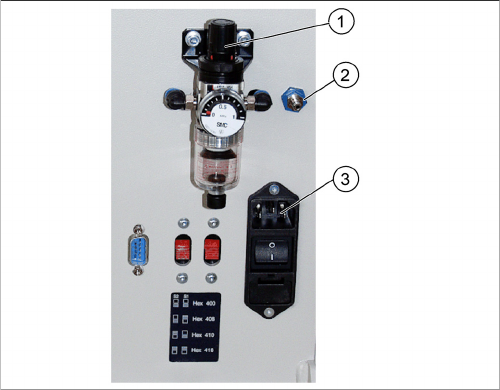
Docking Station SX
1. Set Compressed Air
2. Compressed Air Connection
3. Power Connection