00197197-01_IM_SetupCenter5.0_EN.pdf - 第45页
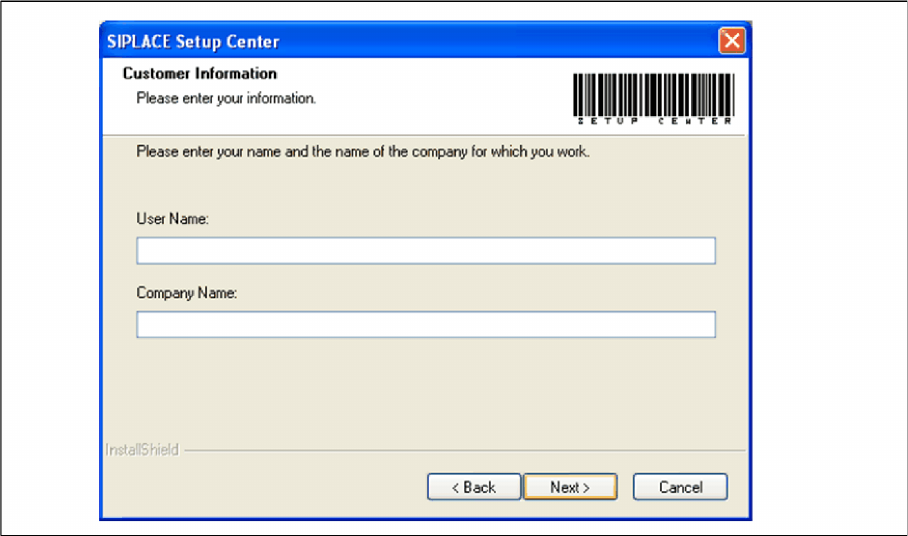
Installation Setup Center Software Installation Installation Manual SIPLACE Setup Center 5.0 45 Step 4 ► Enter your User Name and Company Name in the Cu stomer Information dialog box. Both boxes must be filled in before …
Installation
Software Installation Setup Center
44 Installation Manual SIPLACE Setup Center 5.0
Step 3
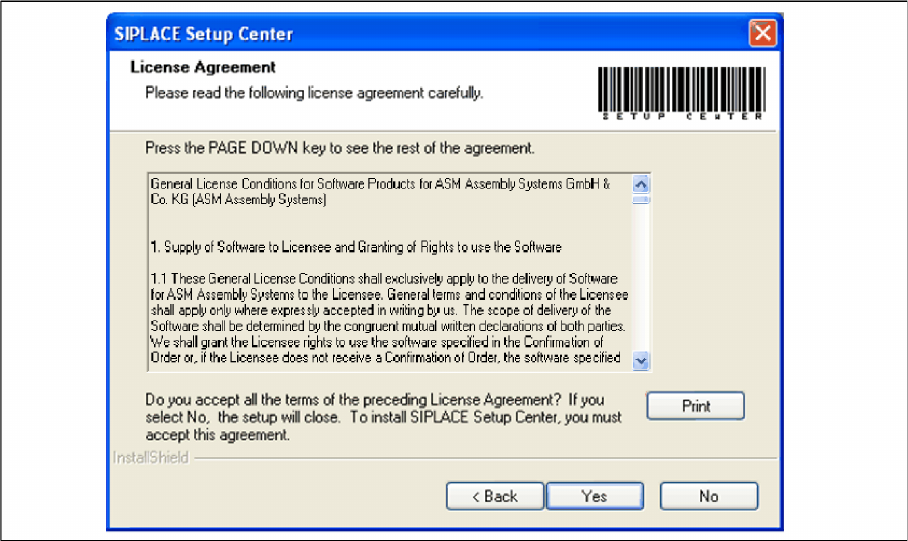
► Read the license agreement of ASM Assembly Systems GmbH & Co. KG relating to use of this soft-
ware.
"Software License Agreement" dialog box
► The installation routine continues if you click the Yes button to accept the license agreement.
► Click No to cancel the installation.
► Click Print to print the License Agreement on the default printer of the PC.
Installation
Setup Center Software Installation
Installation Manual SIPLACE Setup Center 5.0 45
Step 4
► Enter your User Name and Company Name in the Customer Information dialog box. Both boxes
must be filled in before the installation process can be continued.
"Customer Information" dialog box
► Click Next.
Installation
Software Installation Setup Center
46 Installation Manual SIPLACE Setup Center 5.0
Step 5
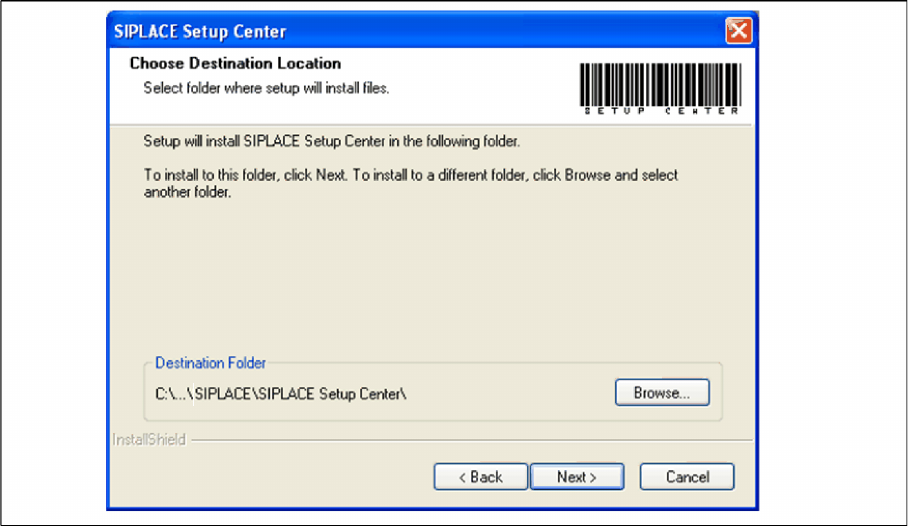
► The Choose Destination Location dialog box prompts you to enter the name of the folder in which
SIPLACE Setup Center should be installed. The system suggests a default destination folder for you.
► However, you can click the Browse button to open a dialog box in which you can enter or select the
path you want to use. If the folder you specify does not exist, it is created after having accepted a
confirmation dialog.
"Choose Destination Location" dialog box
► Click Next.