00197197-01_IM_SetupCenter5.0_EN.pdf - 第48页
Installation Software Installation Setup Center 48 Installation Manual SIPLACE Setup Center 5.0 4.3.1.2 Individual Setup Types and Next Steps Setup Type – SIPLACE Setup Center Complete This setup type contain s all SIPLA…
Installation
Setup Center Software Installation
Installation Manual SIPLACE Setup Center 5.0 47
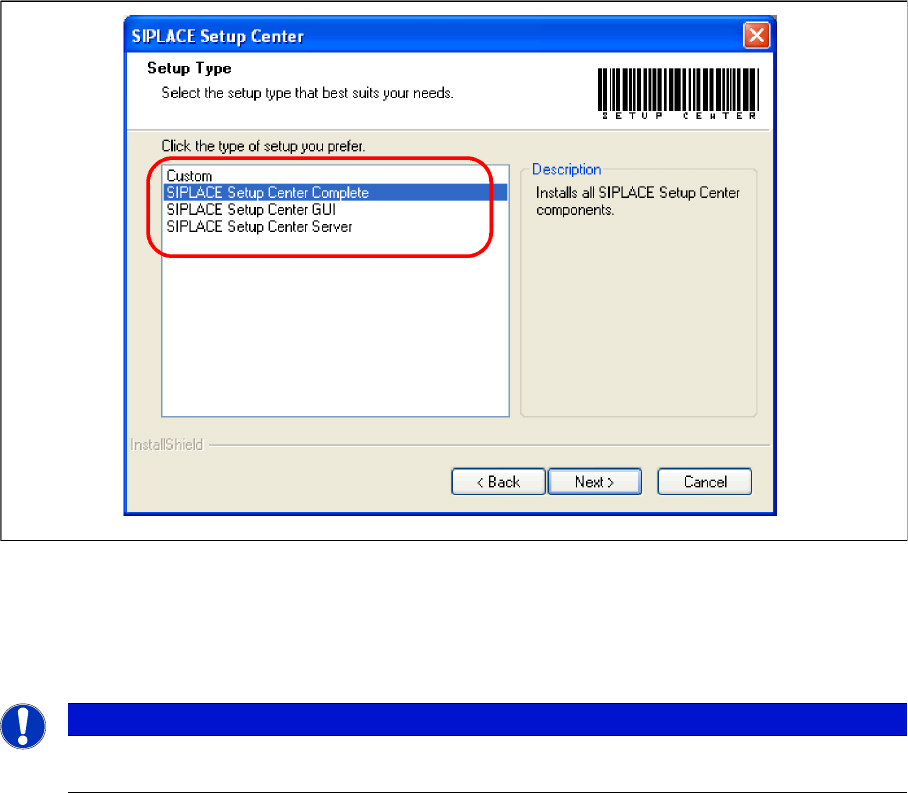
Step 6
► The Setup Type dialog box displays the SIPLACE Setup Center components you could choose for
installation.
"Setup Type" dialog box
► Select the setup type you want to install in the Setup Type dialog box.
► Click Next.
► If you select a type, a short description of the setup type in question appears in the Description box.
NOTICE
After choosing a setup type which includes a database installation, the setup program immedi-
ately checks if SQL server is installed on the computer.
Installation
Software Installation Setup Center
48 Installation Manual SIPLACE Setup Center 5.0
4.3.1.2 Individual Setup Types and Next Steps
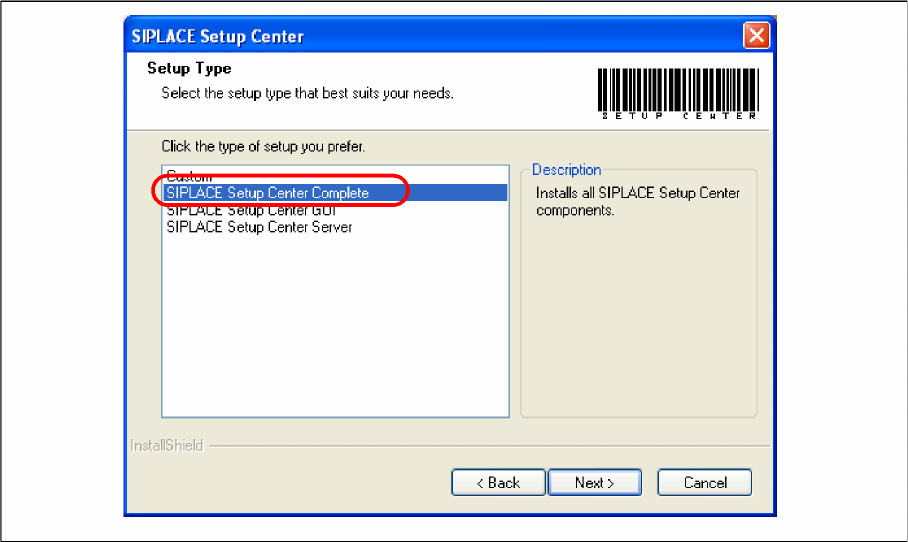
Setup Type – SIPLACE Setup Center Complete
This setup type contains all SIPLACE Setup Center components for operating the system on a single
computer. It is used to install a Setup Center stand alone system.
The Setup detects weather SQL Server has already been installed.
Select this type to install all SIPLACE Setup Center system components (GUI, Database) on one com-
pute. However, it is possible to integrate further clients on other computers.
Step 1
Run through the steps in chapter "General Settings".
► Select the SIPLACE Setup Center complete system setup type.
► Click Next.
Installation
Setup Center Software Installation
Installation Manual SIPLACE Setup Center 5.0 49
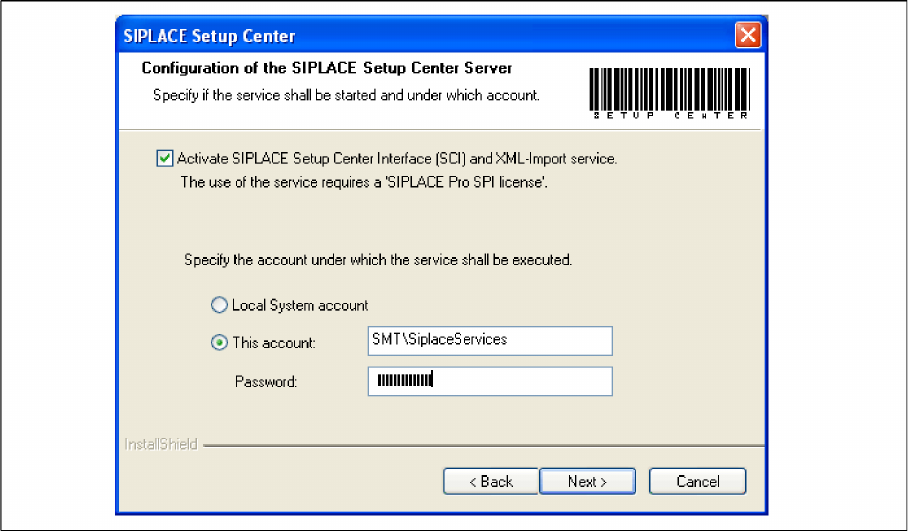
Step 2
► Tick the checkbox if the SIPLACE Setup Center Service is to be started.
► Select the account from which the Service is to be started (local system or a customer-specific ac-
count).
► Click Next.