Instrucciones de uso_HF3_14_es.pdf - 第622页
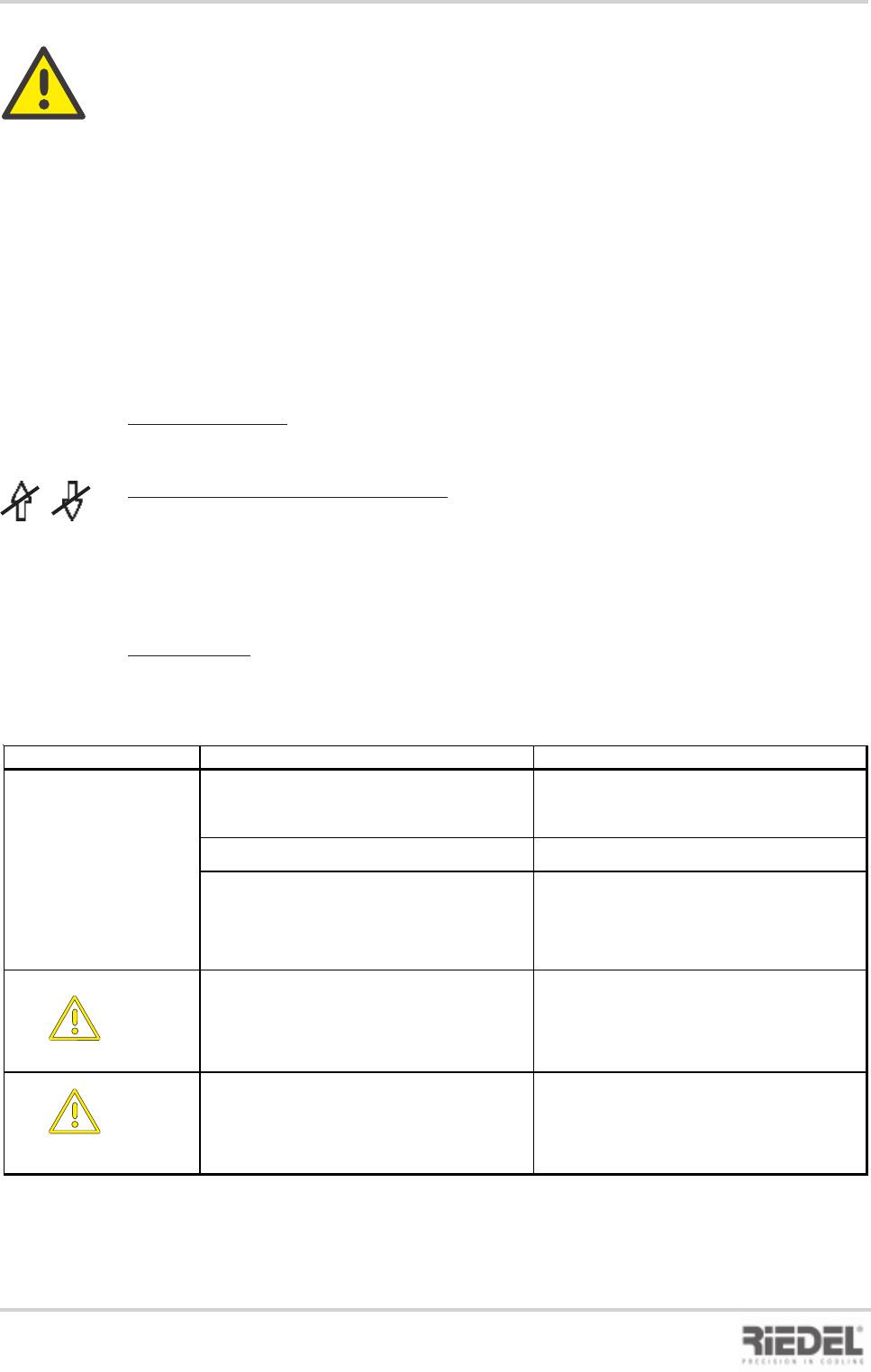
27 2KE0041502 - englisch_BA 04.1 1.2010 ENGLISH 13. Malfunctions / Troubleshooting Fa ul t Di s pl a y Ma l funct i on / Ca us e Re me dy F3 E1 - o f f Pum p m ot or pr ot e c t ing s w itc h ha s t r i ppe d P um p m ot…
26
2KE0041502 - englisch_BA
04.11.2010
ENGLISH
13. MALFUNCTIONS / TROUBLESHOOTING
The safety notices contained in Chapter 1 must be complied with !
The basis for troubleshooting is the circuit diagram, the flow diagram and the messages
displayed on the control panel.
The controlled variable is the main setpoint.
Displays on the Control Panel
See Chapter Operation of Control and Operating Unit
13.1 Malfunctions / Troubleshooting Control and Operating Unit ST 501
E1 to E4 illuminate
- when the process cooler is ready for operation.
Arrow UP or arrow DOWN illuminates
- In the differential control mode, setpoint limits for changeover to
fixed setpoint control are parameterised.
- When the limit values are exceeded or fallen short of, the corresponding LED
illuminates.
Fault displays:
F1 – F8 will flash in alternation with the display of the actual value.
13. Malfunctions / Troubleshooting
Fault Display Malfunction / Cause Remedy
No display
No voltage present
Main switch not turned on Place main switch in position -1-
Automatic control circuit breaker has tripped Check automatic control circuit breaker
Control voltage not enabled
Remote control not switched on Check remote control, check jumper wire
across terminals in control cabinet in
accordance with circuit diagram
F1
Sensor error Sensor 1
Sensor 1 break or short-circuit Check sensor, replace if necessary
F2
Sensor error Sensor 2
Sensor 2 break or short-circuit Check sensor, replace if necessary
27
2KE0041502 - englisch_BA
04.11.2010
ENGLISH
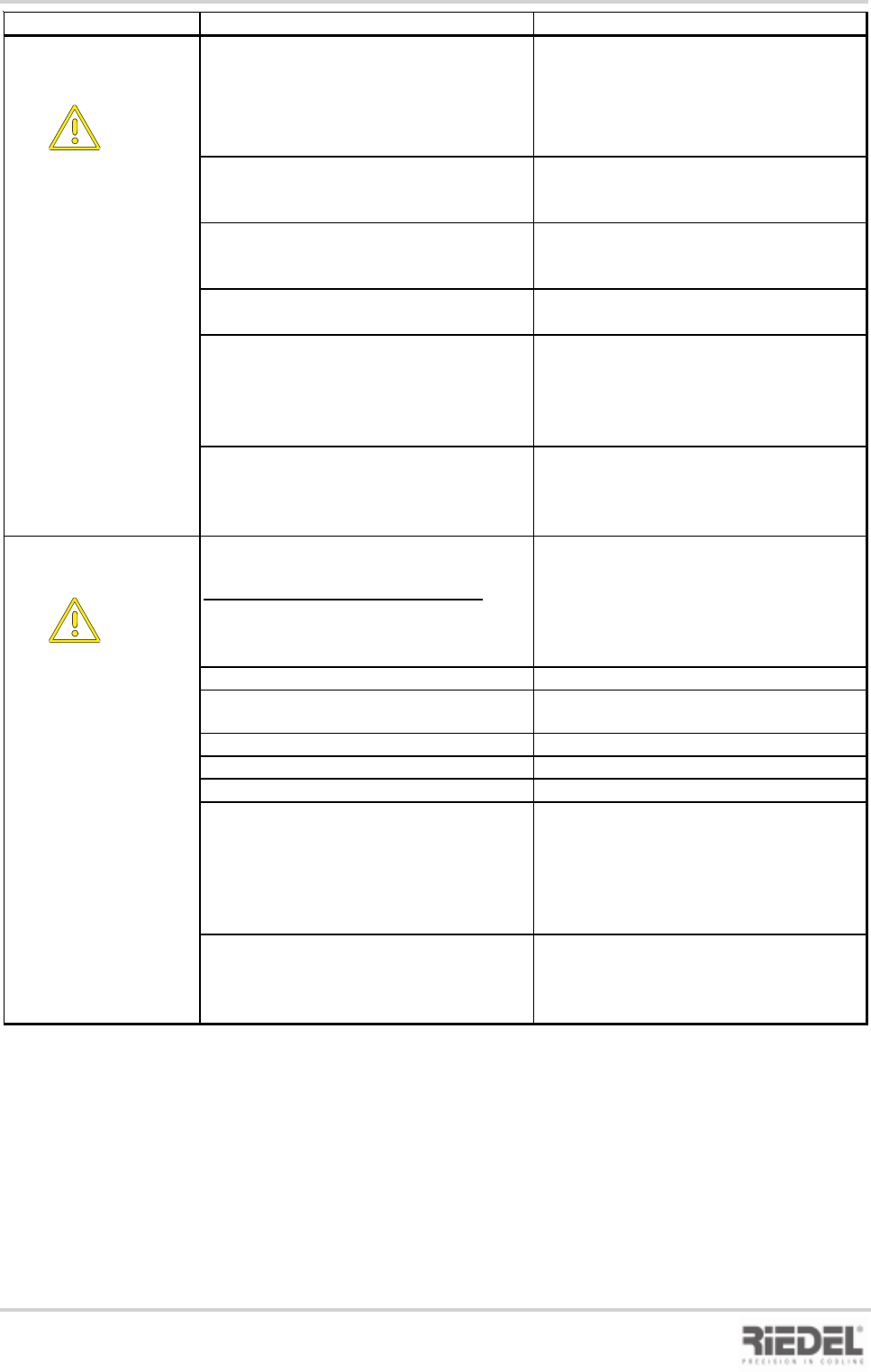
13. Malfunctions / Troubleshooting
Fault Display Malfunction / Cause Remedy
F3
E1 - off
Pump motor protecting switch has tripped
Pump motor overloading due to
mechanical sluggishness
Check pump, replace if necessary
Place motor protecting switch in position -1-
Float switch has tripped
Check float switch,
replace if necessary
Liquid loss in water circuit Check water circuit for leaks,
fill tank com pletely with water
Leaks at pump or pump seal
Replace pump, replace seal
Water is evaporating, (tank filler cap missing
)
Install tank filler cap
Water shortage results in:
- Shutdown of pump and compressor
Acknowledge/reset fault by means of
DOWN button
F4
E2 - off
High-pressure fault
High-pressure pressostat has tripped
Cooling air temperature too high
Ensure adequate heat dissipation through
increased air changes at the installation site
Fans fail to rotate Perform functional check of fans
Condenser or filter mat contaminated Clean condenser with compressed air
(do not damage fins) or replace filter mat
Water temperature too high
Drain water and top up with fresh water
Load too high
Reduce load or shut off load
Panel assemblies not mounted to unit Mount panel assemblies
Cooling operation is resumed after the
pressure has dropped to an acceptable
level and the RESET button on the
pressostat has been pressed
Acknowledge/reset fault by means of
DOWN button
28
2KE0041502 - englisch_BA
04.11.2010
ENGLISH
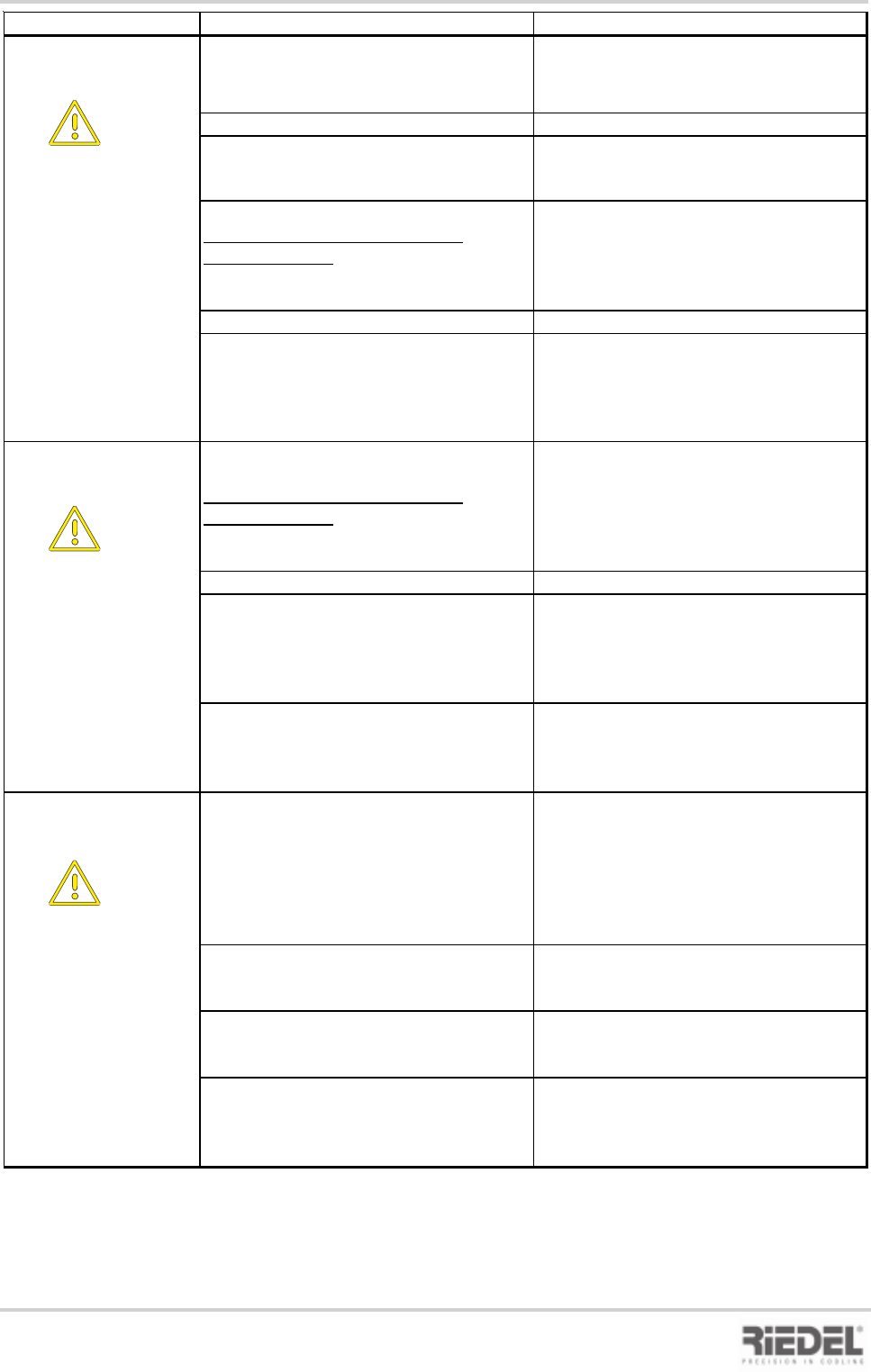
13. Malfunctions / Troubleshooting
Fault Display Malfunction / Cause Remedy
F5
E3 - off
Low-pressure fault
- Ambient temperature too low Increase ambient temperature
- Water temperature too low Increase water temperature
- Water volume too low
Filter contaminated
Shut-off valve closed
Clean filter, replace if necessary
Check shut-off valve
Refrigerant shortage due to leak in
refrigeration cycle
Refrigerant shortage
Defective expansion valve
The elimination of faults in the refrigeration
cycle may only be performed by qualified
personnel!
Permanent bubble formation in sight glass Call customer service !
After the cause of the low-pressure fault
has been eliminated, the fault is auto-
matically reset. The compressors and
fans are enabled after a time delay of 180
sec.
F5 A
E3 - aus
Low-pressure fault (SHUT-DOWN)
Refrigerant shortage due to leak in
refrigeration cycle
Refrogerant shortage
Defective expansion valve
The elimination of faults in the refrigeration
cycle may only be performed by qualified
personnel!
Contin. formation of bubbles in sight glass Call customer service !
After the cause of the low-pressure fault
has been eliminated, the fault is auto-
matically reset. The compressors and
fans are enabled after a delay of 180 sec.
Acknowledge/reset fault by means of
DOWN button
F6
E4 - off
Compressor motor protecting switch has
tripped
Motor overloading due to mechanical
sluggishness
Check compressor or fan, replace if
necessary
Place motor protecting switch in position
–1–
Motor overloading due to phase failure
Correct phase failure. Place motor
protecting switch in position –1–
Overheat protection (thermal contact) of
compressor, fan has tripped
Will automatically be enabled after motor
has cooled down
Acknowledge/reset fault by means of
DOWN button