PR8111、PR8112_user_manual_eng_20191015H.pdf - 第23页
2.6 Connecting Measurement Ca bles to the I nput Terminals 20 Connect the measurement cables to the measurem ent terminals on the rear of the i nstrument. Wires with either cr imp terminals or banana -plug cables can be …
2.5 Turning the Instrument On and Off
19
1
Once you have connected the instrument to its power supply or loaded batteries, you can turn the
instrument on.
2.5 Turning the Instrument On and Off
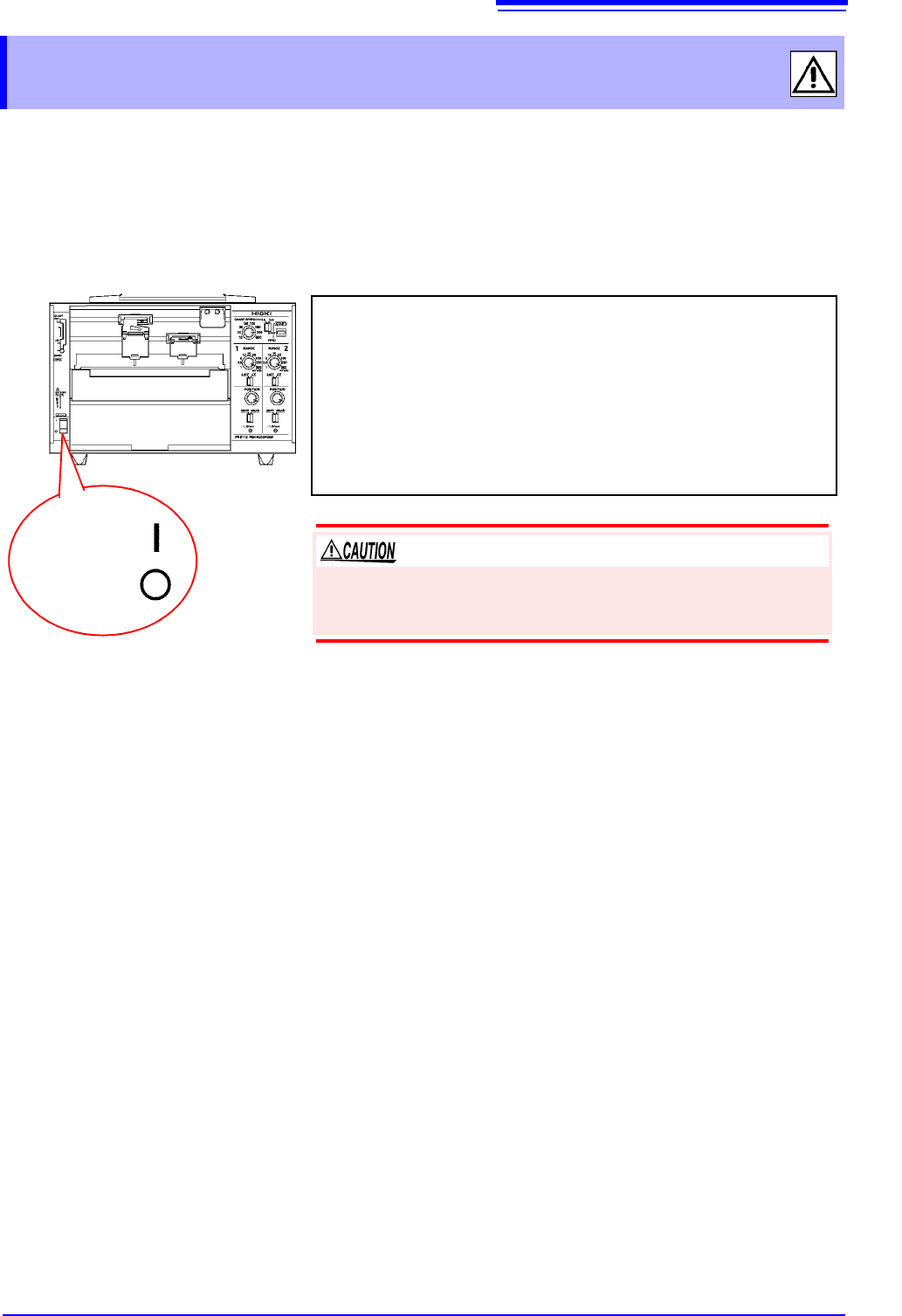
Power ON
Power OFF
Turning on the instrument
Turn the POWER switch to the ON position.
Once the instrument has been turned on, the power supply LED will
light up.
Green Lights up when power is being supplied by the AC adapt-
er. When using batteries, indicates ample remaining bat-
tery life.
Orange Indicates limited remaining battery life. It is recommend to
have new batteries ready to use.
Red Indicates low remaining battery life. It is recommended to
replace the batteries in the instrument with new batteries.
Turning off the instrument
Turn the POWER switch to the OFF position.
If the orange or red LED lights up while using the AC adapter, the
instrument may be damaged. Stop all use and have the unit
repaired.
2.6 Connecting Measurement Cables to the Input Terminals
20
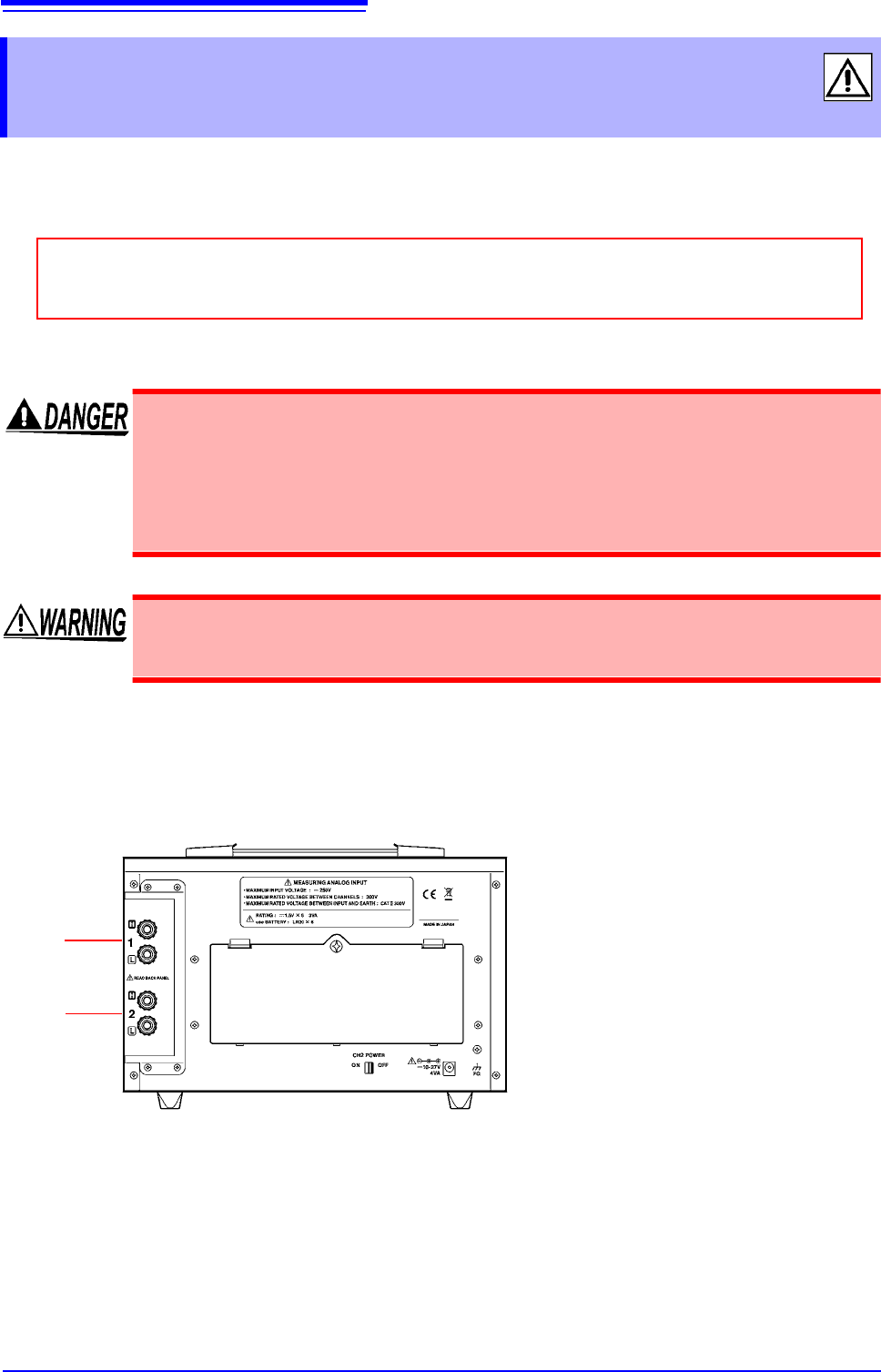
Connect the measurement cables to the measurement terminals on the rear of the instrument.
Wires with either crimp terminals or banana-plug cables can be connected.
How to connect cables
2.6 Connecting Measurement Cables to the
Input Terminals
Before connecting cables, be sure to read "Connecting Cables" (p. 8) and "Handling the
Cords and Cables" (p. 6).
• The maximum input voltage is 250 VDC. Attempting to measure voltage in excess
of the maximum input could destroy the instrument and result in personal injury or
death.
• The maximum rated voltage between input terminals and ground is 300 VAC, DC.
Attempting to measure voltages exceeding 300 V with respect to ground could
damage the instrument and result in personal injury.
To avoid experiencing an electric shock or causing a short-circuit at the input termi-
nals, only insulated crimp contacts should be used on wires being connected to
input pins. (The input terminal pin diameter is M6.)
CH1
(PR8112)
The PR8111 does not have terminals for CH2.
Connect the cables carrying high
signals to the red terminals.
Connect the cables carrying low
signals to the black terminals.
CH2
2.7 Attaching and Detaching the Front Cover
21
1
You can keep wind, dust, and other foreign matter out of the instrument by attaching the front cover,
which also prevents recording paper from becoming entangled. The cover also protects the mea-
surement hardware when the instrument is being shipped or transported.
2.7 Attaching and Detaching the Front Cover
When using roll paper, either detach the front cover or use the instrument with the cover
open. Recording data with the front cover closed may cause paper to jam in the chart tray.
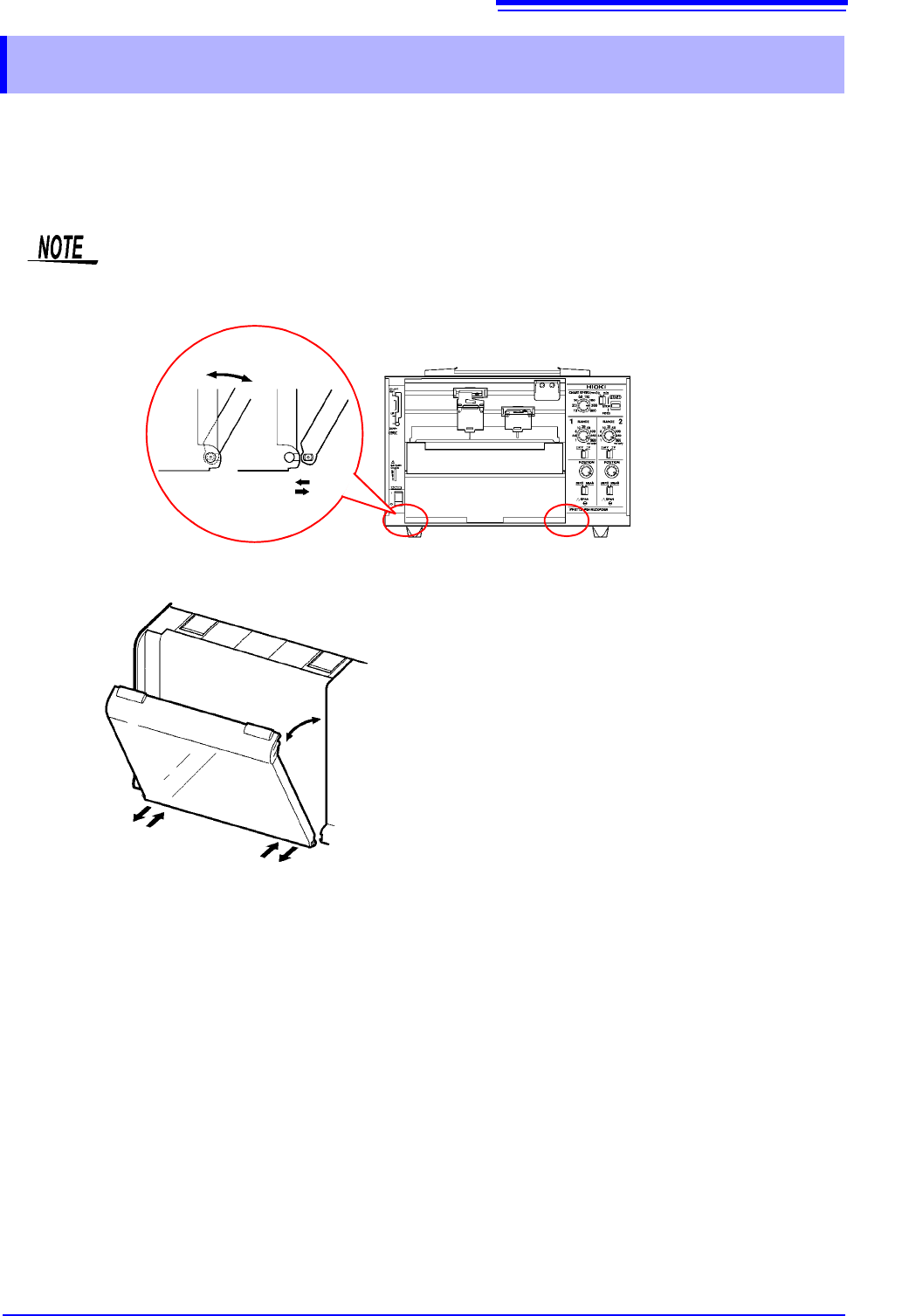
Attaching the front cover
Insert the pegs on the cover into the
grooves on the instrument while inclining
the cover at an angle of about 60 from the
horizontal.
Detaching the front cover
Remove the pegs on the cover from the
grooves on the instrument while inclining
the cover at an angle of about 60 from the
horizontal.