PR8111、PR8112_user_manual_eng_20191015H.pdf - 第29页
3.3 Using Only One channel (PR8112 Only) 26 When using only CH1, you can limit the inst rument’ s power consumption to the power necessarily to drive one channel by setting the CH2 POWER switch on the rear of t he instru…
3.2 Basic Measurement
25
1
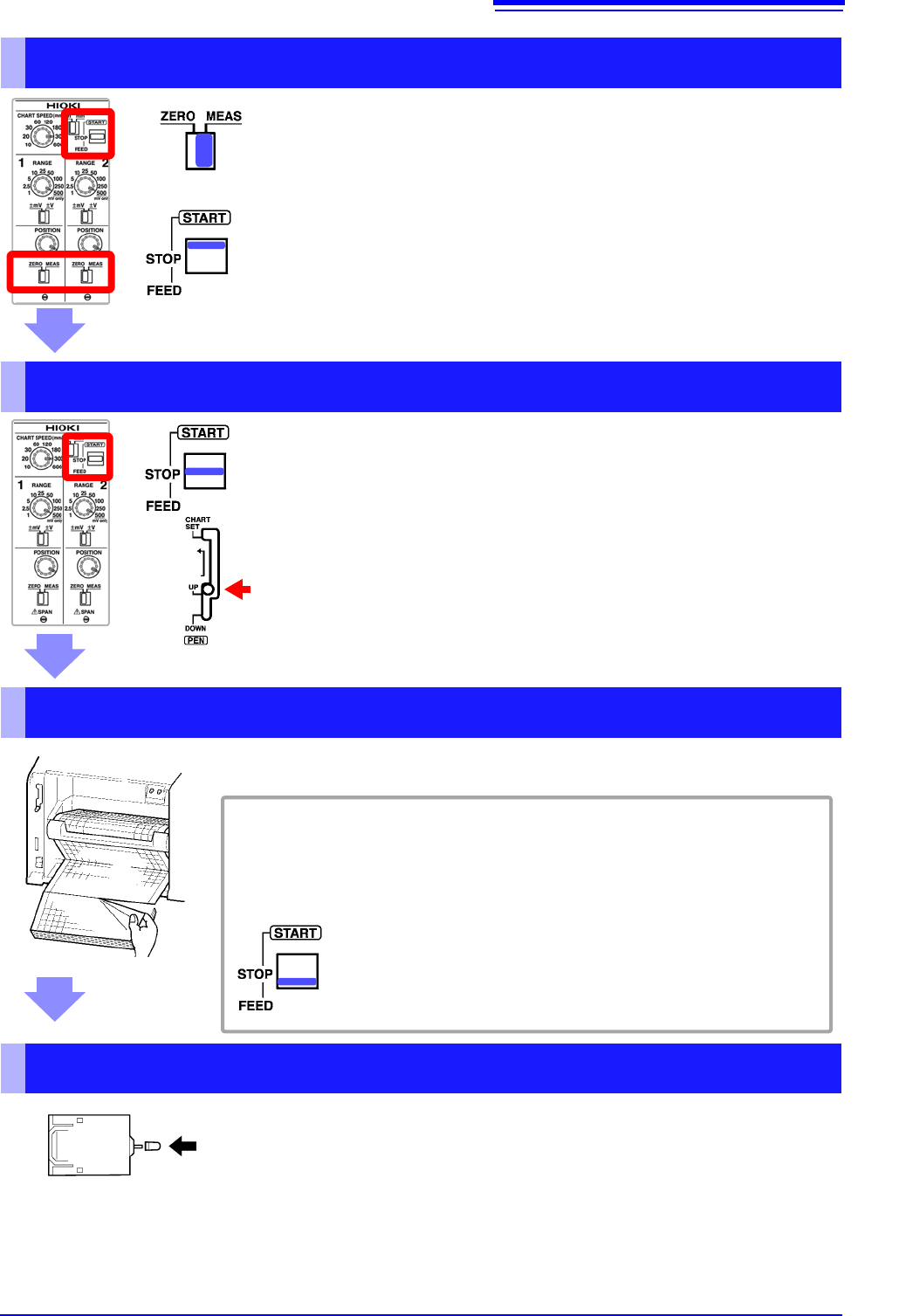
Start Measurement
1 Move the ZERO/MEAS switch to the MEAS position.
The pens will move in response to input signals.
2 Move the START/STOP/FEED switch to the START position.
Paper will be fed through the instrument, and recording will start.
Stop Measurement
1 Move the START/STOP/FEED switch to the STOP position to
stop feeding paper through the instrument.
Paper will stop moving through the instrument.
2 Place the pen lever in the UP (middle) position to raise the
pens.
Remove the Recording Paper
If you’re using fanfold paper, tear off the paper along the perforated line.
To feed paper through the instrument
You can use the START/STOP/FEED switch to feed paper through the in-
strument.
Moving the switch to the FEED position causes paper to be fed
through the instrument. There are four feed speeds. When you
press and hold the switch in the FEED position for at least 2
seconds, the feed speed will increase.
Cap the Pens
Lift each pen toward you and cap it.
3.3 Using Only One channel (PR8112 Only)
26
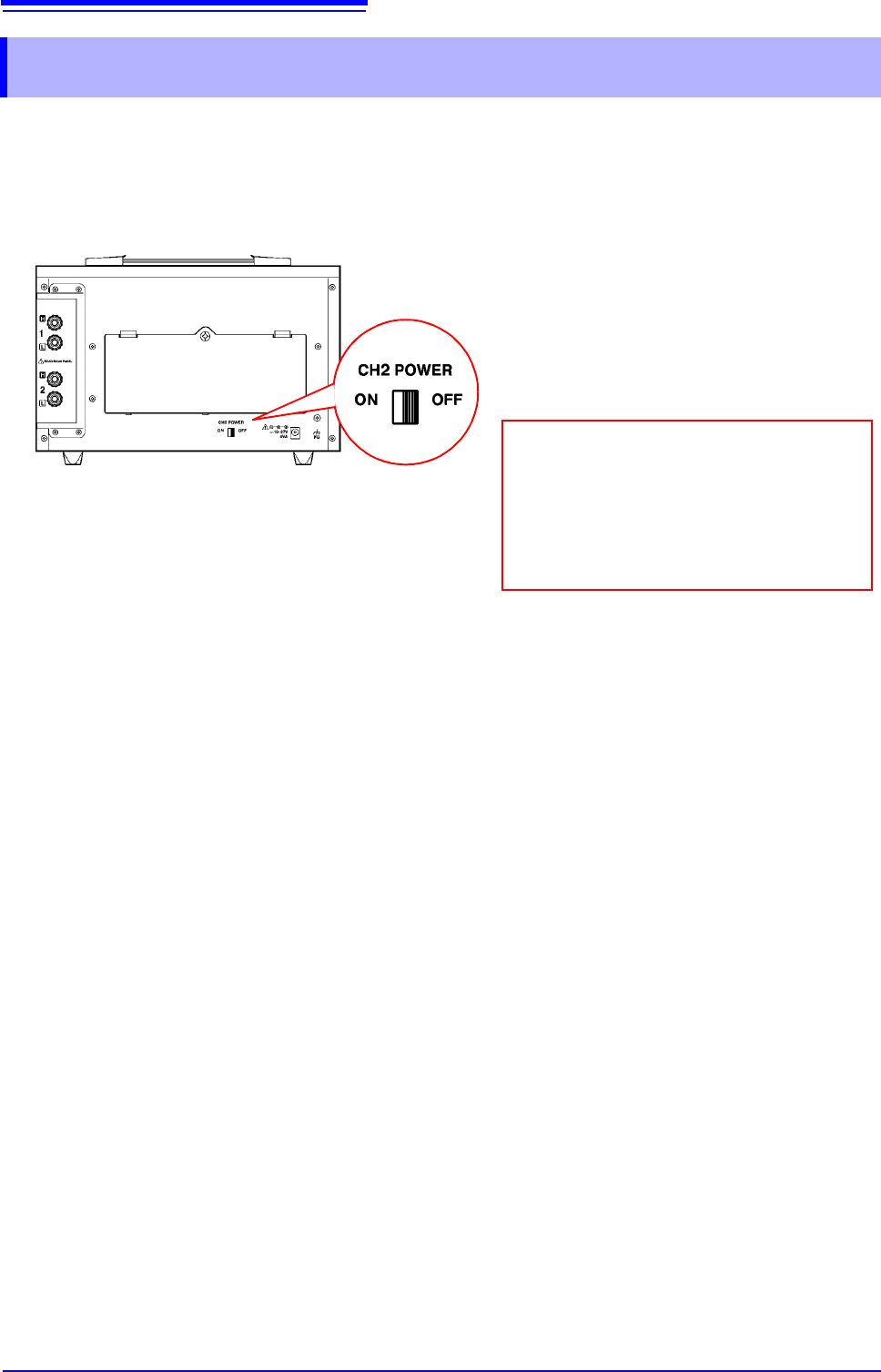
When using only CH1, you can limit the instrument’s power consumption to the power necessarily to
drive one channel by setting the CH2 POWER switch on the rear of the instrument to OFF, thereby
turning off the CH2 power supply. When powering the instrument with batteries, doing so will
lengthen the batteries’ service lifetime compared to when the CH2 POWER switch is ON.
3.3 Using Only One channel (PR8112 Only)
Move the CH2 POWER switch on the rear
of the instrument to the OFF position.
Only the CH1 pen will operate.
Cap the CH2 pen before starting measure-
ment. Taking measurements with the CH2
pen uncapped may cause the position of
the CH2 pen tip to be recorded on the re-
cording paper.
3.4 Example Printout
27
1
3.4 Example Printout
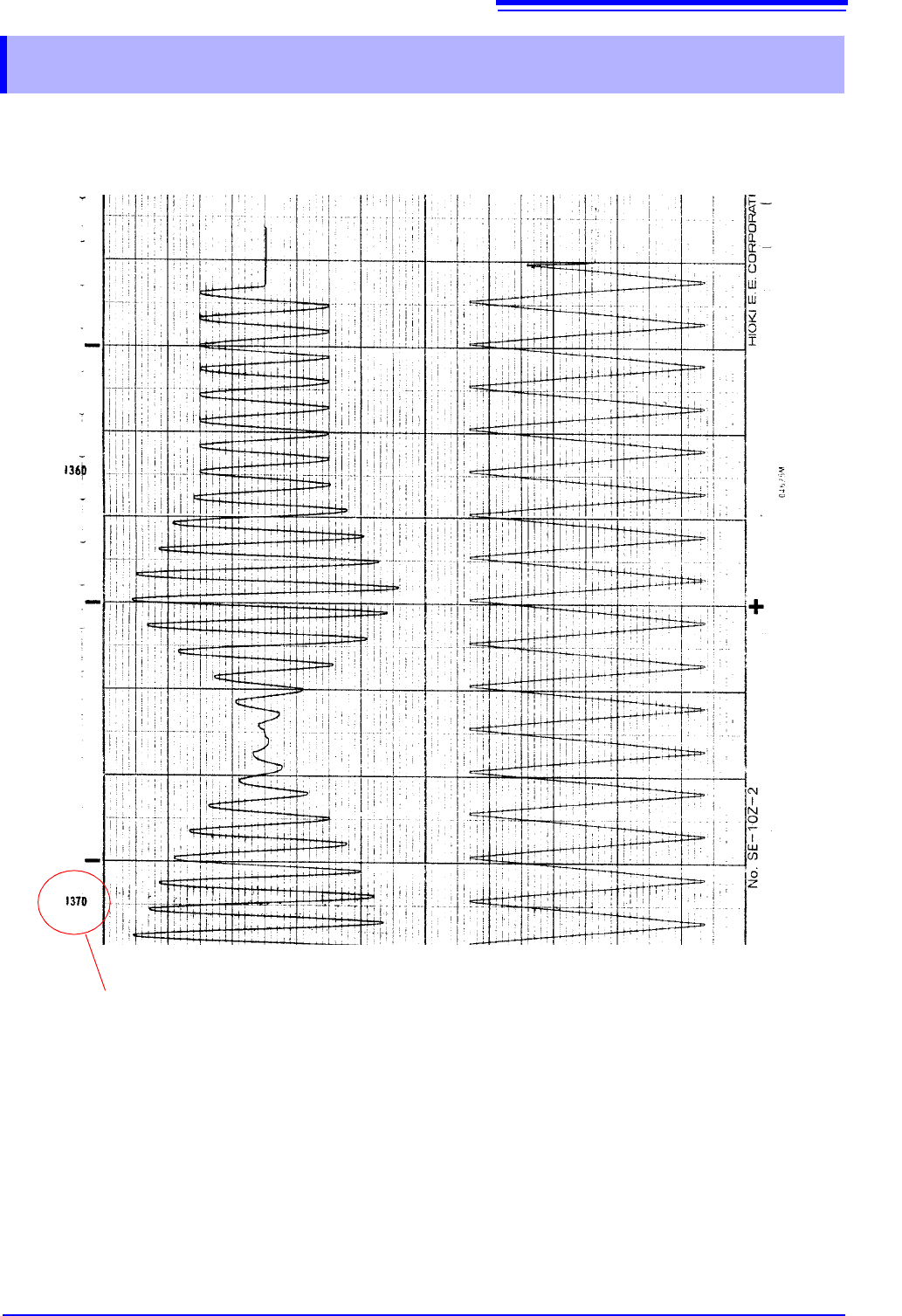
Indicates the amount of recording paper remaining (unit: cm).
Example of data recorded with the PR8112