FRITSCH Pick and Place machine.pdf - 第22页
22 P Asmar tB ULK This module offers an automatic sear ch f or bulk goods components and the integrated component turning station ev en fully automaticall y turns parts that are the wr ong wa y up . The automatic compone…
21
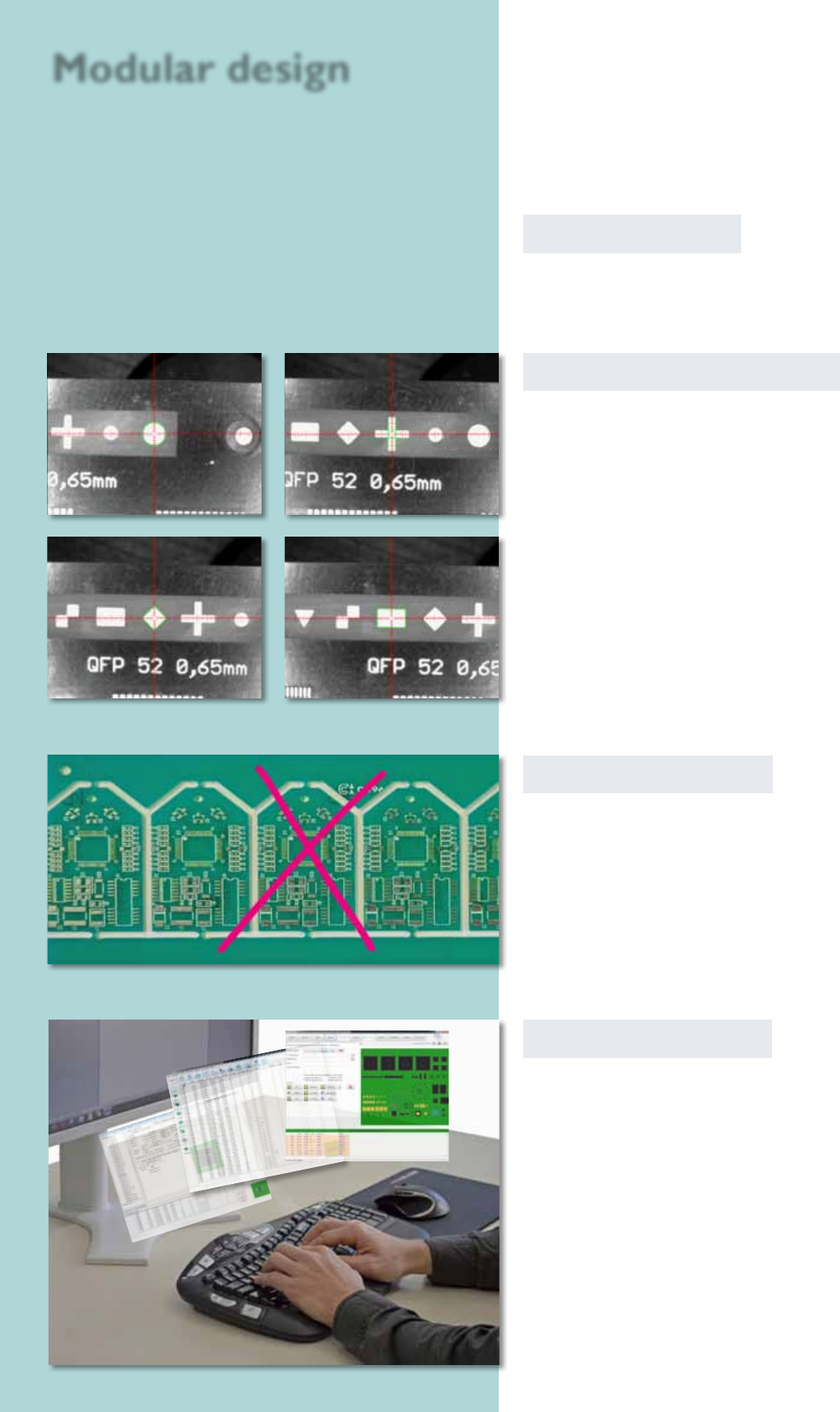
Autom. ducial recognition
To set up an assembly, reference marks such as crosses,
circles, rhombi etc. can be read in automatically. The
camera captures the exact position of the circuit board
before the assembly begins.
Software modules
All described software modules can be retted to
your software on demand.
circle
cross
rhomb rectangle
Badmark recognition
The recognition is searching automatically for a mark on
a dened position wether the PCB should by signed as
bad and shouldn‘t be assembled. The sign is identied in
cause of its brightness. Light or dark marks (made with
labels, pens or ink pints) can be recognized.
Ofine programming
With this CAD conversion, assembly and dispense data
as well as the whole libraries can be edited at a separate
workstation. The processed data can be transmitted to
the Pick & Place machine afterwards.
Modular design
22
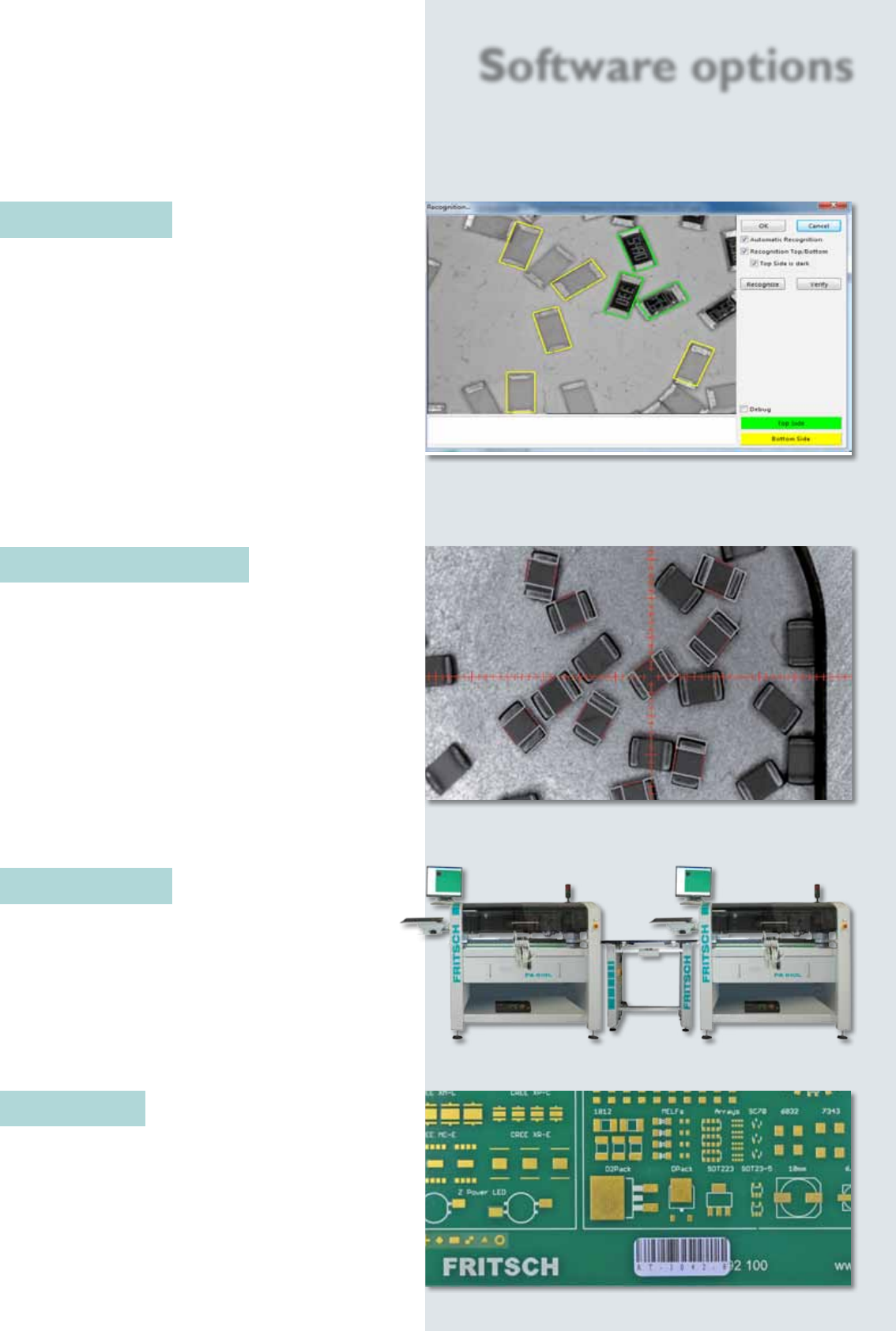
PAsmartBULK
This module offers an automatic search for bulk goods
components and the integrated component turning
station even fully automatically turns parts that are the
wrong way up.
The automatic component search alleviates and
accelerates the production of the smallest series and
prototypes considerably. The software automatically
scans with the head camera for the required compo-
nents prior to each assembly. In doing so, it even takes
into consideration the component size in case a wrong
component happens to be in the tray.
Software options
PALoose Components
The placeALL
®
range offers by standard a procedure
for manual picking of single components to create the
assembling of loose components effective and safe.
The machine isn‘t only able to pick single components
from a feeder. It features also the possibility to mark
any components before starting the assembling. This
enables the user to begin an automatic assembling
after designing.
The optional smartBULK feature recognizes auto-
matically the loose components in the container. This
quickens the assembling signicant.
PALineControl
This unit processes the division of the assembly data
on multiple machines in a line. This ensures a balanced
loading, and the whole production line is monitored.
PAPCBScan
Existing assembling and dispensing programs can be
requested by scanning the code on the PCB.
23
Software options
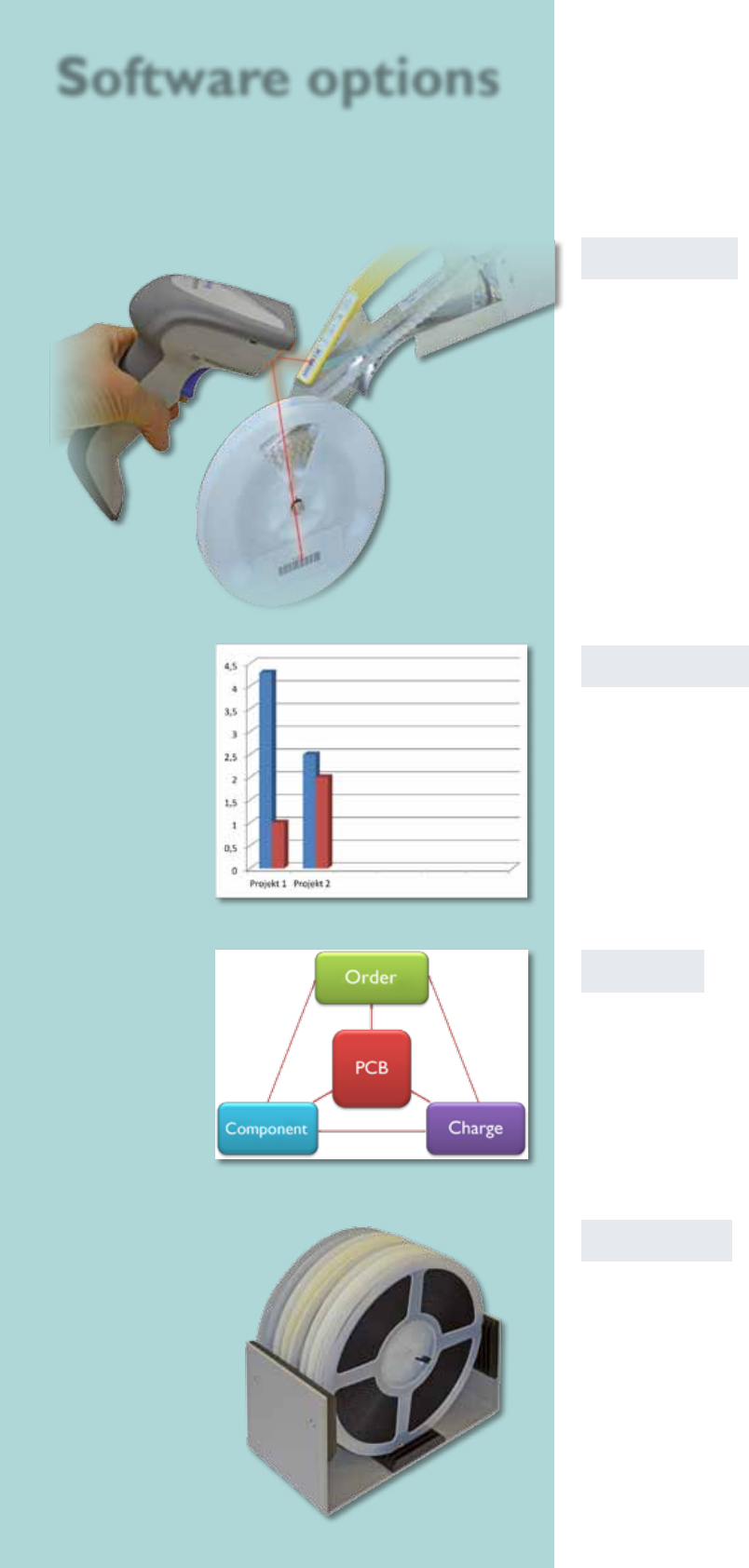
PATrace
This module documents which component from
which lot has been used on which circuit board and
with which order. This enables historical production
runs to be interrogated, in case of a recall enquiry.
PAStatistics
To calculate an order, all available data such as assembly
time per circuit board is documented and analyzed by
this module.
PAStorage
This module manages all SMD parts, circuit boards and
other components used in production (like heat sinks
or other standard parts) that you have in stock. The
assembled components are debited from the stock
automatically as they are used. The user is informed by
settable minimum stock levels, whether a stock item has
to be reordered.
PAStorage distinguishes between the whole warehouse
and the parts currently stored on the machine.
PABarcode
All smartFEEDERs can be set up using a wireless
barcode reader. Together with the warehousing
module you can read out the current stock. By using
the reader for a setup, it is ensured that the correct
component is set up on the correct feeder.