00196591-04 UM S-Feeder Test Station EN.pdf - 第19页
Installation MTC 2 3.6.2 Removing the Calibration Standard Software uninstall User Manual SIPLACE S-Feeder Test Sta tion 19 3.8 3 . 8 S o f t w a r e u n in s t a ll Software uninstall Open the Control Pane l in the Star…
Installation MTC 2
Update 3.6.1 Setting up the Calibration Standard
18 User Manual SIPLACE S-Feeder Test Station
► Make sure that the S-Feeder Checking Device is correctly connected to the power supply and that
the power pack is switched on.Make sure that the
S-Feeder Checking Device
is correctly connected
to the power supply and that the power pack is switched on.
► Restart the calibration.
If calibration of the camera position fails again, this probably indicates that the camera tower is damaged.
Send the
S-Feeder Checking Device
and the calibration standard back to the manufacturer for repairs.
3.6.1
3.6.1 Setting up the Calibration Standard
Setting up the Calibration Standard
3.6.2
3.6.2 Removing the Calibration Standard
Removing the Calibration Standard
3.7
3.7 Update
Update
For an update to version 2.x please proceed as described in chapter 3.2. The installation will remove the
previous version automatically. The installation of the SFTS 2.x deletes the previous version automati-
cally.
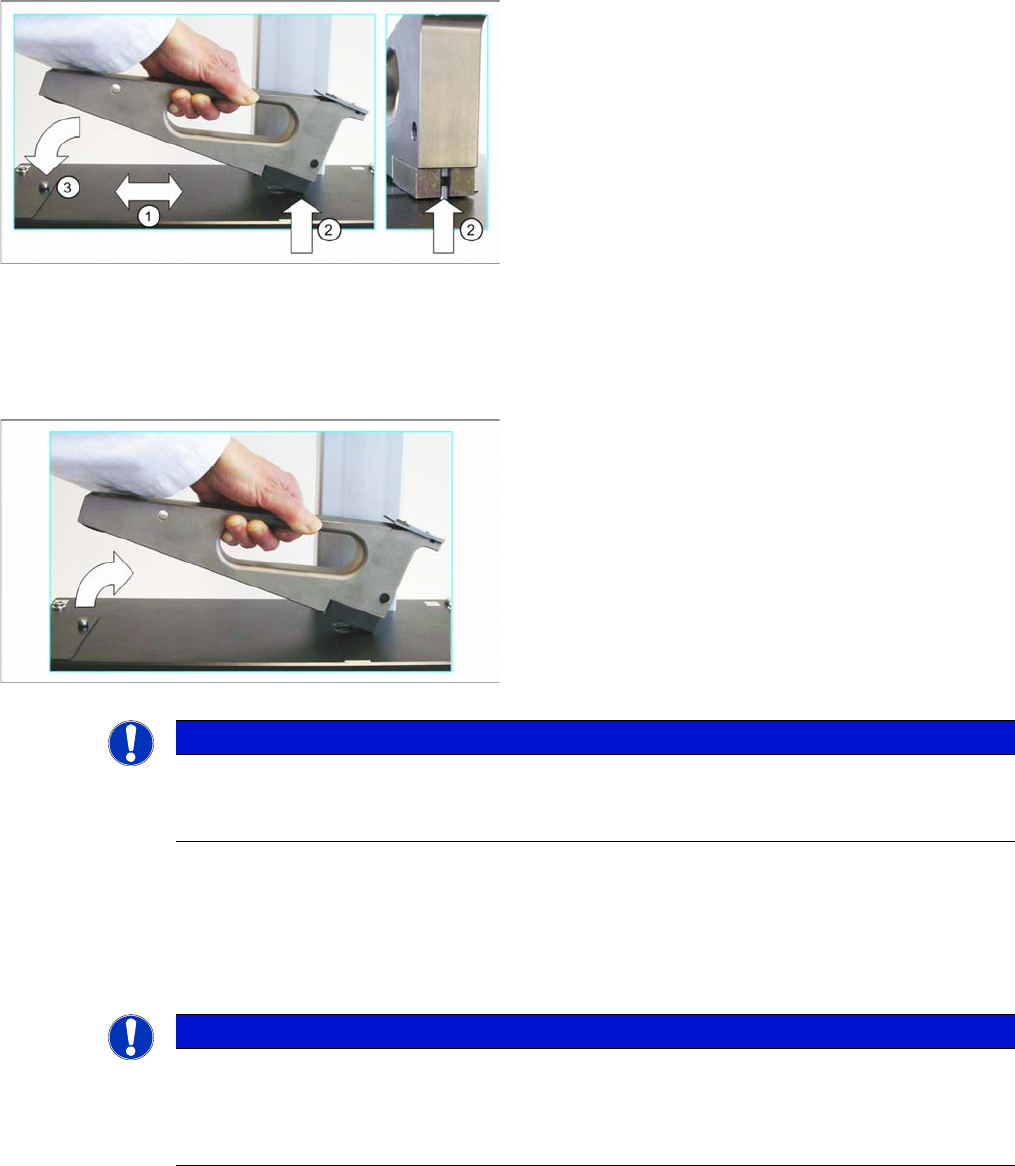
► Clean the location surface (1) of the checking device
and the underside of the calibration standard with a
clean, lint-free cloth and remove any foreign bodies.
► Position the calibration standard from the left onto the
location surface, with the front side first and ensure
that it engages at the centering pin (2).
Make sure that the calibration standard does not hit
the camera.
► Lower the back part of the calibration standard down
onto the location surface of the
S-Feeder Checking
Device
.
Make sure that the calibration standard engages with
the calotte (3).
► First lift the back of the calibration standard off the lo-
cation surface of the
S-Feeder Checking Device
.
► Now lift the calibration standard up to the left and off
the location surface.
Make sure that the calibration standard does not hit
the camera.
NOTICE
Calibration standard
After use, place the calibration standard back in the protective sleeve provided so that it is not
damaged.
NOTICE
Update
During the installation the USB camera must be unplugged.
Following the installation the SFT must be calibrated. Please ensure to have the calibration
standard available.
Installation MTC 2
3.6.2 Removing the Calibration Standard Software uninstall
User Manual SIPLACE S-Feeder Test Station 19
3.8
3.8 Software uninstall
Software uninstall
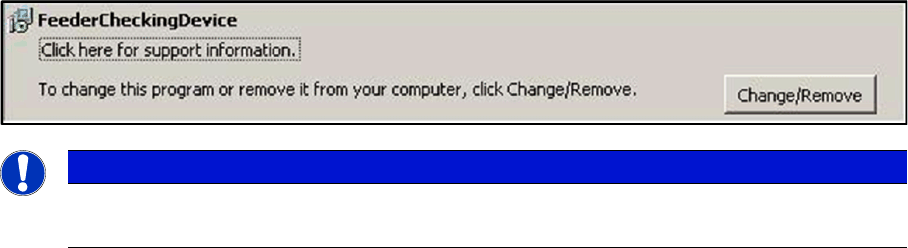
Open the Control Panel in the Start \ Settings \ Control Panal \ ad or remove programs:
Here you can uninstall the software.
NOTICE
Update
While updating to the new software version, the old version is automatically removed.
Installation MTC 2
Software uninstall 3.6.2 Removing the Calibration Standard
20 User Manual SIPLACE S-Feeder Test Station