Galaxy EX Squeegee Module.pdf - 第17页
SQUEEG EE MODULE REPLACEMENT PRO CEDURES Ch apte r Issue 4, J un 18 Tech nical R efere nce Ma nual 10. 17 7. On the la teral squeegee mo unts, use a 1.5 mm Allen key t o remove the debris d u st cover at t he base of b o…
SQUEEGEE MODULE
REPLACEMENT PROCEDURES
10.16 Technical Reference Manual Chapter Issue 4, Jun 18
6. Fit the front squeegee to the front squeegee mount ensuring the thumb-
screws are tightened finger tight.
NOTE
The locking thumbscrews on the front squeegee are positioned closer together
than those fitted to the rear squeegee and the keyway slot is positioned on the
right hand side of the front squeegee.
7. Close the front printhead cover.
8. Press the System button.
9. Select Continue.
10. Select Back.
11. Carry out Squeegee Reference Height calibration, Calibrations section of
this chapter refers.
Standard
Squeegees
Mounts to Lateral
Squeegee Mounts
NOTE
The lateral squeegee - squeegee mechanism, is identical to a standard
squeegee mechanism. Refer to the sections: Fitting The Squeegee Printhead
Mechanism and Squeegee Drive Belt Replacement procedures.
To change from a printer with standard squeegee mounts fitted to having
lateral squeegee mounts fitted proceed as follows:
1. Power up the printer to allow it to initialise. The squeegees move to their
home positions.
2. Power down the printer.
3. Open the printhead front cover.
4. If fitted, remove and stow the standard squeegee blades safely away.
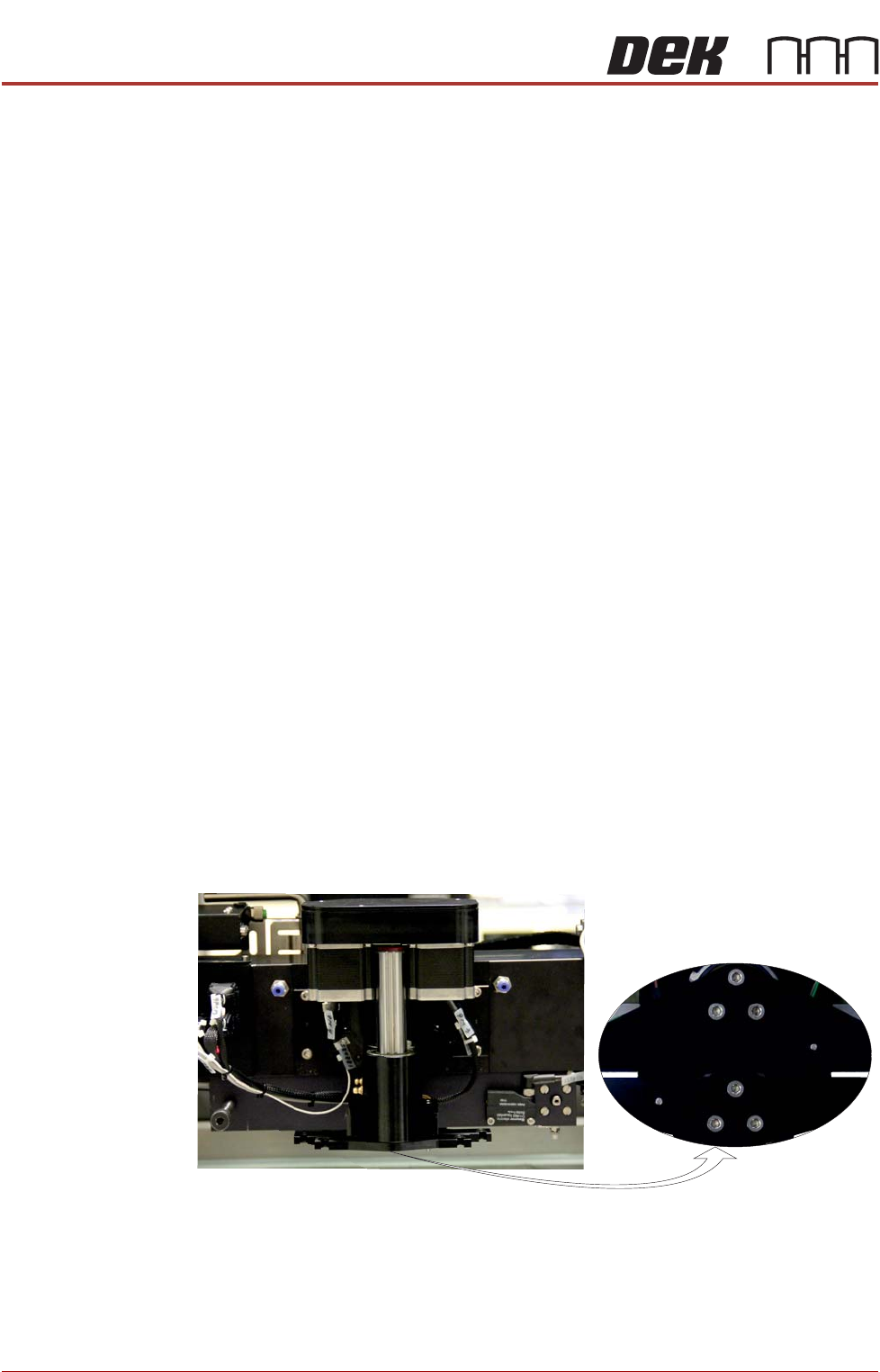
5. At the bottom of the squeegee mounts locate the three M4 cap headed
screws.
6. Using a 3mm Allen key, remove both squeegee mounts and stow them,
with their screws, safely away.
View on Front of Print Carriage
SQUEEGEE MODULE
REPLACEMENT PROCEDURES
Chapter Issue 4, Jun 18 Technical Reference Manual 10.17
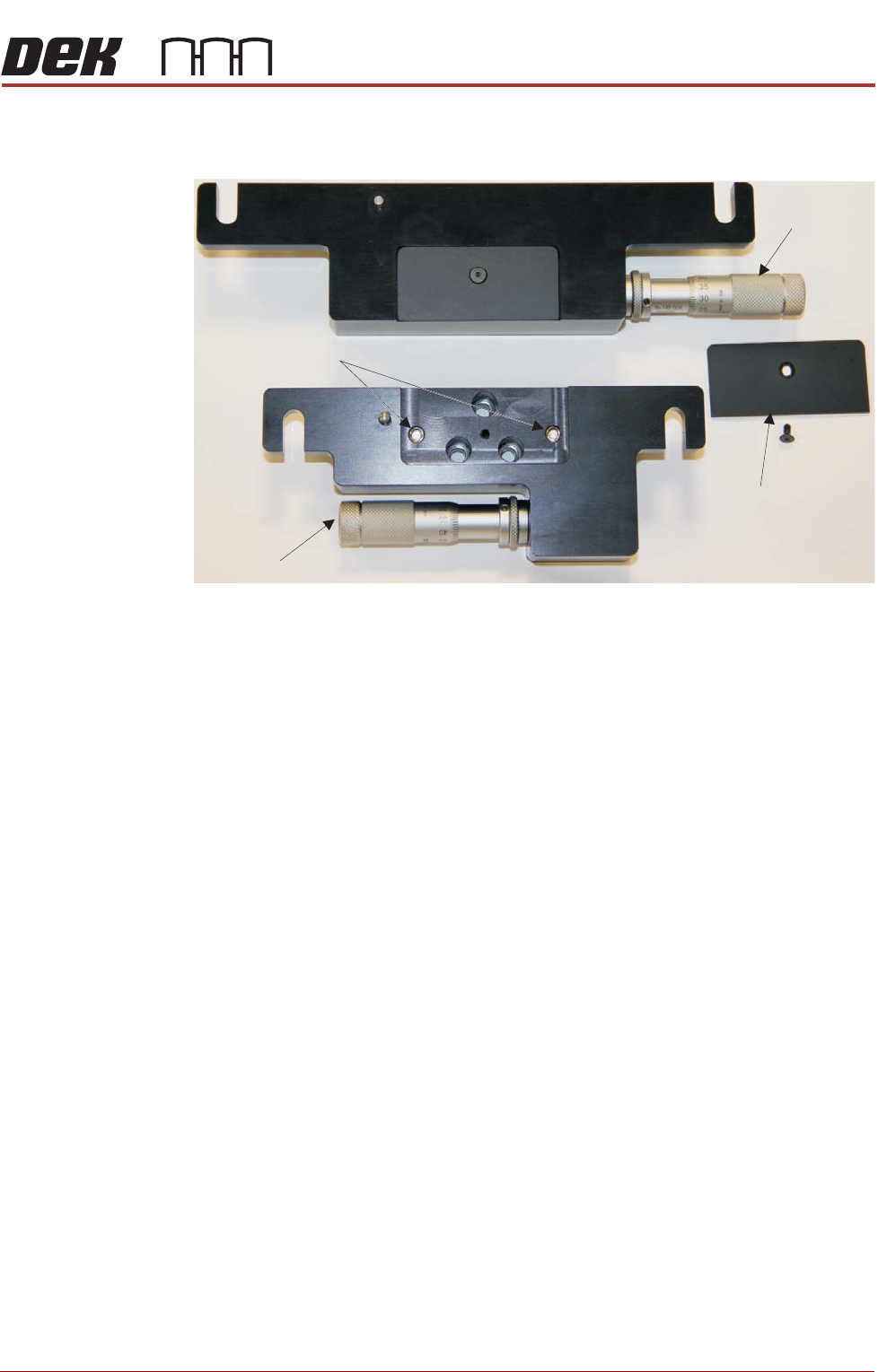
7. On the lateral squeegee mounts, use a 1.5mm Allen key to remove the
debris dust cover at the base of both mounts.
8. Clean the areas behind both covers.
9. Loosen (do not remove) the locking screws on both mounts (turn the
mounts over to access the screws).
10. Ensure that the front and rear lateral squeegee mount adjusters are set to
11mm.
11. Fit the adjustable rear mount to the squeegee mechanism using the three
M4 x 14mm cap headed screws provided. Do not fully tighten as adjust-
ment is needed.
NOTE
The lateral squeegee mounts should have been stored away with three M4 x
14mm cap headed screws. Do not attempt to fit the mounts using the cap
headed screws removed from the standard squeegee mounts.
12. Fit the front adjustable squeegee mount as above.
NOTE
To maintain printing accuracy the squeegee blade must be accurately
positioned to align with the stencil features and be parallel to the print carriage.
Front Squeegee Mount
Locking Screws
Adjuster
Adjuster
Debris Dust Cover
(and retaining screw)
Rear Squeegee Mount
SQUEEGEE MODULE
REPLACEMENT PROCEDURES
10.18 Technical Reference Manual Chapter Issue 4, Jun 18
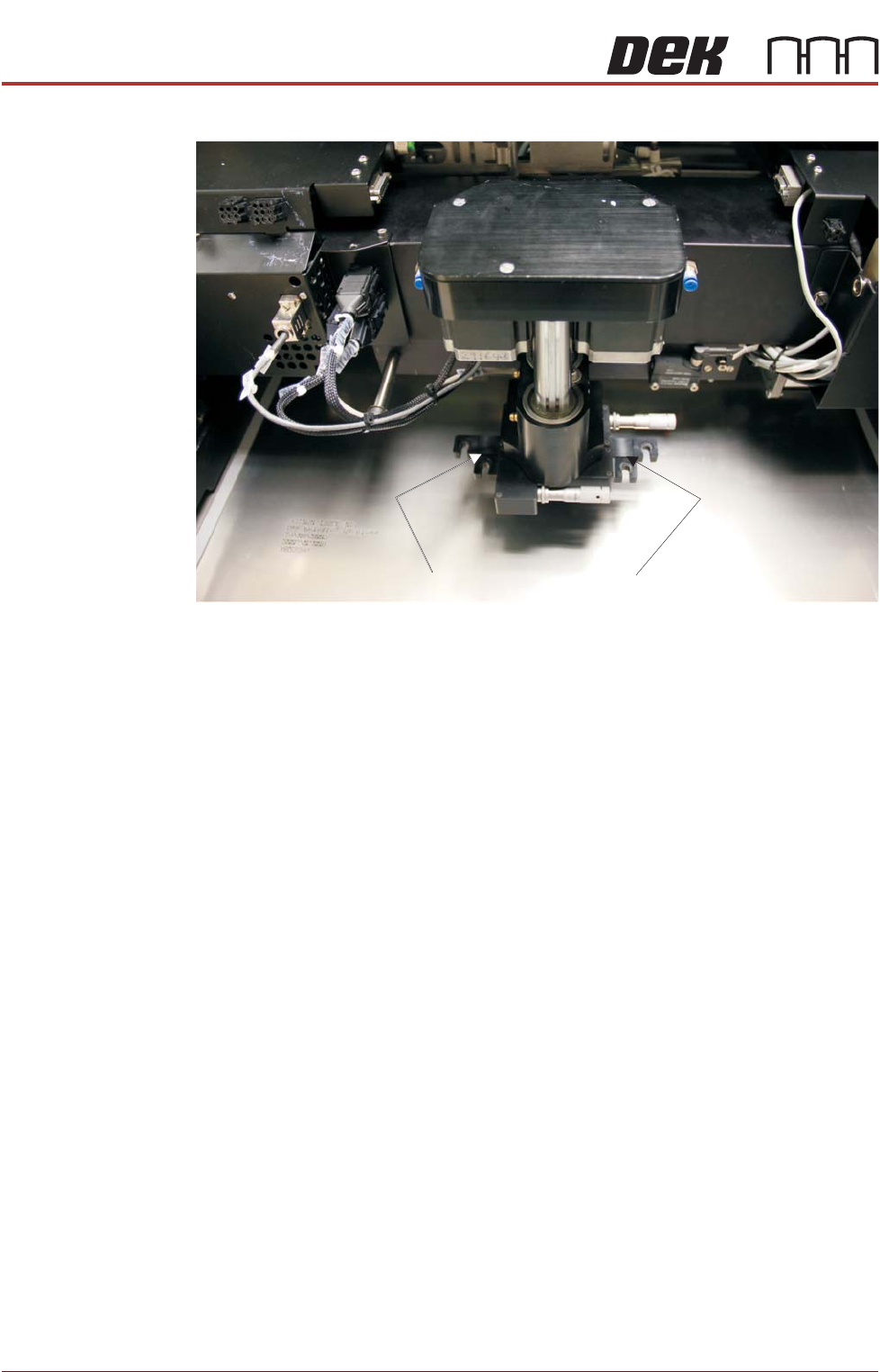
13. Check that a gap exists between the front and rear squeegee mounts.
14. Ensure the alignment procedure below is followed.
Lateral Squeegee
Mount Alignment
NOTE
A Squeegee Mount Setting Gauge is required for this task.
To align the squeegee mount:
1. Load a calibration stencil into the printer, upside down.
2. If powered up, power down the printer and fit the lockout to the mains iso-
lator.
3. Open the printhead front cover.
4. Manually move the print carriage to the front of the printer.
Check for gap between mounts