Galaxy EX Squeegee Module.pdf - 第20页
SQUEEG EE MODULE REPLACEMENT PRO CEDURES 10. 20 Tech nical Refere nc e Manu al Ch apte r Issue 4 , Jun 18 7. M anu al ly win d the r ear sq ue ege e dow n (to a pp roxima t ely 40 mm from th e to p of th e set ting ga ug…
SQUEEGEE MODULE
REPLACEMENT PROCEDURES
Chapter Issue 4, Jun 18 Technical Reference Manual 10.19
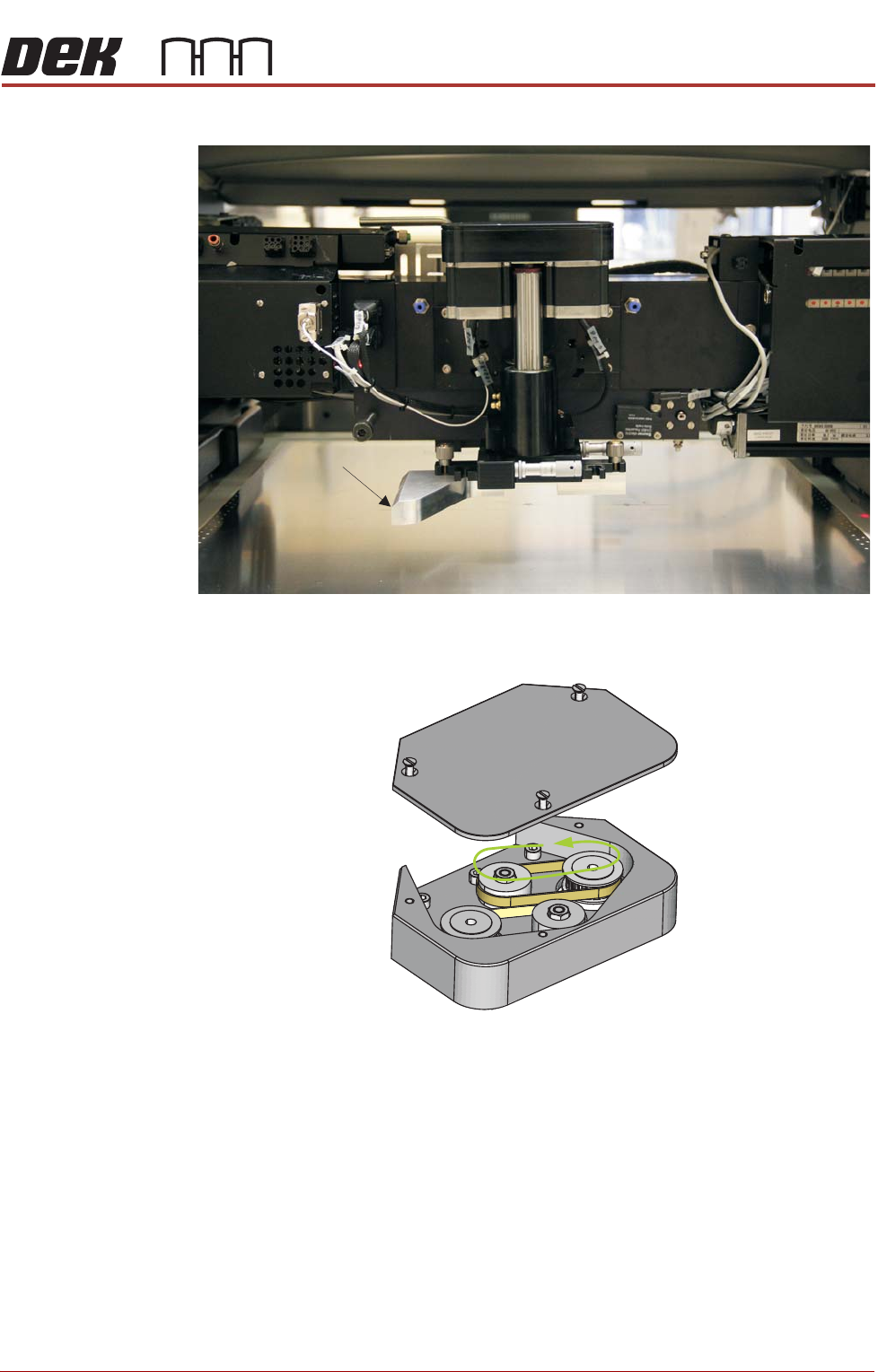
5. Fit the Squeegee Mount Setting Gauge to the rear squeegee mount.
6. Using a flat-bladed screwdriver, remove the squeegee mechanism top
cover.
Setting Gauge
Manually Wind the Rear Squeegee Down Toward the Stencil
SQUEEGEE MODULE
REPLACEMENT PROCEDURES
10.20 Technical Reference Manual Chapter Issue 4, Jun 18
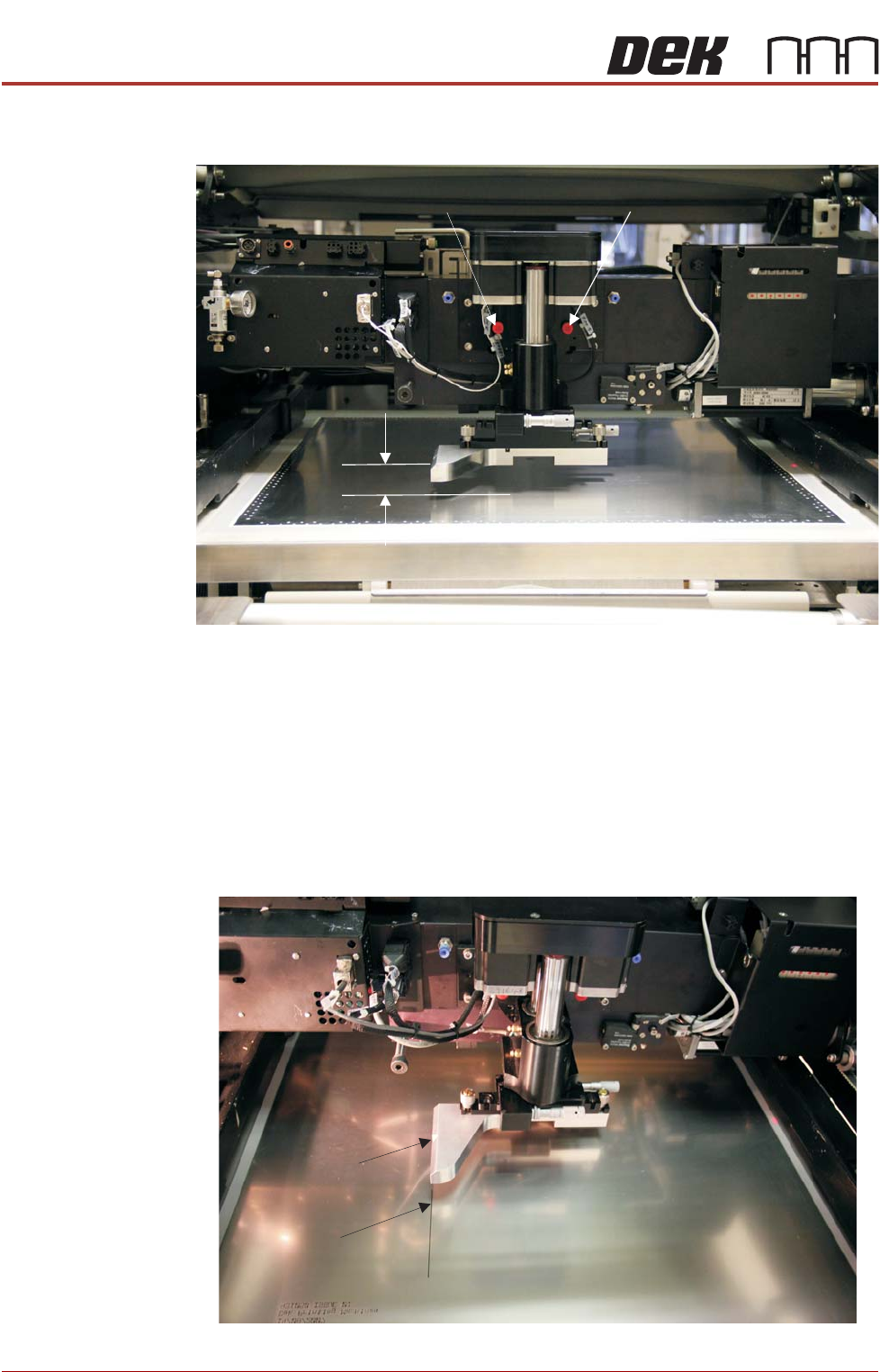
7. Manually wind the rear squeegee down (to approximately 40mm from the
top of the setting gauge to the stencil).
8. Fit two red transit bracket screws (M8x40) into the transit holes of the
squeegee mount; locking it in place, preventing any unwanted roll move-
ment.
9. Using an ultrafine marker pen locate it into the cut-out on the left side of
the gauge.
10. Slowly push the print carriage to the rear keeping the pen in light contact
with the stencil; ensure that the line drawn by the pen is straight and
steady.
11. Draw the line on the stencil for approximately 100mm.
12. Remove the pen.
Transit Bracket Screws
40mm
Fine Line
Pen cut-outPen cut-out

SQUEEGEE MODULE
REPLACEMENT PROCEDURES
Chapter Issue 4, Jun 18 Technical Reference Manual 10.21
13. Pull the print carriage forward to align the gauges’ front corner with the
start of the line.
14. Manually wind the rear squeegee down until the gauge makes light con-
tact with the top of the stencil.
15. If required, rotate the rear squeegee mount (to align it with the drawn line)
to achieve parallelism.
16. Manually raise the rear squeegee up, far enough to gain access to the
three M4x14 cap headed screws that secure the squeegee mount to the
drive shaft. Be careful not to rotate the rear mount. Ensure that the rear
squeegee mount does not clash with the front squeegee mount. If a clash
looks possible, rotate the front mount to maintain a gap between the two
mounts. Do not move the rear mount.
17. Tighten the three cap headed screws.
18. Wind the rear squeegee mount back down onto the stencil and ensure that
it still aligns with the drawn line.
19. Wind the rear squeegee up and remove the squeegee mount setting
gauge.
20. Wind the rear squeegee up until it is flush with the front squeegee.
21. Using a feeler gauge set, select the number of feelers required to give a
friction fit, in the gap between the front and rear mounts.