Galaxy EX Squeegee Module.pdf - 第26页
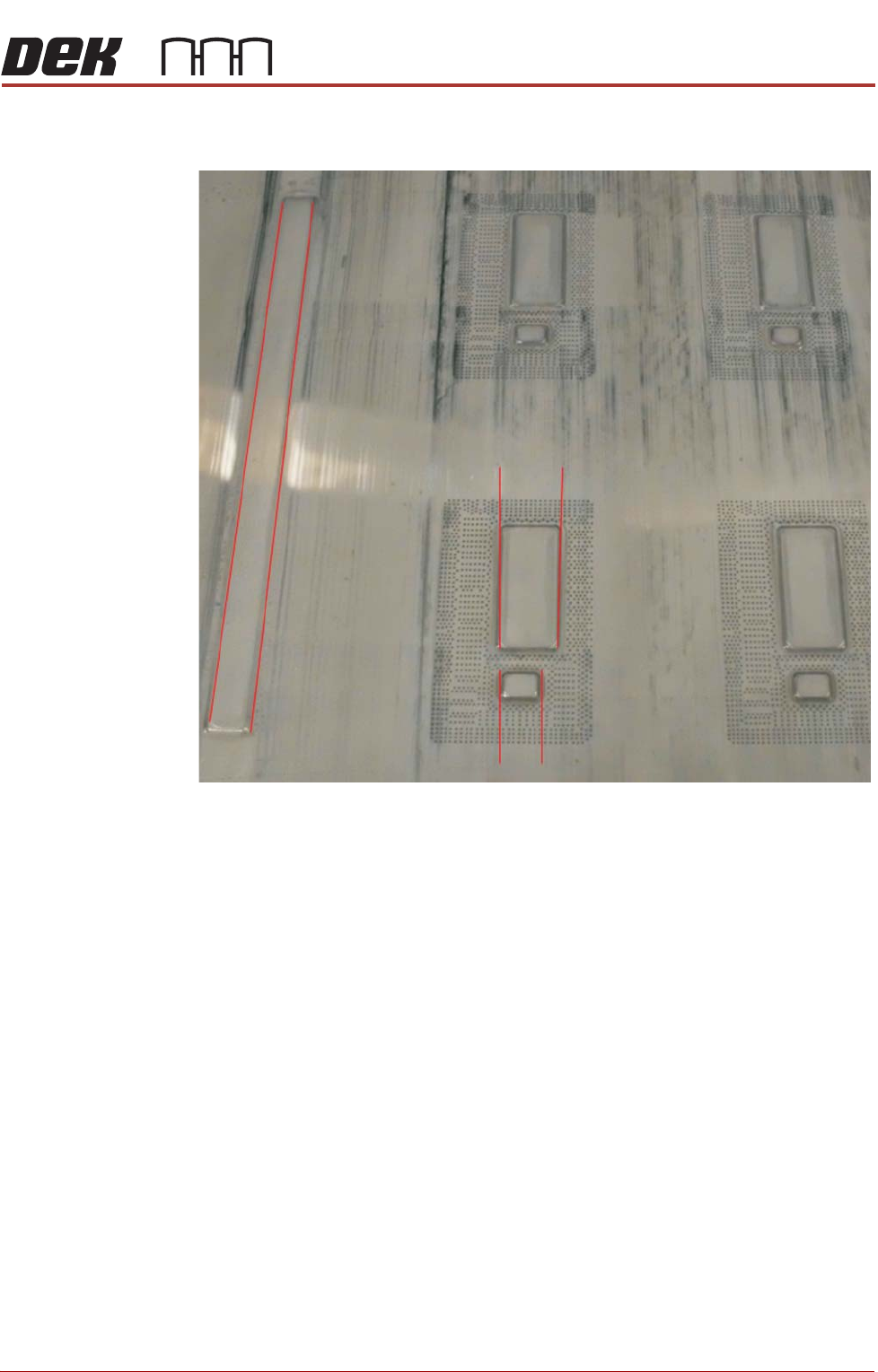
SQUEEG EE MODULE CALIBRATIONS 10. 26 Tech nical Refere nc e Manu al Ch apte r Issue 4 , Jun 18 CALIBRA TIONS Squeegee Pre ssur e Calibr ation Sque eg ee p ress u re ca libr ation is ca rried o ut on m ac hi nes a fte r t…
SQUEEGEE MODULE
REPLACEMENT PROCEDURES
Chapter Issue 4, Jun 18 Technical Reference Manual 10.25
27. Check that the print remains aligned and is not tracking away from the
image.
28. The process must be capable of repeatedly positioning the product to be
printed. Any significant variation can lead to continual movement of the
stencil (the open blade edges apply lateral forces to the stencil). In time,
this negates the lateral squeegee adjustment and increases blade and
stencil wear.
29. Run QC Calc during a print cycle over a 30 board print and check the out-
put is as expected.
30. Perform the squeegee calibrations listed in the next section.
31. If adjustment is required repeat steps 2 through 29.
SQUEEGEE MODULE
CALIBRATIONS
10.26 Technical Reference Manual Chapter Issue 4, Jun 18
CALIBRATIONS
Squeegee
Pressure
Calibration
Squeegee pressure calibration is carried out on machines after the following
circumstances:
• The squeegee mechanism is replaced
• The strain gauge bridge in the squeegee mechanism is replaced
• The rising table sensors have been replaced or adjusted
A force meter calibration jig and squeegee pressure plate are required to
perform the squeegee pressure calibration.
NOTE
1. Ensure that the rising table print reference height is set correctly before
commencing, (the calibration relies upon accurate positioning of the table to
make a reference).
2. Ensure that the Pressure Hardware parameter in Maintenance\Machine
Setup\Options is set to FITTED.
Use the following procedure to calibrate the squeegee pressure:
WARNING
BOARD CLAMPS. EXTREME CARE MUST BE EXERCISED WHEN WORKING IN
THE TOOLING AREA OF THE MACHINE TO AVOID INJURY. THE FOILS ON THE
FRONT AND REAR BOARD CLAMPS ARE VERY SHARP.
1. From the Ready page, select Unload Screen.
2. Open the front printhead cover.
3. Remove the screen from the machine.
4. Remove the tooling (if fitted) from the manual tooling plate.
5. Close the front printhead cover.
6. Press the System button.
7. Select Maintenance.
8. Select Calibrations.
9. Select Pressure.
10. Select Calibrat Readings.
11. The rails are checked for the presence of a board, the print carriage
moves to the calibration position, the rear rail moves to home position, the
table homes and the board clamps are closed.
12. The machine cover is unlocked and the message ‘Fit the pressure cali-
bration rig’ is displayed with the following window:
13. Open the front printhead cover.
SEMI 2
CALIBRATION DATA
Gain Factor
1.02
SQUEEGEE MODULE
CALIBRATIONS
Chapter Issue 4, Jun 18 Technical Reference Manual 10.27
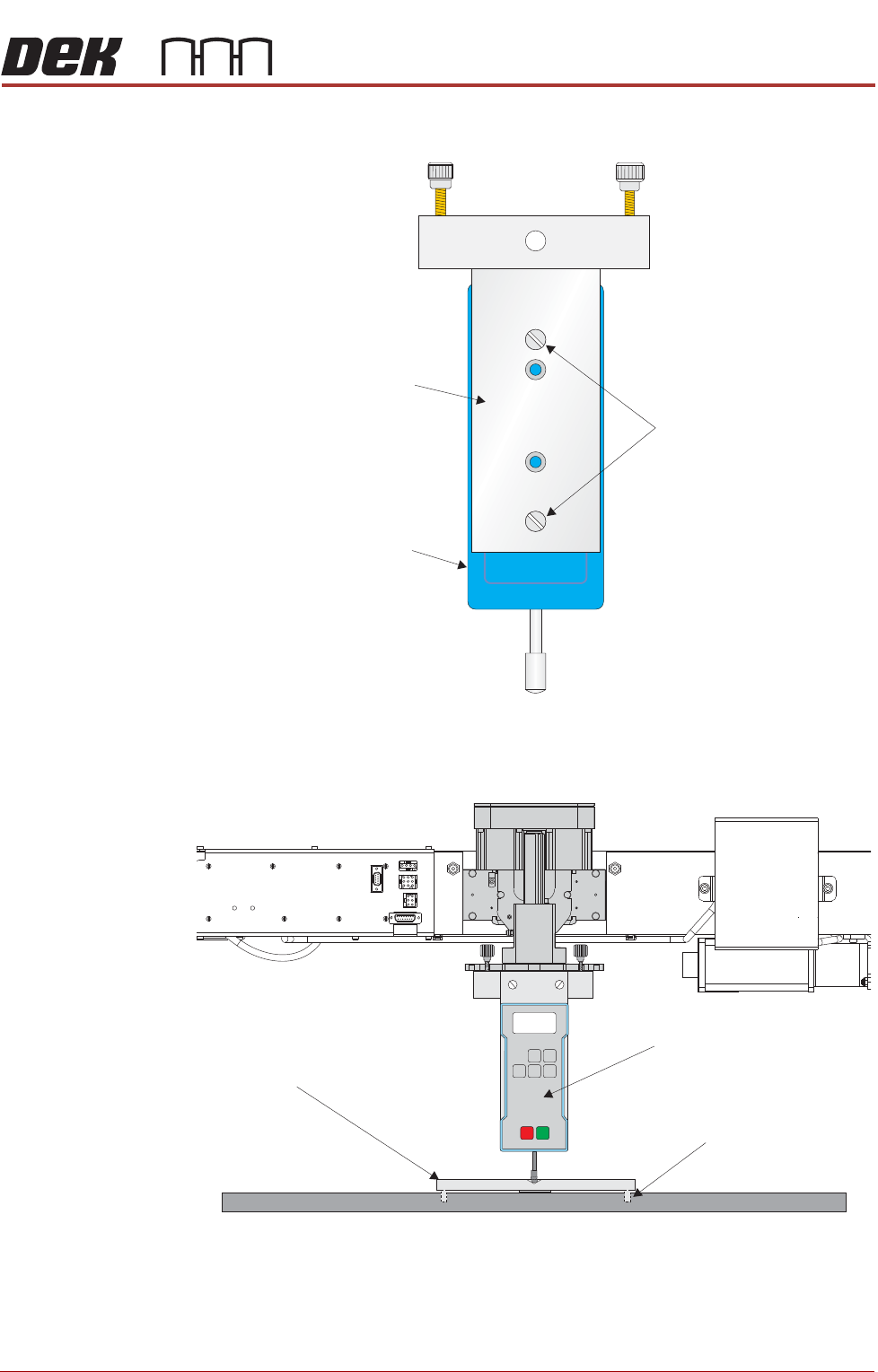
14. Ensure that the calibration jig is secured to the mounting plate as shown in
the following graphic:
15. Fit the calibration jig to the front squeegee position.
Mounting Plate
Mounting Holes
Calibration Jig
A
A
S
S
View on Front Squeegee MechanismUnderneath Rising Tableand
View on Front of Rising Table and Squeegee Mechanism
Squeegee Pressure Plate
Locating Dowel
(in 2 positions)
O
OFF
I
ON
UNITS
Zero
MAX TXD
RESET
00.00
P ortable Force Gauge
(Calibration Jig)