Galaxy EX Squeegee Module.pdf - 第24页
SQUEEG EE MODULE REPLACEMENT PRO CEDURES 10. 24 Tech nical Refere nc e Manu al Ch apte r Issue 4 , Jun 18 10. Loo s en th e four lo ck ing s cr ews . Figure 10-6 Squeegee Me c hanis m (s que egees not shown) 1 1. Check t…
SQUEEGEE MODULE
REPLACEMENT PROCEDURES
Chapter Issue 4, Jun 18 Technical Reference Manual 10.23
4. Ensure that the squeegees are correctly fitted to the front and rear squee-
gee mounts.
5. Power down the printer and fit the lockout to the mains isolator.
6. Open the printhead front cover.
7. Remove the squeegee mechanism top cover.
8. Manually move the print carriage to roughly align the rear squeegee with
the rear of the feature nearest the centre of the image.
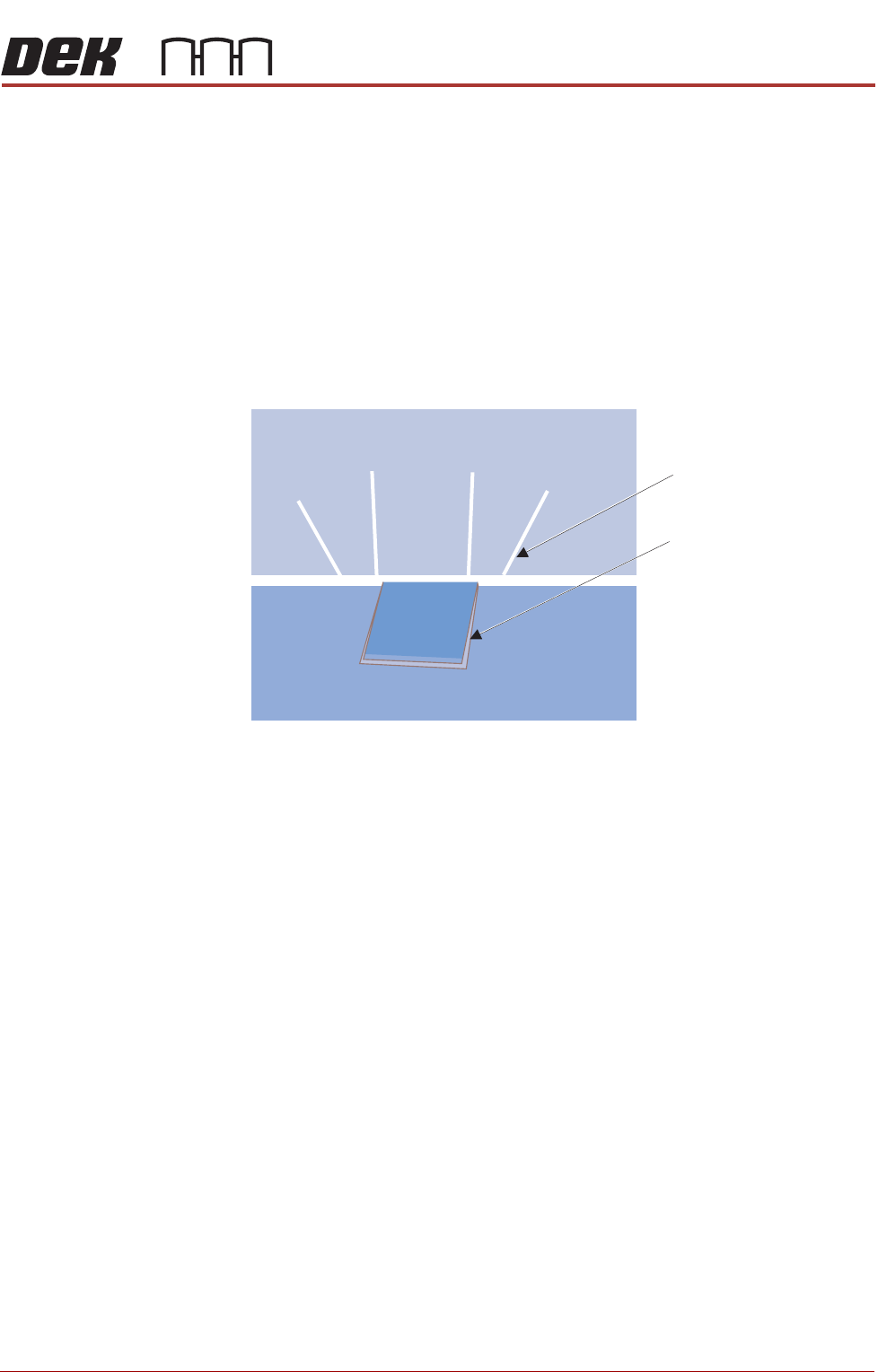
9. Manually wind the rear squeegee down. Position the rear squeegee blade
in line with the rear of the stencil step.
Figure 10-5 Squeegee Placed Above the Stencil Step
Stencil Step
Slitted Squeegee Blade
SQUEEGEE MODULE
REPLACEMENT PROCEDURES
10.24 Technical Reference Manual Chapter Issue 4, Jun 18
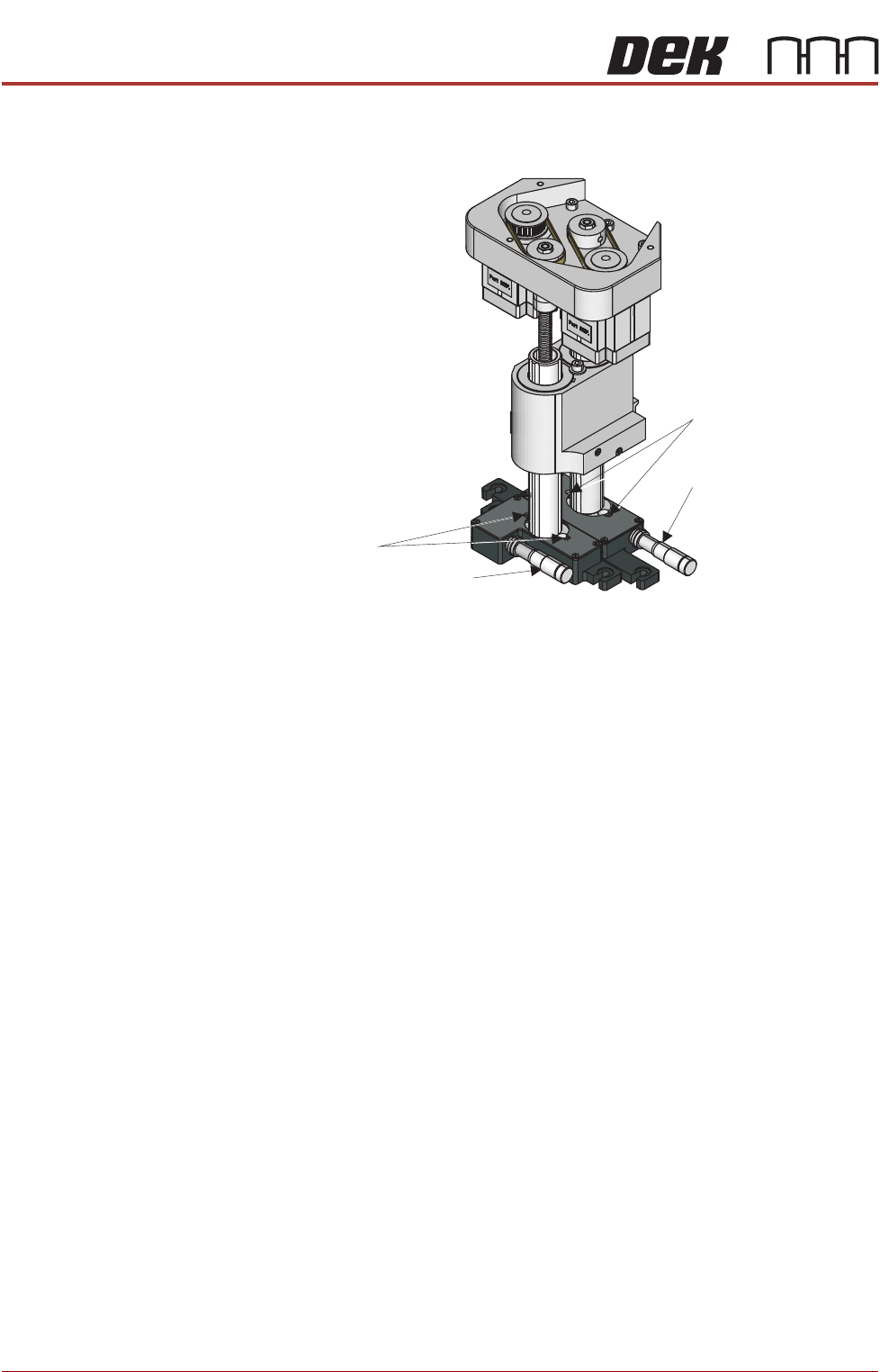
10. Loosen the four locking screws.
Figure 10-6 Squeegee Mechanism (squeegees not shown)
11. Check that the rear lateral adjuster micrometer is set to 11mm.
NOTE
There is 4mm of adjustment either side of the 11mm centre.
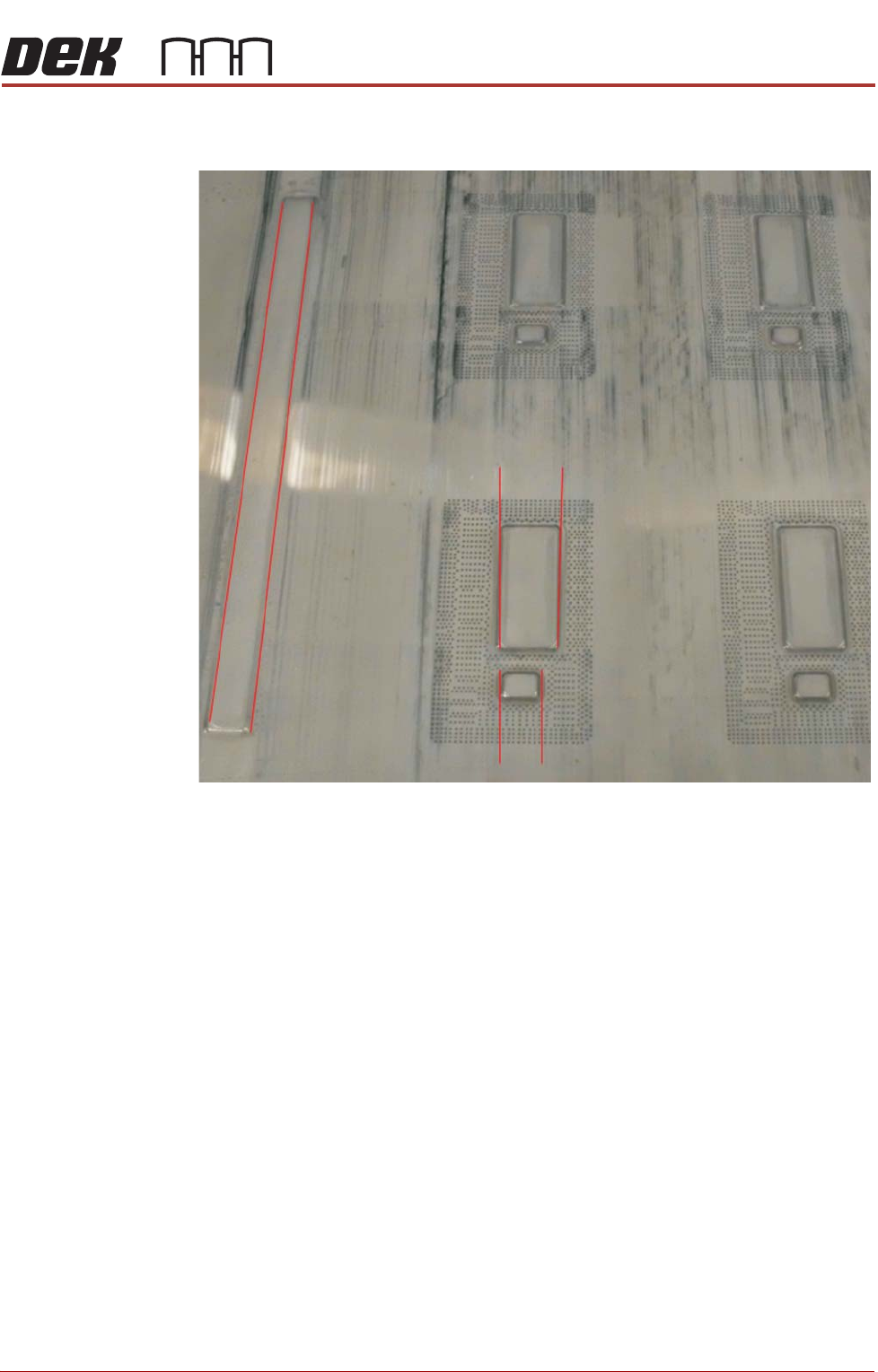
12. Turn the micrometer to align the slits with the step edges.
13. Manually wind the rear squeegee down until it touches the stencil.
14. Depress and release the stencil and check that the slits remain aligned
with the step edges. Adjust as necessary.
15. Tighten the two rear locking screws.
16. Raise the rear squeegee off of the stencil.
17. Repeat steps 9 through 14 for the front squeegee.
18. Tighten the two front locking screws.
19. Raise the front squeegee off of the stencil.
20. Refit the squeegee mechanism top cover.
21. If required, fit the squeegee drip tray.
22. Unlock the mains isolator.
23. Power up the printer.
24. Set up the printer parameters ready to perform a print.
25. Dispense or manually apply paste (open the printhead front cover), off the
image. (If opened close the printhead front cover).
26. Run a test print and check the alignment.
Lateral Adjuster (Front)
Front Locking Screws
Rear Locking Screws
Lateral Adjuster (Rear)
SQUEEGEE MODULE
REPLACEMENT PROCEDURES
Chapter Issue 4, Jun 18 Technical Reference Manual 10.25
27. Check that the print remains aligned and is not tracking away from the
image.
28. The process must be capable of repeatedly positioning the product to be
printed. Any significant variation can lead to continual movement of the
stencil (the open blade edges apply lateral forces to the stencil). In time,
this negates the lateral squeegee adjustment and increases blade and
stencil wear.
29. Run QC Calc during a print cycle over a 30 board print and check the out-
put is as expected.
30. Perform the squeegee calibrations listed in the next section.
31. If adjustment is required repeat steps 2 through 29.