Galaxy EX Squeegee Module.pdf - 第22页
SQUEEG EE MODULE REPLACEMENT PRO CEDURES 10. 22 Tech nical Refere nc e Manu al Ch apte r Issue 4 , Jun 18 22. Sli de th e fee le r ga ug e alon g t he le ng th of the ga p to en sure t hat i t rem a ins con sta nt b e tw…

SQUEEGEE MODULE
REPLACEMENT PROCEDURES
Chapter Issue 4, Jun 18 Technical Reference Manual 10.21
13. Pull the print carriage forward to align the gauges’ front corner with the
start of the line.
14. Manually wind the rear squeegee down until the gauge makes light con-
tact with the top of the stencil.
15. If required, rotate the rear squeegee mount (to align it with the drawn line)
to achieve parallelism.
16. Manually raise the rear squeegee up, far enough to gain access to the
three M4x14 cap headed screws that secure the squeegee mount to the
drive shaft. Be careful not to rotate the rear mount. Ensure that the rear
squeegee mount does not clash with the front squeegee mount. If a clash
looks possible, rotate the front mount to maintain a gap between the two
mounts. Do not move the rear mount.
17. Tighten the three cap headed screws.
18. Wind the rear squeegee mount back down onto the stencil and ensure that
it still aligns with the drawn line.
19. Wind the rear squeegee up and remove the squeegee mount setting
gauge.
20. Wind the rear squeegee up until it is flush with the front squeegee.
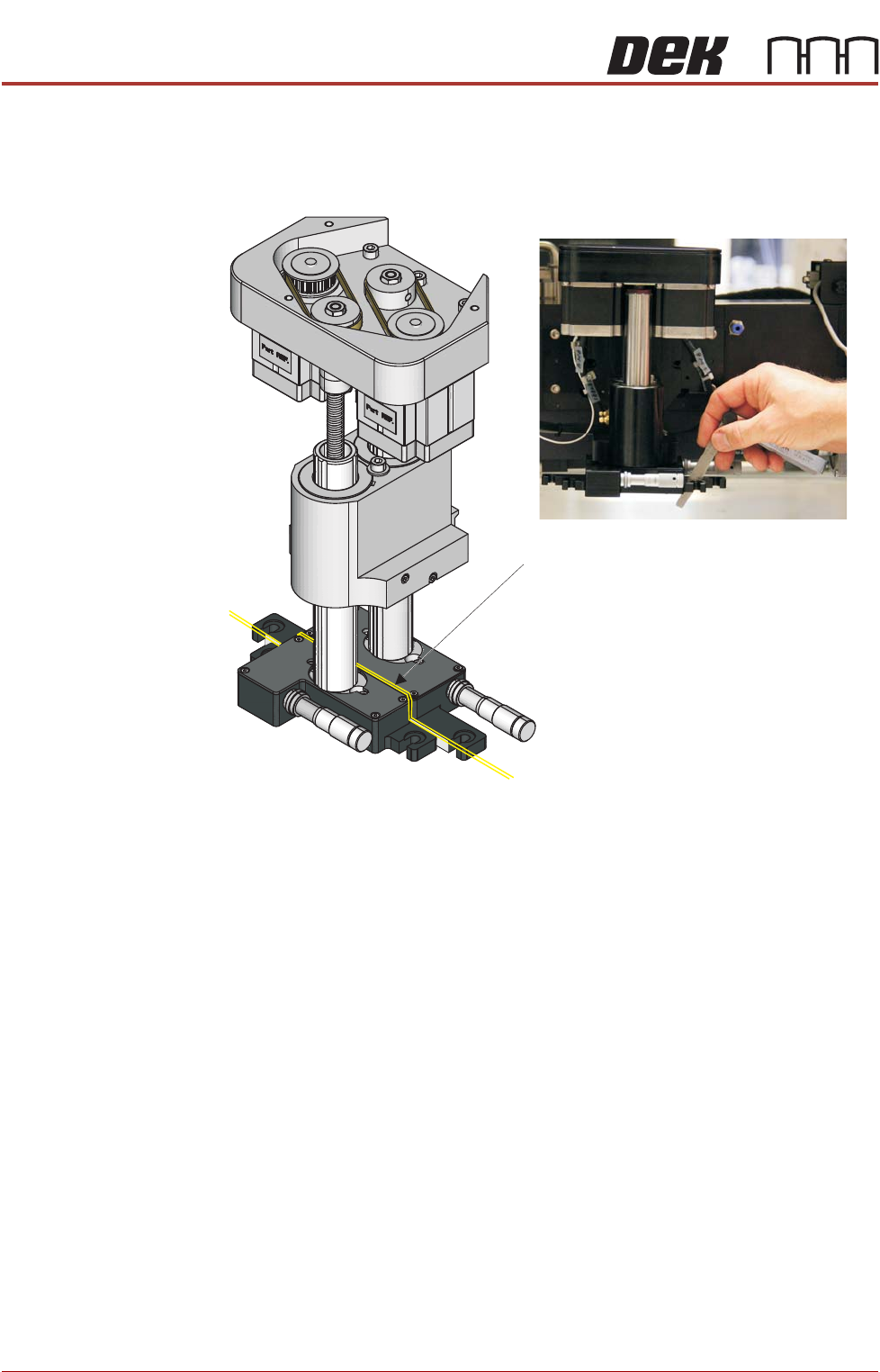
21. Using a feeler gauge set, select the number of feelers required to give a
friction fit, in the gap between the front and rear mounts.
SQUEEGEE MODULE
REPLACEMENT PROCEDURES
10.22 Technical Reference Manual Chapter Issue 4, Jun 18
22.Slide the feeler gauge along the length of the gap to ensure that it remains
constant between the front and rear mounts. If adjustment in theta is
required adjust the front squeegee accordingly.
Figure 10-4 Checking Squeegee Mount Parallelism
23. Fully tighten the three M4 x 14mm cap headed screws which secure the
front squeegee mount to the front squeegee shaft.
24. Refit the two debris covers on the base of the squeegee mounts.
25. Refit the squeegee mechanism top cover.
26. Remove and safely stow the two red transit bracket screws.
27. Remove any tools or equipment left in the printer.
28. Ensure that the understencil cleaner is in its home position.
29. Close the printhead front cover.
30. Unlock the mains isolator and power up the printer.
31. Unload the calibration stencil.
32. Using an IPA wipe, clean the marker pen line from the stencil.
33. Fit and align the squeegee blades as shown in the next procedure.
Squeegee Blade
Alignment
1. Load the production product and its associated 3Dstencil.
2. Select Open Cover Commands.
3. Open the front cover and fit the correct squeegee blades for the product.
Gap maintained
throughout
Gap
SQUEEGEE MODULE
REPLACEMENT PROCEDURES
Chapter Issue 4, Jun 18 Technical Reference Manual 10.23
4. Ensure that the squeegees are correctly fitted to the front and rear squee-
gee mounts.
5. Power down the printer and fit the lockout to the mains isolator.
6. Open the printhead front cover.
7. Remove the squeegee mechanism top cover.
8. Manually move the print carriage to roughly align the rear squeegee with
the rear of the feature nearest the centre of the image.
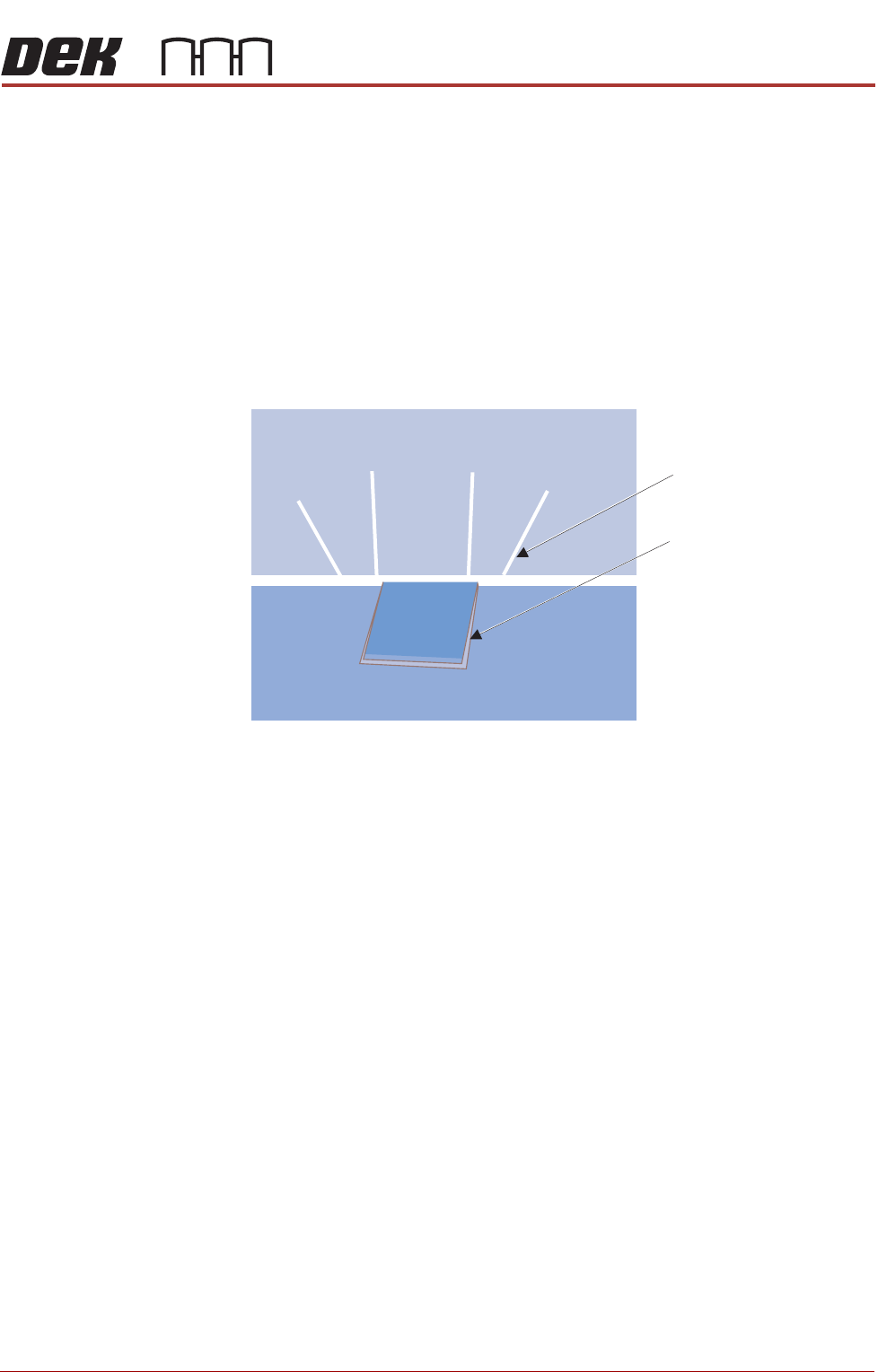
9. Manually wind the rear squeegee down. Position the rear squeegee blade
in line with the rear of the stencil step.
Figure 10-5 Squeegee Placed Above the Stencil Step
Stencil Step
Slitted Squeegee Blade