SME_DB_Feeder_User_Guide(Eng_Ver1.5) (1).pdf - 第53页
2-27 Operation of the Feeder The method to set the tape feeding speed by pressing the button on the tape feeder operation panel is as follows: 1) Pressing and h olding the 'Pitch Change' button changes the st a…
2-26
SM-Series SME DB Tape Feeder User's Manual
2.7.2. SME 12~88mm Tape Feeder Transport Pitch
For the SME 12~88 mm tape feeders, the feeding pitch can be set to units of 4mm.
Actual feeding distance can be calculated by multiplying the value displayed in the 7-
Segment window by 4mm.
Table2.1 Table for Feeding Pitch by Tape Feeder
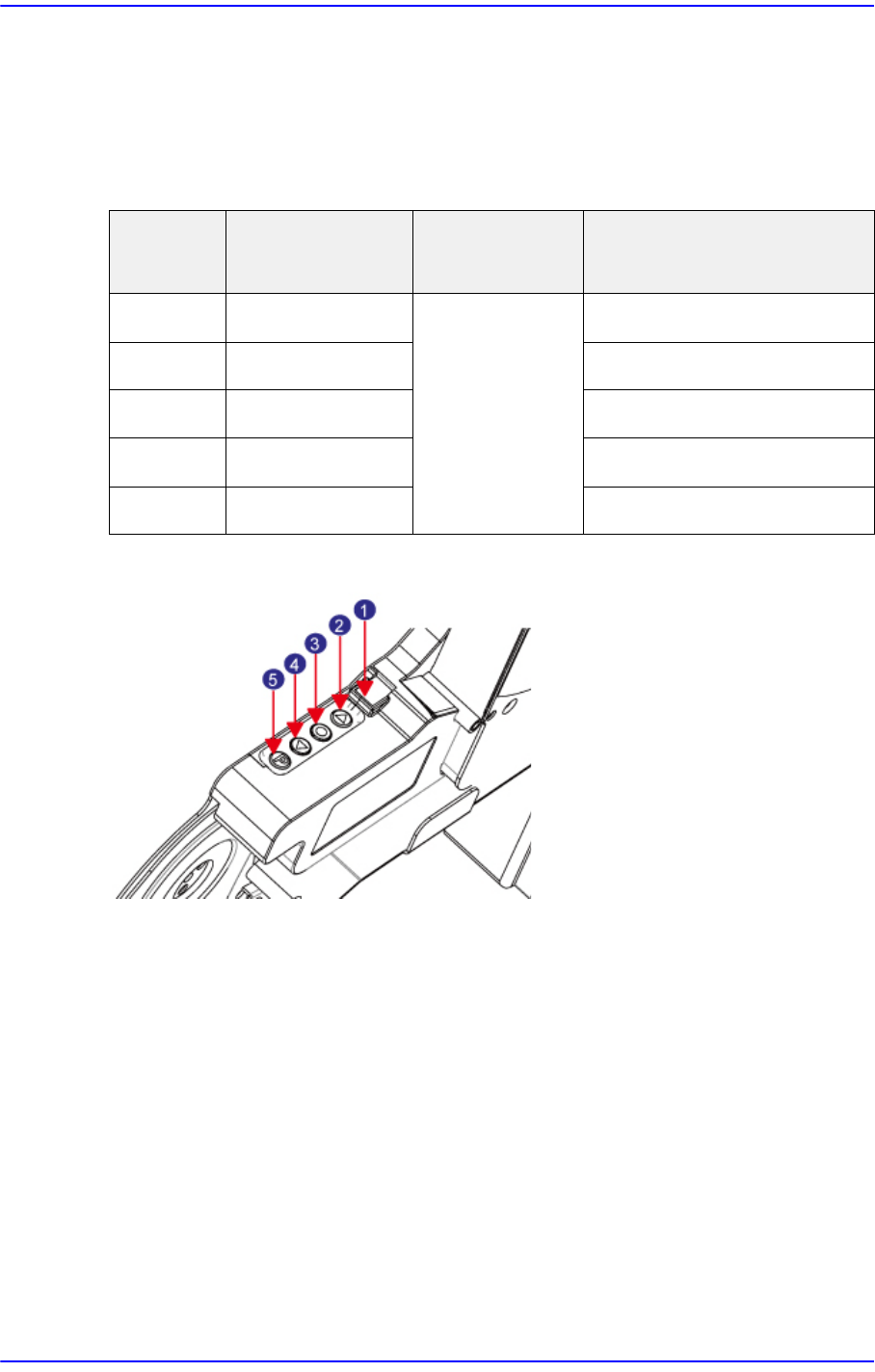
Figure2.22 12~88mm Tape Feeder Switch
1: 7Segment
2: Forward Button
3:
Home Button
4: Backward Button
5: Pitch Change Button
The method to set the tape feeding pitch by pressing the button on the tape feeder
operation panel is as follows:
1) Pressing and holding the 'Pitch Change' button changes the status of the 7-Segment to
blinking.
2) Referring to the table for feeding
pitch by tape feeder, press the Forward or Backward
button to change the pitch.
3) Press the 'Pitch Change' button briefly to finish tape pitch se
tup.
Tape Size
7-Segment
Indication Value
Feeding Pitch Possible Feeding Distance
12mm 1~3 4mm 4~12mm
16mm 1~4 4~16mm
24mm 1~6 4~24mm
32mm 2~8 8~32mm
44~88mm 2~11 8~44mm
2-27
Operation of the Feeder
The method to set the tape feeding speed by pressing the button on the tape feeder
operation panel is as follows:
1) Pressing and holding the 'Pitch Change' button changes the status of the 7-Segment to
blinking.
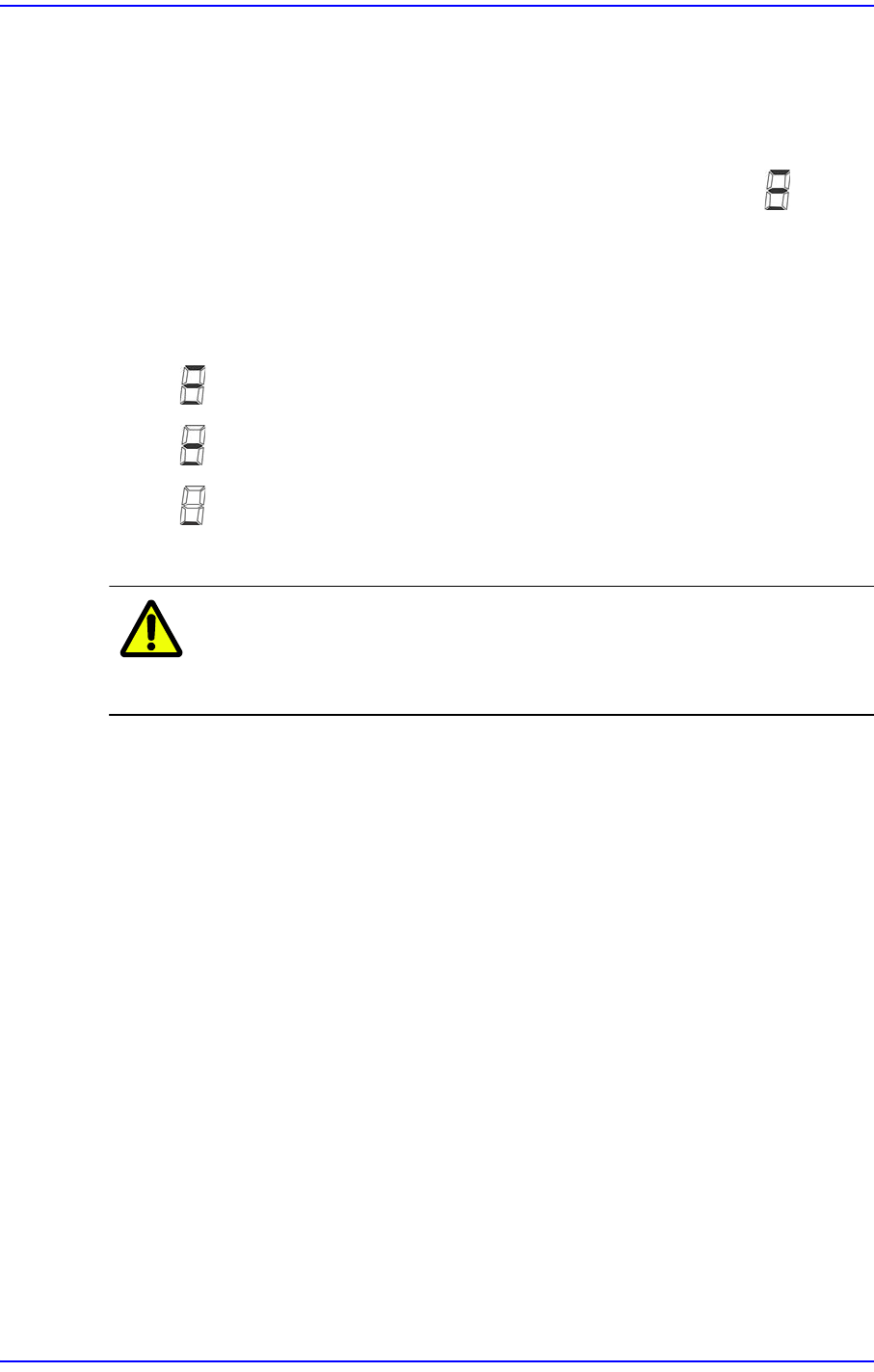
2) Press the 'Home' button and hold to change the state of the 7-Segment to .
3) It is possible to change the tape f
eeding speed by selecting one of the 3 types displayed
on the 7-Segment. Select the tape feeding speed by pressing the Forward or Backward
button.
Feeding Speed of tape Indicated with the 7-Segme
nt
: Normal
: Slow
: Slowly
4) Press the 'Pitch Change' button briefly to finish setup of t
h
e tape feeding speed.
Caution Unless the pitch is set properly, part loss may occur.
Therefore, exercise care.
2-28
SM-Series SME DB Tape Feeder User's Manual
2.8. Error Code
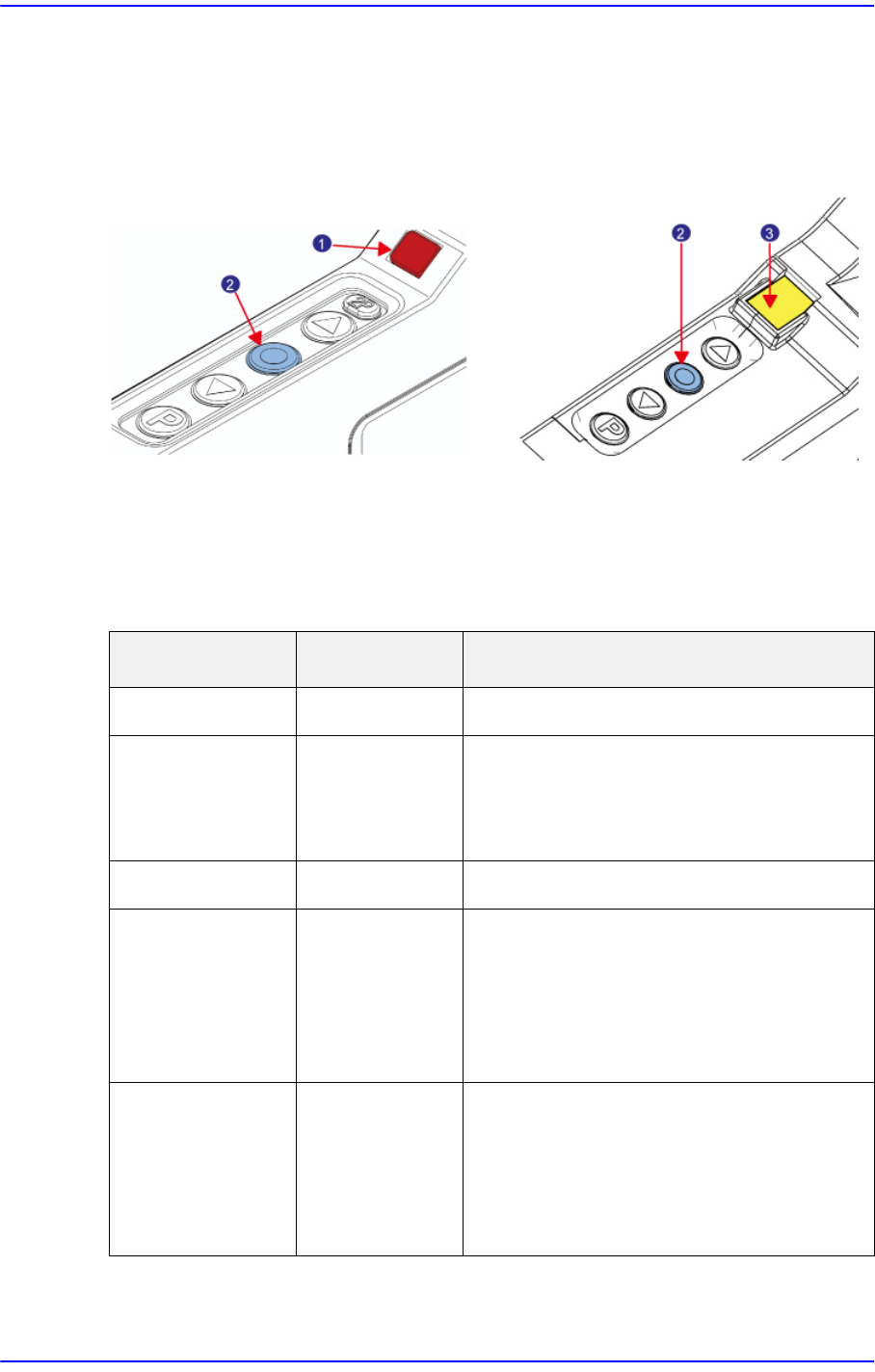
Figure2.23 SME 8mm, W4P1 Tape Feeder State LED / 12~88mm Tape Feeder State Lamp
1: State LED
2: Home Button
3: 7 Segment
SME 8mm/ W4P1 Tape Feeder
(a) SME 8mm/W4P1 tape feeder (b) SME 12~88mm tape feeder
Feeder State LED Display State Explanation
Not Powered Off No power supply
Error Red Homing movement not performed
Not detected by the drain sensor
Error occurred
Feeding Orange Under feeding
Normal (Ready) Green Normal (Ready)
The function to warn against
communication disconnection is
being used when a Non - IT
machine is using the feeder.
Slot Error Magenta Failed to connect communication
after installing the feeder.
Remove the feeder from the
machine and clean the probe
pin of the feeder.