00198171-02_Technical_Training_FSE_TX-Series_EN.pdf - 第137页
9 Station Software Overviews 9.3 User management and activity level rights Technical Training FSE SIPLACE TX-Series 01/2018 137 Calibration and configur- ation ● Conducts Calibrations ● Configures and upgrade machine ● B…
9 Station Software Overviews
9.2 Overview Station Software Main Menus
136 Technical Training FSE SIPLACE TX-Series 01/2018
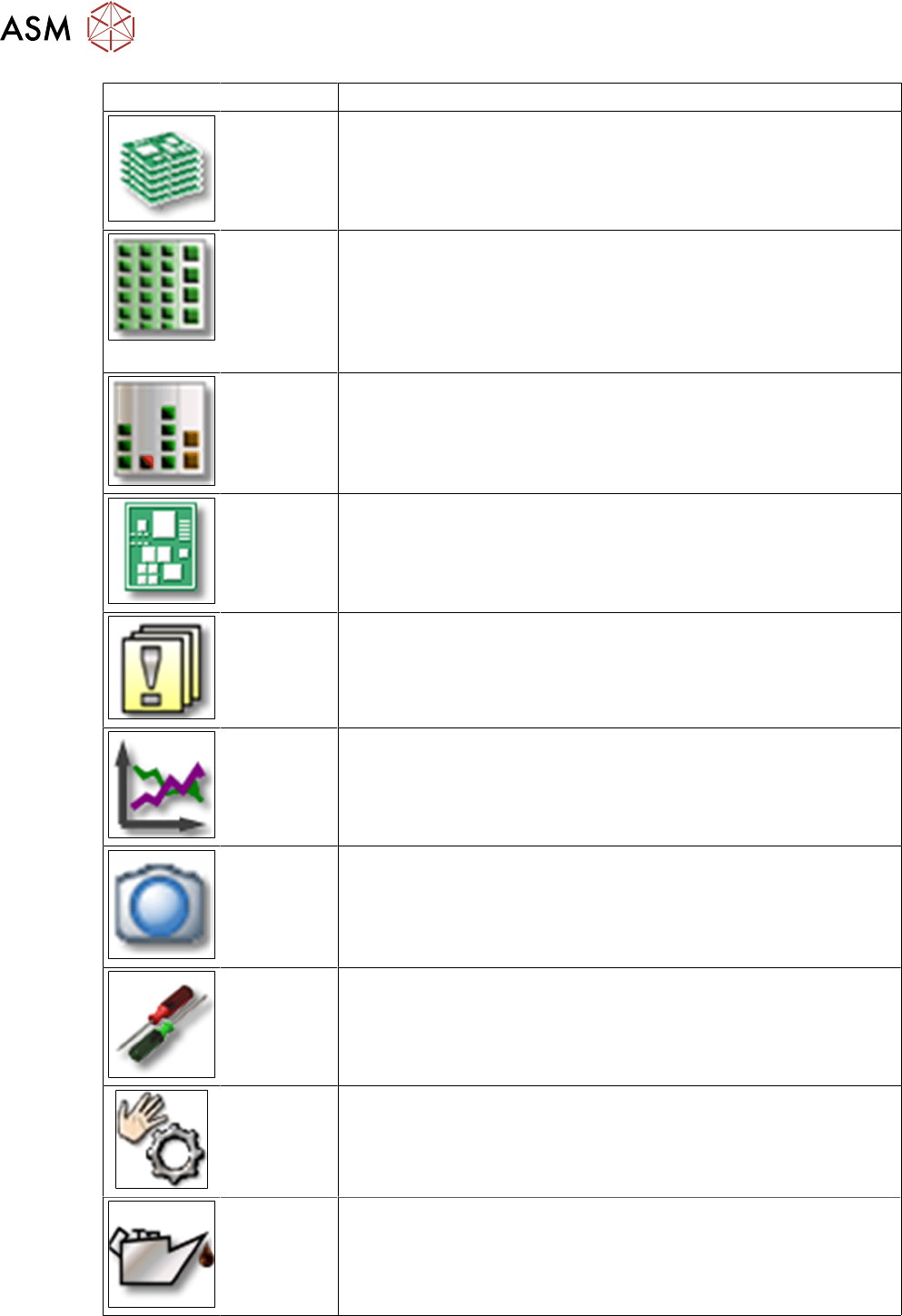
Icon Description
Main Operat-
ing View
●
Production information
●
Production status
Locations
and Feeders
●
Checks and configures feeders and nozzles configuration.
●
Displays deactivated feeders and omitted feeders
●
Teaches component shapes and component pocket shapes
●
Modifies tray descriptions
●
Sets glue parameters
Component
filling levels
Displays and edits Component filling levels
PCB Inform-
ation
●
Displays and edits boards and placement positions list
●
Teaches fiducials
Messages
●
Displays notifications about current and previous events
●
Individual tables can be viewed for track errors, conveyor er-
rors, machine errors, general errors and linked errors
●
Displays the saved vision dumps
Performance
data
●
Shows the statistics for board and machine performance
●
Starts the OIS (Operator Information System)
Live image
●
Displays the individual live camera images
●
Views and saves the Vision dump
Settings and
Options
●
Checks & sets machine settings and GUI
●
Sets the activity level and the user interface language
●
Displays and edits the machine options and software options
Sensors and
functions
●
Information and functions for tests and diagnoses
●
Sets the behavior of start button, starts overall reference run
●
Single machine and head functions and endurance runs
Maintenance
●
Executes machine maintenance
●
Displays head statistics data
●
Head verification software
9 Station Software Overviews
9.3 User management and activity level rights
Technical Training FSE SIPLACE TX-Series 01/2018 137
Calibration
and configur-
ation
●
Conducts Calibrations
●
Configures and upgrade machine
●
Backs up and restores machine data
9.3 User management and activity level rights
Activity Levels User Levels
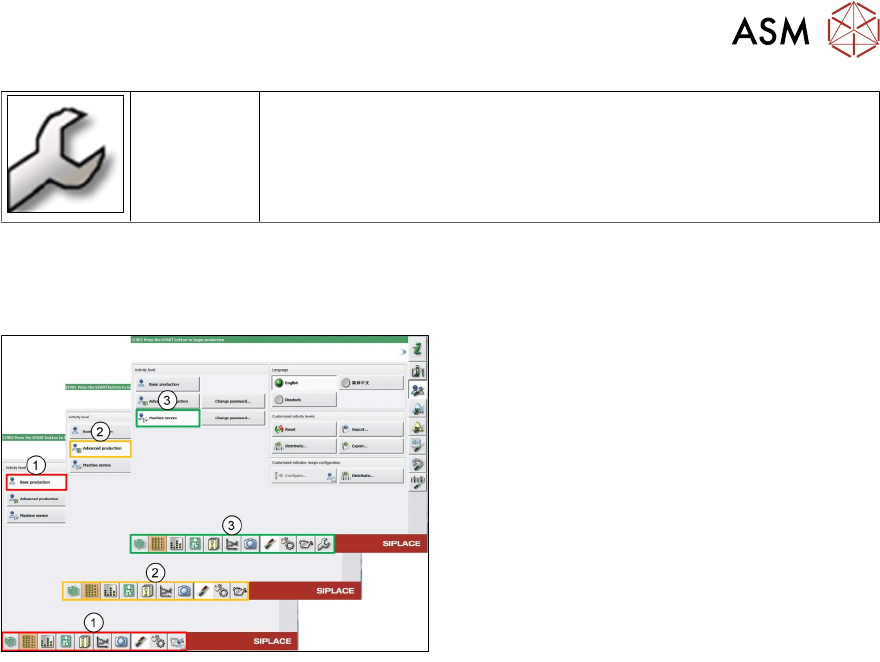
Following activity levels are defined:
1. Basic production
2. Advanced production
3. Machine service
The buttons vary according to your individual configuration and the operator level set.
Some views are only available for higher operator levels.
Basic production
This operator level is for basic machine operation.
Advanced production
This level is for people who can make programming changes.
SIPLACE Station vision teaching, teaching fiducials or who conduct machine maintenance.
9 Station Software Overviews
9.3 User management and activity level rights
138 Technical Training FSE SIPLACE TX-Series 01/2018
Machine service
Only for qualified personnel who can change machine configuration or conduct calibrations.
●
The activity levels “Advanced production” and “Machine service” can be password protected
●
The activity levels can only be changed by the Machine service and Advanced production
activity levels. The activity level for a function cannot be changed to a higher level as the cur-
rent login level
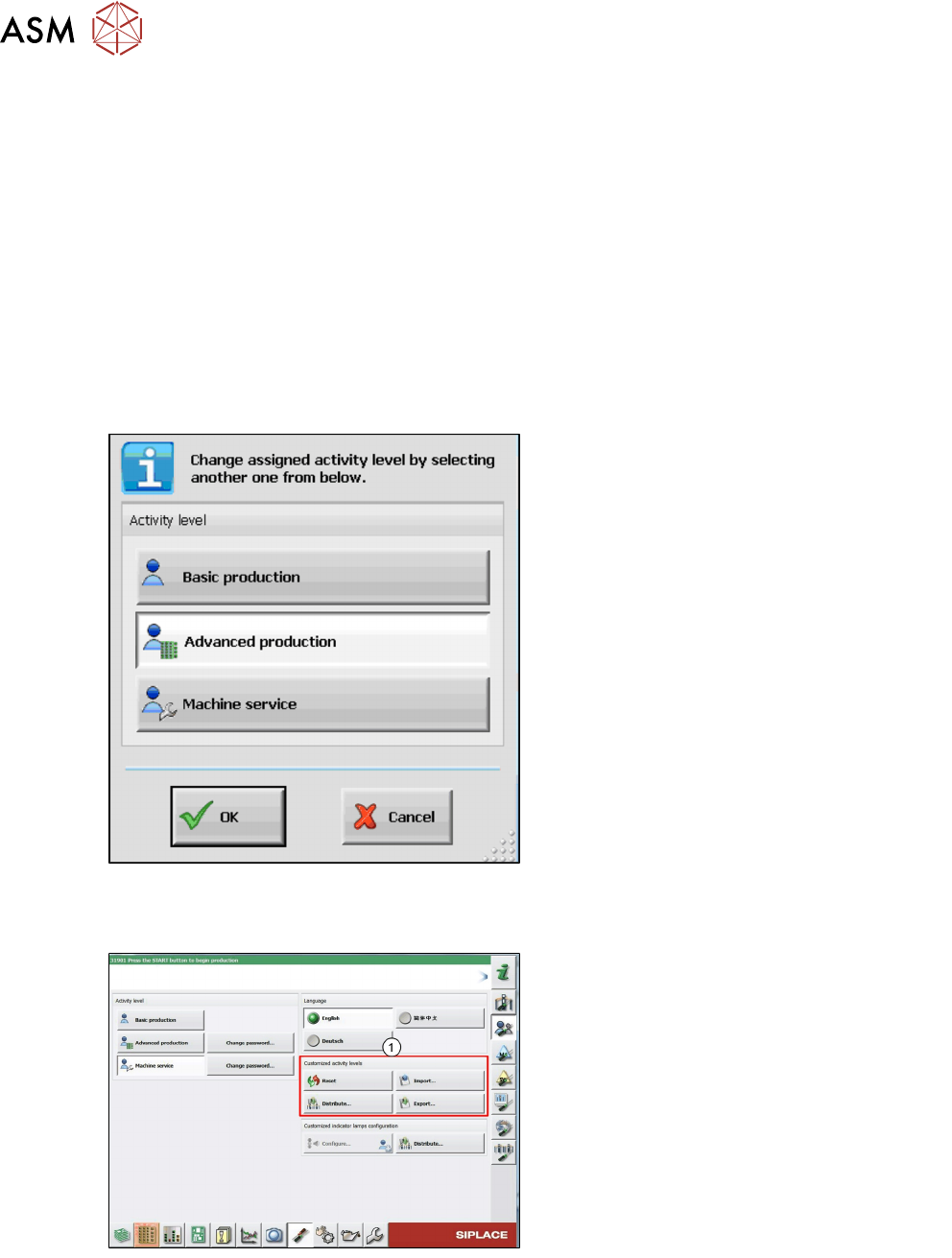
The activity level can be changed as follows:
●
Log in on the suitable activity level
●
Right-click with the mouse on the function for which you wish to change the activity level
The following dialog box is displayed in which the default activity level is highlighted:
●
Select the desired activity level
●
Click on OK
●
The change is immediately activated and
remains activated after a machine reboot
The user configuration file can be copied and imported to other placement machines / lines. This
has to be explicitly performed by the user on the Machine service activity level, as the settings are
not automatically distributed. The imported settings are immediately activated.
1. The changes can be reset, imported and
exported. The import and export functions
contain the passwords for the advanced
production and Machine service activity
levels.