AOI_RS_v85_en.pdf - 第100页
Chap ter3 SPC User Ma nual AOI Repair Station 96 6 DA TE SOR T Sorts by date and time(two hours per unit)calculates defect components in detail Step1. S elect [MODEL], [ST A TION], [ DA TE TIME], [Repair staff (USER)],…
Chapter3 SPC User Manual
AOI Repair Station
95
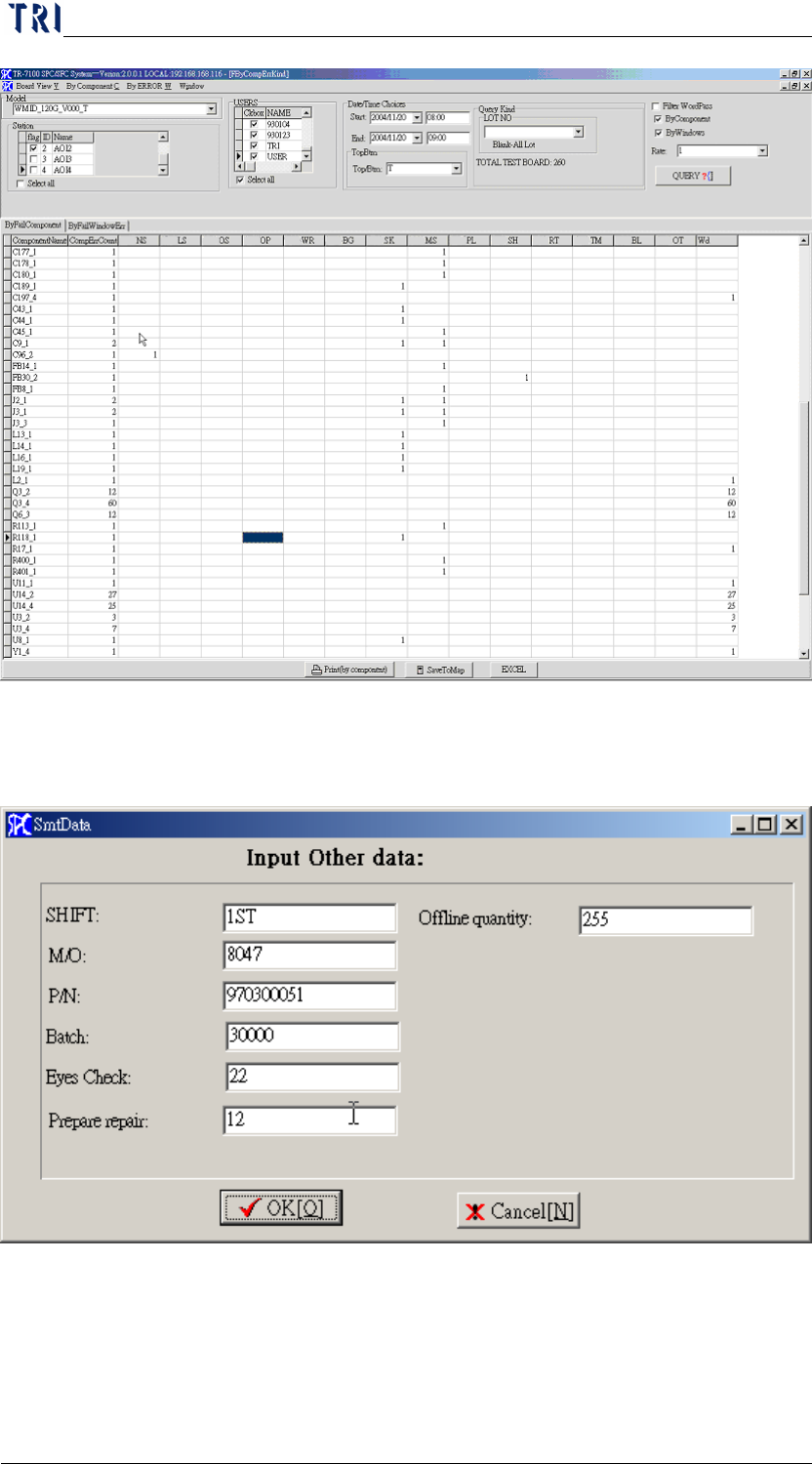
Step3. Click on [PRINT] or click on [EXCEL] will generate EXCEL report.
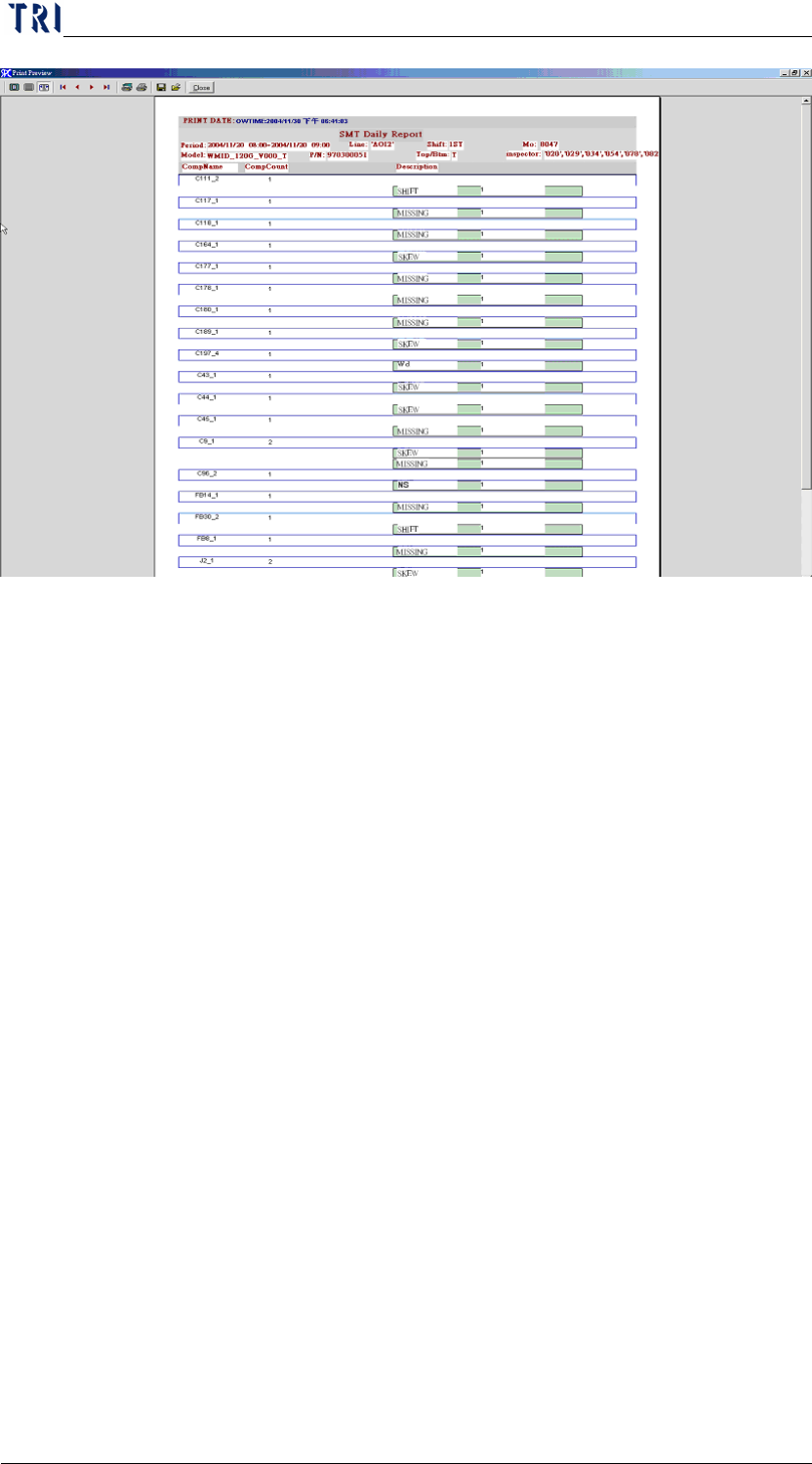
the following screen will appear when [PRINT] is clicked:
Key in the values for each column, and then click [OK] to see
the report on screen below
Chapter3 SPC User Manual
AOI Repair Station
96
6 DATE SORT
Sorts by date and time(two hours per unit)calculates defect components in
detail
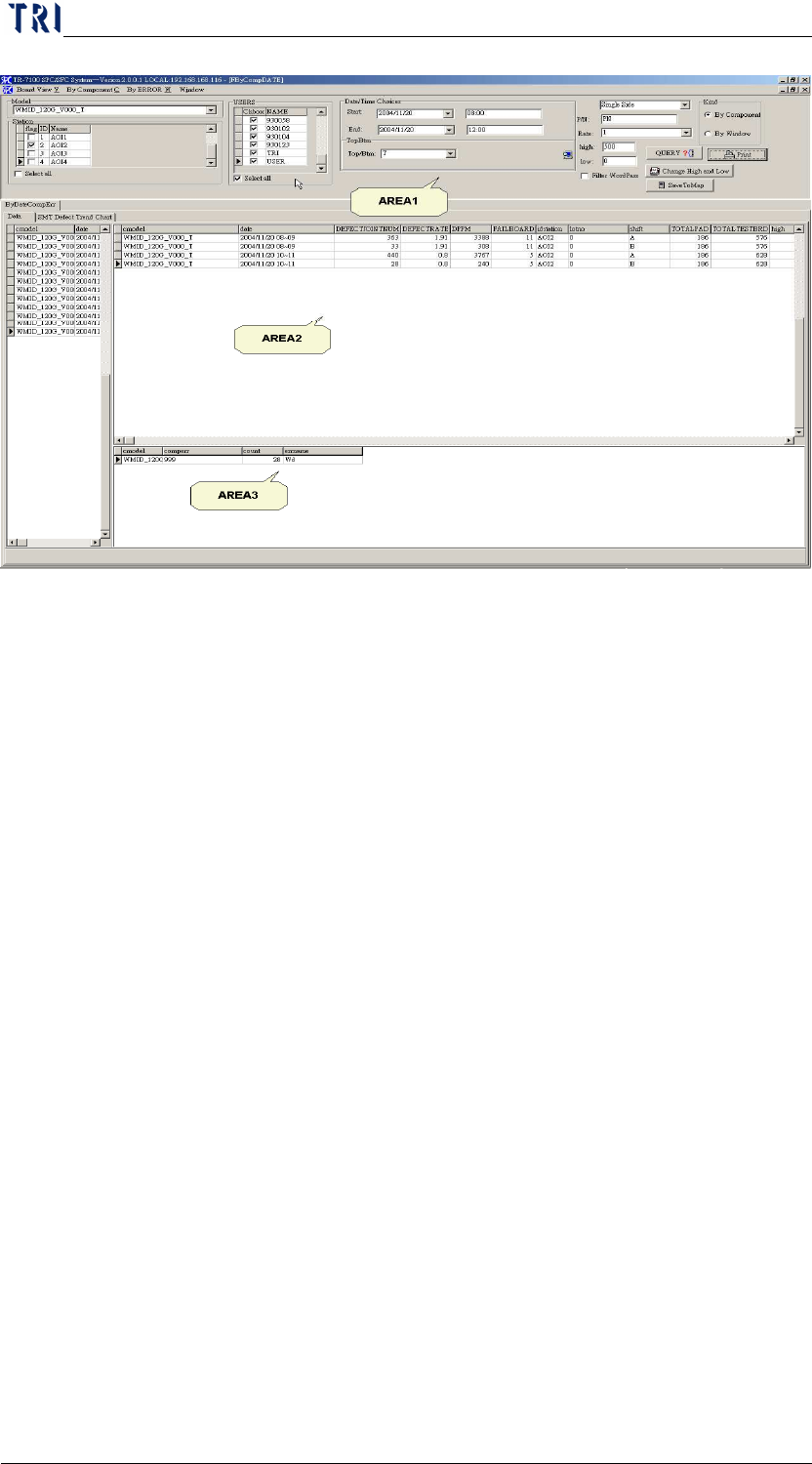
Step1. Select [MODEL], [STATION], [DATE TIME], [Repair staff
(USER)], [TOP/BTM (* no separation of top or bottom)] and
[LOT_NO (deselect for all)]. The false alarm characters will be
filtered when the [FILTER WORDPASS] is check marked.
Step2. Click on [QUERY]. The MODEL is sorted by date 2004/11/20
08~09 and its basic information in AREA2, and details of DEFECT
information on this MODEL in AREA3
Chapter3 SPC User Manual
AOI Repair Station
97
Step3. Click on [PRINT]
[SINGLE SIDE], [P/N] may be entered manually before
pressing [PRINT] on the previous screen
The limitation of the [DEFECT TREND CHART] may be
entered manually on the previous screen, press [change high
and low] after the key in, and then press [PRINT] to change
the limitation automatically.
Definitions
DATE-Date and Time
LINE-Station
SHIFT-Work shifts
LOTNO-Lot number
TOTAL BOARD-Total number of boards
FAIL BOARD-Defect boards
FAIL RATE-Failboard / totalTestBoard * 100
DPPM-DJNUM/(number of single face joint points *number of test
boards) * 1000000
DJNUM-number of bad joint point
TOTAL PAD-Total COMPONENT on this board